What Is the Tire Pressure Monitoring System
 The tire pressure monitoring system measures the vehicle's tire pressures. A warning lamp illuminates if one or more tires are significantly underinflated or if there is a system malfunction. The tire pressure monitoring system measures the vehicle's tire pressures. A warning lamp illuminates if one or more tires are significantly underinflated or if there is a system malfunction. |
Tire Pressure Monitoring System Precautions
 WARNING: The tire pressure monitoring system is not a substitute for manually checking tire pressures. You should periodically check tire pressures using a pressure gauge. Failure to correctly maintain tire pressures could increase the risk of tire failure, loss of control, vehicle rollover and personal injury. WARNING: Do not use the tire pressure displayed in the information display as a tire pressure gauge. Failure to follow this instruction could result in personal injury or death. WARNING: The tire pressure monitoring system is not a substitute for manually checking tire pressures. You should periodically check tire pressures using a pressure gauge. Failure to correctly maintain tire pressures could increase the risk of tire failure, loss of control, vehicle rollover and personal injury. WARNING: Do not use the tire pressure displayed in the information display as a tire pressure gauge. Failure to follow this instruction could result in personal injury or death. |
Note: The use of tire sealants can damage the tire pressure monitoring system.
Note: If the tire pressure monitor sensor becomes damaged it may not function.
Tire Pressure Monitoring System Limitations
The warning lamp can illuminate when:
- You use a spare wheel or a tire sealant and inflator kit.
- The outside air temperature drops significantly. The tire pressure could decrease and activate the low tire pressure warning lamp. Check each tire to verify that none are flat. Inflate the tires, if needed, to the recommended pressures and carry out the reset procedure.
Note: Regularly checking the vehicle tire pressures can reduce the possibility for the warning lamp to illuminate due to outside air temperature changes.
Note: After you inflate the tires to the correct pressure, it may take up to two minutes of driving over 32 km/h (20 mph) for the warning lamp to turn off.
Viewing the Tire Pressures - Vehicles With: 4.2 Inch Instrument Cluster Display Screen
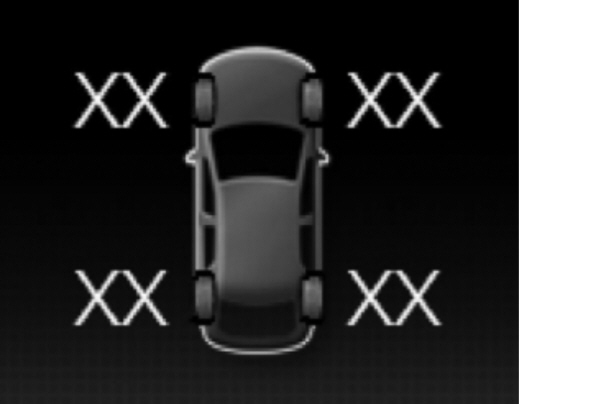
- Using the information display controls on the steering wheel, select Settings.
- Select Information.
- Select Tire Pressure.
VIEWING THE TIRE PRESSURES - VEHICLES WITH: 12.3 INCH INSTRUMENT CLUSTER DISPLAY SCREEN
- Press the menu button on the steering wheel to enter the information display main menu.
- Select Select Screens.
- Select Tire Pressure.
Download Manual