Adaptive Headlamps - Vehicles With: 4.2 Inch Instrument Cluster Display Screen
The headlamps are designed to adapt when you are steering around a curve, or if the camera detects lane markings indicating a curve or traffic signs indicating an intersection or a roundabout.
Note: Set the lighting control to the autolamps position to use the adaptive headlamps.
Steering Around a Curve
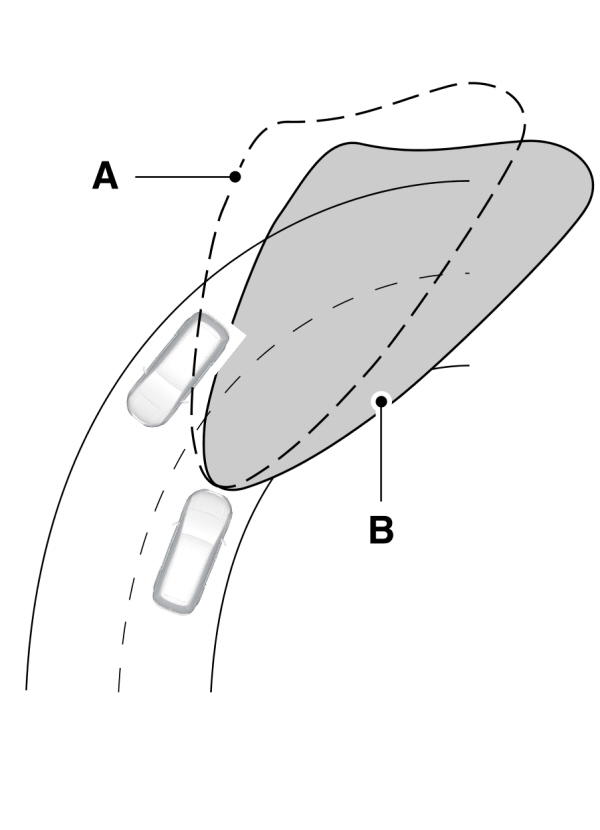
A Without adaptive headlamps. Without adaptive headlamps.B With adaptive headlamps. |
Camera Detects Lane Markings
You can switch the feature off in the information display.
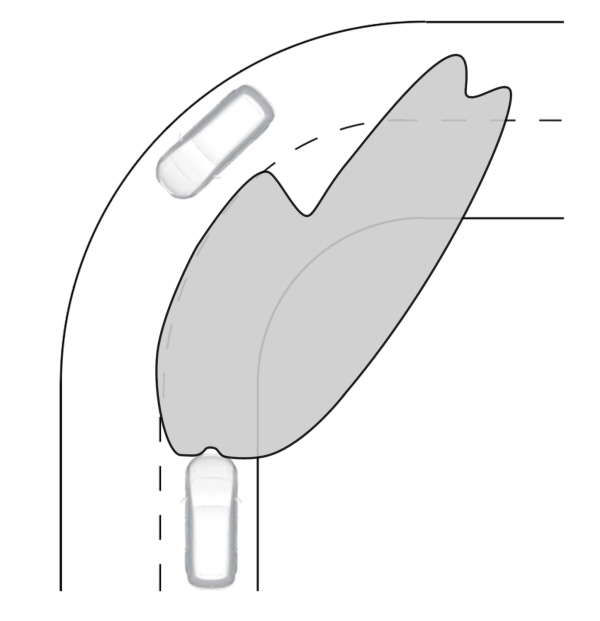
Camera Detects Traffic Signs
You can switch the feature off in the information display.
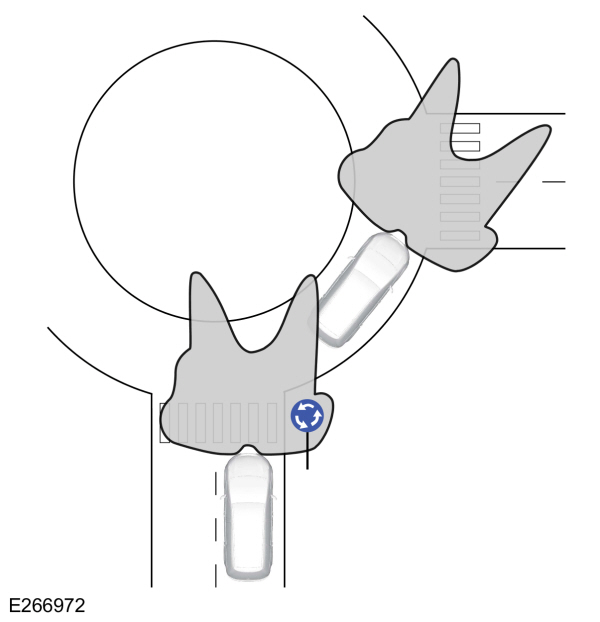
The camera only detects traffic signs if your vehicle speed is below 50 km/h (31 mph).
Adaptive Headlamps Settings
To switch the camera detection off, use the information display controls on the steering wheel to select the following:
| Menu Item | Action |
|---|---|
|
Settings |
Press the menu button. |
|
Vehicle Settings |
Press the OK button. |
|
Lighting |
Press the OK button. |
|
Predictive Lighting |
Press the OK button. |
Adaptive Headlamps Information Messages
| Message | Description |
|---|---|
|
Front Camera Low Visibility Clean Screen |
The camera has reduced visibility.Clean the windshield.If the message continues to appear, have your vehicle checked as soon as possible. |
|
Front Camera Temporarily Not Available |
The camera has malfunctioned.Wait a short period of time for the camera to cool down.If the message continues to appear, have your vehicle checked as soon as possible. |
Download Manual