Lane Keeping System
 WARNING: You are responsible for controlling your vehicle at all times. The system is designed to be an aid and does not relieve you of your responsibility to drive with due care and attention. Failure to follow this instruction could result in the loss of control of your vehicle, personal injury or death. WARNING: The system may not function if the sensor is blocked. WARNING: The sensor may incorrectly track lane markings as other structures or objects. This can result in a false or missed warning. WARNING: In cold and severe weather conditions the system may not function. Rain, snow and spray can all limit sensor performance. WARNING: Large contrasts in outside lighting can limit sensor performance. WARNING: The system will not operate if the sensor cannot track the road lane markings. WARNING: If damage occurs in the immediate area surrounding the sensor, have your vehicle checked as soon as possible. WARNING: The system may not correctly operate if your vehicle is fitted with a suspension kit not approved by us. WARNING: You are responsible for controlling your vehicle at all times. The system is designed to be an aid and does not relieve you of your responsibility to drive with due care and attention. Failure to follow this instruction could result in the loss of control of your vehicle, personal injury or death. WARNING: The system may not function if the sensor is blocked. WARNING: The sensor may incorrectly track lane markings as other structures or objects. This can result in a false or missed warning. WARNING: In cold and severe weather conditions the system may not function. Rain, snow and spray can all limit sensor performance. WARNING: Large contrasts in outside lighting can limit sensor performance. WARNING: The system will not operate if the sensor cannot track the road lane markings. WARNING: If damage occurs in the immediate area surrounding the sensor, have your vehicle checked as soon as possible. WARNING: The system may not correctly operate if your vehicle is fitted with a suspension kit not approved by us. |
The system is designed to alert you by providing temporary steering assistance or steering wheel vibration when it detects an unintended lane departure. The system detects and tracks the road lane markings using a camera mounted behind the interior mirror.The system only operates when the vehicle speed is greater than approximately 65 km/h (40 mph).You can view the system status in the information display.
Note: The system works when the camera can detect at least one lane marking or the edge of the road.
The system may not correctly operate in any of the following conditions:
- The system does not detect at least one lane marking or the edge of the road.
- You switch the direction indicator on.
- You apply direct steering, accelerate fast or brake hard.
- The vehicle speed is less than 65 km/h (40 mph).
- The anti-lock brake, stability control or traction control system activates.
- Narrow lane width.
The system may not correct lane positioning in any of the following conditions:
- High winds.
- Uneven road surfaces.
- Heavy or uneven loads.
- Incorrect tire pressure.
Switching Lane Keeping System On and Off
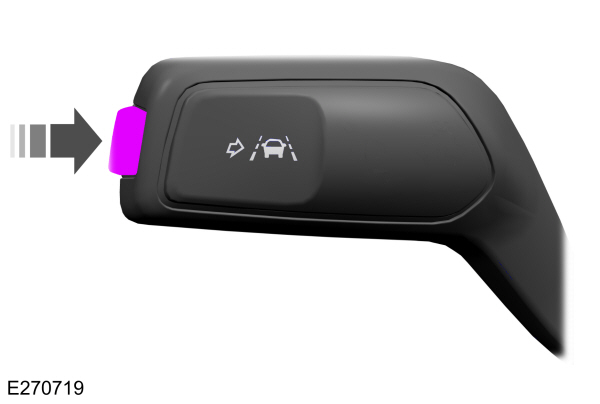
Press the button on the direction indicator stalk.
Lane Keeping System Settings
The system has different settings that you can view or adjust using the information display.
Note: The system remembers the last setting when you start your vehicle. If the system detects a MyKey, the mode is set to alert.
Lane Keeping System Display
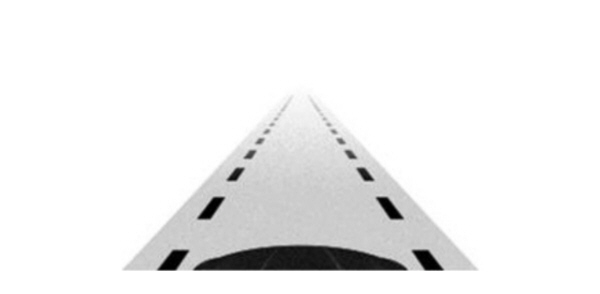
When you switch the system on, a graphic of lane markings appears in the information display.
The lane markings illuminate green or white if the system is available.
The lane markings illuminate grey if the system is unavailable.
The lane markings do not display if the system is off.
Alert Mode
Provides steering wheel vibration when the system detects an unintended lane departure. The lane markings in the information display illuminate red.
Setting the Steering Wheel Vibration Intensity
- Press the menu button on the steering wheel to enter the information display main menu.
- Select Settings.
- Select Driver Assistance.
- Select Lane Keeping System.
- Select Intensity.
- Select a setting and press the OK button.
Note: This setting does not affect the aid mode.
Aid Mode
Provides temporary steering assistance toward the lane center when the system detects an unintended lane departure. The lane markings in the information display illuminate amber.
Note: When aid mode is on and the system does not detect any steering activity for a short period of time, for example lightly holding the steering wheel, the system alerts you to put your hands on the steering wheel.
Note: The aid mode becomes active again after you have returned your vehicle to the center of the lane.
Alert and Aid Mode
Provides temporary steering assistance toward the lane center when the system detects an unintended lane departure. If your vehicle continues drifting out of the lane, the steering wheel vibrates.
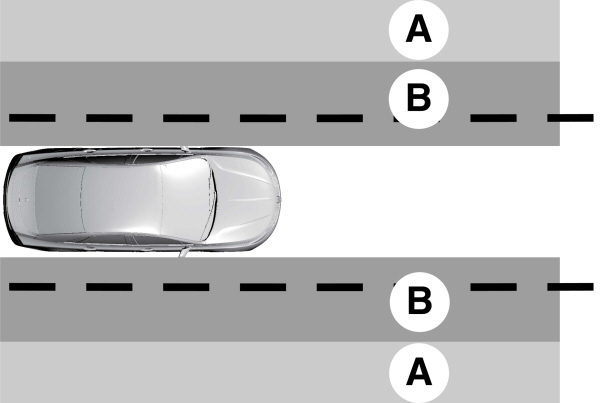
A Alert mode. Alert mode.B Aid mode. |
Note: The diagram illustrates general zone coverage. It does not provide exact zone parameters.
Selecting the Lane Keeping System Modes
- Press the menu button on the steering wheel to enter the information display main menu.
- Select Settings.
- Select Driver Assistance.
- Select Lane Keeping System.
- Select Mode.
- Select a setting and press the OK button.
Lane Keeping System Messages
| Message | Action |
|---|---|
|
Lane Keeping Sys. Malfunction Service Required |
The system has detected a fault that requires service.Have your vehicle checked as soon as possible. |
Download Manual