Automatic Climate Control
Switching the Climate Control On and Off
 |
Switching the Recirculated Air On and Off

Note: The air currently in the passenger compartment recirculates.
Note: Recirculated air could turn off or be prevented from turning on in all air flow modes except maximum cooling to reduce the risk of the windows fogging up. It could also turn on and off when you direct air to the instrument panel or footwell air vents during hot weather to improve cooling efficiency.
Switching the Air Conditioning On and Off

Note: Under certain conditions, the air conditioning compressor could continue to operate after you switch air conditioning off.
Switching Maximum Defrost On and Off

Note: When you switch maximum defrost on, the heated windshield, heated rear window and air conditioning turn on. The blower motor is set to the highest speed.
Note: When you switch maximum defrost off, the heated windshield and heated rear window remain on.
Switching Maximum Cooling On and Off

Note: When you switch maximum cooling off, air conditioning remains on.
Switching Auto Mode On and Off

Note: When you switch auto mode on, lights on the blower motor control do not illuminate to indicate the blower motor speed.
Adjust the blower motor control or air distribution control to switch auto mode off.
Auto Mode Indicator Status
| Auto Mode Indicator Status | Description |
|---|---|
| One indicator illuminated. |
|
| Two indicators illuminated. |
|
| Three indicators illuminated. |
|
Setting the Blower Motor Speed

Note: Lights on the control illuminate to indicate the blower motor speed.
Switching Dual Mode On and Off

Note: When you switch dual mode on, the passenger side temperature control can be independently adjusted.
Note: You can also switch dual mode on by adjusting the passenger side temperature control.
Directing Air to the Windshield Air Vents
 |
Directing Air to the Instrument Panel Air Vents
 |
Directing Air to the Footwell Air Vents
 |
Setting the Temperature
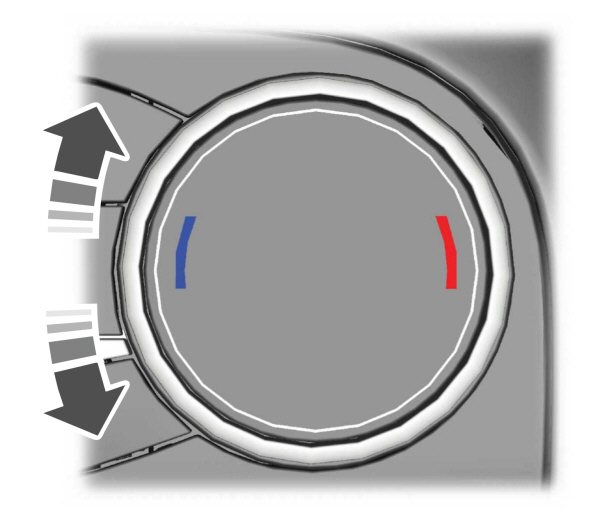
Turn the temperature control counterclockwise for cooler temperature settings.
Turn the temperature control clockwise for warmer temperature settings.
Note: You can adjust the temperature between 15.5–29.5 °C (60–85 °F).
Download Manual