What Is G.O.A.T. Mode Control
Your vehicle has several goes over any-type of terrain (G.O.A.T.) modes that you can select for different driving conditions. Depending on the mode that you select, the system adjusts various vehicle settings.
This feature connects multiple vehicle systems through a single interface, providing you with enhanced vehicle control and driving dynamics for different driving scenarios, terrains, weather, or various road conditions.
HOW DOES G.O.A.T. MODE CONTROL WORK
Each selectable mode changes various electronic and mechanical settings within your vehicle to tailor its performance and driving characteristics to on-road or off-road driving conditions. The system may alter steering feel and effort, traction control, stability control, chassis controls, powertrain response, transmission shift points, four-wheel driveline setting, exhaust noise level and suspension dampening to predetermined settings, depending upon the mode that you select.
The system reverts to the normal mode each time you start your vehicle. At startup the system also displays a prompt on the instrument cluster display that gives you the option to return to the previously selected drive mode during the last ignition cycle. If you select yes, the system returns to the last selected drive mode and the default driveline settings associated with that mode. If you select no or do not make a selection within a short time, the system remains in normal mode and the driveline settings remain the same as selected in the prior ignition cycle.
Note: Your vehicle has diagnostic checks that continuously monitor all systems for proper operation. If a mode is unavailable due to a system fault, your vehicle defaults to normal mode and the driveline remains in the four-wheel drive setting that you last selected prior to the system fault.
SELECTING A G.O.A.T. MODE - EXCLUDING: RAPTOR
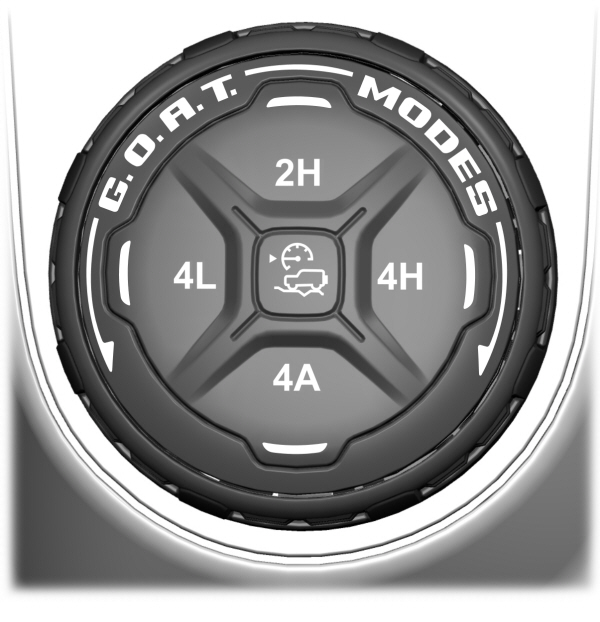
To select a mode, use the console mounted controller.
Note: Mode changes will not be available when the ignition is off or when the engine is not running.
Note: Button icons may vary.
Note: Do not perform this operation when cruise control or trail control is selected and active. The mode change may not occur as expected.
Note: To optimize off-road driving performance, the system disables the brake over accelerator feature when in off-road modes, including mud/ruts, sand, baja and rock crawl modes. A message displays in the instrument cluster when you select an off-road mode. See G.O.A.T. Mode Control – Information Messages. Brake over accelerator enables when an off-road mode is exited or during the next key cycle. Return to on-road modes, normal, eco, sport or slippery, when driving on regular roads.
See Brake Over Accelerator.
Download Manual