Identifying the Audio Unit
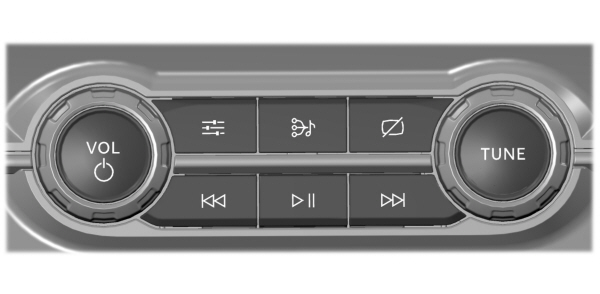
Depending on your vehicle options, the controls may look different from what you see here.
SWITCHING THE AUDIO UNIT ON AND OFF
 Press the button on the volume control. Press the button on the volume control. |
SELECTING THE AUDIO SOURCE
Audio Unit

You can press this multiple times to change the audio source or scroll through the media sources.
Touchscreen
Press Sources on the touchscreen to open the media source menu.
PLAYING OR PAUSING THE AUDIO SOURCE
Audio Unit
 Press the button to pause playback. Press again to resume playback. Press the button to pause playback. Press again to resume playback. |
Touchscreen
Note: Not all sources can be paused.
ADJUSTING THE VOLUME
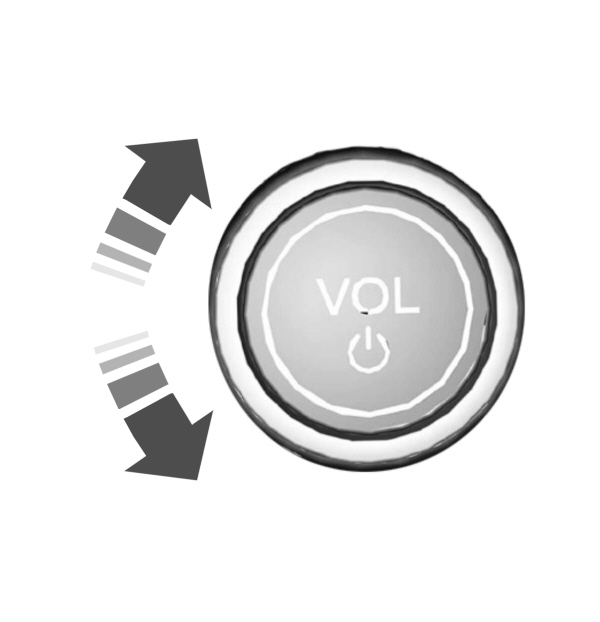
Turn to adjust the volume.
Some vehicles may be able to adjust the volume using buttons on the steering wheel.
SWITCHING SHUFFLE MODE ON AND OFF

Note: Not all sources have shuffle mode.
SWITCHING REPEAT MODE ON AND OFF

Note: Not all sources have repeat mode.
SETTING A MEMORY PRESET
- Select a station or channel.
- Press and hold a memory preset button on the touchscreen.
Note: The audio mutes briefly while the system saves the preset and returns once it is stored.
Note: You can save presets from multiple sources to the memory preset bar.
MUTING THE AUDIO
 Press the button on the steering wheel to mute the audio. Press the button on the steering wheel to mute the audio. |
Press to mute the signal. Press again to restore the signal. |
ADJUSTING THE SOUND SETTINGS
Press the settings icon on the touchscreen.
- Press Sound Settings.
- Select the desired menu point and adjust the settings.
SETTING THE CLOCK AND DATE
- Press Settings on the touchscreen.
- Press Clock Settings.
- Set the time.
Note: The AM and PM options are not available if 24-hour mode is on.
Switching Automatic Time Updates On and Off
- Press Settings on the touchscreen.
- Press Clock Settings.
- Switch Auto Time Update on or off.
AM/FM RADIO LIMITATIONS
The further you travel from an AM or FM station, the weaker the signal and the weaker the reception.
Hills, mountains, tall buildings, bridges, tunnels, freeway overpasses, parking garages, dense tree foliage and thunderstorms can interfere with the reception.
When you pass a ground-based broadcast repeating tower, a stronger signal may overtake a weaker one and result in the audio system muting.
Download Manual