Changing the Remote Control Battery
 WARNING: Keep batteries away from children to prevent ingestion. Failure to follow this instruction could result in personal injury or death. If ingested, immediately seek medical attention. WARNING: If the battery compartment does not securely close, stop using the remote control and replace it as soon as possible. In the meantime, keep the remote control away from children. Failure to follow this instruction could result in personal injury or death. WARNING: Keep batteries away from children to prevent ingestion. Failure to follow this instruction could result in personal injury or death. If ingested, immediately seek medical attention. WARNING: If the battery compartment does not securely close, stop using the remote control and replace it as soon as possible. In the meantime, keep the remote control away from children. Failure to follow this instruction could result in personal injury or death. |
The remote control uses one coin-type 3-volt lithium battery CR2450 or equivalent.
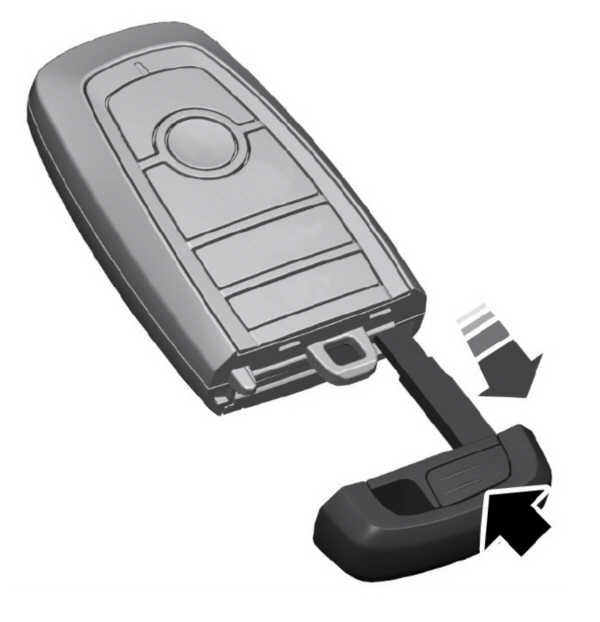
- Push the release button and pull the key blade out.
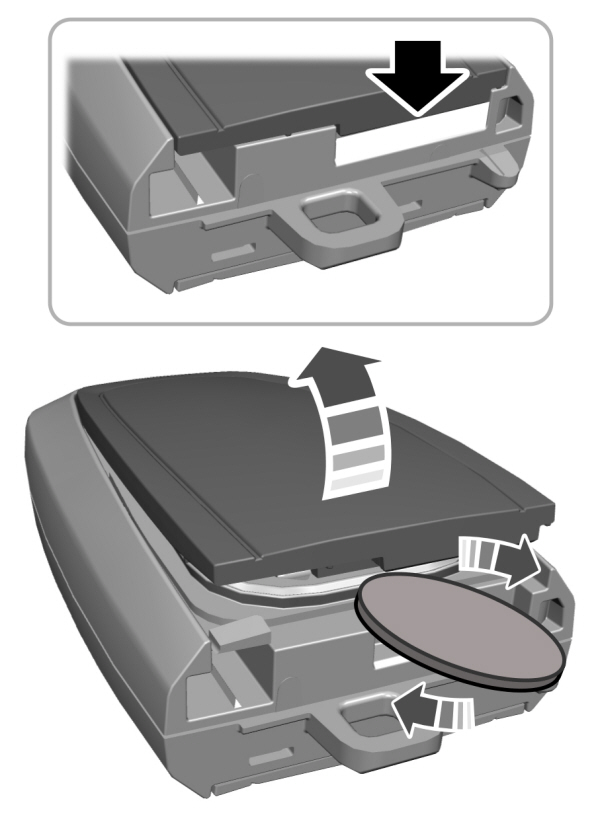
- Twist a thin coin under the tab hidden behind the key blade head to remove the battery cover.
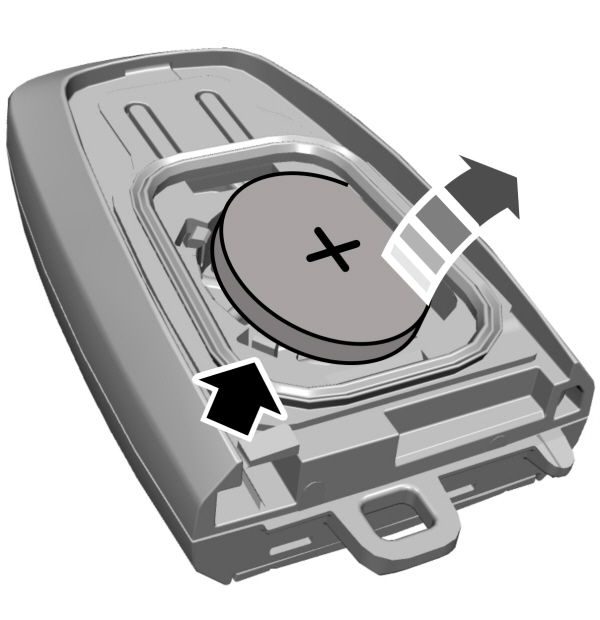
- Insert a screwdriver, and carefully remove the battery.
- Install a new battery with the + facing upward.
- Reinstall the battery housing cover onto the transmitter and install the key blade.

Note: Do not wipe off any grease on the battery terminals or on the back surface of the circuit board.
Note: Replacing the battery does not erase the programmed key from your vehicle.The remote control should operate normally.
Replacing a Lost Key or Remote Control
You can purchase replacement keys or remote controls from an authorized dealer. Authorized dealers can program remote controls for your vehicle.
Download Manual