Distance Indication Indicator
The indicator displays the time gap between your vehicle and vehicles traveling in the same direction ahead of you.
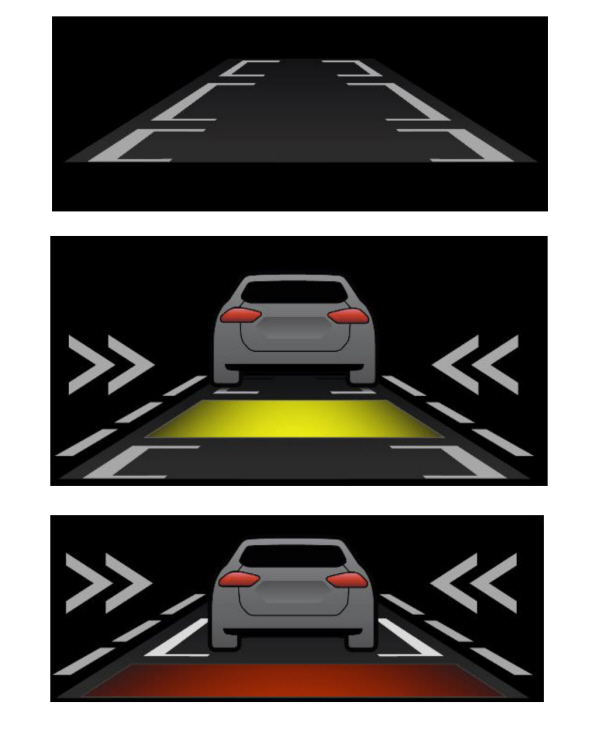
WHAT IS AUTOMATIC EMERGENCY BRAKING
Automatic emergency braking may activate if the system determines that a collision is imminent. The system may help to reduce impact damage or completely avoid the crash.
SWITCHING AUTOMATIC EMERGENCY BRAKING ON AND OFF
To switch the system on or off, use the touchscreen:
- Press Features on the touchscreen.
- Press Driver Assistance.
- Press Pre-Collision Assist.
- Press Auto Emergency Braking.
- Switch the feature on or off.
WHAT IS EVASIVE STEERING ASSIST
If your vehicle is rapidly approaching a road user, evasive steering assist helps you steer around the road user.
After you turn the steering wheel in an attempt to avoid a crash with the road user, the system applies additional steering torque to help you steer around the road user. After you pass the road user, the system applies steering torque when you turn the steering wheel to steer back into the lane. The system deactivates after you fully pass the road user.
Note: Road users are defined as another stationary vehicle in the same lane, a vehicle traveling in the same lane in the same direction as yours, a cyclist traveling in the same direction as yours or a pedestrian within your driving path. See Pre-Collision Assist Precautions.
EVASIVE STEERING ASSIST LIMITATIONS
Evasive steering assist only activates when all the following occur:
- Automatic emergency braking and evasive steering assist are on.
- The system detects a road user ahead and starts to apply the brakes.
- You significantly turn the steering wheel to steer around a road user.
Note: Evasive steering assist does not automatically steer around a road user. If you do not turn the steering wheel, evasive steering assist does not activate.
Note: Evasive steering assist does not activate if the distance to the road user ahead is too small and the system cannot avoid a crash.
Download Manual