Ventilators
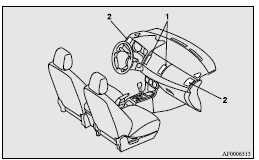
1- Centre ventilators
2- Side ventilators
 Note
Note
► Do not place beverages on top of the instrument panel. If they splash into the air conditioning ventilators, they could damage the system.
Air flow and direction adjustments
Centre ventilators
Move the knob (A) to make adjustments.
To close the ventilator, move the knob (A) to the inside as far as possible.
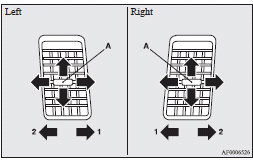
1- Close
2- Open
Side ventilators
Move the knob (A) to make adjustments.
To close the ventilator, move the knob (A) to the outside as far as possible.
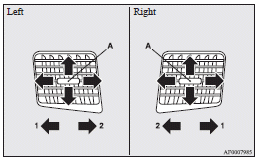
1- Close
2- Open
Note
► On air conditioned vehicles, the cool air from the ventilators may appear as a mist.
This is due to moist air being suddenly cooled by the air conditioning. This will clear after a few moments.
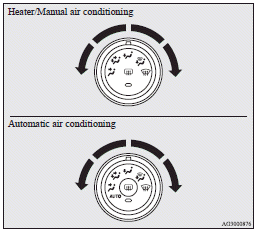
Mode selection dial
To change the position and amount of air flowing from the ventilators, turn the mode selection dial.
 Caution
► When using the mode selection dial between the  and
and  positions, prevent fogging by pressing the air selection switch to select outside air. (Refer to “Air selection switch” on pages 5-08, 5-13.)
Changing the mode selection
To change the position and amount of air flowing from the ventilators, turn the mode selection dial.
(Refer to “Mode selection dial”.) These symbols are used in the next several illustrations to demonstrate the quantity of air coming from the ventilators.
 : Small amount of air from the ventilators
 : Medium amount of air from the ventilators
 : Large amount of air from the ventilators
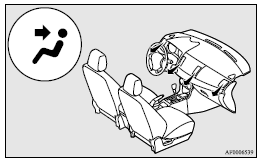
Face position
Air flows only to the upper part of the passenger compartment.
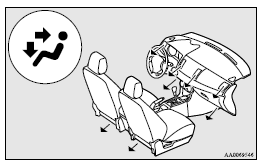
Foot/Face position
Air flows to the upper part of the passenger compartment, and flows to the leg area.
Note
► With the mode selection dial between the  and
and  positions, the air flows mainly to the upper part of the passenger compartment.
With the mode selection dial between the and  positions, the air flows mainly to the leg area.
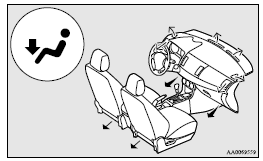
Foot position
Air flows mainly to the leg area.
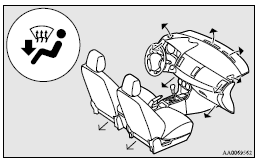
Foot/Demister position
Air flows to the leg area, the windscreen and the door windows.
Note
► With the mode selection dial between the  and
and  positions, the air flows mainly to the leg area. With the mode selection dial between the
  and
and  positions, the air flows mainly to the windscreen and door windows.
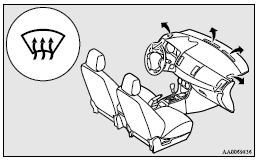
Demister position
Air flows mainly to the windscreen and the door windows.
Download Manual