Inside rear-view mirror
Adjust the rear-view mirror only after making any seat adjustments so you have a clear view to the rear of the vehicle.
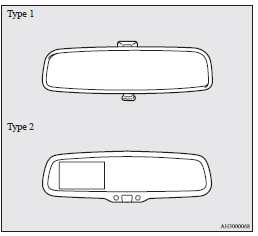
 Warning
► Do not attempt to adjust the rear-view mirror while driving. This can be dangerous.
Always adjust the mirror before driving.
Adjust the rear-view mirror to maximize the view through the rear window.
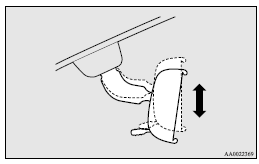
To adjust the vertical mirror position
It is possible to move the mirror up and down to adjust its position.
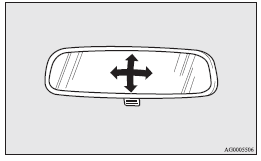
To adjust the mirror position
It is possible to move the mirror up/down and left/ right to adjust its position.
To reduce the glare
Type 1
The lever (A) at the bottom of the mirror can be used to adjust the mirror to reduce the glare from the headlamps of vehicles behind you during night driving.
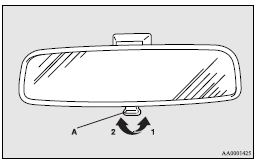
1- Normal
2- Anti-glare
Type 2
When the headlamps of the vehicles behind you are very bright, the reflection factor of the rear-view mirror is automatically changed to reduce the glare.
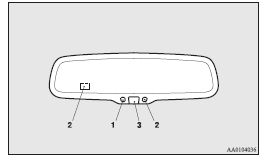
When the ignition switch is turned to the “ON” position, the green indicator (1) illuminates and the reflection factor of the mirror is automatically changed.
 Note
Note
► Do not hang any items on, or spray glass cleaner on the sensors (2) on the front and back side, as reduced sensitivity could result.
► If you want to stop automatic mode, press the switch (3) and the indicator will go off.
To return to automatic mode, press the switch again or turn the ignition switch to the “ON” position after turning to “LOCK” or “ACC” position.
Download Manual