Setting the Temperature
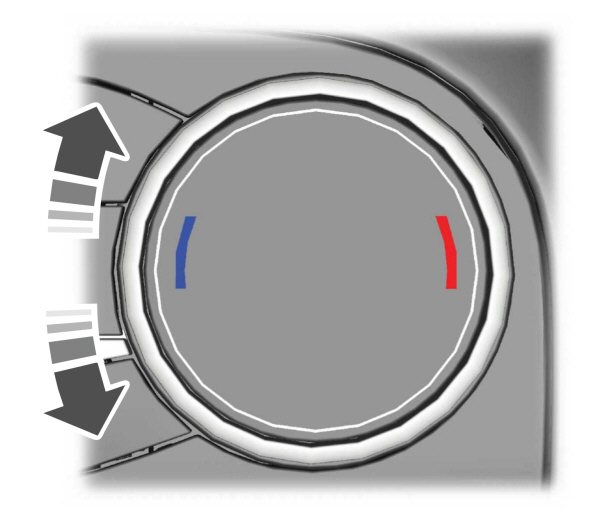
Turn the control on the left-hand side of the climate control to set the left-hand temperature.
Note: This control also sets the right-hand side temperature when you switch off dual zone mode.
Turn the control on the right-hand side of the climate control to set the right-hand temperature.
DIRECTING THE FLOW OF AIR
Directing Air to the Windshield Air Vents
 Press the button to activate the selection screen. Press the button to activate the selection screen. |
 Press the button on the touchscreen. Press the button on the touchscreen. |
Directing Air to the Instrument Panel Air Vents
| Press the button to activate the selection screen. |
 Press the button on the touchscreen. Press the button on the touchscreen. |
Directing Air to the Footwell Air Vents
| Press the button to activate the selection screen. |
 Press the button on the touchscreen. Press the button on the touchscreen. |
SWITCHING AUTO MODE ON AND OFF

Note: When you switch auto mode on, lights on the blower motor control do not illuminate to indicate the blower motor speed.
Adjust the blower motor control or air distribution control to switch auto mode off.
AUTO MODE INDICATORS
The indicators are on the Auto Mode button.
| Auto Mode Indicator Status | Description |
|---|---|
| One indicator illuminated. | The blower motor speed is reduced. Use this setting to minimize the amount of noise from the blower motor. This setting increases the time taken to cool the interior. |
| Two indicators illuminated. | The blower motor speed is moderate. |
| Three indicators illuminated. | The blower motor speed is increased. Use this setting to reduce the time taken to cool the interior. This setting increases the amount of noise from the blower motor. |
SWITCHING DUAL MODE ON AND OFF
 Press the button. Press the button. |
Download Manual