Connecting a Trailer
Recognizing a Trailer
- Attach the trailer and wiring connector to your vehicle.
- Switch on your vehicle.
- Set up a profile for the trailer using the touchscreen.
Note: If your vehicle does not recognize the trailer, press and hold the brake pedal for a few seconds.
Note: Trailer profiles store trailer types, dimensions, preferences, trailer specific mileage and fuel economy.
Note: Disabling the trailer detection notification makes the default trailer profile active when a connection is detected.
Note: Trailer profiles allows you to setup several trailer maintenance reminders and maintenance intervals for multiple trailer components by specifying miles and months in service.
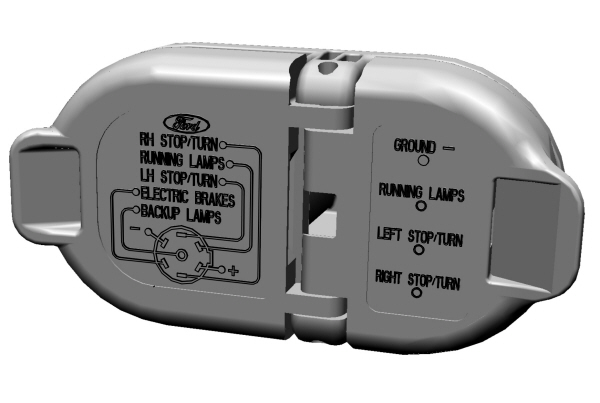
When attaching the trailer wiring connector to your vehicle, only use a proper fitting connector that works with the vehicle and trailer functions.
Trailer Light Check
 WARNING: Never connect any trailer lamp wiring to the vehicle's tail lamp wiring; this may damage the electrical system resulting in fire. Contact your authorized dealer as soon as possible for assistance in proper trailer tow wiring installation. Additional electrical equipment may be required. WARNING: Never connect any trailer lamp wiring to the vehicle's tail lamp wiring; this may damage the electrical system resulting in fire. Contact your authorized dealer as soon as possible for assistance in proper trailer tow wiring installation. Additional electrical equipment may be required. |
Most towed vehicles require trailer lamps. Make sure all running lights, brake lights, turn signals and hazard lights are working.
Safety Chains
Install trailer safety chains to the trailer hitch as recommended by the manufacturer. Cross the chains under the trailer coupler and allow enough slack for turning tight corners. Do not allow the chains to drag on the ground.
Note: Do not attach safety chains to the bumper. Always connect the safety chains to the frame or hook retainers of your trailer hitch.
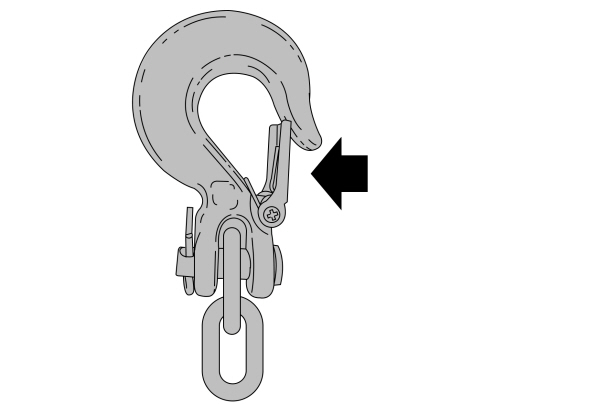
If the trailer safety chain hook has a latch, make sure to fully close the latch.
Download Manual