AM/FM Radio
Manually Selecting a Radio Station
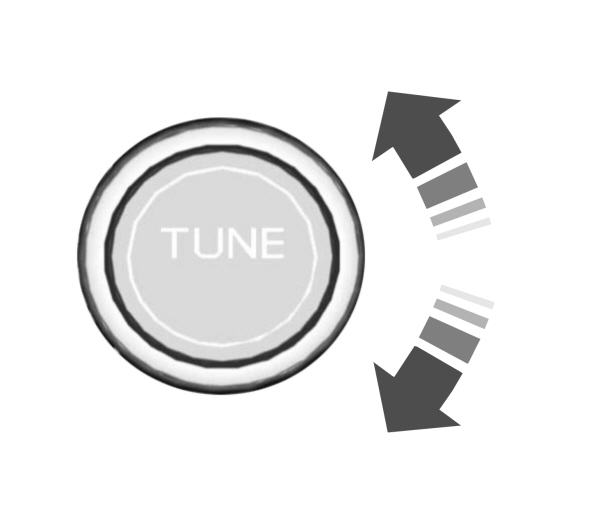
Turn to search through the radio frequency band.
Using Direct Tune
- Press Direct Tune to open the number pad.
- Enter the station you prefer.
Note: You can only enter a valid station for the audio source you are currently listening to.
Using Seek
  Press either button. The system stops at the first station it finds in that direction. Press either button. The system stops at the first station it finds in that direction. |
Using the Station List
- Press Browse.
Note: Available on FM radio only.
- Press a station.
SWITCHING THE DISPLAY ON AND OFF
Audio Unit
 Press the button. Press the button. |
Touchscreen
To switch the display off:
- From the settings menu, press Display. See Center Display.
- Press Display Off.
Note: The display defaults to on each time you switch your vehicle on.
To switch the display on, press anywhere on the touchscreen.
WHAT IS DIGITAL RADIO
HD Radio™ technology is the digital evolution of analog AM/FM radio.
For additional information, visit www.HDRadio.com.
HD Radio Technology is manufactured under license from iBiquity Digital Corporation and foreign patents. HD Radio and the HD and HD Radio logos are proprietary trademarks of XPERI. The vehicle manufacturer and XPERI are not responsible for the content sent using HD Radio technology. Content may be changed, added or deleted at any time at the station owner's discretion.
HOW DOES DIGITAL RADIO WORK
Your system has a special receiver that allows it to receive digital broadcasts in addition to analog broadcasts.
HD1 signifies the main programming status and is available in both analog and digital broadcasts. Other multicast stations are only available digitally and could contain new or different content.
Note: When the system first receives an HD1 station, it plays the station in the analog version until it verifies the station is an HD Radio station. Then it shifts to the digital version.
Note: There is an audio mute delay when switching to an HD2 or HD3 station because the system has to reacquire and decode the digital signal.
DIGITAL RADIO LIMITATIONS
If you are outside the reception area, the system could not work.
If you are on the fringe of the reception area, the station could mute due to weak signal strength.
Note: If you are listening to HD1, the system changes back to the analog broadcast until the digital broadcast is available again. If you are listening to any other multicast channels, the station mutes and stays muted unless it is able to connect to the digital signal again.
Depending on the station quality, you could hear a slight sound change when the station changes between analog and digital audio.
You cannot access a saved HD station if your vehicle is outside the station’s reception area.
SWITCHING DIGITAL RADIO RECEPTION ON AND OFF
- Press Settings on the touchscreen.
- Press Radio Settings.
- Switch AM HD Radio or FM HD Radio on or off.
Download Manual