Parking brake
Operating the parking brake
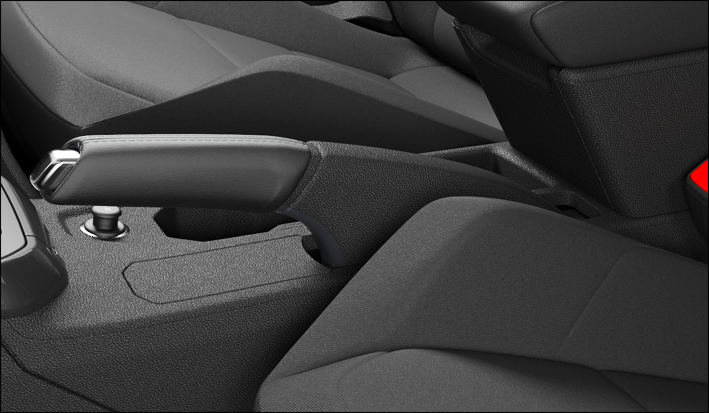
Fig. 105 Between the front seats: Parking brake with lock button (general example).
Set the parking brake
-
Firmly pull up the parking brake lever with the lock button pressed fig. 105 , ⇒
 .
.
 If the parking brake is applied, the red warning light in the instrument cluster comes on.
Releasing the parking brake
-
Pull up the parking brake lever somewhat and press the lock button fig. 105.
-
Guide the parking brake lever down when the lock button is pressed.
 WARNING
Improper use of the parking brake can cause accidents and severe injuries.
-
Always firmly set the parking brake when parking the vehicle! The red warning light
 comes on even if the parking brake is only applied slightly. In this case, the vehicle will not be securely held.
 -
Do not use the parking brake to brake the vehicle unless it is an emergency. The braking distance will be significantly longer because only the rear wheels will be braked under certain circumstances. Always use the brake pedal.
-
Never drive with the parking brake set slightly. This can overheat the brake and negatively impact the brake system. It also leads to premature wear of the rear brake pads.
 NOTICE
To prevent the vehicle from moving when you park it, firmly apply the parking brake before removing your foot from the brake pedal.
NOTICE
When you take your foot off the brake pedal when the parking lock is engaged P but the parking brake is not firmly set, the vehicle can move a few centimeters forward or backward.
 When driving with a set parking brake above a speed of 6 km/h (4 mph), a warning signal is sounded.
Download Manual