Adaptive Cruise Control (ACC)
 Introduction
Adaptive Cruise Control (ACC) maintains your selected speed. When the vehicle approaches a vehicle driving ahead, the ACC adjusts the speed automatically and maintains your set distance to the vehicle driving ahead.
Does this vehicle have ACC?
The vehicle has ACC, if you can adjust ACC settings in the menus in the instrument cluster.
Speed range
You can set a speed between approx. 20 mph (approx. 30 km/h) and approx. 100 mph (approx. 160 km/h). The maximum speed that you can set may be lower, depending on the vehicle equipment and country.
Driving with ACC
You can override the ACC system at any time. Adaptive Cruise Control is canceled when you apply the brakes. When you accelerate, Adaptive Cruise Control is paused while accelerating and then resumed.
Adaptive Cruise Control is stopped at speeds below approximately 11 mph (approximately 18 km/h). ACC cannot bring the vehicle to a complete stop.
Driver intervention request
 If automatic deceleration by the ACC is not sufficient or the system limits are reached, the ACC will prompt you – with a message in the instrument cluster – to also apply the brakes. The red warning light will also turn on and a warning tone will sound. Take over steering and be ready to brake.
Radar sensor
ACC detects driving situations using a radar sensor in the front of the vehicle. The radar sensor has a range of up to approx. 120 m (approx. 400 ft).
 WARNING
The intelligent technology of the ACC cannot overcome the natural laws of physics and can operate only within the limits of the system. Never allow the increased convenience to tempt you into taking risks. Careless or unintended use of the ACC system can cause accidents and serious injuries. The system cannot replace the driver's attention.
-
Always adapt your speed and distance to vehicles driving ahead based on the visual, weather, road, and traffic conditions.
-
Never use ACC when visibility is poor or when roads are steep, winding, flooded, or slippery, for example due to snow, ice, moisture, or gravel.
-
Never use ACC when driving off-road or on unpaved roads. ACC is only designed for use on paved roads.
-
Take over steering immediately if a driver intervention prompt appears in the instrument cluster display or the deceleration by ACC is not sufficient.
-
Apply the brakes if the vehicle continues to roll unintentionally, e.g. after a driver intervention prompt.
-
Always be ready to resume control of the vehicle speed.
ACC limitations
Please read the introductory information and heed the Warnings and Notice ⇒  Introduction.
When should I not use ACC?
The ACC system is not suitable in the following situations. Canceling Adaptive Cruise Control ⇒ Introduction:
-
When driving in heavy rain, snow, or spray
-
When driving through construction zones, tunnels or toll stations.
-
When driving on winding roads, for example, mountain roads
-
When driving off-road
-
When driving in parking ramps
-
When driving on roads with embedded metal objects, such as railroad tracks
-
When driving on gravel roads
-
When driving on roads with multiple lanes if vehicles are driving slowly in the passing lane
WARNING
If you use ACC in the situations mentioned, accidents and serious injuries can result and legal regulations could be violated.
Delayed reaction
If the radar sensor is exposed to environmental conditions that limit its function, the system may have a delayed response to this. Therefore, the display that indicates that functions are restricted may be delayed when you first start driving or while driving ⇒ Introduction.
Unrecognizable objects
ACC only detects vehicles that are moving in the same direction. The following will not be detected:
-
Pedestrians
-
Animals
-
Stationary vehicles
-
Vehicles crossing the street or oncoming vehicles
-
Other stationary obstacles
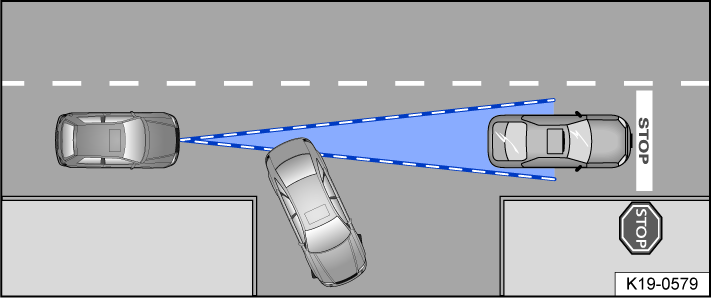
Fig. 96 Turning and stationary vehicles.
If, for example, a vehicle detected by the ACC turns or changes lanes and there is a stationary vehicle in front of this vehicle, the ACC will not react to the stationary vehicle fig. 96.
Curves
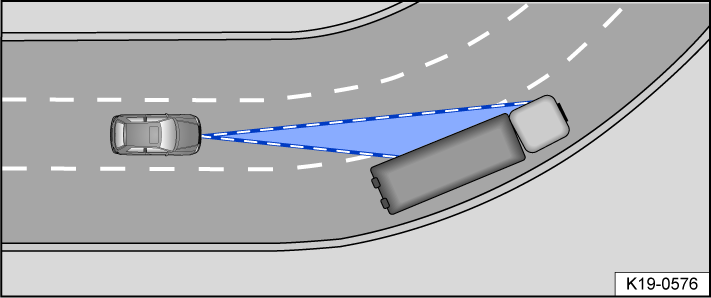
Fig. 97 Driving around curves.
The radar sensor only measures straight ahead. Therefore, on tight curves, vehicles may be detected by mistake or vehicles driving ahead may not be detected fig. 97.
Vehicles outside the sensor range
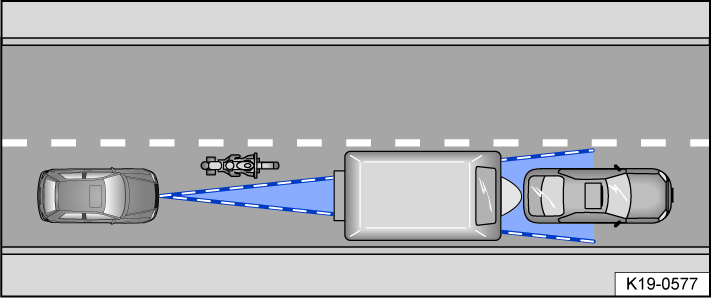
Fig. 98 Narrow vehicle.
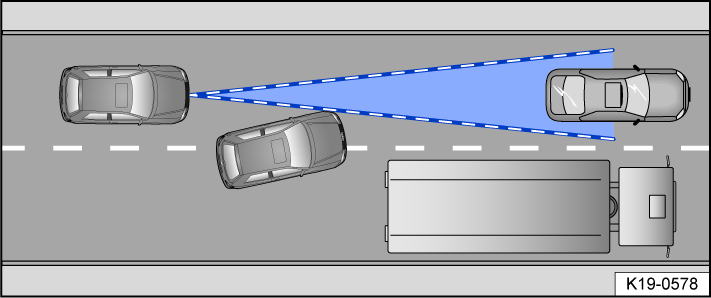
Fig. 99 Changing lanes.
The ACC may not react, may react with a delay, or may react in a way that is not desired in the following situations:
-
If there are vehicles that are driving close to your vehicle but outside the sensor range, such as motorcycles fig. 98.
-
If vehicles change to your lane close in front of your vehicle fig. 99.
-
If vehicles have objects or accessories projecting out of the vehicle.
Switching ACC on and off
Please read the introductory information and heed the Warnings and Notice ⇒ Introduction.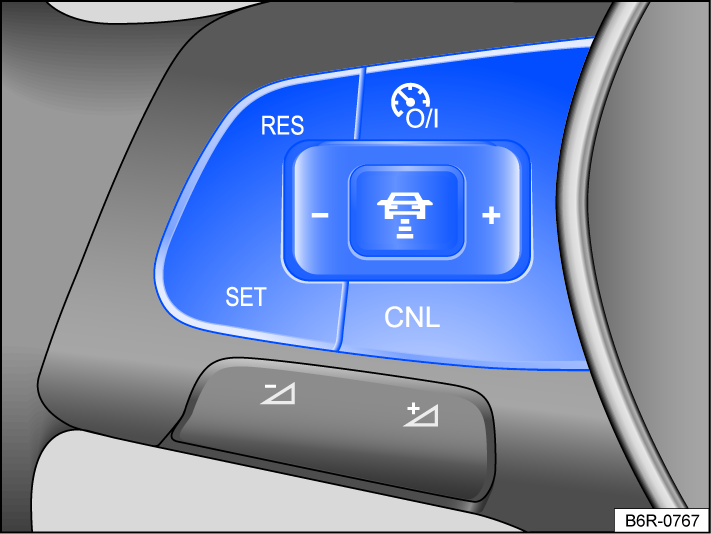
Fig. 100 Left side of the multi-function steering wheel.
Switching on
-
Press the
 button.
ACC is not yet functioning.
Starting the Cruise Control System
-
Press the
 button while driving forward.
ACC saves the current speed and maintains the set distance. If the current speed is outside the specified speed range, the ACC adjusts the minimum speed (when driving too slowly) or the maximum speed (when driving too quickly).
The following indicator lights may turn on depending on the driving situation:
 ACC is regulating.
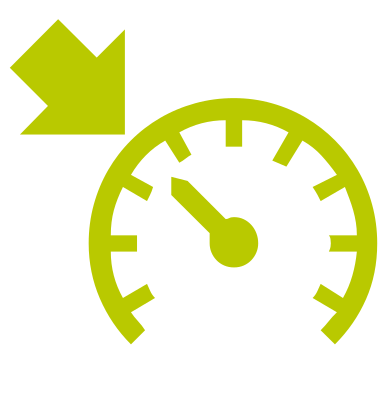 ACC regulating (alternative display).
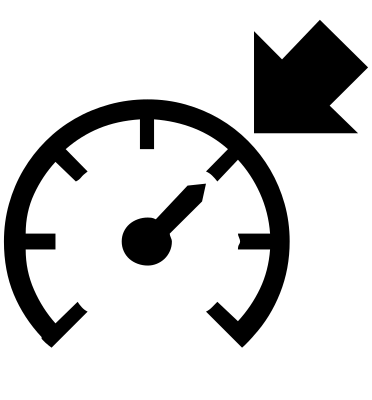 No vehicle is detected driving ahead.
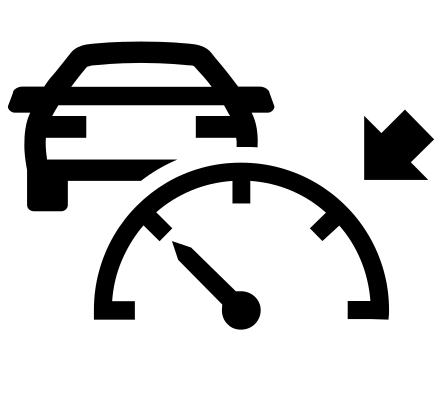 Vehicle driving ahead is detected (white).
Canceling Adaptive Cruise Control
-
Press the
 or button briefly.
Or: Press the brake pedal.
If the respective indicator light for the driving situation lights up gray, the speed and distance are saved.
Resuming the Cruise Control System
-
Press the
 button.
ACC assumes the last set speed and the last set distance. The instrument cluster display shows the set speed, and indicator lights turn on corresponding to the driving situation.
Switching off
-
Press and hold the
button.The set speed is deleted.
Adjusting the ACC settings
Please read the introductory information and heed the Warnings and Notice ⇒ Introduction.
Setting the distance
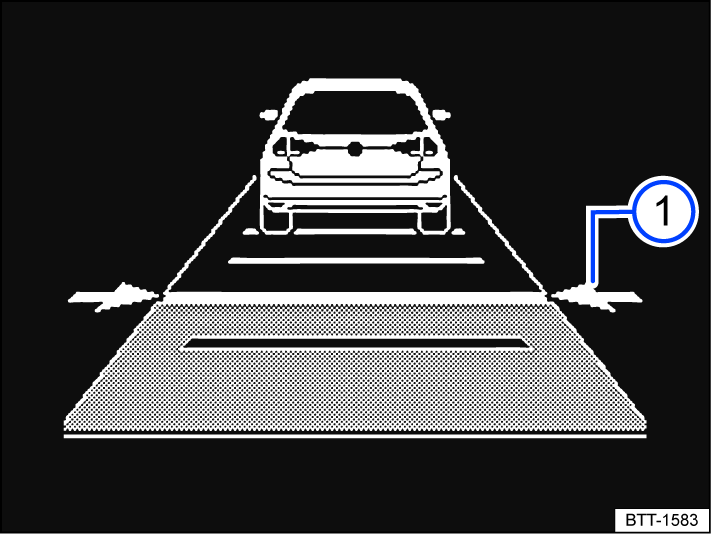
Fig. 101 In the instrument cluster display: set distance  (general example, ACC is regulating).
You can set the distance at five levels from very short to very long:
-
Press the
 button and then the
  button, or press
  .
.Or: Press the
button repeatedly until the preferred distance is set.The instrument cluster display shows the selected level fig. 101
. Heed the country-specific regulations for minimum distance.
Depending on the vehicle equipment, you can go to either the instrument cluster menu or the Infotainment system menu to configure the distance that your vehicle should maintain from the vehicle in front when Adaptive Cruise Control is activated.
If ACC is not regulating, the set distance and the vehicle will not be highlighted on the instrument cluster display.
Setting the speed
You can adjust the stored speed within the specified speed range using the buttons on the multi-function steering wheel as follows:
- + 1 mph (1 km/h):
- Press the button.
- - 1 mph (1 km/h):
- Press the button.
To change the stored speed continuously, press and hold the respective button.
WARNING
If the vehicle is less than the minimum distance from the vehicle ahead and the difference in speed between the vehicle ahead and your own vehicle is so great that the speed deceleration from the ACC is not sufficient, there is a risk of a rear end collision. The braking distance also increases during rainfall and winter road conditions.
-
ACC may not be able to detect all driving situations correctly.
-
Always be ready to apply the brakes yourself.
-
If you press the accelerator pedal, you will override the speed and distance control. In this case, ACC will not brake automatically.
-
Heed the country-specific regulations regarding minimum distance.
-
Always set a longer distance when there is rain, snow, or poor visibility.
Adjusting the Adaptive Cruise Control system settings
You can influence how the ACC reacts in a sporty driving style:
-
Vehicles with Driving Mode Selection: Select the desired driving mode.
-
Vehicles without Driving Mode Selection: Select the desired driving mode in the Assistance systems menu in the Infotainment system.
Troubleshooting
Please read the introductory information and heed the Warnings and Notice ⇒ Introduction.
 or
or  ACC not available or temporarily not available
The indicator light comes on yellow or red.
-
The radar sensor is dirty. Clean the radar sensor ⇒ Vehicle care.
-
The visibility of the radar sensor is limited due to weather conditions, such as snow, or from soap residue or coatings. Clean the radar sensor ⇒ Vehicle care.
-
Radar sensor visibility is limited by attachments, decorative frames on license plate holders, or stickers. Clear the area around the radar sensor.
-
The radar sensor is misaligned or damaged, for example as a result of damage to the front of the vehicle. Check if there is noticeable damage ⇒ Repairs and technical modifications.
-
Malfunction or fault. Stop the engine and restart.
-
Painting work was carried out on or structural modifications were made to the front of the vehicle.
-
The original Volkswagen emblem is not used.
-
If the problem persists, seek assistance from suitably qualified professionals. Volkswagen recommends contacting your Volkswagen dealership.
ACC is not functioning as expected
-
The radar sensor is dirty. Clean the radar sensor ⇒ Vehicle care.
-
The system limitations are not adhered to ⇒ ACC limitations.
-
The brakes are overheating, and the ACC has been automatically canceled. Let the brakes cool down and check the function again.
-
If the problem persists, seek assistance from suitably qualified professionals. Volkswagen recommends contacting your Volkswagen dealership.
The Adaptive Cruise Control cannot start
Make sure the following requirements are met:
-
Vehicles with an automatic transmission: A gear is engaged for driving forward.
-
Vehicle speed is at least 25 km/h (16 mph).
-
The brake lights on the vehicle are functioning.
-
ESC and ASR are not regulating.
-
The brake pedal is not being pressed.
Unusual noises during automatic braking
This is normal and not a cause for concern.
Download Manual