LIST OF STORAGE FEATURES
LOCATION OF THE STORAGE FEATURESVehicles with bench-type second-row seats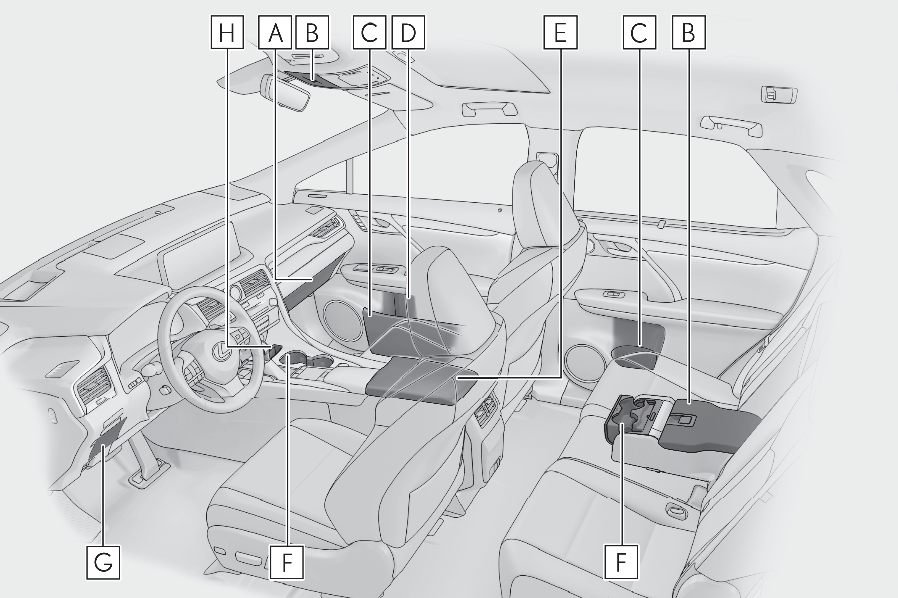
Glove box (Glove box)Auxiliary boxes (if equipped) (Auxiliary boxes)Door pockets (Door pockets)Bottle holders (Bottle holders)Console box (Console box)Cup holders (Cup holders)Coin box (Coin box)Smartphone holder (Smartphone holder)Vehicles with separate-type second-row seats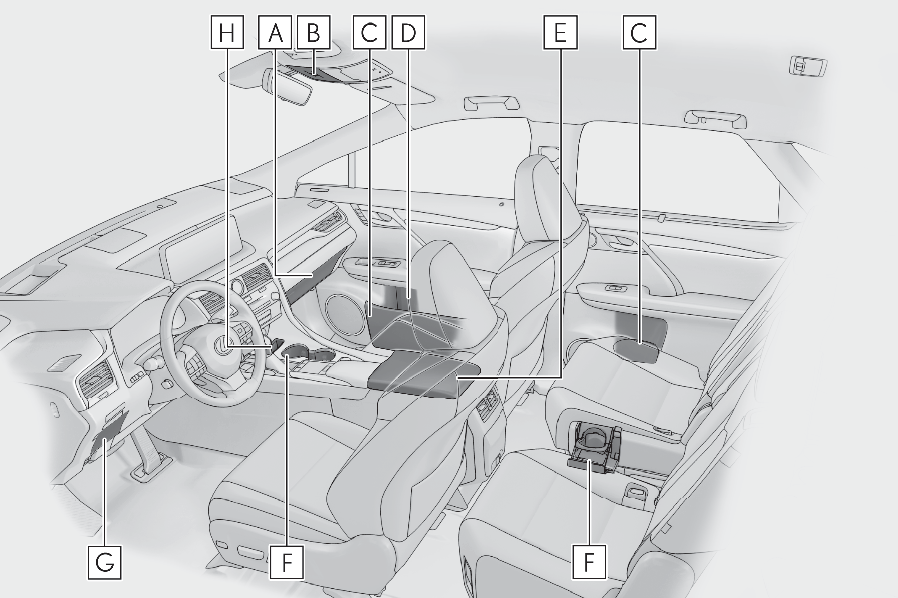
Glove box (Glove box)Auxiliary boxes (Auxiliary boxes)Door pockets (Door pockets)Bottle holders (Bottle holders)Console box (Console box)Cup holders (Cup holders)Coin box (Coin box)Smartphone holder (Smartphone holder)WARNING:Items that should not be left in the storage spacesDo not leave glasses, lighters or spray cans in the storage spaces, as this may cause the following when cabin temperature becomes high:Glasses may be deformed by heat or cracked if they come into contact with other stored items.Lighters or spray cans may explode. If they come into contact with other stored items, the lighter may catch fire or the spray can may release gas, causing a fire hazard.When storage compartments are not in useWhen driving or when the storage compartments are not in use, keep the lids closed.In the event of sudden braking or sudden swerving, an accident may occur due to an occupant being struck by an open lid or the items stored inside.GLOVE BOX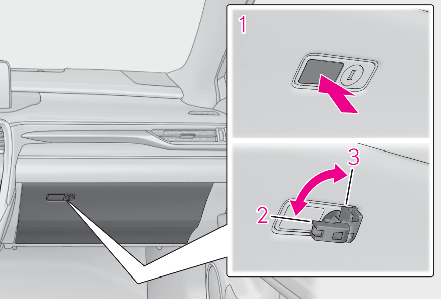
Open (press the button)Unlock with the mechanical keyLock with the mechanical keyNote:Glove box lightThe glove box light turns on when the tail lights are on.SMARTPHONE HOLDER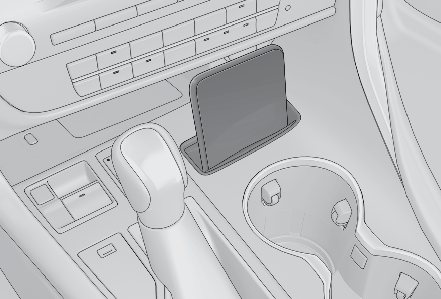
Note:When cleaning the interiorRemove to clean it.When installing , engage the left and right claws and then engage the center claw.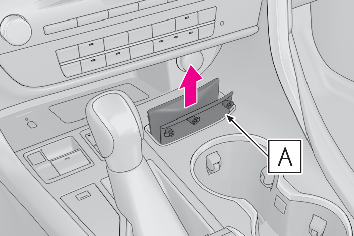
CONSOLE BOXPush the knob.Lift by hand to fully open the console box.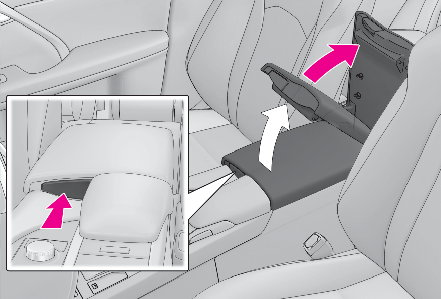
Note:Console box lightThe console box light turns on when the tail lights are on.Pen holderA pen can be stored in the pen holder on the underside of the lid.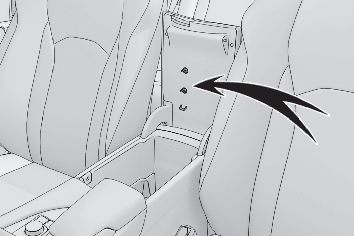
Trays in the console box (if equipped)Remove each tray to access the storage space under the tray.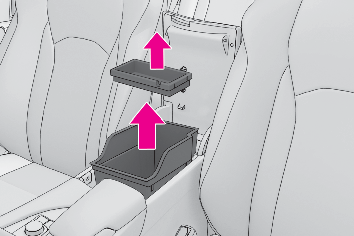
NOTICE:Trays (if equipped)Do not place items which may obstruct the trays in the console box. Doing so may prevent opening and closing of the lid.CUP HOLDERSFront seats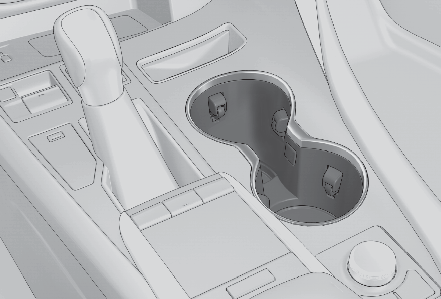
Bench-type second-row seatsPull down the armrest and then press down the button.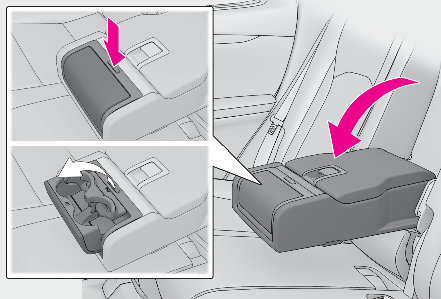
Separate-type second-row seatsPress in the button.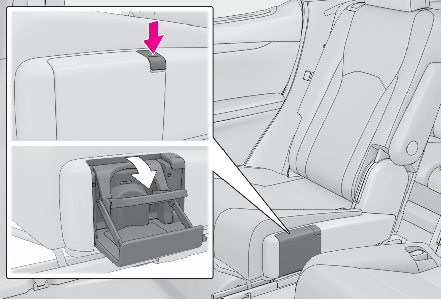
Note:The depth of the front cup holder can be changed.To store a water bottle, push down the bottom of the cup holder.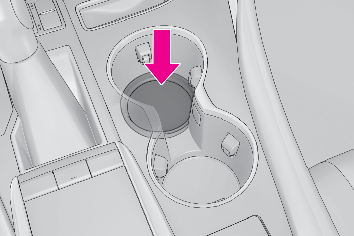
To return the bottom to its original position, press the button.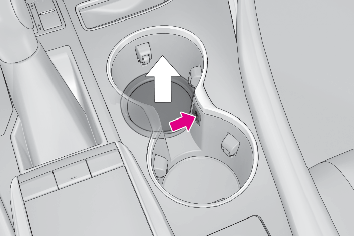
WARNING:Items unsuitable for the cup holderDo not place anything other than cups, aluminum cans, or water bottles in the cup holders. Other items may be thrown out of the holders in the event of an accident or sudden braking, possibly causing injury. If possible, cover hot drinks to prevent burns.Rear cup holder: When not in use, keep the cup holders are closed. Injuries may result in the event of an accident or sudden braking.NOTICE:To prevent damage to the rear cup holderStow the cup holder before stowing the armrest.DOOR POCKETSFrontThe door pockets can be opened and closed.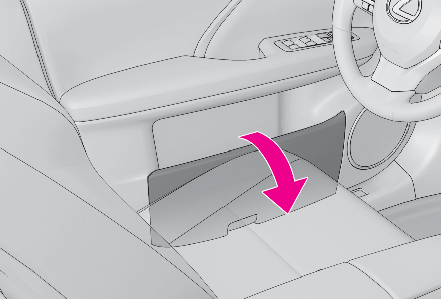
Rear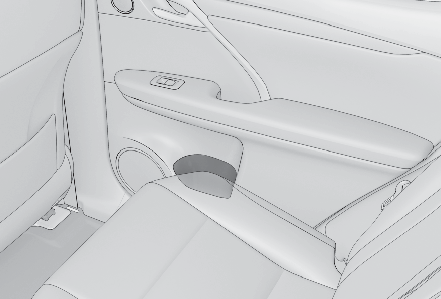
WARNING:Caution while drivingFront door pockets: Keep the door pockets closed while driving. Injuries may result in the event of an accident or sudden braking.BOTTLE HOLDERS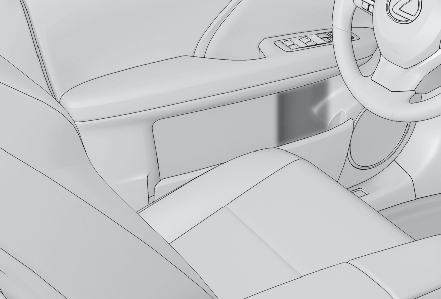
Note:Bottle holdersWhen storing a bottle, close the cap.The bottle may not be stored depending on its size or shape.NOTICE:Items unsuitable for the bottle holdersDo not place open bottle, glass or paper cups containing liquid in the bottle holders. Otherwise, contained liquid may be spilled. Glass cups may break if used in the bottle holders.COIN BOXPress in the button.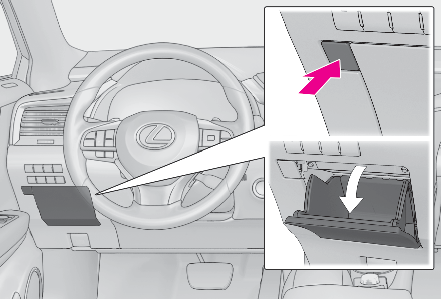
WARNING:Caution while drivingKeep the coin box closed while driving. Injuries may result in the event of an accident or sudden braking.AUXILIARY BOXESType APress in the lid.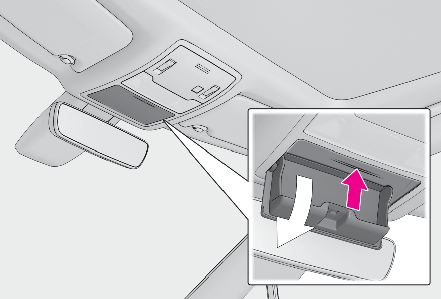
Type B (if equipped)Pull up the lever to release the lock, and lift the lid.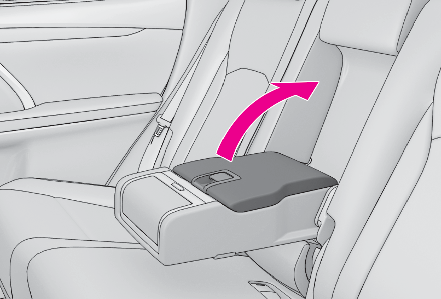
WARNING:Items unsuitable for storing (Type A)Do not store items heavier than 0.44 lb. (200 g).Doing so may cause the auxiliary box to open and the items inside may fall out, resulting in an accident.
Download Manual