Forward Collision Warning (Front Assist)
 Introduction to the subject
In this chapter you will find information on the following subjects:
Depending on vehicle equipment, the vehicle may be equipped with Forward Collision Warning (Front Assist), which can warn the driver of a possible collision with a vehicle on the road ahead, help prepare the vehicle for emergency braking, assist with braking, and initiate automatic braking, within physical and technical limits of the system. The timing of the warning varies depending on the traffic situation and the actions of the driver.
The Front Assist system is not a substitute for the driver's full concentration.
Driving with Front Assist
You can cancel Front Assist automatic braking interventions by steering or depressing the accelerator pedal.
Automatic braking
The Front Assist system can, within system limits, slow your vehicle down to a standstill, but not keep your vehicle stopped for a long time. If necessary, apply the vehicle brakes!
During an automatic braking maneuver, the brake pedal will feel harder.
Radar sensor
The Forward Collision Warning system, when switched on, uses a radar sensor to gather information about the driving situation .
Features included
Front Assist includes Autonomous Emergency Braking and a Pedestrian Monitoring system. These systems are automatically activated when Front Assist is activated.
 WARNING
The Front Assist system technology cannot overcome the laws of physics and system-related limits. Do not allow the increased convenience Front Assist can provide tempt you into taking extra risks. The driver is always responsible for braking in time. If the Front Assist system issues a warning, immediately apply the brake to slow the vehicle down or avoid the obstacle, depending on the traffic situation.
- Always adjust your speed and driving style to road, traffic, weather, and visibility conditions.
- The Front Assist system cannot prevent accidents and serious injuries on its own.
- The Front Assist system can issue unnecessary warnings in certain complex driving situations, for example, when driving in tight curves.
- The Front Assist system can issue unnecessary warnings when its function is impaired, for example, if the radar sensor is dirty or if the position of the radar sensor has been changed.
- The Front Assist system does not react to animals.
- The Front Assist system does not react to vehicles crossing your path or approaching in the same lane.
- Always be prepared to take full control of the vehicle at all times.
WARNING
Failure to heed warning lights and instrument cluster text messages can result in a collision and serious personal injury.
- Never ignore warning lights or text WARNINGS.

A Declaration of Compliance with the United States FCC and Industry Canada regulations is on .
Driver warnings and Autonomous Emergency Braking
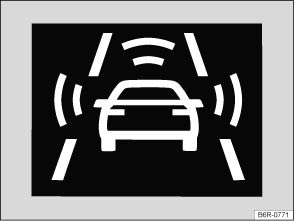
Fig. 115 In the instrument cluster display: Advance warning (symbol displayed in color on an instrument cluster with color display).
Read and follow the introductory information and safety information first
- Pedestrians and vehicles moving in the same direction as your vehicle.
- Pedestrians who are crossing in front of your vehicle.
- Stopped vehicles.
If you are approaching a detected object at a speed which will result in a collision and you do not act immediately, Front Assist can help minimize the effects of a collision. First comes an advanced warning, then an immediate warning, and finally, an automatic braking maneuver.
Front Assist functions in these speed ranges:
| Advance warning | Immediate warning | Automatic braking | Braking support | |
|---|---|---|---|---|
| Stopped vehicle | 20 to 53 mph (30 to 85 km/h) |
- | 3 to 30 mph (5 to 50 km/h) |
3 to 53 mph (5 to 85 km/h) |
| Vehicle moving in the same direction | 20 to 155 mph (30 to 250 km/h) |
20 to 155 mph (30 to 250 km/h) |
3 to 155 mph (5 to 250 km/h) |
3 to 155 mph (5 to 250 km/h) |
| Pedestrian moving in the same direction | 20 to 40 mph (30 to 65 km/h) |
- | - | - |
| Pedestrian crossing in front of the vehicle | 20 to 40 mph (30 to 65 km/h) |
- | 3 to 40 mph (5 to 65 km/h) |
- |
The speed ranges given in the table are only in ideal situations and are approximations.
Advance warning 
The system warns the driver with a warning chime and a message in the instrument cluster display if it detects a possible collision with a vehicle or a pedestrian.
The warning period varies according to the traffic situation and your driving style.
Brake or take action to avoid the vehicle ahead!
However, do not rely solely on Front Assist. Under certain conditions, the reactions of Front Assist may be unexpected or delayed from the driver's viewpoint. Always pay attention and take over if necessary .
Immediate warning
If you fail to react accordingly to the advance warning, Front Assist may initiate a short, active braking maneuver. In this case you will notice brief, jerky braking of the vehicle to warn you of an impending collision.
The timing of this alert can vary, depending on the traffic situation and your driving style.
Automatic braking
If you should also fail to react to the immediate warning, Front Assist can initiate an automatic braking maneuver that will abruptly decelerate the vehicle with increased braking force. The emergency braking maneuver occurs shortly before a potential collision to reduce vehicle speed and help to minimize the effects of a collision.
Braking support
Front Assist can help to minimize the effects of a collision by providing additional braking force in an emergency braking situation should the system detect that the force applied to the brake pedal by the driver is not sufficient to avoid a collision. In order for Front Assist to provide this additional braking assistance, it must have detected an impending collision with another vehicle ahead of yours and the brake pedal has to be hit hard and suddenly. However, this support only works as long as the brake pedal is depressed.
Autonomous Emergency Braking
The Autonomous Emergency Braking system is a part of Front Assist. In case of an impending collision, the Autonomous Emergency Braking system can initiate an automatic braking maneuver without the advance or immediate warnings to reduce vehicle speed and help to minimize the effects of a collision .
The automatic braking maneuver occurs simultaneously with a warning in the instrument cluster display .
The warning light comes on.
System deactivated 
If the system is switched off, a text message and the yellow symbol appear in the instrument cluster display. The yellow central caution light
may also light up.
Distance warning 
If the vehicle is traveling within a speed range of about 40–155 mph (65–250 km/h), the system warns the driver with the symbol in the instrument cluster display if it detects that your vehicle is driving too close to the vehicle ahead . No acoustic warning will sound.
The warning period varies according to the traffic situation and your driving style.
Increase the distance between your vehicle and the vehicle ahead.
System limits
Read and follow the introductory information and safety information first
Front Assist has physical and system-related limits. You should always be prepared to take full control of the vehicle whenever necessary.
Delayed response
If the radar sensor is exposed to environmental conditions that impair sensor function, the system may detect this only after a certain delay. For this reason, possible functional restrictions may be displayed only after a delay after you start driving and while driving .
Objects that cannot be detected
Front Assist may react unnecessarily, react with delay, or not react at all in the following situations:
- When vehicles or motorcycles are traveling slightly offset to the left or right in front of your vehicle.
- When loads or attachment parts on other vehicles in front of your vehicle protrude to the side, rear, or above the normal vehicle dimensions.
- When there is oncoming traffic.
- When vehicles are crossing in front of your vehicle.
- When pedestrians are standing or moving toward you.
System limitations
Front Assist may react unnecessarily, react with delay, or not react at all in the following situations:
- When driving in tight curves.
- When weather conditions are poor.
- When driving in parking garages.
- When there are metal objects, for example, tracks or metal plates in the road.
- When the vehicle is in Reverse (R).
- When the ASR is manually switched off.
- When the ESC is taking corrective action.
- When the radar sensor is dirty or covered.
- When several brake lights on the vehicle are not working.
- When the vehicle is accelerating quickly.
- When the accelerator pedal is completely depressed.
- When the system cannot detect the traffic situation clearly.
- When there is a fault in the Front Assist system.
When to switch off Front Assist
Front Assist should be switched off in the following situations due to system limitations :
- If the vehicle is not being driven on public roads, for example, off-road or on a track.
- If the vehicle is being towed.
- If the vehicle is being loaded onto a truck, ferry, or train.
- If the radar sensor is covered (even temporarily) by any accessories or other equipment, for example, auxiliary headlights.
- If the radar sensor malfunctions.
- If an external force has affected the radar sensor, for example, after a collision.
- If the vehicle is on a dynamometer test bed.
WARNING
Failure to switch off Front Assist in the situations mentioned can cause accidents and serious personal injury.
Pedestrian Monitoring
Read and follow the introductory information and safety information first
The Forward Collision Warning system includes a Pedestrian Monitoring feature that can help prevent accidents with pedestrians crossing the street or help minimize the outcome of an accident.
The system alerts you of an impending collision, prepares the vehicle for emergency braking, provides support when braking, or performs an automatic braking maneuver.
If the system gives the driver an advanced warning, a message appears and the warning light comes on in the instrument cluster to warn the driver of an impending collision .
If the Front Assist system is switched on , then Pedestrian Monitoring is also active within a speed range of about 3–40 mph (5–65 km/h).
WARNING
The Pedestrian Monitoring technology cannot overcome the laws of physics and system-related limits. Never let the increased convenience provided by the Pedestrian Monitoring system tempt you into taking extra risks. The driver is always responsible for braking in time. If the Pedestrian Monitoring system issues a warning, immediately apply the brakes to slow the vehicle down or avoid the pedestrian, depending on the traffic situation.
- Always adjust your speed, driving style, and the distance you keep between you and the vehicles ahead of you to the road, traffic, weather, and visibility conditions.
- The Pedestrian Monitoring system cannot prevent accidents and serious injuries on its own.
- The Pedestrian Monitoring system can issue unnecessary warnings in certain complex driving situations, for example, when driving in tight curves.
- The Pedestrian Monitoring system can issue unnecessary warnings or braking maneuvers when its function is impaired, for example, if the radar sensor is dirty or if the position of the radar sensor has been changed.
- The Pedestrian Monitoring system does not react to animals.
- The Pedestrian Monitoring system does not react to pedestrians who are standing still or moving toward you.
- Always be prepared to take full control of the vehicle at all times.
Using Front Assist
Read and follow the introductory information and safety information first
The Front Assist system and the advance warning are automatically active once the ignition is switched on .
Volkswagen recommends that the Front Assist system be switched on at all times, except in the specific situations described in this Manual .
Turning Front Assist on or off
- You can turn Front Assist on or off in the Vehicle settings menu in the Infotainment system .
- OR: In the Assist systems menu in the instrument cluster display .
- OR: Press the driver assistance systems button on the multi-function steering wheel to open the Assist systems menu .
If the system is switched off, the advance warning and distance warning are also automatically switched off. A text message and the yellow symbol appear in the instrument cluster display . The yellow central caution light
may also light up.
Adjusting settings for the distance and advance warnings
- You can turn the distance warning and the advance warning on or off in the Vehicle settings menu in the Infotainment system .
- You can also adjust the warning period for the advance warning.
Volkswagen recommends that the distance and advance warnings be switched on at all times.
Certain settings are automatically saved by the driver personalization feature .
Tips and troubleshooting
Read and follow the introductory information and safety information first
If Front Assist is unavailable or radar sensor visibility is insufficient
- The radar sensor is dirty. Clean the radar sensor .
- Radar sensor visibility is impaired by weather conditions such as snow, or residue from abrasive cleaning agents or coatings. Clean the radar sensor .
- Radar sensor visibility is impaired by aftermarket components, stickers, or accessories.
- The radar sensor has been damaged or misaligned in low speed impacts or parking maneuvers at the front of the vehicle. Have the sensor checked for damage .
- Paint work or structural modifications have been made at the front of the vehicle.
- The original Volkswagen emblem is not being used.
- When the ASR is manually switched off or ESC Sport is switched on .
- If the problem persists, see an authorized Volkswagen dealer or authorized Volkswagen Service Facility.
If the system is not responding as expected
- The radar sensor is dirty. Clean the radar sensor .
- Front Assist is functioning in a situation in which it should be deactivated due to system limitations .
- If the problem persists, switch off Front Assist see an authorized Volkswagen dealer or authorized Volkswagen Service Facility.
 NOTE
NOTE
If you notice that Front Assist doesn't work properly or the sensor is damaged, switch off Front Assist immediately.
- See an authorized Volkswagen dealer or authorized Volkswagen Service Facility for assistance and have the Front Assist system checked.
Download Manual