Voice command system operation
|
|
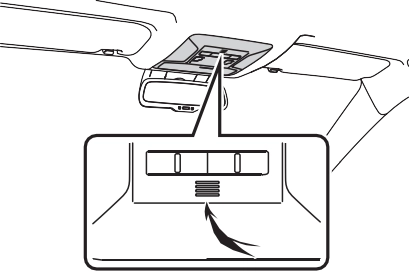
Talk switch
’ Voice command system
’ When an Apple CarPlay con- nection is established

For example: Say “Find a restau- rant”, “Call John Smith” etc.
 .
.select  , say “Cancel”, or press and hold the talk switch.
voice command operation, select “Resume” or press the talk switch.
This function can be used to cancel voice guidance by turning the voice prompts off. When you press the talk switch while using this setting, a beep sounds, and then you can immediately say a command.
The “Tutorials” and “Voice Train- ing” functions can also be started on the voice settings
screen. (P.414)
Select to display the voice command tutorials.
Select to train the voice com- mand system.
The user will be asked to say 10 sample phrases. This will help the voice command system adapt to the user’s accent.
Select to proceed to the voice command screen.
Command list
|
Command list overview |
Recognizable voice commands and their actions are shown below.
|
Command |
Action |
|
“Show com- mand examples for |
Displays the command list of the selected menu |
|
“More com- mands” |
Displays more commonly used commands |
|
“Voice settings” |
Displays Voice Setting screen |
|
“Train my voice” |
Displays Train Voice Recogni- tion screen* |
*: Vehicle must be parked
|
Command |
Action |
|
“Help” |
Displays exam- ples of some of the available commands |
|
“Go back” |
Returns to the previous screen |
|
“Cancel” |
Cancels the voice command system |
*: When an Apple CarPlay connec- tion is established, this voice commands will be unavailable.
*1: When an Apple CarPlay connec- tion is established, this voice commands will be unavailable.
*2: If the system does not recognize the name of a contact, create a voice tag. (P.476) The name of a contact can also be recognized by adding a voice tag.
*1: Full screen message notification must be turned on within the phone settings (P.474)
*2: When an Apple CarPlay connec- tion is established, this voice commands will be unavailable.
|
Command |
Action |
|
Changes the |
|
|
“Play a |
radio to an FM |
|
station” |
station of the |
|
specified genre* |
|
|
Changes the |
|
|
“Tune to preset |
radio to the |
|
<1-36>” |
specified preset |
|
radio station |
*: A station list must be built first using the radio screen (P.422)
|
Command |
Action |
|
“Play Playlist |
Plays tracks from the selected playlist |
|
“Play Artist |
Plays tracks from the selected artist |
|
“Play Song |
Plays the selected track |
|
“Play Album |
Plays tracks from the selected album |
|
“Play Genre |
Plays tracks from the selected genre |
|
“Play Composer |
Plays tracks from the selected com- poser |
|
“Play Podcast |
Plays tracks from the selected podcast |
*1: The audio device must be con- nected via a USB cable to use the functionality in this section
*2: When an Apple CarPlay connec- tion is established, this voice commands will be unavailable.
|
Command |
Action |
|
“Launch |
Activates the Toyota Entune |
|
cation name>”*2 |
App Suite Con- nect application |
*1: When an Apple CarPlay connec- tion is established, this voice command will be unavailable.
*2: When an application is opened and is in full screen mode, press- ing the talk switch will start the voice command system and commands for the currently dis- played application will be avail-
Download Manual