Basic information before operation
|
Caution screen |
After about 5 seconds or select- ing “Continue”, the caution screen automatically switches to the next screen.
|
|
|
When the vehicle is stopped with the engine running, always apply the parking brake for safety.
|
 WARNING
|
Restarting the system |
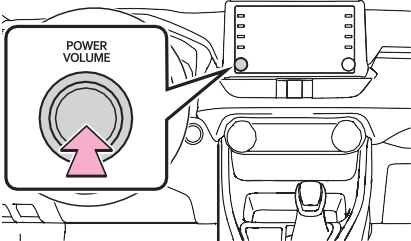
When system response is extremely slow, the system can be restarted.
1 Press and hold the “POWER VOLUME” knob for 3 sec- onds or more.
|
|
Touch screen
Operations are performed by touching the touch screen directly with your finger.
|
Operation method |
Outline |
Main use |
|
Touch
Quickly touch and release once. |
Selecting an item on the screen
|
|
|
Drag*
Touch the screen with your finger, and move the screen to the desired position. |
Scrolling the lists
|
|
|
|
Flick*
Quickly move the screen by flicking with your finger. |
Scrolling the main screen page
|
*: The above operations may not be performed on all screens.
 is displayed on the
screen, select  to return to the previous screen.
ate properly:
|
|
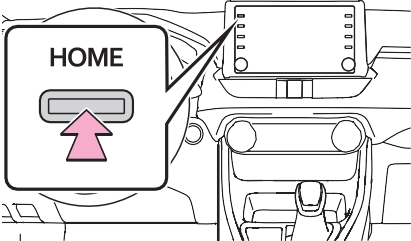
Select to change the display information and area on the home screen.
Select to change the home screen layout.
|
Entering letters and num- bers |
When searching by a name or entering data, letters and num- bers can be entered via the screen.
Text field. Entered charac- ter(s) will be displayed.
Select to erase one charac- ter.
Select and hold to continue erasing characters.
Select to move the cursor.
Select to choose predictive text candidate for entered text. (P.388)
Select to display a list of pre- dictive text candidates when there is more than one. (P.388)
Select to enter desired char- acters.
Select to enter characters in lower case or in upper case.
Select to change character types. (P.388)
Select to make a space on cursor.
not displayed, select  , and then select the desired predic- tive replacement candidate.
|
List screen |
The list screen may be dis- played after entering characters. When a list is displayed, use the appropriate screen button to scroll through the list.
To scroll up/down the list, flick the list up/down.
Select to skip to the next or previous page. Select and
hold  or
or  to scroll through the displayed list.
Indicates the position of the displayed entries in the entire list.
To scroll up/down pages, drag the bar.
 appears to the right of an item name, the complete name is too long to display.
 scroll to the end of the name.
 to move to the begin- ning of the name.
 1 Select .
ton.
Select to turn day mode on/off. (P.390)
Select to adjust the screen display. (P.390)
Select to adjust the camera display.
1 Select “Day Mode”.
Select to turn the screen off. To turn it on, press any but-
“+”: Select to strengthen the con- trast of the screen.
“-”: Select to weaken the contrast of the screen.
“+”: Select to brighten the screen. “-”: Select to darken the screen.
Download Manual