Reverse brake assist
WHAT IS REVERSE BRAKE ASSIST
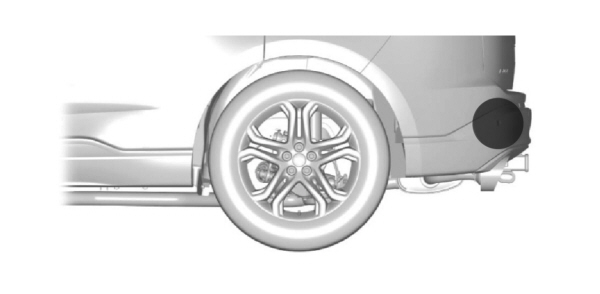
Reverse brake assist is designed to reduce impact damage or assist in avoiding a collision while in reverse (R). Using sensors on the rear of the vehicle, it can detect a possible collision and apply the brakes. If full braking occurs, the system attempts to stop the vehicle a safe distance from the obstacle.
HOW DOES REVERSE BRAKE ASSIST WORK
Reverse brake assist functions when in reverse (R) and traveling at a speed of 1–7 mph (2–12 km/h).
If the system detects an obstacle behind your vehicle, it provides a warning through the rear parking aid or cross traffic alert system.
REVERSE BRAKE ASSIST PRECAUTIONS
 WARNING: You are responsible for controlling your vehicle at all times. The system is designed to be an aid and does not relieve you of your responsibility to drive with due care and attention. Failure to follow this instruction could result in the loss of control of your vehicle, personal injury or death. WARNING: To help avoid personal injury, always use caution when in reverse (R) and when using the sensing system. WARNING: The system may not operate properly during severe weather conditions, for example snow, ice, heavy rain and spray. Always drive with due care and attention. Failure to take care may result in a crash. WARNING: Traffic control systems, fluorescent lamps, inclement weather, air brakes, external motors and fans may affect the correct operation of the sensing system. This may cause reduced performance or false alerts. WARNING: Some situations and objects prevent hazard detection. For example low or direct sunlight, inclement weather, unconventional vehicle types, and pedestrians. Apply the brakes when necessary. Failure to follow this instruction could result in the loss of control of your vehicle, personal injury or death. WARNING: Do not use the system with accessories that extend beyond the front or rear of your vehicle, for example a trailer hitch or bike rack. The system is not able to make corrections for the additional length of the accessories. WARNING: You are responsible for controlling your vehicle at all times. The system is designed to be an aid and does not relieve you of your responsibility to drive with due care and attention. Failure to follow this instruction could result in the loss of control of your vehicle, personal injury or death. WARNING: To help avoid personal injury, always use caution when in reverse (R) and when using the sensing system. WARNING: The system may not operate properly during severe weather conditions, for example snow, ice, heavy rain and spray. Always drive with due care and attention. Failure to take care may result in a crash. WARNING: Traffic control systems, fluorescent lamps, inclement weather, air brakes, external motors and fans may affect the correct operation of the sensing system. This may cause reduced performance or false alerts. WARNING: Some situations and objects prevent hazard detection. For example low or direct sunlight, inclement weather, unconventional vehicle types, and pedestrians. Apply the brakes when necessary. Failure to follow this instruction could result in the loss of control of your vehicle, personal injury or death. WARNING: Do not use the system with accessories that extend beyond the front or rear of your vehicle, for example a trailer hitch or bike rack. The system is not able to make corrections for the additional length of the accessories. |
The system only applies the brakes for a short period of time when an event occurs. Act as soon as you notice the brakes apply to remain in control of the vehicle. If you do not intervene the vehicle may start to move again.
Note: Certain add-on devices around the bumper or fascia may create false alerts. For example, large trailer hitches, bicycle or surfboard racks, license plate brackets, bumper covers or any other device that may block the normal detection zone of the system. Remove the add-on device to prevent false alerts.
Note: The system does not react to small or moving objects, particularly those close to the ground.
Note: The system does not operate during hard acceleration or steering.
Note: If your vehicle sustains damage to the bumper or fascia leaving it misaligned or bent, it could alter the sensing zone causing inaccurate measurement of obstacles or false alerts.
Note: Vehicle loading and suspension changes can impact the angle of the sensors and may change the normal detection zone of the system resulting in inaccurate measurement of obstacles or false alerts.
Note: When you connect a trailer, the system may detect the trailer and provide an alert, or the system turns off. If the system does not turn off, manually switch the system off after you connect the trailer.
Note: You may experience reduced system performance on road surfaces that limit deceleration. For example, roads with ice, loose gravel, mud or sand.
SWITCHING REVERSE BRAKE ASSIST ON AND OFF
- Press Features on the touchscreen.
- Press Driver Assistance.
- Switch Reverse Brake Assist on or off.
Note: The system is unavailable when the rear parking aid or cross traffic alert is off.
Note: If your vehicle is not equipped with cross traffic alert the reverse braking assist relies on input from the rear parking aid and rear camera sensors.
Note: The default setting is on in some regions.
OVERRIDING REVERSE BRAKE ASSIST
There could be instances when unexpected or unwanted braking occurs. Firmly pressing the accelerator pedal or switching the feature off overrides the system.
REVERSE BRAKE ASSIST INDICATORS
If the system determines that a collision with an obstacle may occur, full braking may apply.
 A message and warning indicator appear when the system applies the brakes. A message and warning indicator appear when the system applies the brakes. |
REVERSE BRAKE ASSIST – INFORMATION MESSAGES
| Message | Description |
|---|---|
|
Reverse Brake Assist |
Displays when the system applies the brakes and remains on for a few seconds. |
|
Reverse Brake Assist Not Available See Manual |
Make sure that all doors, liftgate or tailgate and hood are closed. Drive the vehicle on a straight road for a short period. Make sure the parking aids and cross traffic alert systems are on. If the message remains on, have the system checked as soon as possible. |
|
Reverse Brake Assist Fault |
Displays when a system error has occurred.Have your vehicle checked as soon as possible. |
|
Reverse Brake Assist Off |
Displays when reverse brake assist is off. |
REVERSE BRAKE ASSIST – FREQUENTLY ASKED QUESTIONS
WHY IS REVERSE BRAKE ASSIST UNAVAILABLE?
- Make sure the reverse brake assist is on. See Switching Reverse Brake Assist On and Off.
- Make sure that all doors, liftgate or tailgate and hood are closed. Drive the vehicle on a straight road for a short period. If the message remains, have the system checked.
- If your vehicle has the cross traffic alert system, make sure it is on. See Switching Cross Traffic Alert On and Off.
- Make sure the rear parking aid system is on. See Parking Aids.
- Make sure the traction control is on. See Switching Traction Control On and Off.
- Your vehicle may have sustained a rear end impact. Have the sensors checked for proper coverage and operation.
- An anti-lock brake, traction control or stability control event may have occurred. Reverse brake assist resumes operation when the event is complete.
- Make sure the rear view camera and 360 degree camera are not dirty or obstructed. If dirty, clean the camera. If the message still appears after cleaning the camera, wait a short time for the message to clear. If the message does not clear, have the system checked.
- Make sure the cross traffic alert, rear parking aid and side parking aid sensors are not blocked or faulty. See Locating the Cross Traffic Alert Sensors. See Locating the Rear Parking Aid Sensors. See Locating the Side Parking Aid Sensors.
- You recently had your vehicle serviced, or the battery disconnected. Drive your vehicle a short distance to resume system operation.
- Reverse brake assist does not function when you connect a trailer. Operation resumes when you disconnect the trailer.
Note: If the answers to why the system is unavailable do not assist in returning reverse brake assist to available, have the system checked as soon as possible.
Download Manual