Luggage compartment
INSTALLING AND REMOVING THE LUGGAGE COMPARTMENT CARGO NET
 WARNING: This net is not designed to restrain objects during a collision or heavy braking. WARNING: This net is not designed to restrain objects during a collision or heavy braking. |
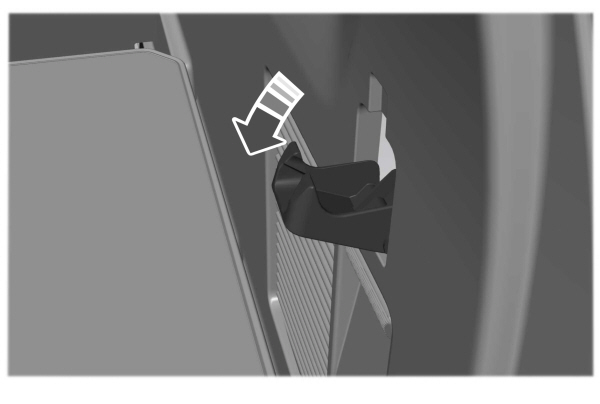
- Fold down the hooks on the top of the rear quarter trim panel.
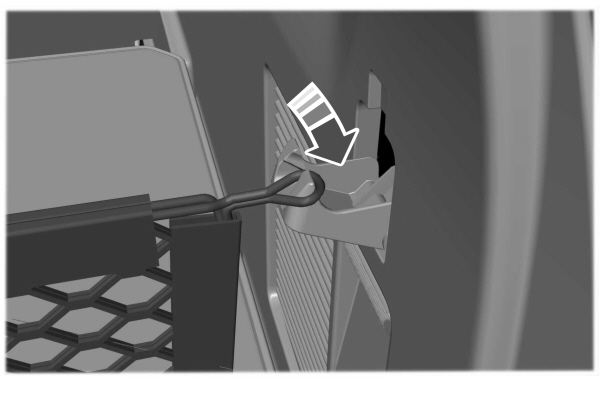
- Attach the loop end of the net to the upper hook. Use one prong on the hook for the net attachment.
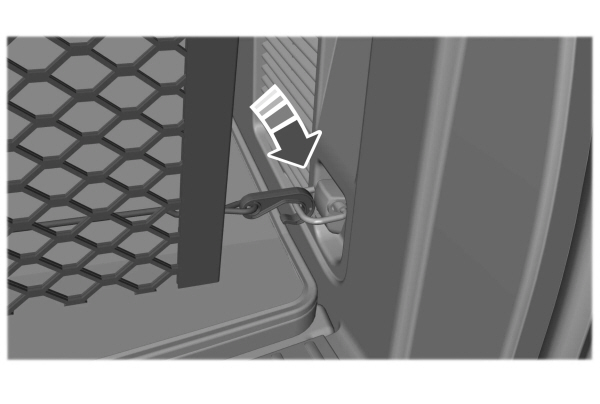
- Attach the bottom of the net to the lower anchor point.
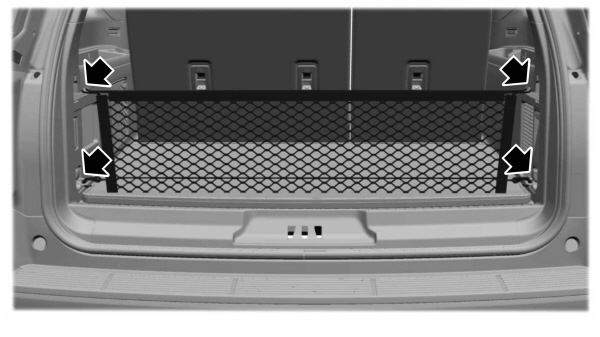
- Repeat this procedure on the other side of your vehicle.
ADJUSTING THE LUGGAGE COMPARTMENT LOAD FLOOR
SHORT WHEELBASE LOAD FLOOR
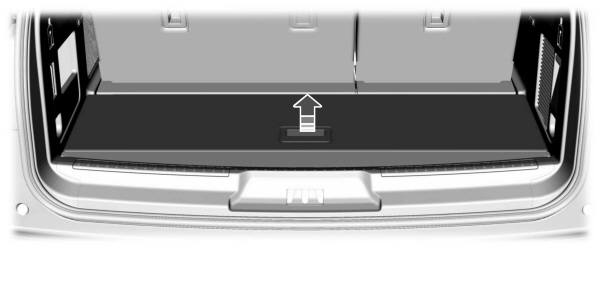
Lift up on the handle to open the cover.
Note: The board operates with friction hinges. This allows you to put it in any position between a 0 ° and a 90 ° angle.
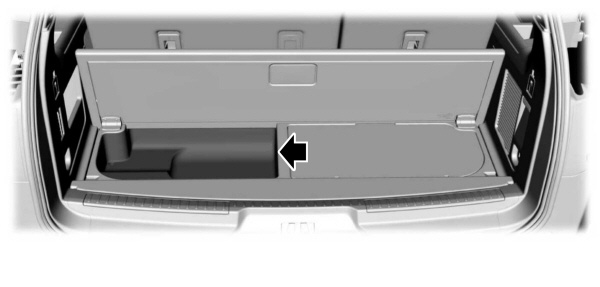
To close, lower the cover.
LONG WHEELBASE LOAD FLOOR
The bi-folding load floor provides access to two separate storage compartments.
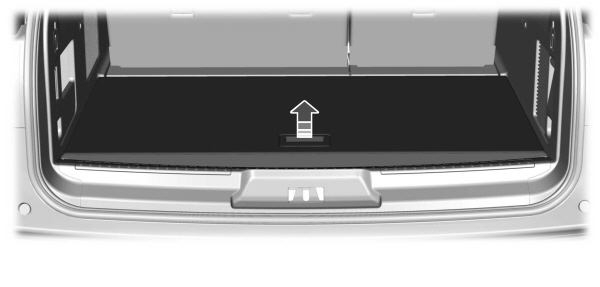
Lift up on the handle and fold it back to open the cover.
Note: The board operates with friction hinges. This allows you to put it in any position between a 0 ° and a 90 ° angle.
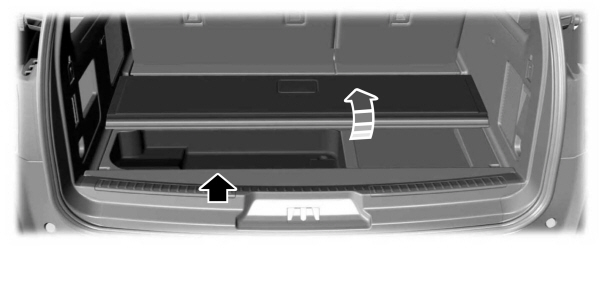
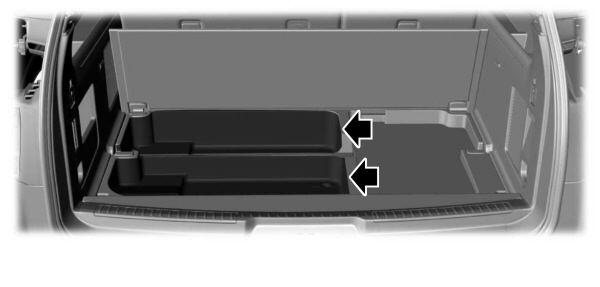
To access the second storage compartment, fold the cover back a second time.
To close, lower the cover.
ADJUSTING THE LUGGAGE COMPARTMENT DIVIDER
ADVANCED LUGGAGE COMPARTMENT DIVIDER (IF EQUIPPED)
| WARNING: Do not load any objects on the shelf that may obstruct your vision or strike occupants of the vehicle in the case of a sudden stop or collision. WARNING: Do not place people or pets on or under the parcel shelf. |
FORWARD DIVIDER
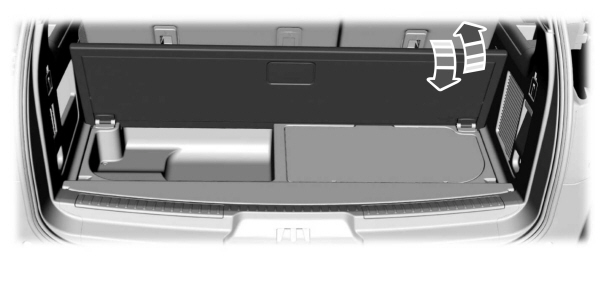
To move the board into the divider position, lift up on the handle and position the board vertically at a 90 ° angle.
Note: The board operates with friction hinges. This allows you to put it in any position between a 0 ° and a 90 ° angle.
CARGO SHELF
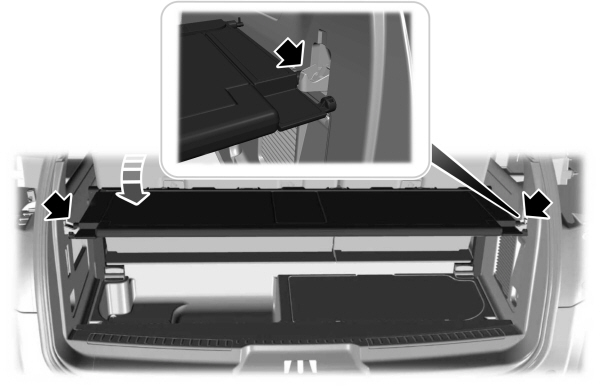
To move the board into the shelf position, lift the board and move it to the horizontal position. Once the board is horizontal, insert the forward-facing nubs into the hooks on either side.
For the short wheelbase, it is necessary to raise up the second panel toward the front of the vehicle when you have the seats folded down.
For the long wheelbase, it is necessary to raise up the second panel toward the front of the vehicle.
Note: Before moving the board into the shelf position, you may need to flip down the hooks.
Note: Do not put more than 50 lb (22 kg) on the shelf.
REAR BARRIER (BULKHEAD POSITION)
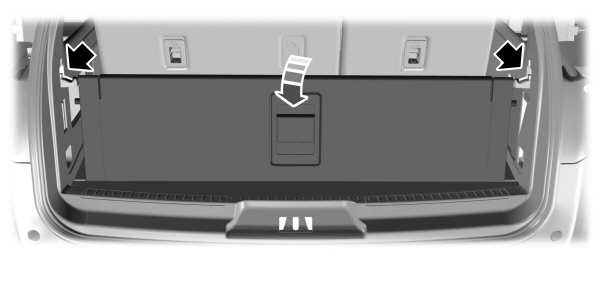
To move the board into the rear barrier or bulkhead position, lift the board and move it to the vertical position. Once the board is vertical, insert the rearward facing nubs into the hooks on either side.
Note: Before moving the board into the rear barrier or bulkhead position, you may need to flip down the hooks.
Download Manual