Operating condition of the vehicle
General information
Depending on the situation, the vehicle is in one of the three states:
Idle state.
Standby state.
Drive-ready state.
Idle state
Principle
When the vehicle is in idle state, it is switched off.
General information
The vehicle is in idle state prior to opening from the outside and after exiting and locking.
Safety information

Observe before exiting the vehicle
Do not leave children or animals unattended in the vehicle
Automatic idle state
For instance, the idle state is automatically established under the following conditions:
After several minutes, if no operation takes place on the vehicle.
If the charge state of the vehicle battery is low.
Depending on the configuration via iDrive: one or both front doors will be opened after driving when exiting the vehicle.
In some situations, the idle state is not set automatically, for instance during a phone call or when the low beams are switched on.
Establishing idle state when opening the front doors
After a trip, the sleep mode can be established by opening the front doors. For this purpose, the driver and front passenger must exit the vehicle.
"CAR"
"Settings"
"Doors/ vehicle access"
"Turn off vehicle after opening door"
Manual idle state
To establish idle state in the vehicle after completion of trip:
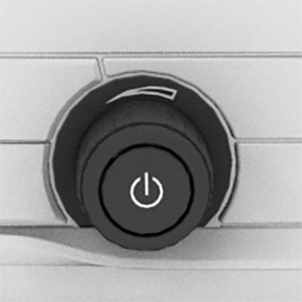
Press and hold the button on the radio until the OFF indicator on the instrument cluster goes out.
Standby state
Principle
When standby state is switched on, most functions can be used while the vehicle is stationary. Desired settings can be adjusted.
General information
The vehicle is in the standby state after the front doors are opened from the outside.
Standby, manual
General information
Standby can be switched back on after the vehicle is automatically set to idle state.
Via button on the radio
Press the button on the radio. The control display and the instrument cluster illuminate.
Via start/stop button
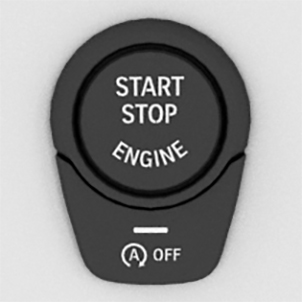
Press the Start/Stop button. The control display and the instrument cluster illuminate.
Display in the instrument cluster

OFF is displayed in the instrument cluster. The drivetrain is switched off and standby state switched on.
Drive-ready state
Principle
Turning on drive-ready state corresponds to starting the engine.
General information
Some vehicle functions can only be used with the drive-ready state switched on.
Safety information
Observe in closed areas
Observe before exiting the vehicle
Avoid repeated starting in quick succession
Turning on the drive-ready state
Principle
Drive-ready state is switched on via the Start/Stop button.
M Steptronic Sport transmission
Depress the brake pedal.
Press the Start/Stop button.
The ignition is activated automatically for a brief time and is stopped as soon as the engine starts.
Most of the indicator/warning lights in the instrument cluster light up for a varied length of time.
Gasoline engine
Depending on the motorization, full drive power and the entire speed range may not be available for approx. 30 seconds after starting the engine. In this case, the vehicle will not accelerate as usual.
Additional information:
Tachometer.
Display in the instrument cluster
The activated drive readiness is indicated in the instrument cluster, depending on the equipment, by the display of information required for driving or the READY display.
Turning off drive-ready state
M Steptronic Sport transmission
Engage selector lever position P with the vehicle stopped.
Set the parking brake.
Press the Start/Stop button.
The engine is switched off. The vehicle switches into standby state.
Download Manual