Light and view
Turn signal, high beams, headlight flasher
Turn signal
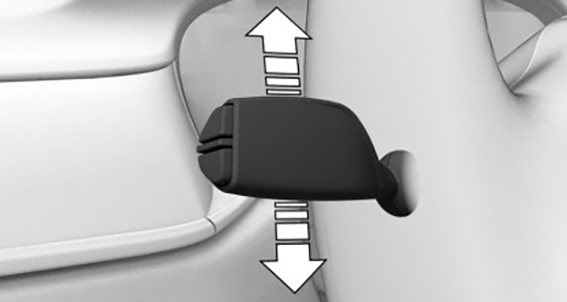
Blinking: press the lever past the resistance point.
Triple turn signal activation: lightly tap the lever up or down.
Brief blinking: press the lever to the resistance point and hold it there for as long as you want the turn signal to blink.
High beams, headlight flasher
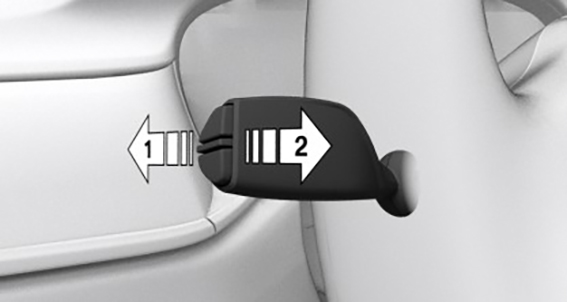
Press the lever forward or pull it backward.
High beams on, arrow 1.
The high beams light up when the low beams are switched on.
High beams off/headlight flasher, arrow 2.
Lights and lighting
Lighting functions
|
Icon |
Function |
|---|---|
|
|
Lights off. Daytime driving lights. |
|
|
Parking lights. |
|
|
Automatic headlight control. Adaptive lighting functions. |
|
|
Low beams. |
|
|
Instrument lighting. |
|
|
Right roadside parking light. |
|
|
Left roadside parking light. |







Window wiper system
Turning on window wiper system
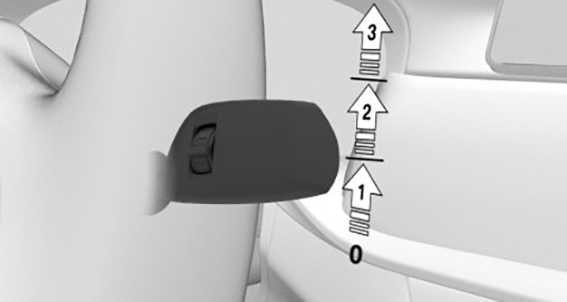
Press the lever up until the desired position is reached.
Resting position of the wipers: position 0.
Rain sensor: position 1.
Normal wiper speed: position 2.
Fast wiper speed: position 3.
Turning off the window wiper system and flick wipe
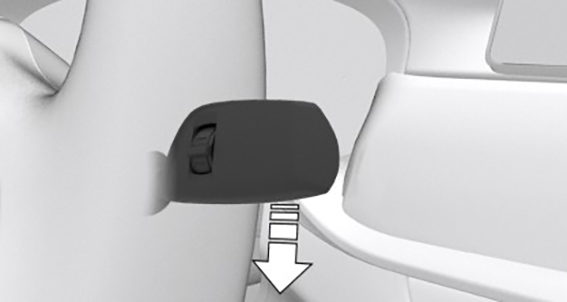
Press the lever down.
Turn off: press the lever down until it reaches the 0 position.
Flick wipe: press the lever down from the 0 position.
Activating/deactivating rain sensor
Activate: press the lever up once from its 0 position, arrow 1.
Deactivate: press the lever back into the 0 position.
Adjusting the rain sensor sensitivity
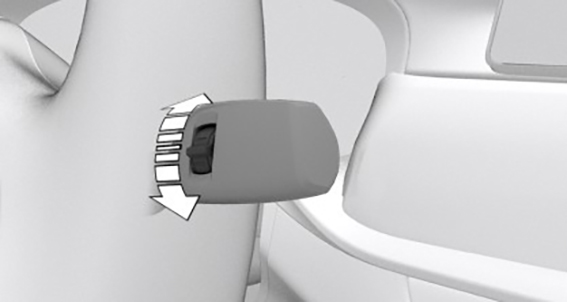
Turn the thumbwheel on the wiper lever.
Cleaning the windshield
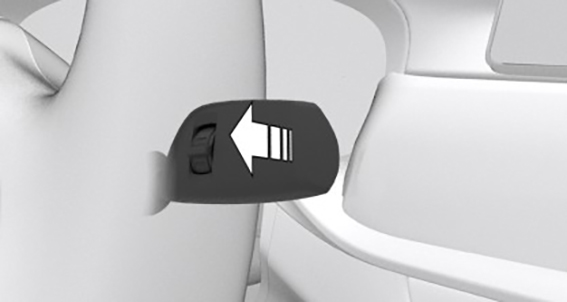
Pull the lever.
Download Manual