VALET MODE
To enter Valet Mode, press the Valet button on the touch- screen and a pop-up screen will ask you if you would like to enter Valet Mode. After selecting “Yes” you will be asked to enter a four-digit PIN code. The PIN code is not pre-selected, so you are free to select any four-digit numeric combination that will be easy to remember.
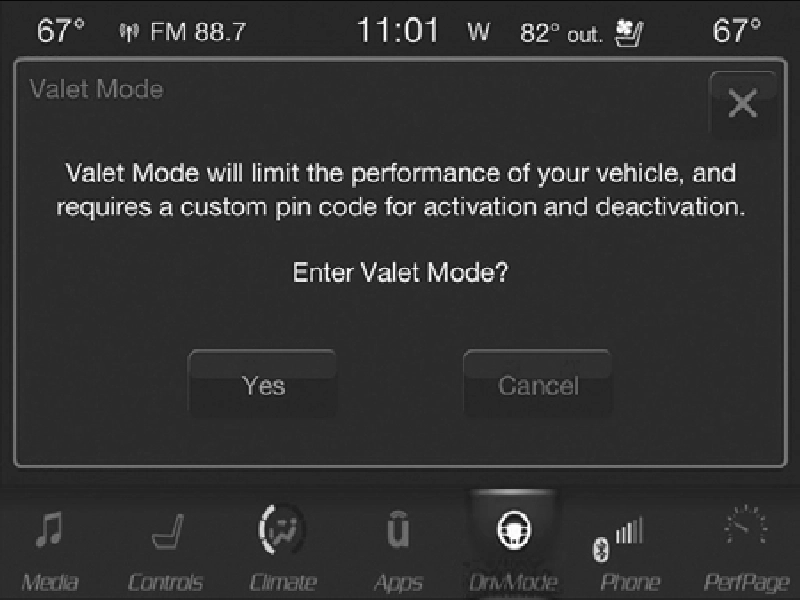
Valet Mode Activation
While in Valet Mode, the following vehicle configurations are set and locked to prevent unauthorized modification:
- All-Wheel Drive is set to 50/50.
- Transmission locks out access to first gear and up-shifts earlier than normal.
- Stability Control, Steering, and Suspension are set to their STREET settings.
- Steering wheel paddle shifters are disabled.
- The Drive Mode interface is not available. Pushing the SRT button on Selec-Track switch will display the unlock keypad.
- The ESC Off button is disabled.
- The Launch Control button is disabled.
- Engine limited to a lowest power output state.
To exit Valet Mode, you must enter the same four-digit PIN that was used to enter the mode. The unlock keypad can be accessed by either pushing the SRT button on Selec-Track switch, or pressing the Valet button on the touchscreen.
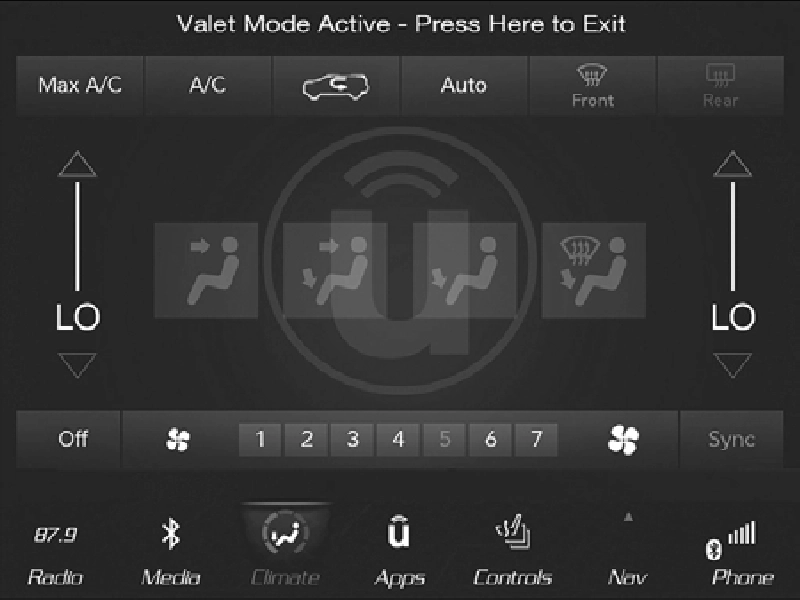 9
9
Valet Mode Deactivation
The Valet Mode Deactivation key pad will then prompt you for your four-digit PIN code, enter your PIN code and press the OK or GO button on the touchscreen. Your vehicle will return to the default state.
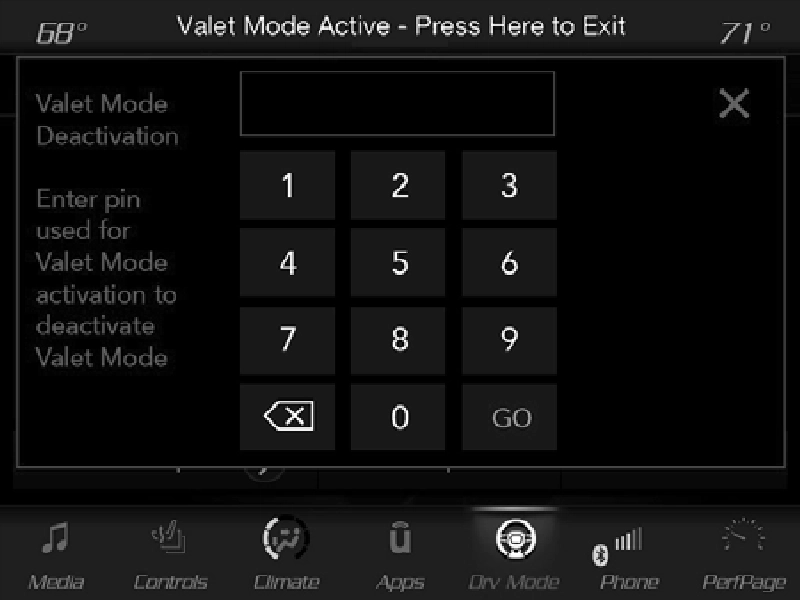
Valet Mode Deactivation PIN
NOTE:
If your four-digit PIN is lost or forgotten, the vehicle will exit Valet Mode after a battery disconnect for approximately five minutes. Reconnect the battery and cycle the ignition to the ON/RUN position, the vehicle will be in AUTO mode.
Download Manual