FOUR WHEEL DRIVE OPERATION
Quadra-Trac I Operating Instructions/Precautions — If Equipped
The Quadra-Trac I is a single-speed (HI range only) transfer case, which provides convenient full-time four-wheel drive. No driver interaction is required. The Brake Traction Control (BTC) System, which combines standard ABS and Traction Control, provides resistance to any wheel that is slipping to allow additional torque transfer to wheels with traction.
NOTE:
The Quadra-Trac I system is not appropriate for conditions where 4WD LOW range is recommended. Refer to “Off-Road Driving Tips” in “Starting And Operating” for further information.
The Quadra-Trac II transfer case is fully automatic in the normal driving 4WD AUTO mode. The Quadra-Trac II transfer case provides three mode positions:
This transfer case is fully automatic in the 4WD HI mode.
When additional traction is required, the 4WD LOW position can be used to lock the front and rear driveshafts together and force the front and rear wheels to rotate at the same speed. The 4WD LOW position is intended for loose, slip- pery road surfaces only. Driving in the 4WD LOW position on dry, hard-surfaced roads may cause increased tire wear and damage to driveline components.
When operating your vehicle in 4WD LOW, the engine
speed is approximately three times that of the 4WD HI posi- 5
tion at a given road speed. Take care not to overspeed the
engine and do not exceed 25 mph (40 km/h).
Proper operation of four-wheel drive vehicles depends on tires of equal size, type, and circumference on each wheel. Any difference will adversely affect shifting and cause damage to the transfer case.
Because four-wheel drive provides improved traction, there is a tendency to exceed safe turning and stopping speeds. Do not go faster than road conditions permit.
This range disengages the driveline from the powertrain. It is to be used for towing your vehicle behind another vehicle. Refer to “Recreational Towing” in “Starting And Operating” for further information.
For additional information on the appropriate use of each 4WD system mode position, see the information below:
This range is used on surfaces such as ice, snow, gravel, sand, and dry hard pavement.
NOTE:
Refer to “Selec-Terrain — If Equipped” in this chapter for further information on the various positions and their intended usages.
This range is for low speed four-wheel drive. It provides an additional gear reduction which allows for increased torque to be delivered to both the front and rear wheels while providing maximum pulling power for loose, slippery road surfaces only. Do not exceed 25 mph (40 km/h).
NOTE:
Refer to “Selec-Terrain — If Equipped” for further informa- tion on the various positions and their intended usages.
With the vehicle at speeds of 0 to 3 mph (0 to 5 km/h), the ignition switch in the ON position or the engine running,
NOTE:
5
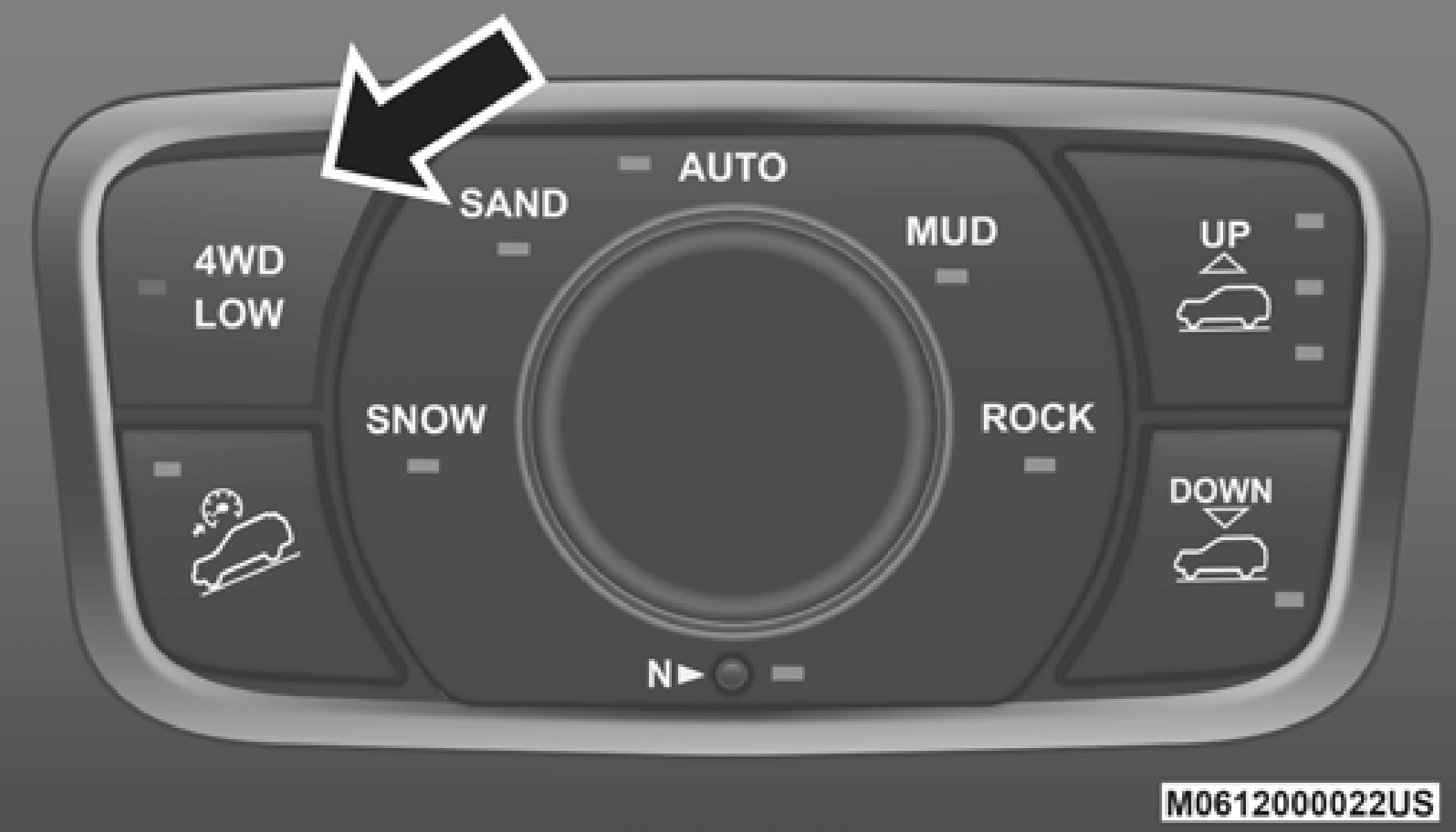 Transfer Case Switch
shift the transmission into “N”, and push the “4WD LOW” button once on the transfer case switch. The “4WD LOW” indicator light in the instrument cluster will begin to flash and remain on solid when the shift is complete.
If shift conditions/interlocks are not met, or a transfer case motor temperature protection condition exists, a “For 4x4 Low Slow Below 3 mph (5 km/h) Put Trans in “N” Press 4 Low” message will flash from the instrument cluster display. Refer to “Instrument Cluster Display” in “Getting To Know Your Instrument Panel” for further information.
With the vehicle at speeds of 0 to 3 mph (0 to 5 km/h), the ignition switch in the ON position or the engine running, shift the transmission into NEUTRAL (N), and push the “4WD LOW” button once on the transfer case switch. The “4WD LOW” indicator light in the instrument cluster will flash and go out when the shift is complete.
NOTE:
shift to NEUTRAL (N) is complete. A “NEUTRAL” message will appear in the instrument cluster display. Refer to “Instrument Cluster Display” in “Getting To Know Your Instrument Panel” for further information.
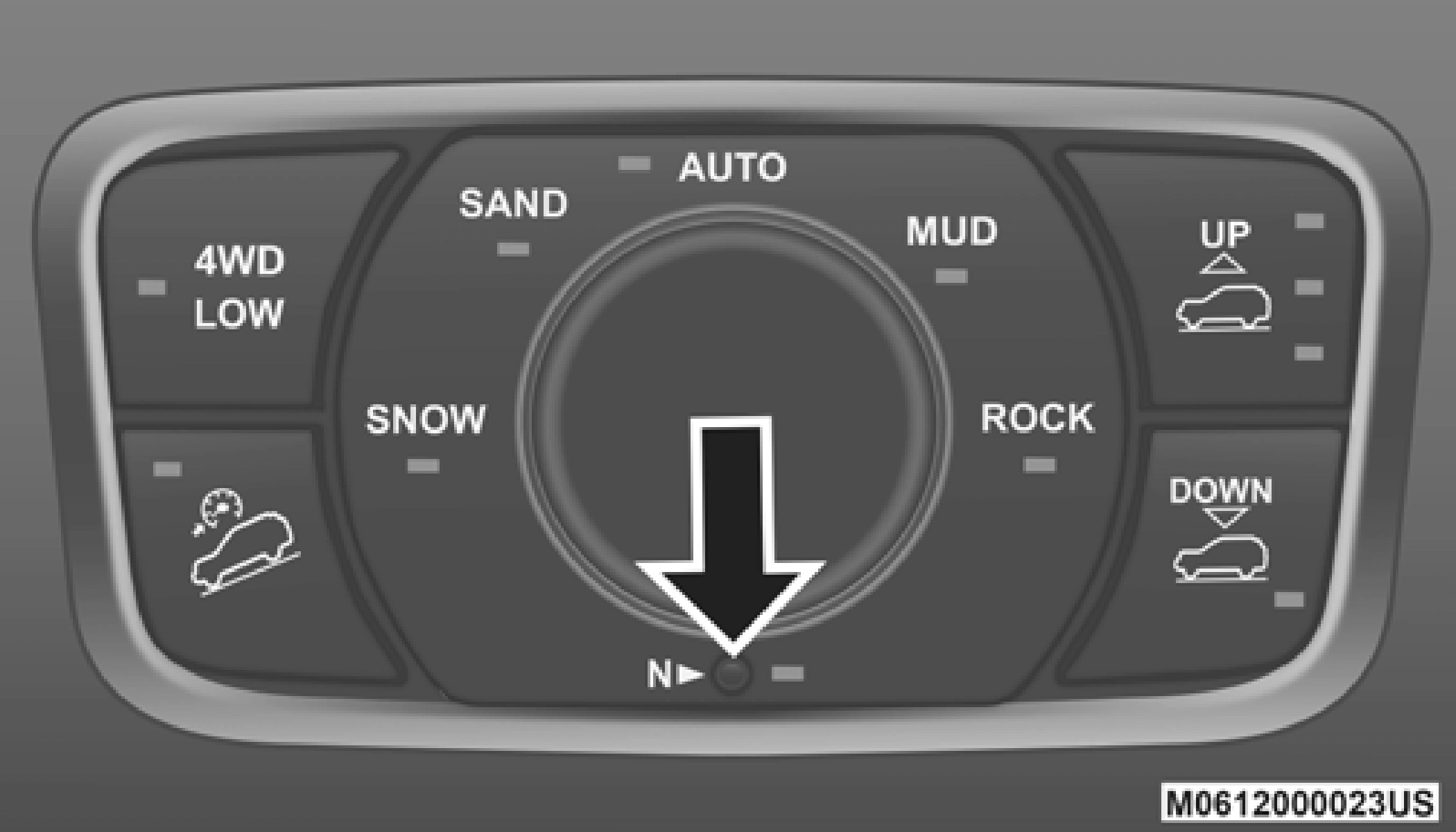
NEUTRAL (N) Switch
pressing the brake pedal), to turn the ignition to the OFF mode.
NOTE:
If shift conditions/interlocks are not met, a “To Tow Vehicle Safely, Read Neutral Shift Procedure in Owner’s Manual” message will flash from the instrument cluster display. Refer to “Instrument Cluster Display” in “Getting To Know Your Instrument Panel” for further information.
Use the following procedure to prepare your vehicle for normal usage.
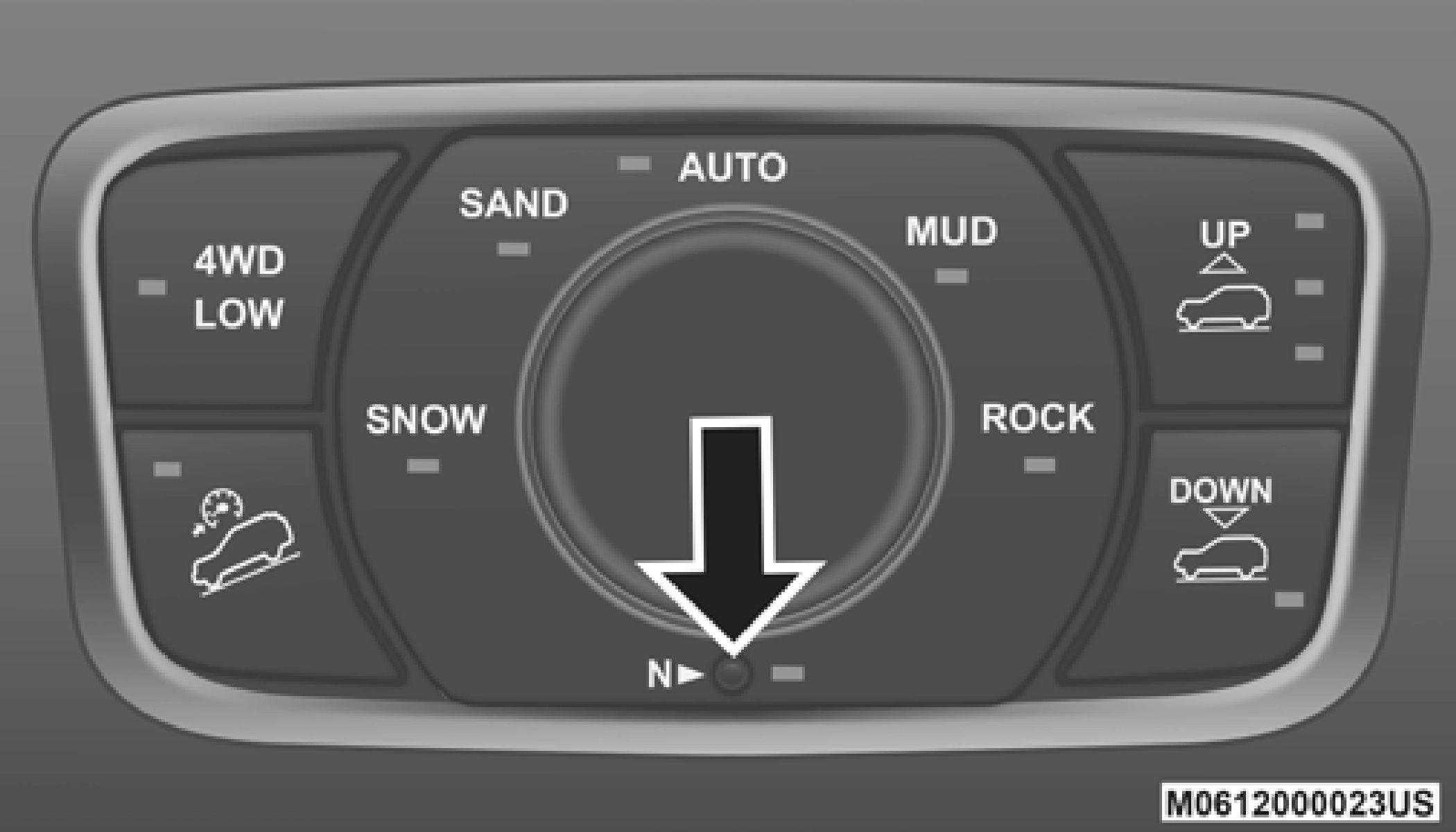
NEUTRAL (N) Switch
The optional Quadra-Drive II System features two torque transfer couplings. The couplings include an Electronic Limited-Slip Differential (ELSD) rear axle and the Quadra-Trac II transfer case. The optional ELSD axle is fully automatic and requires no driver input to operate. Under normal driving conditions, the unit functions as a standard axle, balancing torque evenly between left and right wheels. With a traction difference between left and right wheels, the coupling will sense a speed difference. As one wheel begins to spin faster than the other, torque will automatically transfer from the wheel that has less traction, to the wheel that has traction. While the transfer case and axle coupling differ in design, their operation is similar. Follow the Quadra-Trac II transfer case shifting information, preceding this section, for shifting this system.
Download Manual