SRT DRIVE MODES
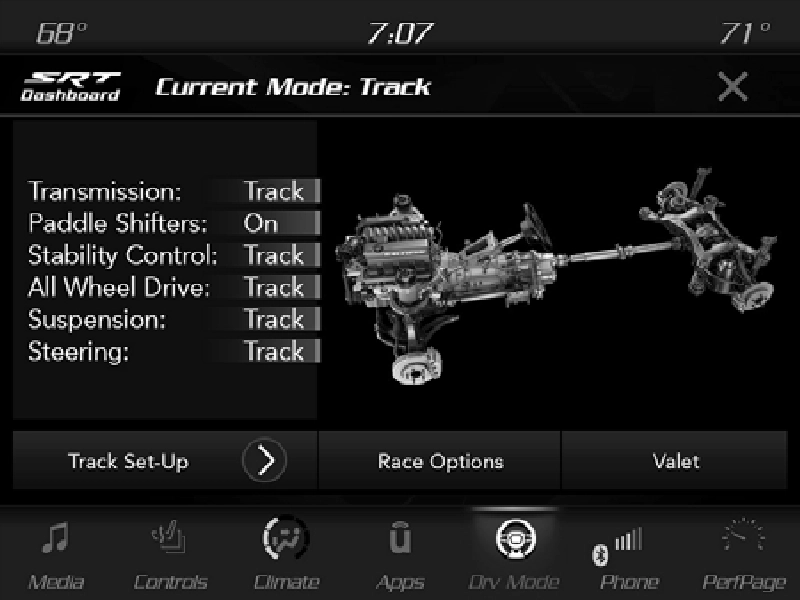
Drive Modes — Track
Your SRT vehicle is equipped with a Drive Modes feature which allows for coordinating the operation of various vehicle systems depending upon the type of driving behavior desired. The Drive Modes feature is controlled through the Selec-Track switch and may be accessed by performing any of the following:
9
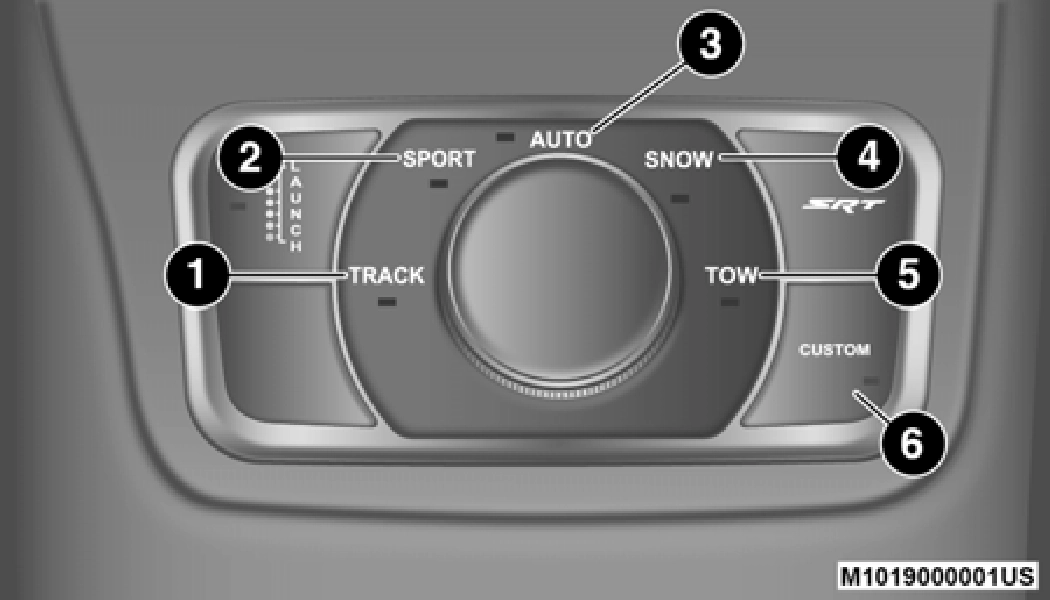
Selec-Track Drive Modes Switch
The SRT Drive Modes main screen displays the current drive mode and real-time status of the vehicle’s performance configuration. The selectable Drive Modes are Track, Sport, Auto, Snow, Tow, or Custom. Information shown will indi- cate the actual status of each system, along with a vehicle graphic that displays the active drive mode status. The color red indicates “Track”, orange “Sport”, yellow “Street”, blue for “Snow”, and purple for “Tow”. These features will reset to AUTO upon an ignition cycle. If the system status shown does not match the current drive mode set up, a message will be displayed indicating which values are not matching the current mode.
NOTE:
Electronic Stability Control (ESC) Full-Off is only available in Selec-Track TRACK mode and can be activated by pushing and holding the ESC Off button on the instrument panel switch bank for five seconds.
Your SRT vehicle is equipped with a Dashboard feature which allows access to Performance Pages, Drive Modes, and Race Options.
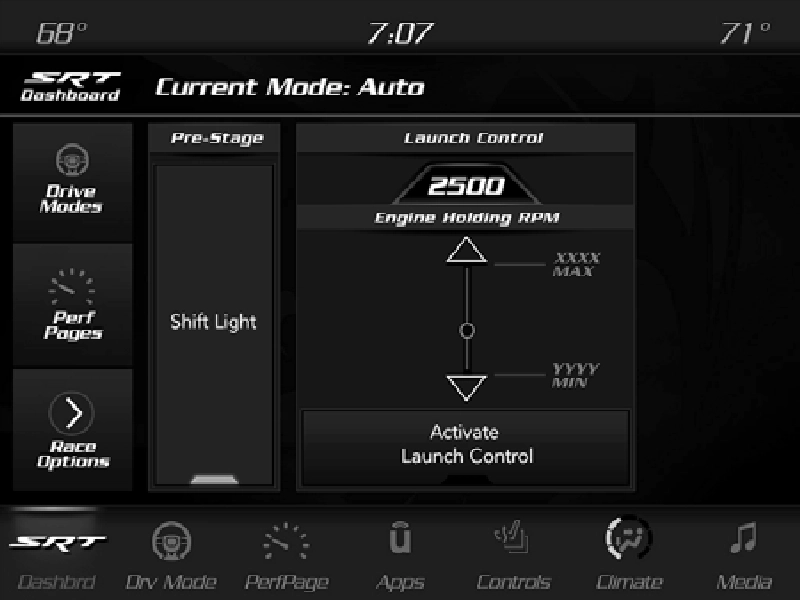
SRT Dashboard
You can also change the settings on the following:
9
Listed below are the available Drive Modes:
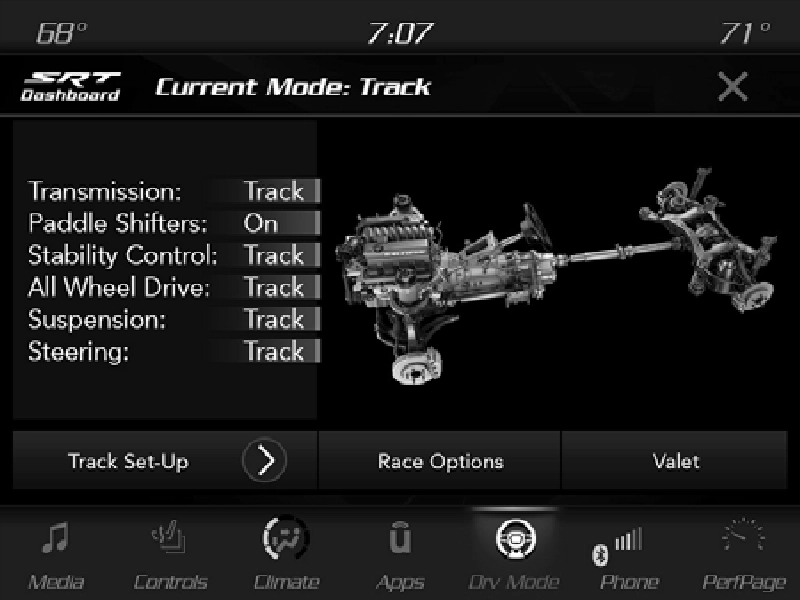
Drive Modes (Track)
Selecting Track with the Selec-Track switch will activate the configuration for typical track driving. The Transmission, Stability Control, All-Wheel Drive, Steering, and Suspension systems are all set to their Track settings highlighted in red. The Paddle Shifters are enabled.
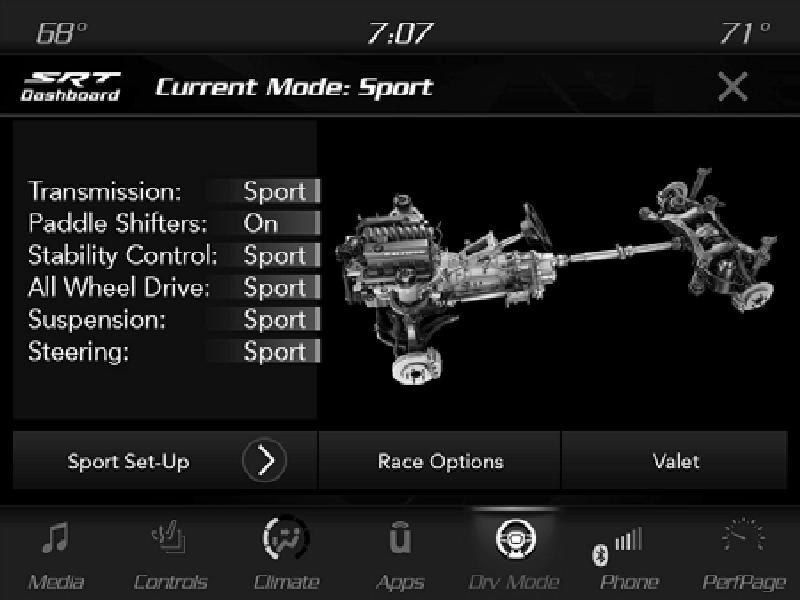
Drive Modes (Sport)
Selecting Sport with the Selec-Track switch will activate the configuration for typical enthusiast driving. The Transmis- sion, Stability Control, All-Wheel Drive, Steering, and Suspension systems are all set to their Sport settings high- lighted in orange. The Paddle Shifters are enabled.
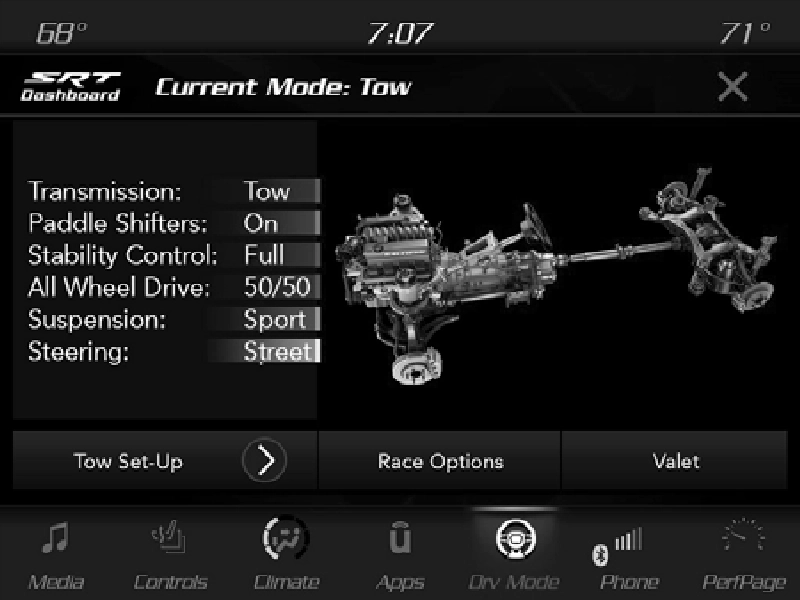
Drive Modes (Tow)
Selecting Tow with the Selec-Track switch will activate the configuration for towing a trailer or hauling heavy loads in the cargo area. Once in this mode, trailer sway control is enabled in the ESC system. The Transmission is set to Tow setting highlighted in purple. Stability Control is set to Full highlighted in blue. All-Wheel Drive is set to 50/50 high- lighted in blue. Steering is set to Street highlighted in yellow. Suspension is set to Sport highlighted in orange. Paddle Shifters are enabled.
9
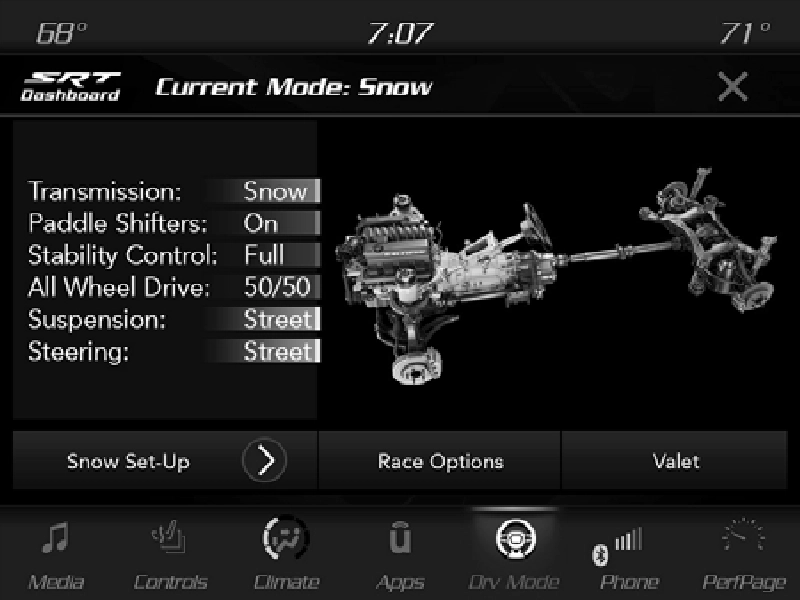
Drive Mode (Snow)
Selecting Snow with the Selec-Track switch will activate snow mode for use on loose traction surfaces. When in Snow mode (depending on certain operating conditions), the trans- mission will use second gear (rather than first gear) during launches, to minimize wheel slippage. The Transmission is
set to Snow setting highlighted in blue. Stability Control is set to Full highlighted in blue. All-Wheel Drive is set to 50/ 50 highlighted in blue. Steering is set to Street highlighted in yellow. Suspension is set to Street highlighted in yellow.
Paddle shifters can be enabled or disabled by pressing the Snow Set-up button on the touchscreen.
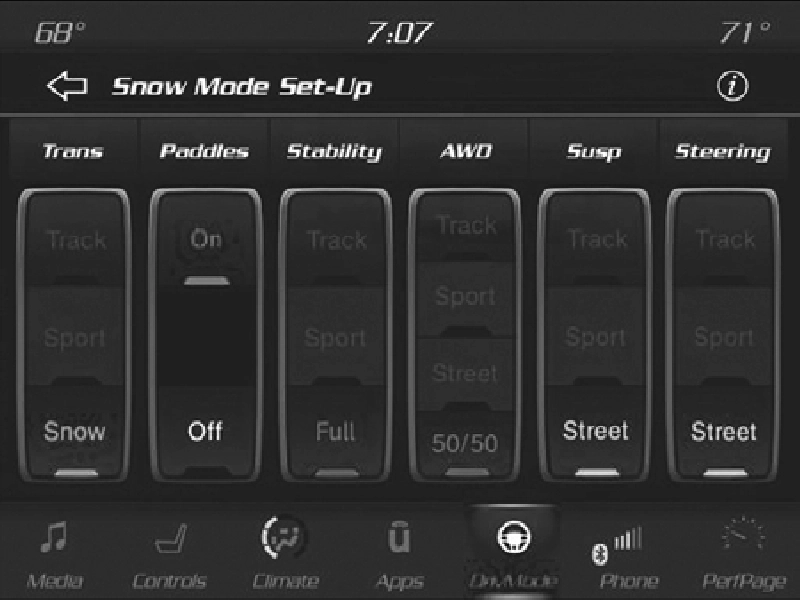
Snow Mode Set-Up
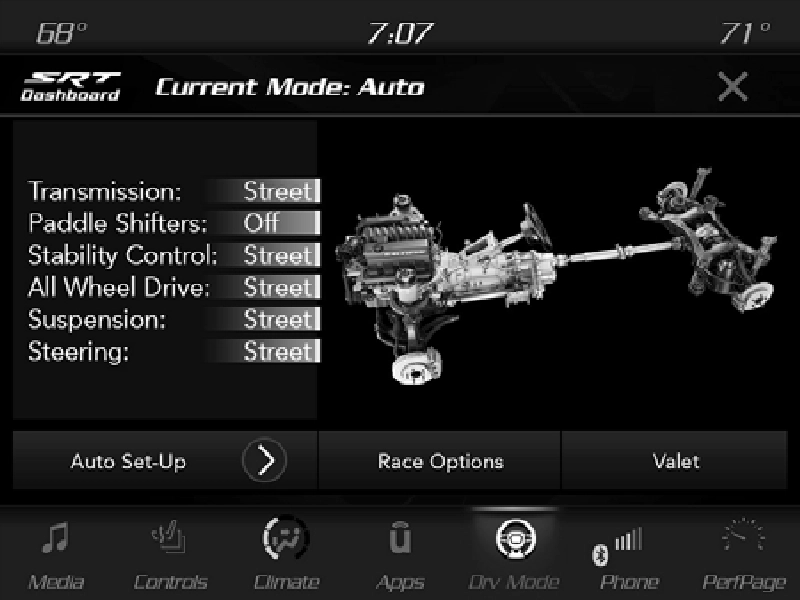
Drive Mode Auto (Default)
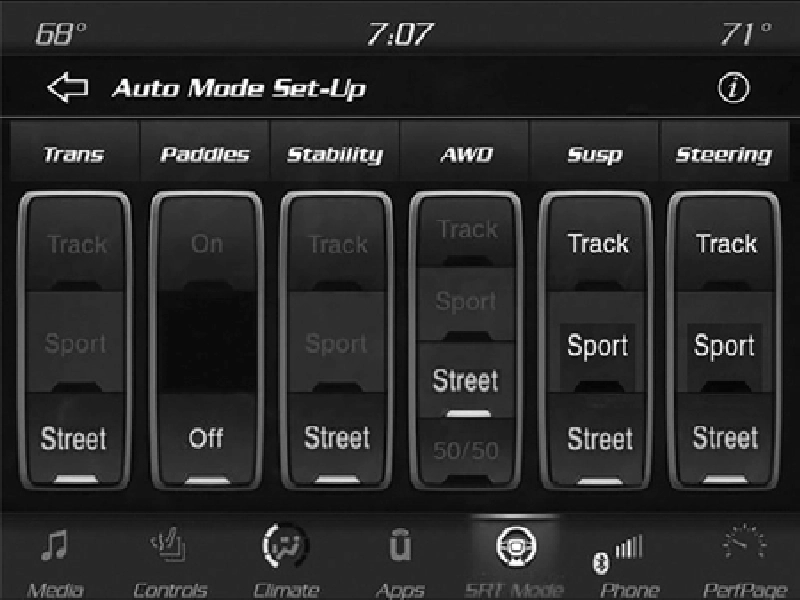
Auto mode is enabled upon ignition ON/RUN, or by selecting Auto with the Selec-Track switch. The Transmis- sion, Stability Control, and All-Wheel Drive modes are set to their Street settings highlighted in yellow. Steering and Suspension can be configured in either the Street, Sport, or Track, and the Paddle Shifters may be enabled or disabled while in auto set-up mode.
 9
9
Auto Mode Setup
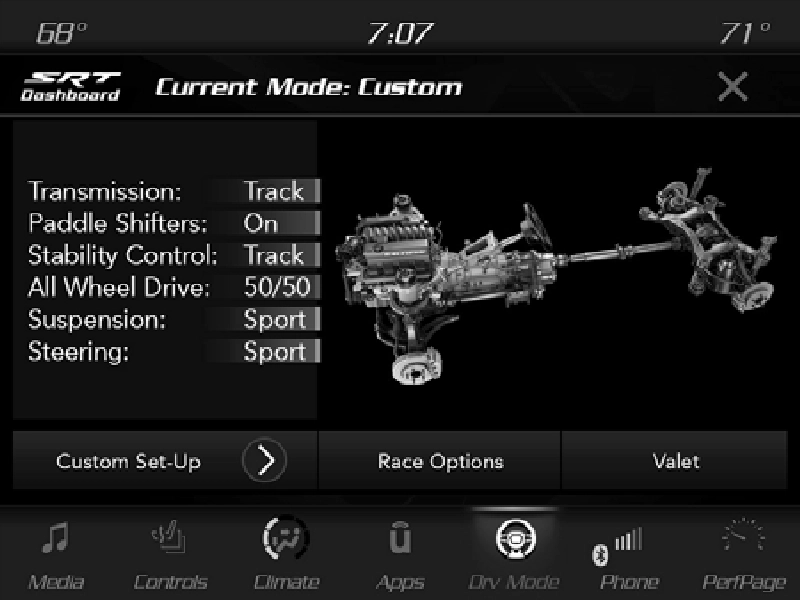
Drive Mode (Custom)
Custom Mode may be selected by pushing the Custom button on Selec-Track switch. Custom Mode allows you to create a custom configuration that is saved for quick selection of your favorite settings. While in Custom Mode, the All-Wheel Drive, Stability Control, Transmission, Steering, and Suspension settings are shown in their current configuration.
While in the Custom Mode screen, press the Custom Set-Up button on the touchscreen to access the selectable options. Select which mode suits your driving needs for a custom driving experience.
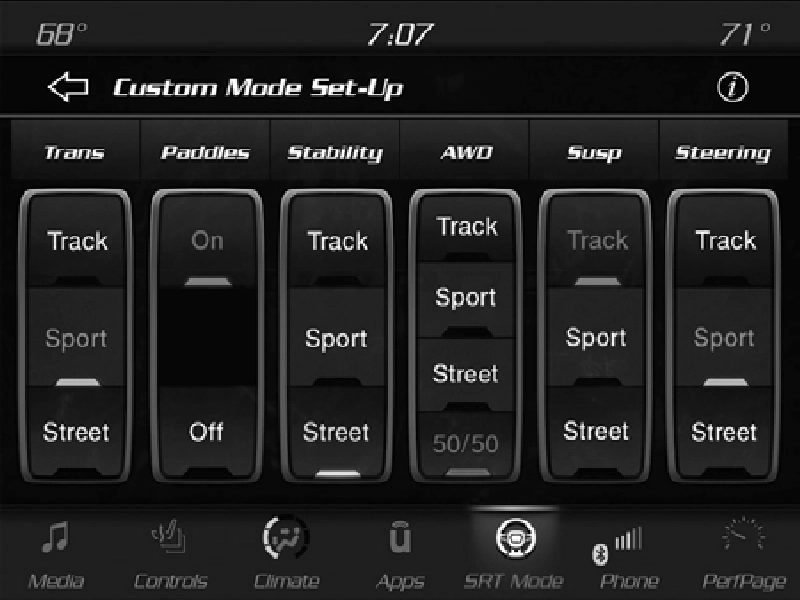
Custom Mode Set-Up
Within the Custom Mode Set-Up screen, press the info button on the touchscreen then use the left/right arrow to scroll through all the available Drive Mode systems giving you a description of their operation and current configuration.
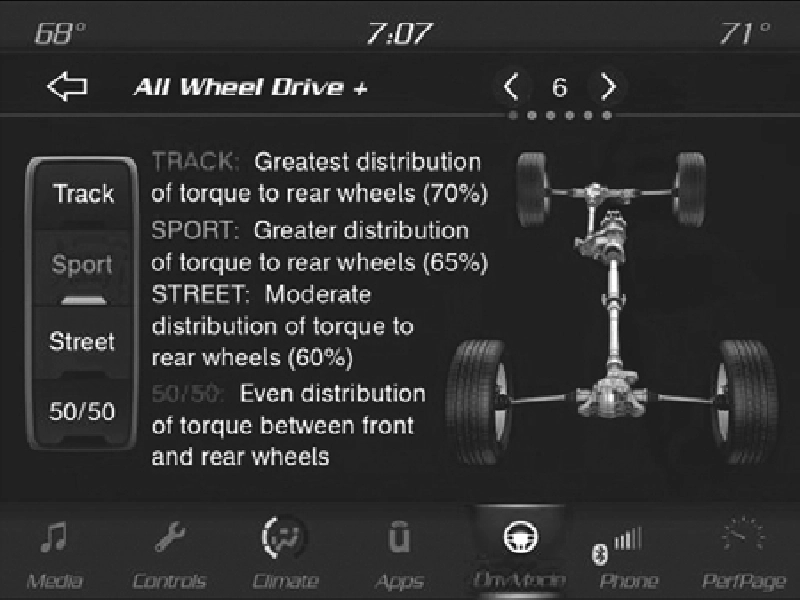
All-Wheel Drive
Rotate the Selec-Track knob to Track to provide the greatest distribution of torque to the rear wheels (70%).
Rotate the Selec-Track knob to Sport to provide greater distribution of torque to the rear wheels (65%).
Rotate the Selec-Track knob to Street to provide moderate distribution of torque to the rear wheels (60%).
Press the 50/50 option on the touchscreen to provide even distribution of torque between the front and rear wheels.
9
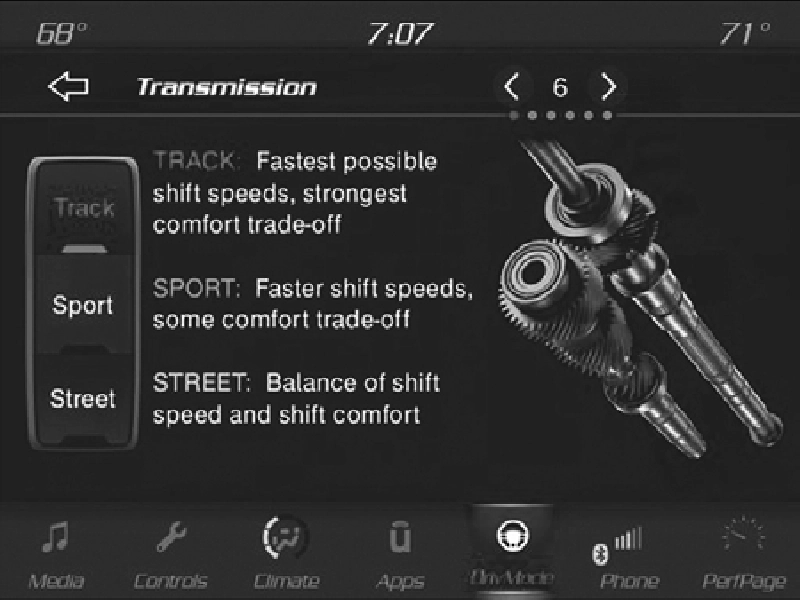
Eight-Speed Transmission
Rotate the Selec-Track knob to provide the fastest shift speeds with the strongest comfort trade-off.
Rotate the Selec-Track knob to Sport to provide faster shift speeds with some comfort trade-off.
Rotate the Selec-Track knob to Street to provide a balance of shift speed and comfort for typical daily driving.
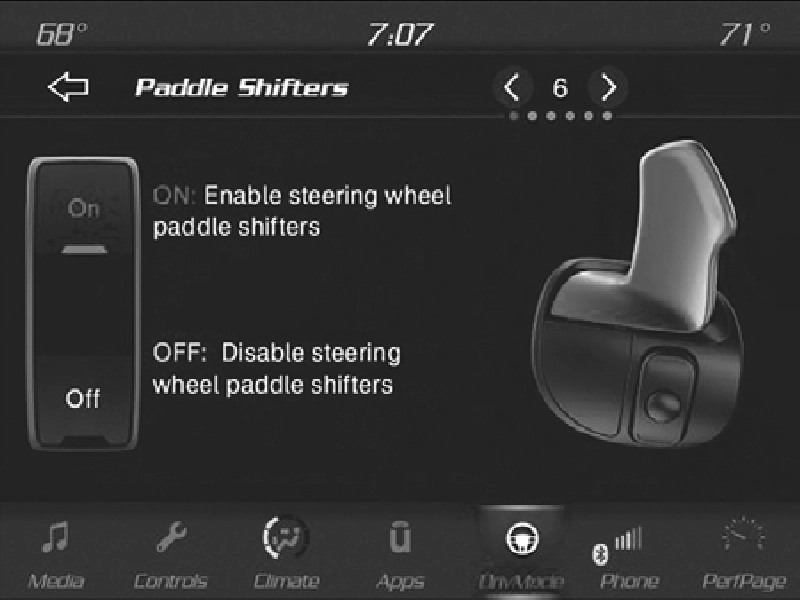
Paddle Shifters
Press the ON button on the touchscreen to enable steering wheel paddle shifters.
Press the OFF button on the touchscreen to disable steering wheel paddle shifters.
9
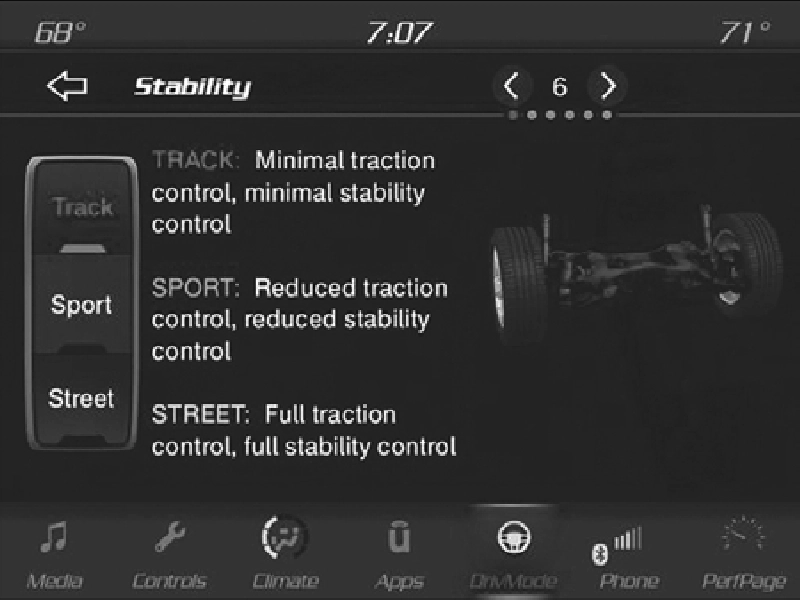
Stability Control
Pressing the Track button on the touchscreen will provide minimal stability control.
NOTE:
Traction control is automatically turned off when TRACK mode stability is selected.
Pressing the Sport button on the touchscreen will provide reduced stability control.
Pressing the Street button on the touchscreen provides full (default) stability control.
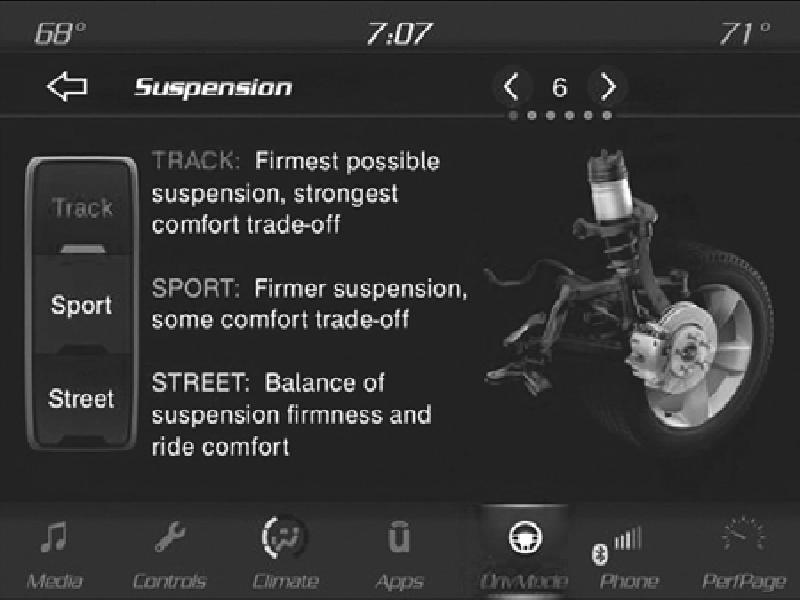
Suspension
Press the Track button on the touchscreen to provide the firmest possible suspension stiffness with the highest amount of comfort trade-off.
Press the Sport button on the touchscreen to provide a firmer suspension stiffness with moderate comfort trade-off.
Press the Street button on the touchscreen to provide a balance of suspension stiffness and ride comfort for typical daily driving.
9
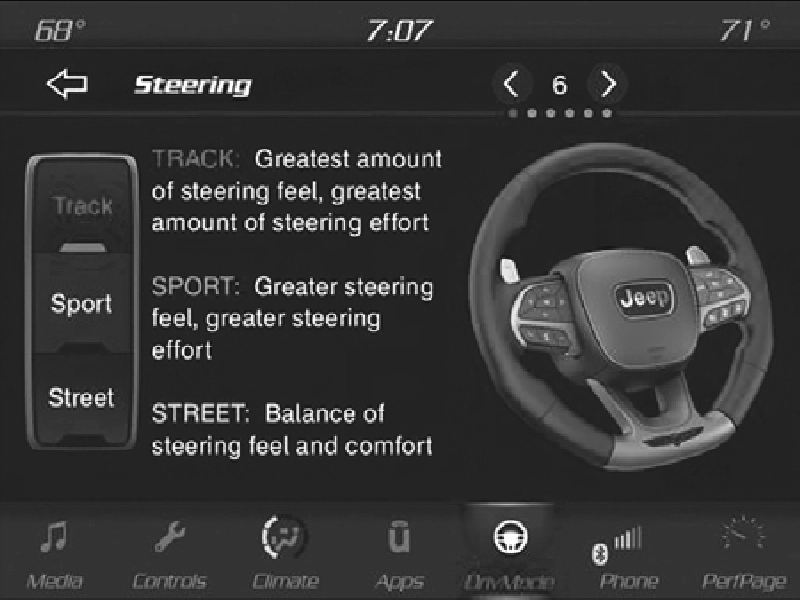
Steering
Press the Track button on the touchscreen to adjust the steering effort and feel to the greatest level.
Press the Sport button on the touchscreen to adjust the steering effort and feel to a greater level.
Press the Street button on the touchscreen to balance the steering feel and comfort.
Download Manual