RACE OPTIONS
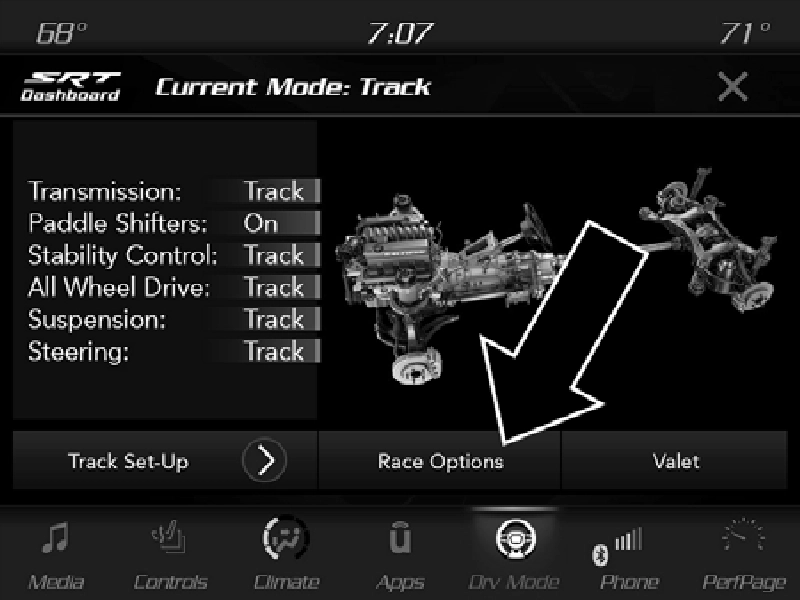 Race Options
Race Options Dashboard
Press the Race Options button on the touchscreen while in the Drive Modes screen to display the vehicle’s Launch
Control screen. Within Race Options, you can activate, deac- 9
tivate, and adjust the RPM values for the Launch Control and Shift Light features.
Refer to “Shift Light” in this section for further information on shift light features.
This vehicle is equipped with a Launch Control system that is designed to allow the driver to achieve maximum vehicle acceleration in a straight line. Launch Control is a form of traction control that manages tire slip while launching the vehicle. This feature is intended for use during race events on a closed course where consistent 1/4 mile and 0 to 60 times are desired. The system is not intended to compensate for lack of driver experience or familiarity with the race track. Use of this feature in low traction (cold, wet, gravel, etc.) conditions may results in excess wheel slip outside this systems control resulting in an aborted launch.
Preconditions:
Launch Control is only available when the following procedure is followed:
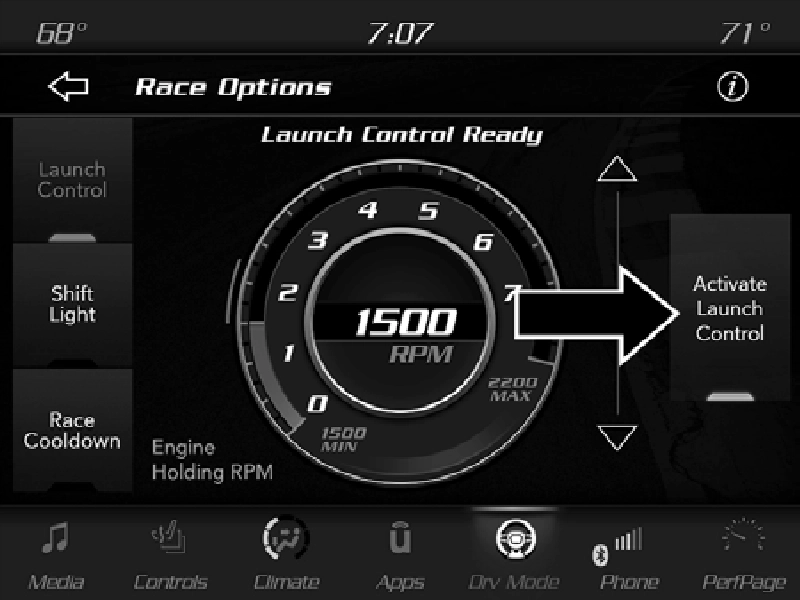
Activate Launch Control
NOTE:
Messages will appear in the instrument cluster display to inform the driver if one or more of the above conditions have
not been met.
9
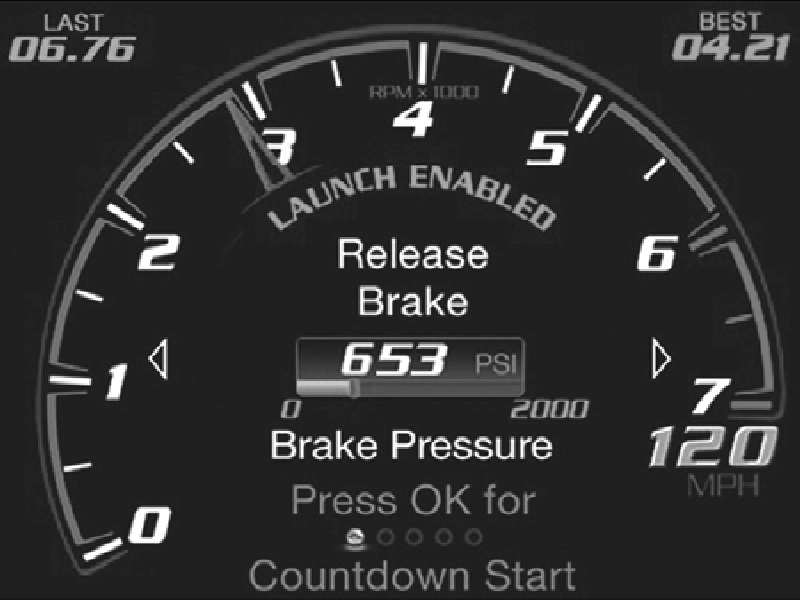
Example Brake Pedal Pressure
Launch control will be active until the vehicle reaches 62 mph (100 km/h), at which point the Electronic Stability Control (ESC) system will return to its current ESC mode.
Launch Control will abort before launch completion, and will display “Launch Aborted” in the cluster under any the following conditions:
NOTE:
The Launch Control RPM setting can only be adjusted while Launch Control is not active. After Launch Control has been aborted, ESC will return to its current ESC mode.
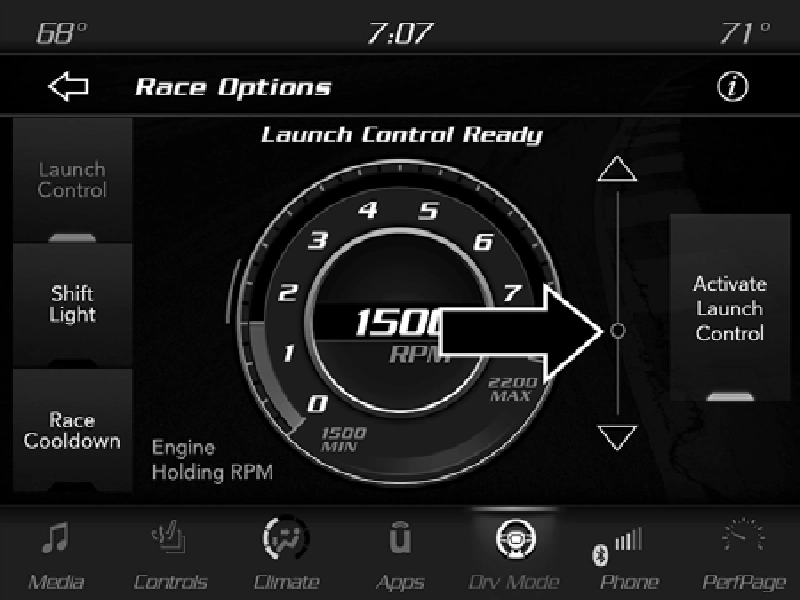
Launch RPM Set-Up
To adjust the Launch RPM, drag the slider bar or press the arrows on the touchscreen to adjust the holding RPM. The launch RPM limit is between the minimum and maximum RPM values shown on the gauge, in 100 RPM increments.
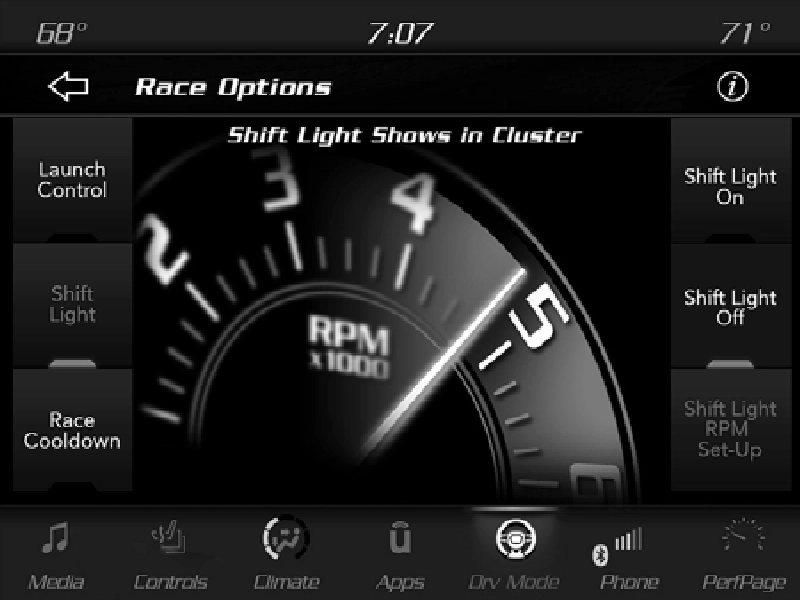 Your vehicle is equipped with a shift light feature that illu- minates the back lighting of the tachometer (in red) within the instrument cluster display. This feature is a visual cue to manually up-shift using the paddle shifters or shifting the transmission gear selector.
9
Shift Light
To actuate the Shift Light feature, press the Shift Light button on the touchscreen, then press the Shift Light On button on the touchscreen. Activation is shown on the instrument cluster display. Pressing the Shift Light RPM Set-Up button on the touchscreen will take you to the Shift Light RPM Set-Up screen.
Once the shift light is configured, it is only active while the gear shifter is in the MANUAL or SPORT shifter position (M or S position).
NOTE:
Paddle shifters can be used to shift, however using the paddles shifters while the shifter is in DRIVE (D) position will not enable the shift light feature.
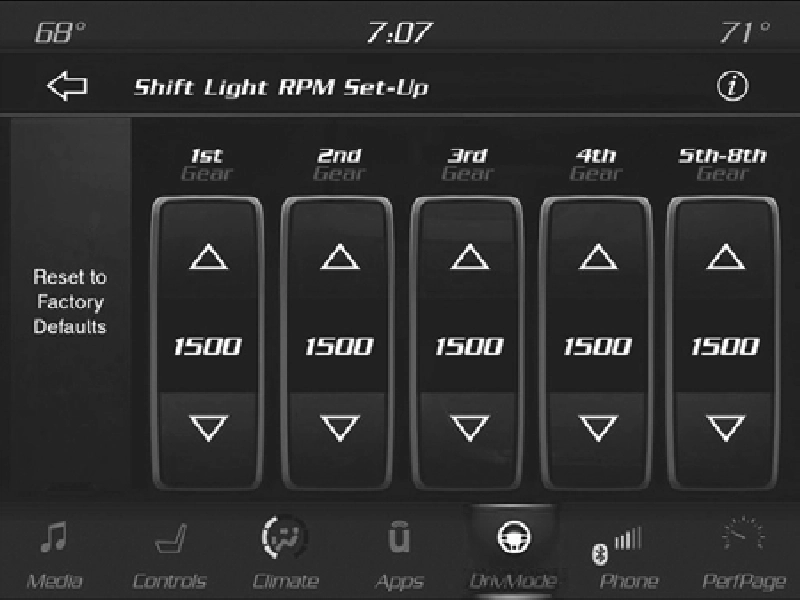
Shift Light RPM Set-Up
The Shift Light RPM Set-Up allows you to set the shift light to illuminate for gears 1, 2, 3, 4, and 5-8. Pressing and releasing the Up/Down arrow buttons above and below each listed gear, the RPM values will change in increments of 250 RPM. The Shift Light Set-Up screen may only be accessed if the feature is enabled, press the Reset to Factory Default button on the touchscreen to change back to factory settings, or press the Shift Light Off button on the touchscreen to turn the system off completely.
Race Cooldown is a selectable After-Run Cooling Feature.
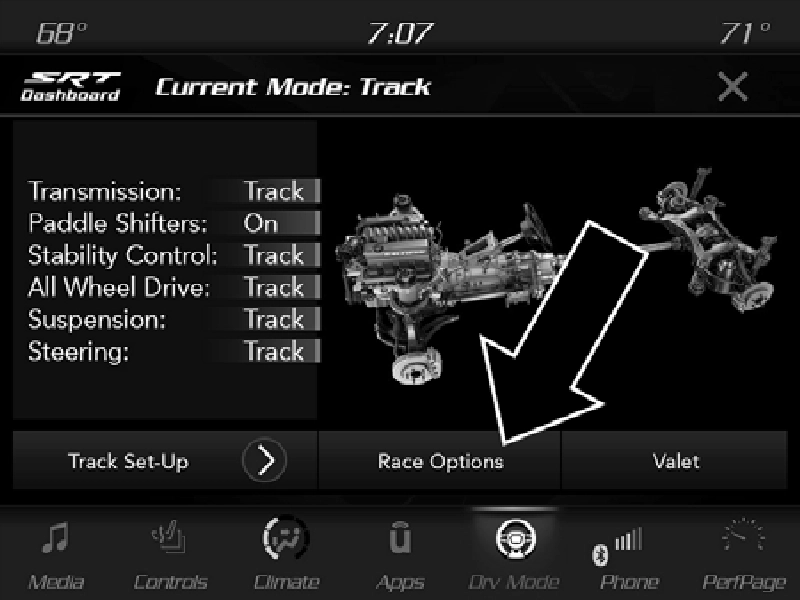 Race Cooldown is a feature activated by selecting the Race Cooldown button under Race Options within the Drive Modes pages or from the Dashboard page.
Race Options
Race Cooldown Dashboard Screen
To enable this feature, the vehicle will check to ensure the engine is off, the hood is closed, the status of the battery and
system are acceptable and determine if cooling is required. 9
After making a pass down the drag strip, this feature helps cool the car after the engine has been shut down. The radi- ator fan and low temperature radiator coolant pump remain on after engine shutdown for a period up to 10 minutes or until target temperature is reached.
A graph in the radio can show the resulting intercooler coolant temperature in real time while the vehicle ignition is in ON/RUN position with the engine off.
NOTE:
Race Cooldown feature (After-Run) will only come on when the engine is off. The temperature will also display when the engine is running, but After-Run Cooling will not be functioning.
This feature will automatically deactivate after extended driving at road speeds, or when one or more of the following conditions apply:
Download Manual