PARKSENSE ACTIVE PARK ASSIST SYSTEM — IF EQUIPPED
The ParkSense Active Park Assist system is intended to assist the driver during parallel and perpendicular parking maneuvers by identifying a proper parking space, provid- ing audible/visual instructions, and controlling the steer- ing wheel. The ParkSense Active Park Assist system is defined as “semi-automatic” since the driver maintains
control of the accelerator, gear selector and brakes. De- pending on the driver’s parking maneuver selection, the ParkSense Active Park Assist system is capable of maneu- vering a vehicle into a parallel or a perpendicular parking space on either side (i.e., driver side or passenger side).
NOTE:
The driver is always responsible for controlling the vehicle, responsible for any surrounding objects, and must intervene as required.
The system is provided to assist the driver and not to substitute the driver.
During a semi-automatic maneuver, if the driver touches the steering wheel after being instructed to remove their hands from the steering wheel, the system will cancel, and the driver will be required to manually complete the parking maneuver.
The system may not work in all conditions (e.g. envi- ronmental conditions such as heavy rain, snow, etc., or if searching for a parking space that has surfaces that will absorb the ultrasonic sensor waves).
New vehicles from the dealership must have at least 30 miles (48 km) accumulated before the ParkSense Active Park Assist system is fully calibrated and performs accurately. This is due to the system’s dynamic vehicle calibration to improve the performance of the feature. The system will also continuously perform the dynamic vehicle calibration to account for differences such as over or under inflated tires and new tires.
The ParkSense Active Park Assist system will turn off automatically for any of the following conditions:
Vehicle speed greater than 18 mph (30 km/h) when searching for a parking space.
Vehicle speed greater than 5 mph (7 km/h) during active steering guidance into the parking space.
 The ParkSense Active Park Assist system can be enabled and disabled with the ParkSense Active Park Assist switch, located on the switch panel below the Uconnect display.
To enable the ParkSense Active Park Assist system, push the ParkSense Active Park Assist switch once (LED turns on).
To disable the ParkSense Active Park Assist system, push the ParkSense Active Park Assist switch again (LED turns off).
ance into the parking space.
Pushing the ParkSense Front and Rear Park Assist switch.
Electronic Stability Control/Anti-lock Braking System intervention.
The ParkSense Active Park Assist system will allow a maximum of six shifts between DRIVE and REVERSE. If the maneuver cannot be completed within six shifts, the system will cancel and the instrument cluster display will instruct the driver to complete the maneuver manu- ally.
The ParkSense Active Park Assist system will only operate and search for a parking space when the following condi- tions are present:
NOTE: If the vehicle is driven above approximately
15 mph (25 km/h), the instrument cluster display will instruct the driver to slow down. If the vehicle is driven above approximately 18 mph (30 km/h), the system will cancel. The driver must then reactivate the system by pushing the ParkSense Active Park Assist switch.
The outer surface and the underside of the front and rear fascias/bumpers are clean and clear of snow, ice, mud, dirt or other obstruction.
When pushed, the LED on the ParkSense Active Park Assist switch will blink momentarily, and then the LED will turn off if any of the above conditions are not present.
When the ParkSense Active Park Assist system is enabled the “Active ParkSense Searching - Press OK to Switch to Perpendicular” message will appear in the instrument cluster display. You may switch to perpendicular parking if you desire. Push the OK button on the left side steering wheel switch to change your parking space setting.
NOTE:
When searching for a parking space, use the turn signal indicator to select which side of the vehicle you want to perform the parking maneuver. The ParkSense Active Park Assist system will automatically search for a park- ing space on the passenger’s side of the vehicle if the turn signal is not activated.
The driver needs to make sure that the selected parking space for the maneuver remains free and clear of any obstructions (e.g. pedestrians, bicycles, etc.).
The driver is responsible to ensure that the selected parking space is suitable for the maneuver and free/ clear of anything that may be overhanging or protruding into the parking space (e.g., ladders, tailgates, etc. from surrounding objects/vehicles).
When seeking for a parking space, the driver should drive as parallel or perpendicular (depending on the type of maneuver) to other vehicles as possible.
The feature will only indicate the last detected parking space (example: if passing multiple available parking spaces, the system will only indicate the last detected parking space for the maneuver).
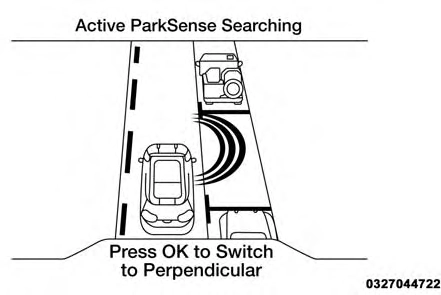
Active ParkSense Searching
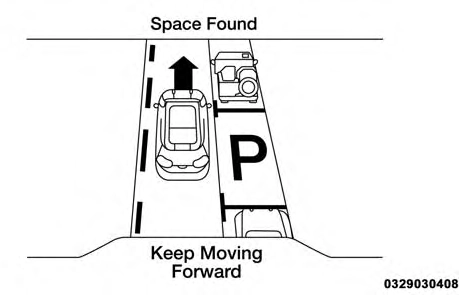
When an available parking space has been found, and the vehicle is not in position, you will be instructed to move forward to position the vehicle for a parallel parking sequence.
 6
6
Space Found — Keep Moving Forward
Once the vehicle is in position, you will be instructed to stop the vehicle’s movement and remove your hands from the steering wheel.
Once the vehicle is at a standstill with your hands removed from the steering wheel, you will be instructed to place the gear selector into the REVERSE position.
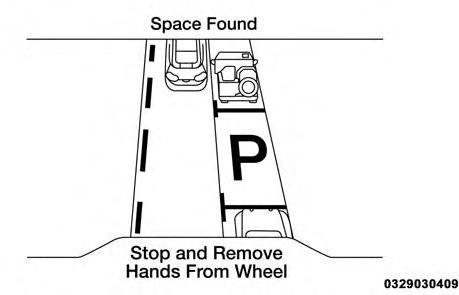
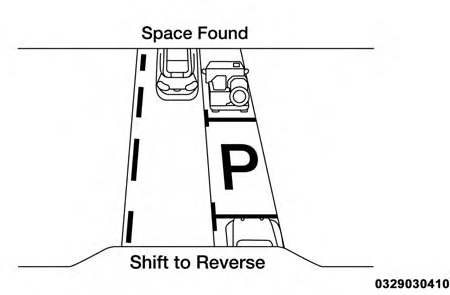
Space Found — Stop And Remove Hands From Wheel Space Found — Shift To Reverse
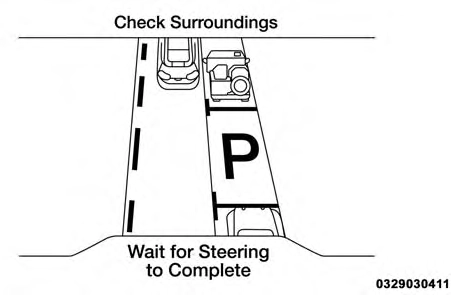 When the driver places the gear selector into the REVERSE position, the system may instruct the driver to wait for steering to complete.
The system will then instruct the driver to check their surroundings and move backward.
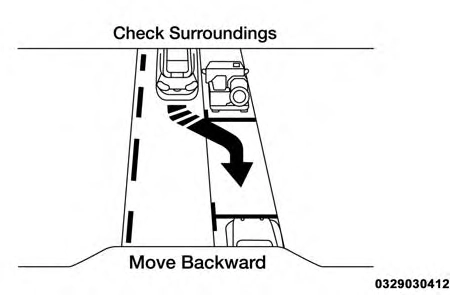 6
6
Check Surroundings — Wait For Steering To Complete
NOTE:
Check Surroundings — Move Backward
It is the driver’s responsibility to use the brake and accelerator during the semi-automatic parking maneu- ver.
When the system instructs the driver to remove their hands from the steering wheel, the driver should check their surroundings and begin to back up slowly.
The ParkSense Active Park Assist system will allow a maximum of six shifts between DRIVE and REVERSE. If the maneuver cannot be completed within six shifts, the system will cancel and the instrument cluster display will instruct the driver to complete the maneuver manu- ally.
The system will cancel the maneuver if the vehicle speed exceeds 5 mph (7 km/h) during active steering guidance into the parking space. The system will provide a warning to the driver at 3 mph (5 km/h) that tells them to slow down. The driver is then responsible for com- pleting the maneuver if the system is canceled.
If the system is canceled during the maneuver for any reason, the driver must take control of the vehicle.
When the vehicle has reached the end of its backward movement, the system will instruct the driver to check their surroundings and stop the vehicle’s movement.
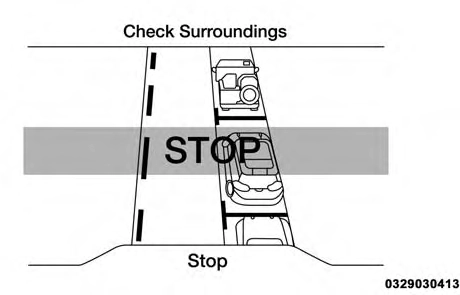
Check Surroundings — STOP
NOTE: It is the driver’s responsibility to use the brake and stop the vehicle. The driver should check their surround- ings and be prepared to stop the vehicle either when instructed to, or when driver intervention is required.
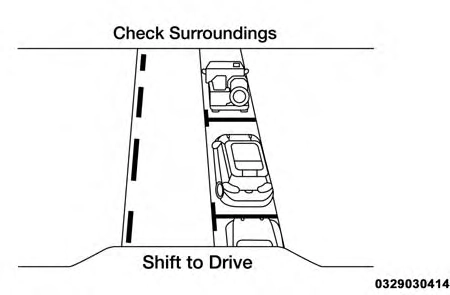 Once the vehicle is in a standstill condition, the driver will be instructed to place the gear selector into the DRIVE position.
When the driver places the gear selector into the DRIVE position, the system may instruct the driver to wait for steering to complete.
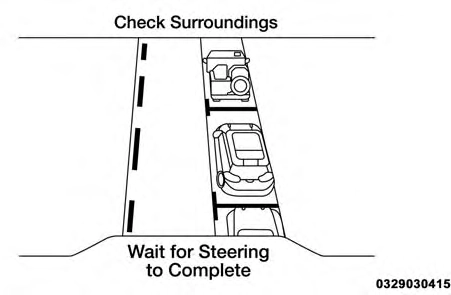 6
6
Check Surroundings — Shift To Drive Check Surroundings — Wait For Steering To Complete
The system will then instruct the driver to check their surroundings and move forward.
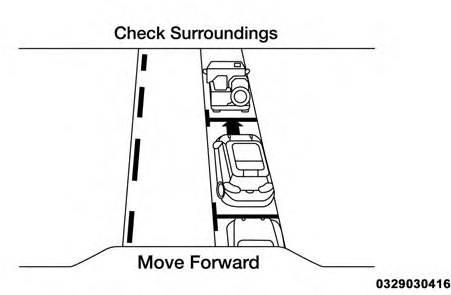
Check Surroundings — Move Forward
When the vehicle has reached the end of its forward movement, the system will instruct the driver to check their surroundings and stop the vehicle’s movement.
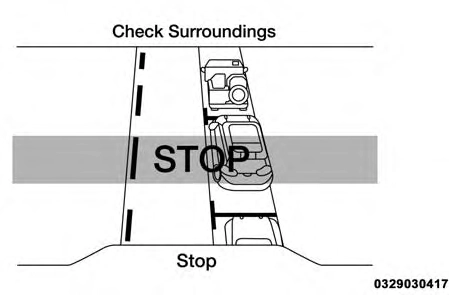
Check Surroundings — STOP
NOTE: It is the driver’s responsibility to use the brake and stop the vehicle. The driver should check their surround- ings and be prepared to stop the vehicle either when instructed to, or when driver intervention is required.
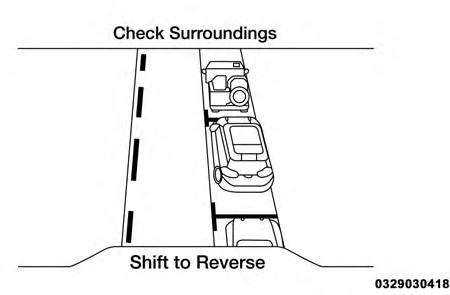 Once the vehicle is in a standstill condition, the driver will be instructed to place the gear selector into the REVERSE position.
When the driver places the gear selector into the REVERSE position, the system may instruct the driver to wait for steering to complete.
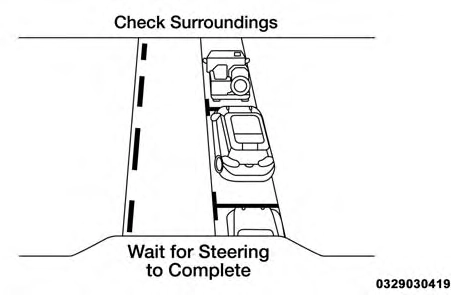 6
6
Check Surroundings — Shift To Reverse Check Surroundings — Wait For Steering To Complete
The system will then instruct the driver to check their surroundings and move backward.
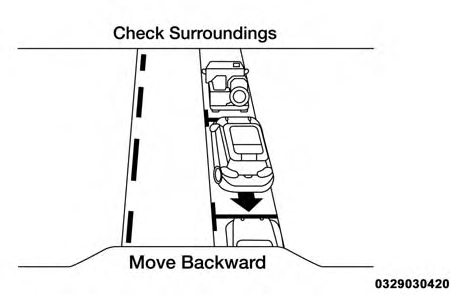
Check Surroundings — Move Backward
Your vehicle is now in the parallel park position. When the maneuver is complete, the driver will be instructed to check the vehicle’s parking position. If the driver is satis- fied with the vehicle position, they should shift to PARK. The "Active ParkSense Complete - Check Parking Position" message will be momentarily displayed.
Active ParkSense Complete — Check Parking Position
When the ParkSense Active Park Assist system is enabled, the “Active ParkSense Searching - Press OK to Switch to Perpendicular” message will show in the instrument clus- ter display. Push the OK button on the left side steering wheel switch to change your parking space setting to a perpendicular maneuver. You may switch back to parallel parking if you desire.
Once the driver pushes OK for a perpendicular parking maneuver, the “Active ParkSense Searching - Press OK to Switch to Parallel” message will appear in the instrument
cluster display. NOTE:
6
Active ParkSense Searching Display
When searching for a parking space, use the turn signal indicator to select which side of the vehicle you want to perform the parking maneuver. The ParkSense Active Park Assist system will automatically search for a park- ing space on the passenger’s side of the vehicle if the turn signal is not activated.
The driver needs to make sure that the selected parking space for the maneuver remains free and clear of any obstructions (e.g. pedestrians, bicycles, etc.).
The driver is responsible to ensure that the selected parking space is suitable for the maneuver and free/ clear of anything that may be overhanging or protruding into the parking space (e.g., ladders, tailgates, etc. from surrounding objects/vehicles).
When seeking for a parking space, the driver should drive as parallel or perpendicular (depending on the type of maneuver) to other vehicles as possible.
The feature will only indicate the last detected parking space (example: if passing multiple available parking spaces, the system will only indicate the last detected parking space for the maneuver).
When an available parking space has been found, and the vehicle is not in position, you will be instructed to move forward to position the vehicle for a perpendicular parking sequence.
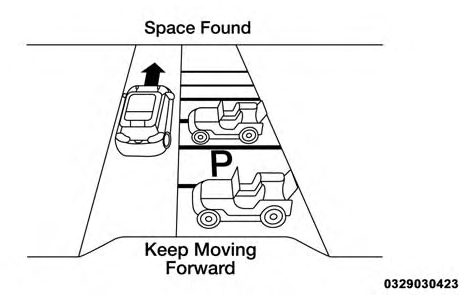
Space Found — Keep Moving Forward
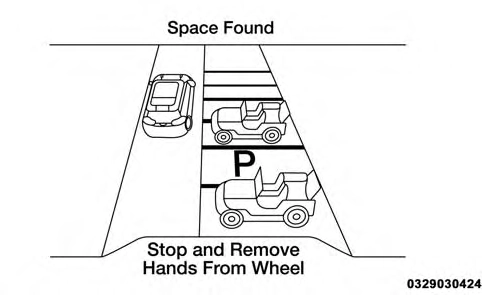 Once the vehicle is in position, you will be instructed to stop the vehicle’s movement and remove your hands from the steering wheel.
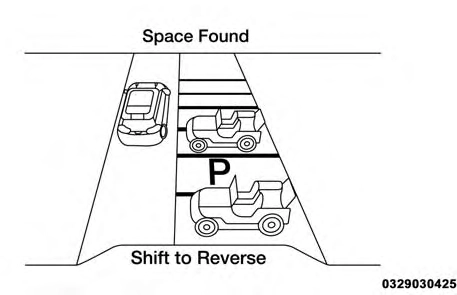
Once the vehicle is at a standstill with your hands removed from the steering wheel, you will be instructed to place the gear selector into the REVERSE position.
 6
6
Space Found — Stop And Remove Hands From Wheel Space Found — Shift To Reverse
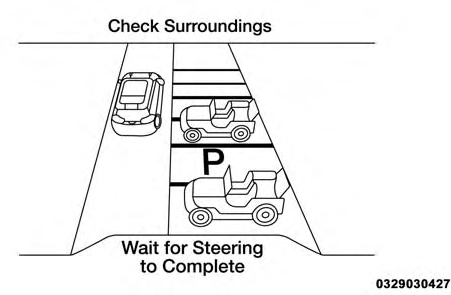 When the driver places the gear selector into the REVERSE position, the system may instruct the driver to wait for steering to complete.
The system will then instruct the driver to check their surroundings and move backward.
Check Surroundings — Wait For Steering To Complete
NOTE:
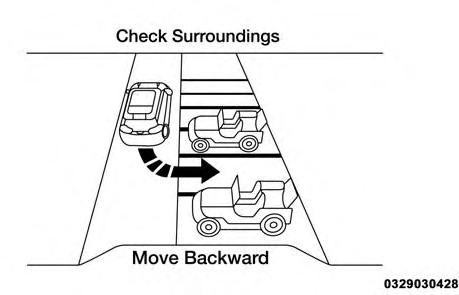 Check Surroundings — Move Backward
It is the driver’s responsibility to use the brake and accelerator during the semi-automatic parking maneu- ver.
When the system instructs the driver to remove their hands from the steering wheel, the driver should check their surroundings and begin to back up slowly.
The ParkSense Active Park Assist system will allow a maximum of six shifts between DRIVE and REVERSE. If the maneuver cannot be completed within six shifts, the system will cancel and the instrument cluster display will instruct the driver to complete the maneuver manu- ally.
The system will cancel the maneuver if the vehicle speed exceeds 5 mph (7 km/h) during active steering guidance into the parking space. The system will provide a warning to the driver at 3 mph (5 km/h) that tells them to slow down. The driver is then responsible for com- pleting the maneuver if the system is canceled.
If the system is canceled during the maneuver for any reason, the driver must take control of the vehicle.
When the vehicle has reached the end of its backward movement, the system will instruct the driver to check their surroundings and stop the vehicle’s movement.
6
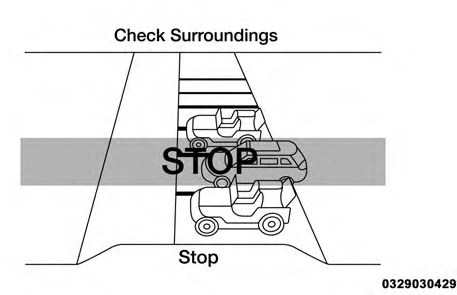 Check Surroundings — STOP
NOTE: It is the driver’s responsibility to use the brake and stop the vehicle. The driver should check their surround- ings and be prepared to stop the vehicle either when instructed to, or when driver intervention is required.
Once the vehicle is in a standstill condition, the driver will be instructed to place the gear selector into the DRIVE position.
When the driver places the gear selector into the DRIVE position, the system may instruct the driver to wait for steering to complete.
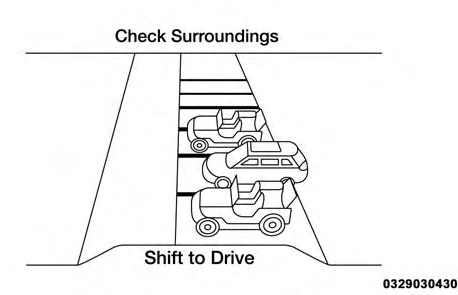
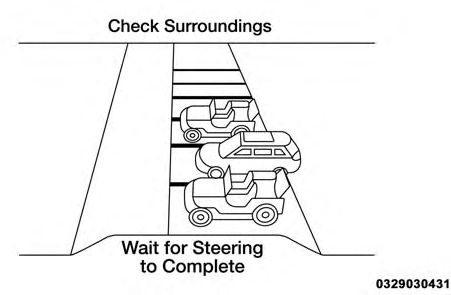
Check Surroundings — Shift To Drive Check Surroundings — Wait For Steering To Complete
The system will then instruct the driver to check their surroundings and move forward.
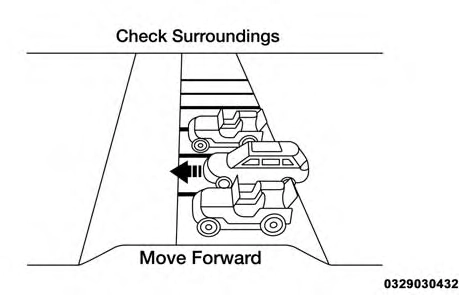
Check Surroundings — Move Forward
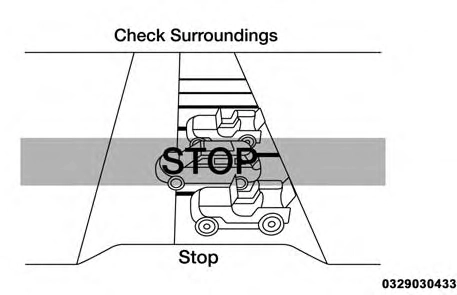
When the vehicle has reached the end of its forward movement, the system will instruct the driver to check their surroundings and stop the vehicle’s movement.
 6
6
Check Surroundings — STOP
NOTE: It is the driver’s responsibility to use the brake and stop the vehicle. The driver should check their surround- ings and be prepared to stop the vehicle either when instructed to, or when driver intervention is required.
Once the vehicle is in a standstill condition, the driver will be instructed to place the gear selector into the REVERSE position.
When the driver places the gear selector into the REVERSE position, the system may instruct the driver to wait for steering to complete.
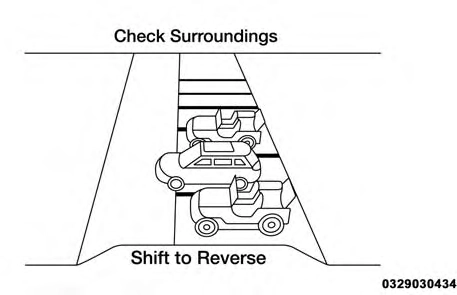
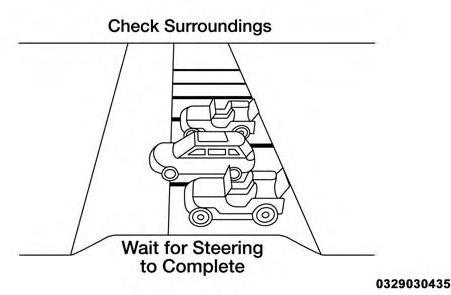
Check Surroundings — Shift To Reverse Check Surroundings — Wait For Steering To Complete
The system will then instruct the driver to check their surroundings and move backward.
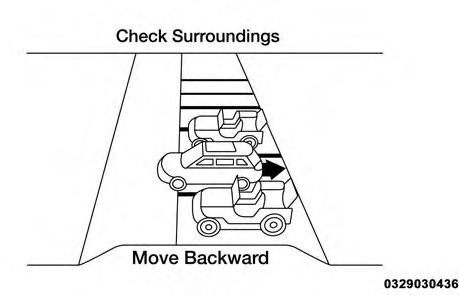
Check Surroundings — Move Backward
Your vehicle is now in the perpendicular park position. When the maneuver is complete, the driver will be in- structed to check the vehicle’s parking position. If the driver is satisfied with the vehicle position, they should
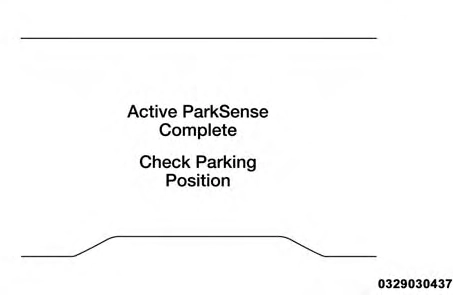 shift to PARK. The "Active ParkSense Complete - Check Parking Position" message will be momentarily displayed.
6
Active ParkSense Complete — Check Parking Position
Drivers must be careful when performing parallel or perpendicular parking maneuvers even when using the ParkSense Active Park Assist system. Always check carefully behind and in front of your vehicle, look behind and in front of you, and be sure to check for pedestrians, animals, other vehicles, obstructions, and blind spots before backing up and moving forward. You are responsible for safety and must continue to pay attention to your surroundings. Fail- ure to do so can result in serious injury or death.
Before using the ParkSense Active Park Assist sys-
tem, it is strongly recommended that the ball mount and hitch ball assembly is disconnected from the vehicle when the vehicle is not used for towing. Failure to do so can result in injury or damage to vehicles or obstacles because the hitch ball will be much closer to the obstacle than the rear fascia when the loudspeaker sounds the continuous tone. Also, the sensors could detect the ball mount and hitch ball assembly, depending on its size and shape, giving a false indication that an obstacle is behind the vehicle.
Download Manual