SURROUND VIEW CAMERA SYSTEM — IF EQUIPPED
Your vehicle may be equipped with the Surround View Camera System that allows you to see an on-screen image of the surroundings and top view of your vehicle whenever the gear selector is put into REVERSE or a different view is selected through the on screen soft buttons. The top view of the vehicle will show which doors are open. The image will be displayed on the touchscreen display along with a caution note “Check Entire Surroundings” across the top of the screen. After five seconds, this note will disappear. The Surround View Camera System is comprised of four sequen- tial cameras located in the front grille, rear tailgate and side mirrors.
NOTE:
The Surround View Camera System has programmable settings that may be selected through the Uconnect System. Refer to “Uconnect Settings” in “Multimedia” for further information.
When the vehicle is shifted into REVERSE, the rear camera view and top view is the default view of the system (Auto- matic Activation).
When the vehicle is shifted out of REVERSE (with camera delay turned on), the camera image will continue to be displayed for up to 10 seconds after shifting out of REVERSE unless the vehicle speed exceeds 8 mph (13 km/h), the vehicle is shifted into PARK or the ignition is placed in the OFF position. There is a touch screen button “X” to disable the display of the camera image.
When the vehicle is shifted out of REVERSE (with camera delay turned off), the surround view camera mode is exited and the last known screen appears again.
While the “rear view” is displayed, and if enabled, active guide lines are overlaid on the image to illustrate the width of the vehicle, including the side view mirrors and its projected backup path based on the steering wheel position.
Different colored zones indicate the distance to the rear of the vehicle.
The following table shows the approximate distances for each zone:
|
Zone |
Distance To The Rear Of The Vehicle |
|
Red |
0 - 1 ft (0 - 30 cm) |
|
Yellow |
1 ft - 6.5 ft (30 cm - 2 m) |
|
Green |
6.5 ft or greater (2 m or greater) |
Modes Of Operation 5
Standard Backup Camera view can be manually activated by selecting “Backup Camera” through the Controls menu within the Uconnect screen.
Refer to “Parkview Rear Back Up Camera — If Equipped” in this chapter for more information on activation conditions.
The Top view will show in the Uconnect System with Rear View and Front View in a split view display. There is inte- grated ParkSense arcs in the image at the front and rear of the vehicle. The arcs will change color from yellow to red corre- sponding the distance zones to the oncoming object.
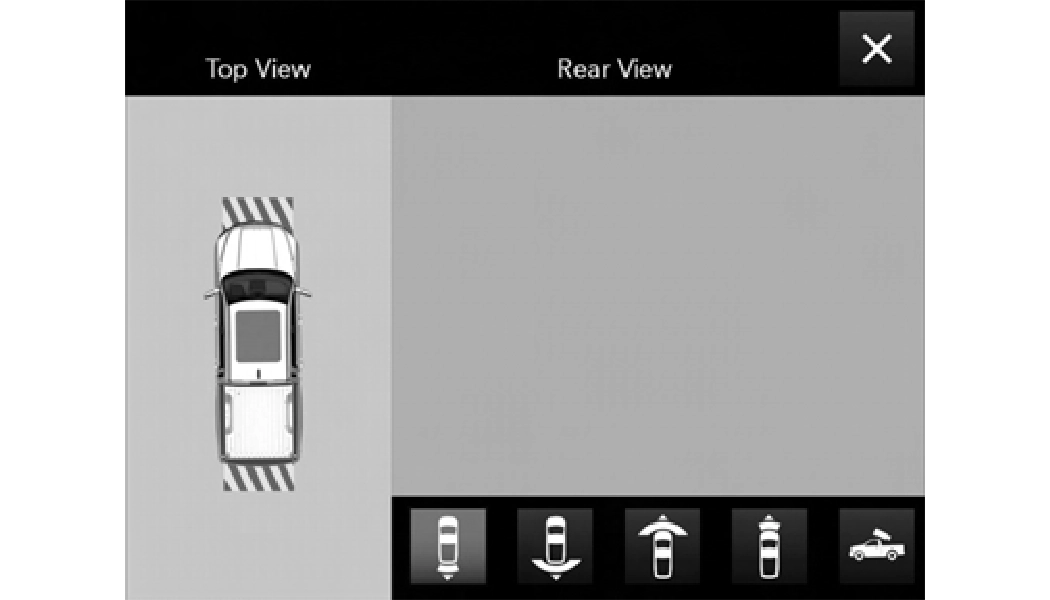
ParkSense Camera View
NOTE:
 This is the Default view of the system in REVERSE and is always paired with the Top view of the vehicle with optional active guide lines for the projected path
when enabled.
 Pressing the Rear Cross Path soft key will give the driver a wider angle view of the rear camera system. The Top view will be disabled when this is selected.
 The Front view will show you what is immediately in front of the vehicle and is always paired with the Top view of the vehicle.
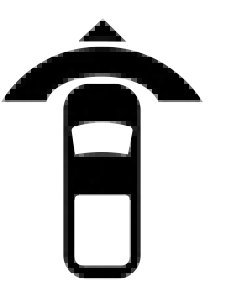 Pressing the Front Cross Path soft key will give the driver a wider angle view of the front camera system. The Top view will be disabled when this is selected.
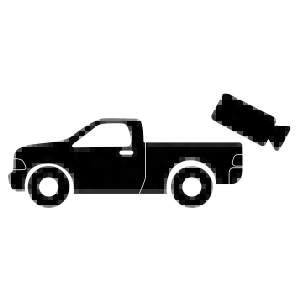 Pressing the Backup Camera soft key will provide a full screen rear view with Zoom View.
NOTE:
If the Backup Camera view was selected through the Surround View Screen, exiting out of the Rear View Camera screen will return to the Surround View Screen. If the Backup Camera was manually activated through the Controls menu of the Uconnect display, exiting out of the display screen will return to the Controls menu.
Zoom View
When the Rear View Camera image is being displayed, and the vehicle speed is below 8 mph (13 km/h) while in any gear selector position, Zoom View is available. By pressing the “magnifying glass” icon in the upper left of the display screen, the image will zoom in to four times the standard view. Pressing the icon a second time will return the view to the standard Backup Camera display.
When Zoom View is selected while the vehicle is in REVERSE, then shifted to DRIVE, the camera delay view will display the standard Backup Camera view. If the vehicle is then returned to REVERSE gear from DRIVE, the Zoom View selection will automatically resume.
Shifting to NEUTRAL from any gear will maintain the selected view (Zoom or Standard) as long as the vehicle is below 8 mph (13 km/h).
If the vehicle is in PARK, Zoom View is available until the
gear selector is placed in DRIVE or REVERSE and speeds are 5
at or above 8 mph (13 km/h).
NOTE:
Deactivation
The system is deactivated in the following conditions if it was activated automatically:
REVERSE unless the vehicle speed exceeds 8 mph (13 km/ h), the vehicle is shifted into PARK or the ignition is placed in the OFF position. There is a touch screen button “X” to disable the display of the camera image.
The system is deactivated in the following conditions if it was activated manually from the Uconnect controls menu via Surround View button or Backup Camera button:
NOTE:
If the Surround View Camera is activated manually, and the vehicle is shifted into REVERSE, deactivation methods for automatic activation are assumed.
The camera delay system is turned off manually through the Uconnect settings menu. Refer to “Uconnect Settings” in “Multimedia” for further information.
NOTE:
5
Download Manual