GARAGE DOOR OPENER — IF EQUIPPED
HomeLink® replaces up to three hand-held transmitters that operate devices such as garage door openers, motorized gates, lighting or home security systems. The HomeLink® unit is powered by your vehicles 12 Volt battery.
The HomeLink® buttons that are located on the sun visor designate the three different HomeLink® channels.
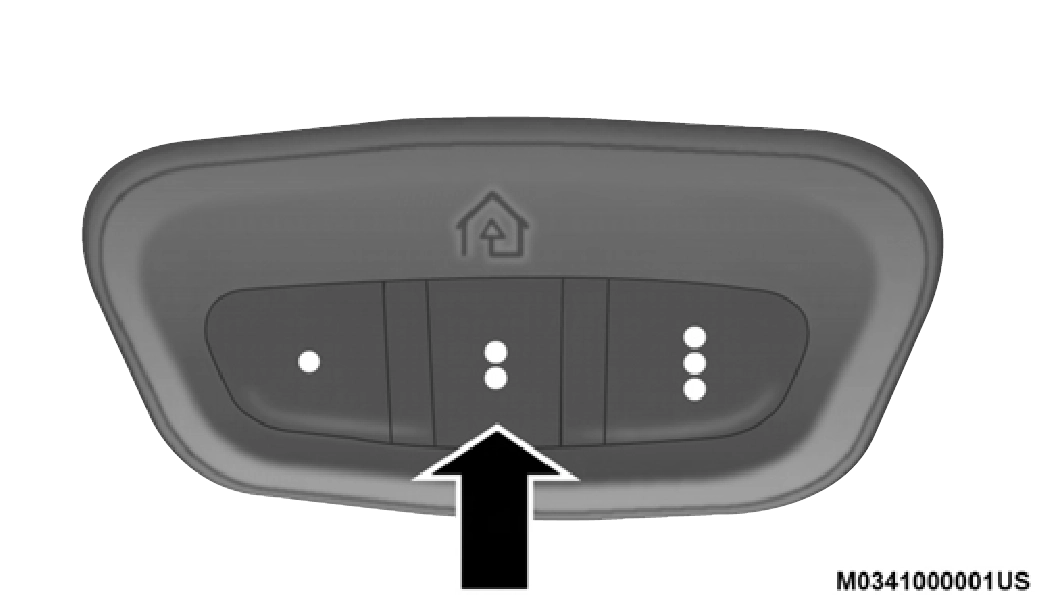
HomeLink® Buttons
NOTE:
HomeLink® is disabled when the Vehicle Security Alarm is active.
NOTE:
Only use this transceiver with a garage door opener that has a “stop and reverse” feature as required by federal safety standards. This includes most garage door opener models manufactured after 1982. Do not use a garage door opener
without these safety features. Call toll-free 1-800-355-3515 or, on the Internet at HomeLink.com for safety information or assistance.
Be sure that your vehicle is parked outside of the garage before you begin programming.
For more efficient programming and accurate transmission of the radio-frequency signal it is recommended that a new battery be placed in the hand-held transmitter of the device that is being programmed to the HomeLink® system.
To erase the channels, place the ignition in the ON/RUN position, and push and hold the two outside HomeLink® buttons (I and III) for up to 20 seconds or until the orange indicator flashes.
NOTE:
For programming garage door openers that were manufac- tured after 1995. These garage door openers can be identified by the “LEARN” or “TRAIN” button located where the hanging antenna is attached to the garage door opener.
NOTE:
It is NOT the button that is normally used to open and close the door. The name and color of the button may vary by manufacturer.
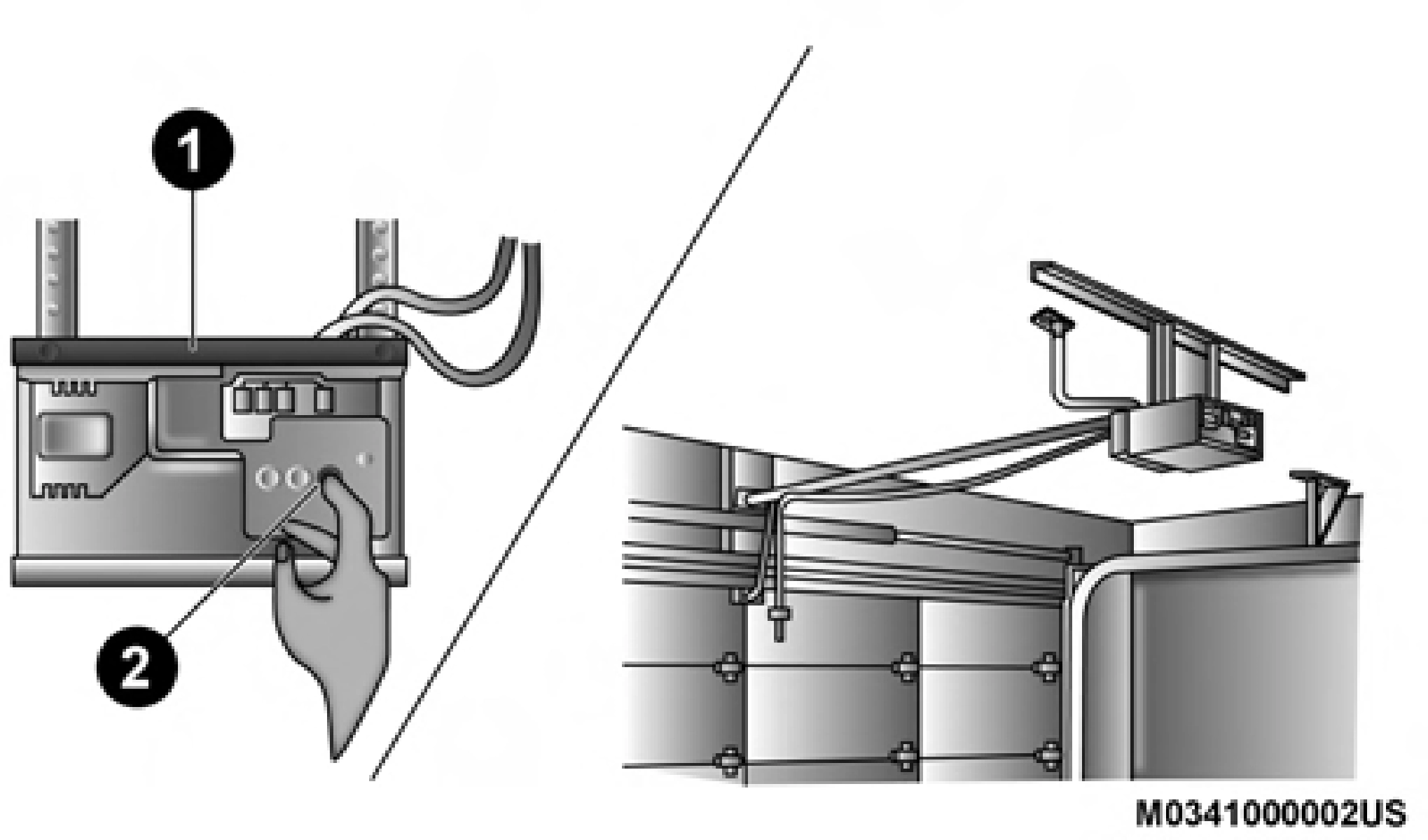
Training The Garage Door Opener
2
NOTE:
You have 30 seconds in which to initiate the next step after the LEARN button has been pushed.
NOTE:
If the garage door opener/device does not activate, push the button a third time (for two seconds) to complete the training.
To program the remaining two HomeLink® buttons, re- peat each step for each remaining button. DO NOT erase the channels.
Reprogramming A Single HomeLink Button (Rolling Code)
To reprogram a channel that has been previously trained, follow these steps:
For programming Garage Door Openers manufactured before 1995.
Reprogramming A Single HomeLink® Button (Non-Rolling Code)
To reprogram a channel that has been previously trained, follow these steps:
For programming transmitters in Canada/United States that require the transmitter signals to “time-out” after several
seconds of transmission. 2
Canadian Radio Frequency (RF) laws require transmitter signals to time-out (or quit) after several seconds of transmis- sion – which may not be long enough for HomeLink® to pick up the signal during programming. Similar to this Canadian law, some US gate operators are designed to time-out in the same manner.
It may be helpful to unplug the device during the cycling process to prevent possible overheating of the garage door or gate motor.
NOTE:
If you unplugged the garage door opener/device for programming, plug it back in at this time.
Reprogramming A Single HomeLink® Button (Canadian/ Gate Operator)
To reprogram a channel that has been previously trained, follow these steps:
To operate, push and release the programmed HomeLink® button. Activation will now occur for the programmed device (i.e. garage door opener, gate operator, security system, entry door lock, home/office lighting, etc.) The hand-held transmitter of the device may also be used at any time.
It is advised to erase all channels before you sell or turn in your vehicle.
To do this, push and hold the two outside buttons for 20 seconds until the orange indicator flashes. Note that all channels will be erased. Individual channels cannot be erased.
The HomeLink® Universal Transceiver is disabled when the Vehicle Security Alarm is active.
If you are having trouble programming HomeLink®, here are some of the most common solutions:
If you have any problems, or require assistance, please call toll-free1-800-355-3515or, on the Internet at HomeLink.com for information or assistance.
The following regulatory statement applies to all Radio Frequency (RF) devices equipped in this vehicle:
This device complies with Part 15 of the FCC Rules and with Innovation, Science and Economic Development Canada license-exempt RSS standard(s). Operation is subject to the following two conditions:
Le présent appareil est conforme aux CNR d`Innovation, Science and Economic Development applicables aux appar- eils radio exempts de licence. L'exploitation est autorisée aux deux conditions suivantes:
La operación de este equipo está sujeta a las siguientes dos condiciones:
NOTE:
Changes or modifications not expressly approved by the party responsible for compliance could void the user's authority to operate the equipment.
Download Manual