SAFETY FEATURES
The Anti-Lock Brake System (ABS) provides increased vehicle stability and brake performance under most braking conditions. The system automatically prevents wheel lock, and enhances vehicle control during braking.
The ABS performs a self-check cycle to ensure that the ABS is working properly each time the vehicle is started and driven. During this self-check, you may hear a slight clicking sound as well as some related motor noises.
ABS is activated during braking when the system detects one or more wheels begin to lock. Road conditions such as ice, snow, gravel, bumps, railroad tracks, loose debris, or panic stops may increase the likelihood of ABS activation(s).
You also may experience the following when ABS activates:
(Continued)
ABS is designed to function with the Original Equipment Manufacturer (OEM) tires. Modification may result in degraded ABS performance.
The yellow “Anti-Lock Brake Warning Light” will turn on when the ignition is turned to the ON/RUN mode and may stay on for as long as four seconds.
If the “Anti-Lock Brake Warning Light” remains on or comes on while driving, it indicates that the anti-lock portion of the brake system is not functioning and that service is required. However, the conventional brake system will continue to operate normally if the “Anti-Lock Brake Warning Light” is on.
If the “Anti-Lock Brake Warning Light” is on, the brake system should be serviced as soon as possible to restore the
benefits of anti-lock brakes. If the “Anti-Lock Brake Warning 4
Light” does not come on when the ignition is turned to the ON/RUN mode, have the light repaired as soon as possible.
Your vehicle is equipped with an advanced Electronic Brake Control (EBC) system. This system includes Electronic Brake Force Distribution (EBD), Anti-Lock Brake System (ABS), Brake Assist System (BAS), Hill Start Assist (HSA), Traction Control System (TCS), Electronic Stability Control (ESC), and Electronic Roll Mitigation (ERM). These systems work together to enhance both vehicle stability and control in various driving conditions.
Your vehicle may also be equipped with Trailer Sway Control (TSC) and Hill Descent Control (HDC).
The Brake Assist System (BAS) is designed to optimize the vehicle's braking capability during emergency braking maneuvers. The system detects an emergency braking situa- tion by sensing the rate and amount of brake application, and then applies optimum pressure to the brakes. This can help reduce braking distances. The BAS complements the Anti-lock Brake System (ABS). Applying the brakes very quickly results in the best BAS assistance. To receive the benefit of the system, you must apply continuous braking pressure during the stopping sequence, (do not “pump” the brakes). Do not reduce brake pedal pressure unless braking is no longer desired. Once the brake pedal is released, the BAS is deactivated.
The red “Brake System Warning Light” will turn on when the ignition is turned to the ON/RUN mode and may stay on for as long as four seconds.
If the “Brake System Warning Light” remains on or comes on while driving, it indicates that the brake system is not func- tioning properly and that immediate service is required. If the “Brake System Warning Light” does not come on when the ignition is turned to the ON/RUN mode, have the light repaired as soon as possible.
This function manages the distribution of the braking torque between the front and rear axles by limiting braking pressure to the rear axle. This is done to prevent overslip of the rear wheels to avoid vehicle instability, and to prevent the rear axle from entering ABS before the front axle.
The Electronic Roll Mitigation (ERM) system anticipates the potential for wheel lift by monitoring the driver's steering wheel input and the speed of the vehicle. When ERM deter- mines that the rate of change of the steering wheel angle and vehicle's speed are sufficient to potentially cause wheel lift,
it then applies the appropriate brake and may also reduce engine power to lessen the chance that wheel lift will occur. ERM can only reduce the chance of wheel lift occurring during severe or evasive driving maneuvers; it cannot prevent wheel lift due to other factors, such as road condi- tions, leaving the roadway, or striking objects or other vehi- cles.
NOTE:
ERM is disabled anytime the ESC is in “Full Off” mode (if equipped). Refer to “Electronic Stability Control (ESC)” in this section for a complete explanation of the available ESC modes.
The Electronic Stability Control (ESC) system enhances directional control and stability of the vehicle under various driving conditions. ESC corrects for oversteering or under- steering of the vehicle by applying the brake of the appro- priate wheel(s) to assist in counteracting the oversteer or understeer condition. Engine power may also be reduced to help the vehicle maintain the desired path.
4
ESC uses sensors in the vehicle to determine the vehicle path intended by the driver and compares it to the actual path of the vehicle. When the actual path does not match the intended path, ESC applies the brake of the appropriate wheel to assist in counteracting the oversteer or understeer condition.
The “ESC Activation/Malfunction Indicator Light” located in the instrument cluster will start to flash as soon as the ESC system becomes active. The “ESC Activation/Malfunction Indicator Light” also flashes when the TCS is active. If the “ESC Activation/Malfunction Indicator Light” begins to
flash during acceleration, ease up on the accelerator and apply as little throttle as possible. Be sure to adapt your speed and driving to the prevailing road conditions.
(Continued)
NOTE:
Depending upon model and mode of operation, the ESC system may have multiple operating modes.
ESC On
This is the normal operating mode for the ESC. Whenever the vehicle is started, the ESC system will be in this mode. This mode should be used for most driving conditions. Alter- nate ESC modes should only be used for specific reasons as noted in the following paragraphs.
Partial Off
The “Partial Off” mode is intended for times when a more spirited driving experience is desired. This mode may modify TCS and ESC thresholds for activation, which allows for more wheel spin than normally allowed. This mode may be useful if the vehicle becomes stuck.
To enter the “Partial Off” mode, momentarily push the “ESC Off” switch and the “ESC Off Indicator Light” will illumi- nate. To turn the ESC on again, momentarily push the “ESC Off” switch and the “ESC Off Indicator Light” will turn off.
NOTE:
For vehicles with multiple partial ESC modes a momentary button push will toggle the ESC mode. Multiple momentary button pushed may be required to return to ESC On.
4
Full Off — If Equipped
This mode is intended for off-highway or off-road use only and should not be used on any public roadways. In this mode, TCS and ESC features are turned OFF. To enter the “Full Off” mode, push and hold the “ESC Off” switch for five seconds while the vehicle is stopped with the engine running. After five seconds, a chime will sound, the “ESC Off
Indicator Light” will illuminate, and the “ESC OFF” message will display in the instrument cluster. To turn ESC ON again, momentarily push the “ESC Off” switch.
NOTE:
System may switch from ESC “Full Off” to “Partial Off” mode when vehicle exceeds a predetermined speed. When the vehicle speed slows below the predetermined speed the system will return to ESC “Full Off”.
ESC modes may also be affected by drive modes if so equipped.
(Continued)
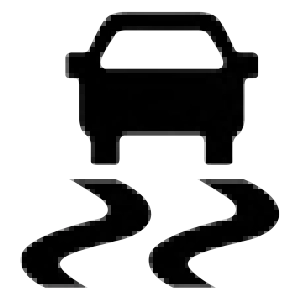 The “ESC Activation/Malfunction Indicator Light” in the instrument cluster will come on when the igni- tion is placed in the ON/RUN mode. It should go
out with the engine running. If the “ESC Activation/ Malfunction Indicator Light” comes on continuously with the engine running, a malfunction has been detected in the ESC system. If this light remains on after several ignition cycles, and the vehicle has been driven several miles (kilome- ters) at speeds greater than 30 mph (48 km/h), see an autho- rized dealer as soon as possible to have the problem diagnosed and corrected.
The “ESC Activation/Malfunction Indicator Light” (located in the instrument cluster) starts to flash as soon as the tires lose traction and the ESC system becomes active. The “ESC Activation/Malfunction Indicator Light” also flashes when TCS is active. If the “ESC Activation/Malfunction Indicator Light” begins to flash during acceleration, ease up on the accelerator and apply as little throttle as possible. Be sure to adapt your speed and driving to the prevailing road condi- tions.
NOTE:
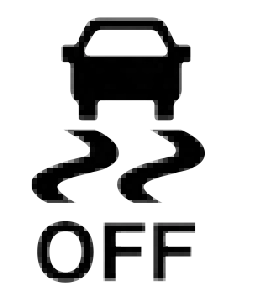 The “ESC OFF Indicator Light” indicates the customer has elected to have the Electronic Stability Control (ESC) in a reduced mode.
Hill Descent Control (HDC) is intended for low speed off-road driving while in 4L Range. HDC maintains vehicle speed while descending hills during various driving situa- tions. HDC controls vehicle speed by actively controlling the brakes.
HDC Has Three States:
Enabling HDC
HDC is enabled by pushing the HDC switch, but the following conditions must also be met to enable HDC:
Activating HDC
Once HDC is enabled it will activate automatically if driven down a grade of sufficient magnitude. The set speed for HDC is selectable by the driver, and can be adjusted by using the gear shift +/-. The following summarizes the HDC set speeds:
HDC Target Set Speeds
NOTE:
During HDC the +/- shifter input is used for HDC target speed selection, but will not affect the gear chosen by the transmission. When actively controlling HDC the transmis- sion will shift appropriately for the driver-selected set speed and corresponding driving conditions.
Driver Override
The driver may override HDC activation with throttle or brake application at anytime.
Deactivating HDC
HDC will be deactivated but remain available if any of the following conditions occur:
Disabling HDC
HDC will be deactivated and disabled if any of the following conditions occur:
Feedback To The Driver
The instrument cluster has an HDC icon and the HDC switch has an LED icon, which offers feedback to the driver about the state HDC is in.
4
The Hill Start Assist (HSA) system is designed to mitigate roll back from a complete stop while on an incline. If the driver releases the brake while stopped on an incline, HSA will continue to hold the brake pressure for a short period. If the driver does not apply the throttle before this time expires, the system will release brake pressure and the vehicle will roll down the hill as normal.
The following conditions must be met in order for HSA to activate:
(P) or NEUTRAL (N). For vehicles equipped with a manual transmission, if the clutch is pressed, HSA will remain active.
Hill Start Assist (HSA) will also provide assistance to miti- gate roll back while towing a trailer.
This feature can be turned on or turned off. To change the current setting, proceed as follows:
nect Settings” in “Multimedia” for further information. 4
For vehicles not equipped with an instrument cluster display, perform the following steps:
The Traction Control System (TCS) monitors the amount of wheel spin of each of the driven wheels. If wheel spin is detected, the TCS may apply brake pressure to the spinning wheel(s) and/or reduce engine power to provide enhanced acceleration and stability. A feature of the TCS, Brake Limited Differential (BLD), functions similar to a limited slip differential and controls the wheel spin across a driven axle. If one wheel on a driven axle is spinning faster than the other, the system will apply the brake of the spinning wheel. This
will allow more engine torque to be applied to the wheel that is not spinning. BLD may remain enabled even if TCS and ESC are in a reduced mode.
Trailer Sway Control (TSC) uses sensors in the vehicle to recognize an excessively swaying trailer and will take the appropriate actions to attempt to stop the sway. TSC will become active automatically once an excessively swaying trailer is recognized.
NOTE:
TSC cannot stop all trailers from swaying. Always use caution when towing a trailer and follow the trailer tongue weight recommendations. Refer to “Trailer Towing” in “Starting And Operating” for further information.
When TSC is functioning, the “ESC Activation/Malfunction Indicator Light” will flash, the engine power may be reduced and you may feel the brakes being applied to individual wheels to attempt to stop the trailer from swaying. TSC is disabled when the ESC system is in the “Partial Off” or “Full Off” modes.
Download Manual