Shifting
Change your vehicle's gears to begin driving.
Electronic Gear Selector
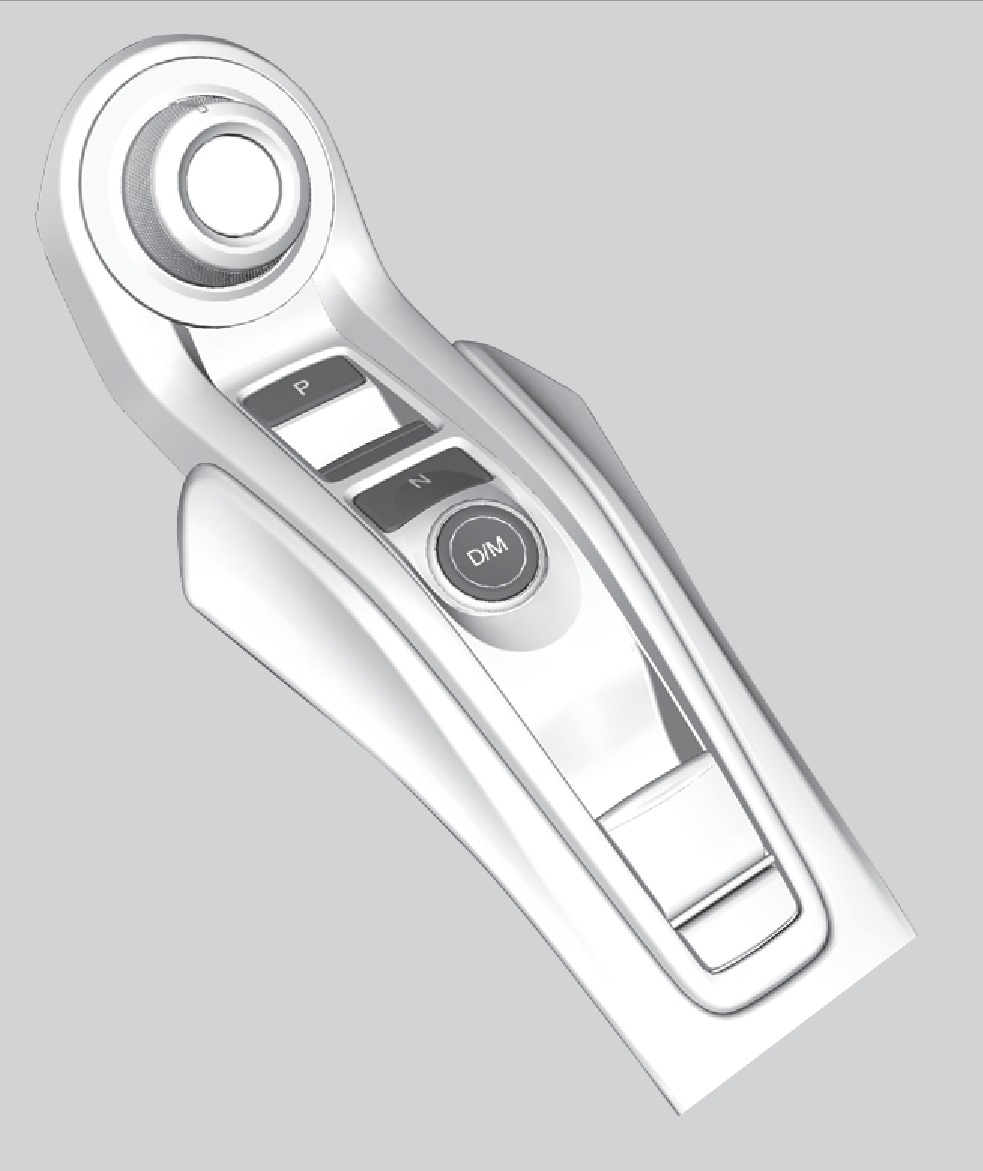
Park (P): Used when parking or before turning the power on or off.
Reverse (R): Used for reversing.
Neutral (N): Used to disengage the transmission from the engine and motor.
Drive (D/M): Toggles between Drive and Manual modes. Drive is for automatic gear selection. Manual is for the driver to shift gears sequentially.
The vehicle can roll away if left unattended without confirming that Park is engaged.
Always keep your foot on the brake pedal until you have confirmed that (P) is shown on the gear position indicator.
Sequential Shift Mode
Use the paddle shifters to change gears without removing your hands from the steering wheel.
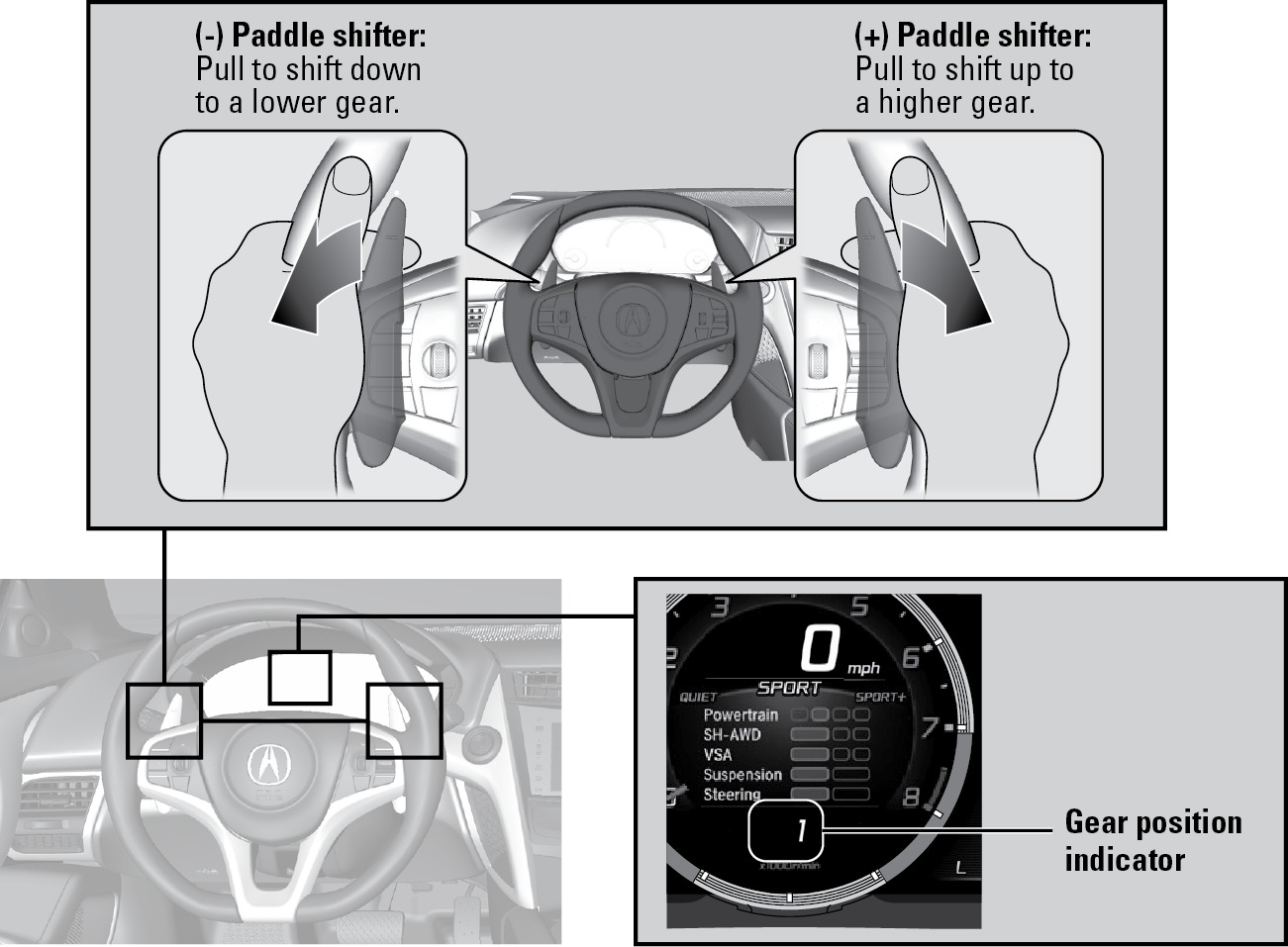
When the transmission is in D: The vehicle goes into sequential mode and the gear selection indicator becomes more prominent. Sequential mode will cancel if you hold the (+) paddle shifter for a few seconds, travel at a constant speed, come to a complete stop, or change to another Integrated Dynamics System (IDS) mode.
Sequential mode automatically shifts if you press the accelerator pedal beyond the click, engine speed nears the tachometer's red zone, or engine speed reaches idle speed while decelerating.
When the transmission is in M: The vehicle goes into sequential mode, the gear position indicator turns off and only the gear selection indicator is displayed. Sequential mode will cancel if you press the D/M button, pull the (+) paddle shifter for a few seconds, or change the Integrated Dynamics System (IDS) mode to QUIET.
Sequential mode automatically shifts up from 1st to 2nd but does not automatically shift up between 2nd and 9th gear.
- Braking
- Multi-View Rear Camera
Download Manual