iPod®
Play and operate an iPod or iPhone through the vehicle's audio system. Connect your device to the USB port (see "Basic Audio Operation").
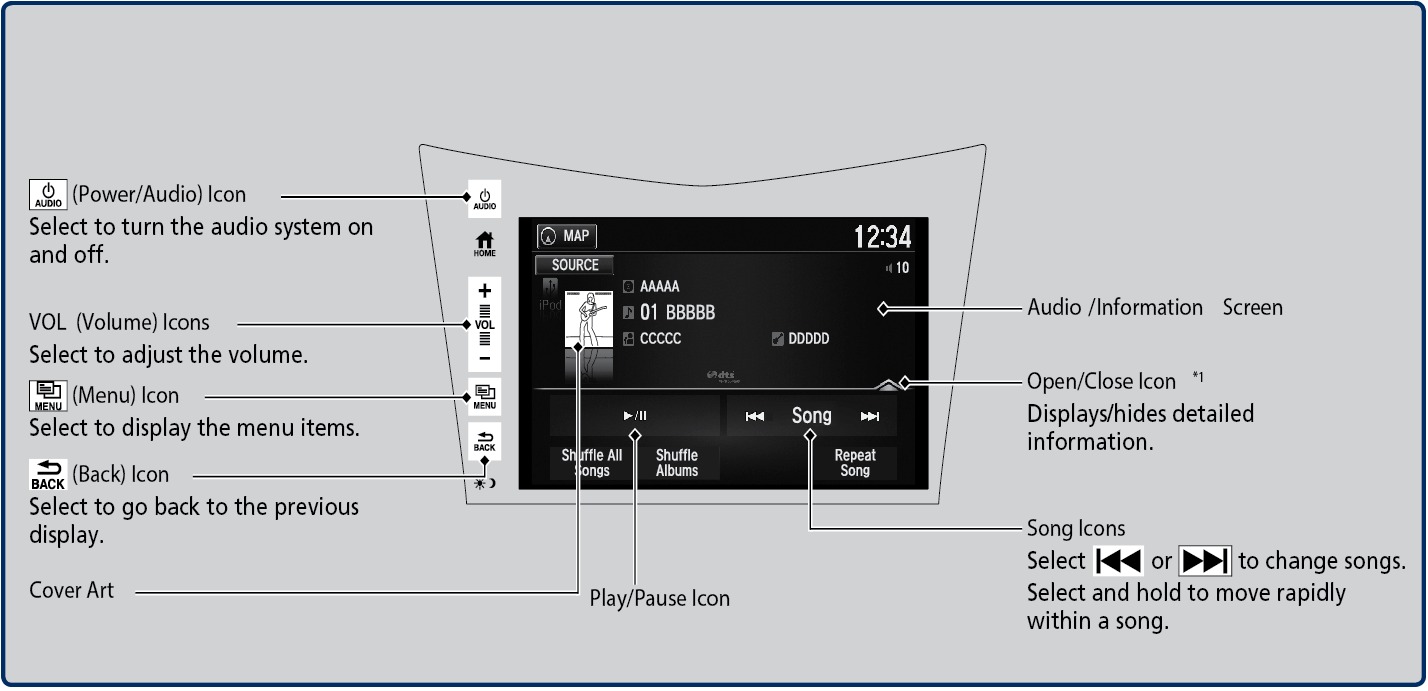
Applicable laws may prohibit the operation of handheld electronic devices while operating a vehicle.
*1: Some or all of the lists may not be displayed.
Searching for Music (iPod)
Use the touchscreen to search for tracks stored on the iPod.
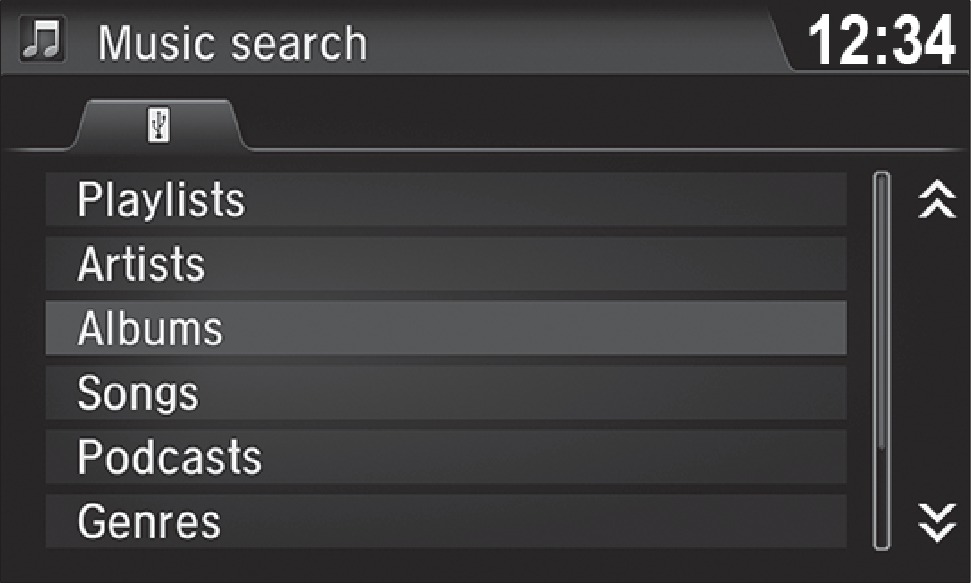
- From the audio screen, press MENU.
- Select Music Search.
- Select a search option.
- Select the track you want to play.
On vehicles with navigation, you can also search for and play iPod music using Song By Voice™ (see "Voice Command Index").
iPod is a registered trademark of Apple, Inc.
Related topics:
- Basic Audio Operation
- Operating Display Audio
- Apple CarPlay
- Siri Eyes Free
- Android Auto
- FM Radio
- SiriusXM Radio*
- USB Flash Drive
- Pandora*
- Bluetooth Audio
Download Manual