Basic Audio
Operation
USB Ports
Connect a USB flash drive or other audio device, such as an iPod or iPhone. One port is in the glove box, the other in the console compartment.
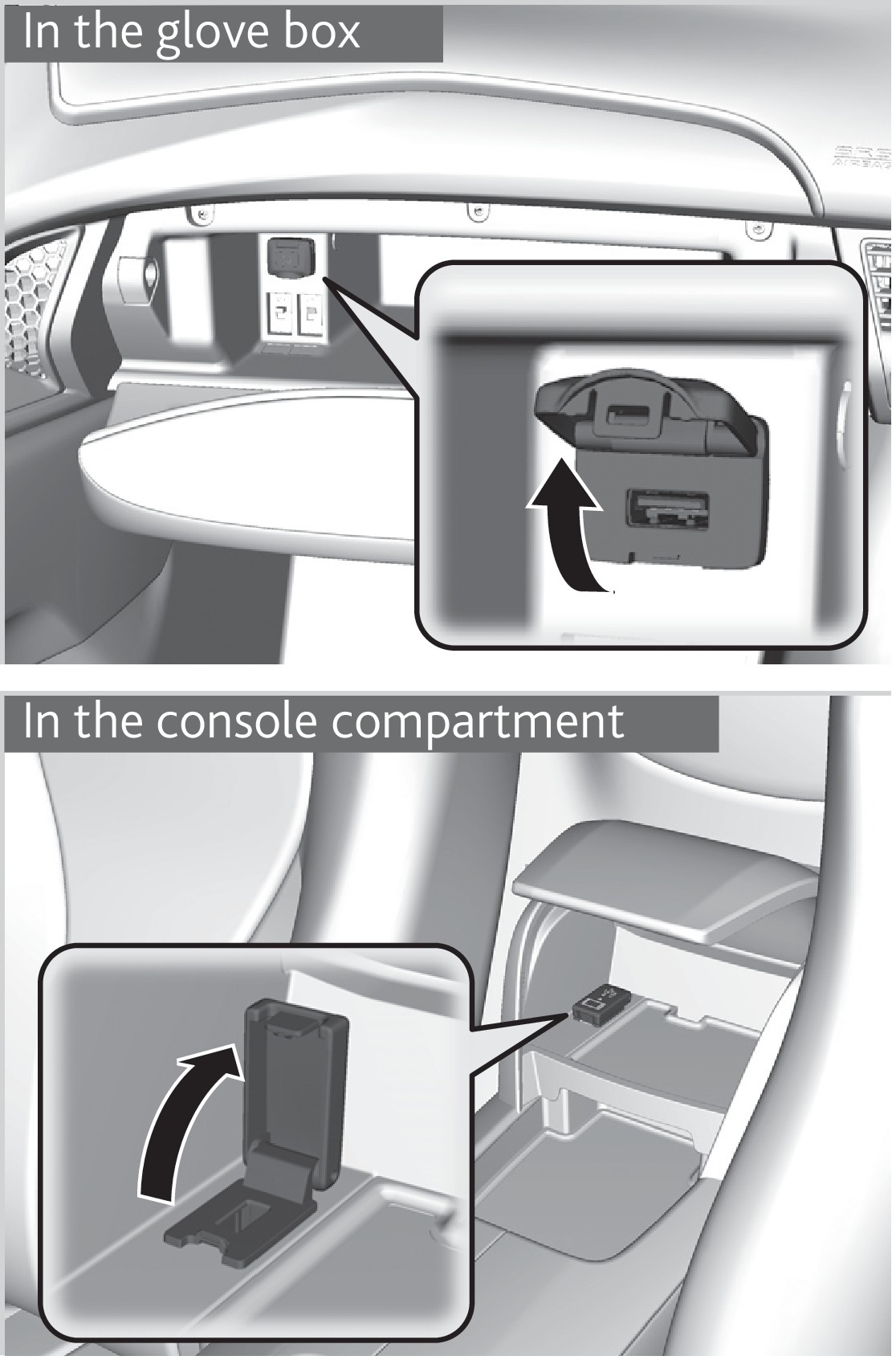
- Open the glove box and locate the USB port, on the left.
- Install the iPod dock connector or the USB flash drive into the USB port. This port is for playing audio and device charging.
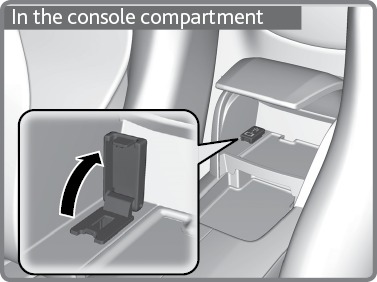
- Open the console compartment, then open the USB port cover.
- Install the iPod dock connector or the USB flash drive into the USB port. This port is for playing audio, device charging, and connecting to Apple CarPlay™ (see "Apple CarPlay™") or Android Auto™ (see "Android Auto™").
iPod and iPhone are trademarks of Apple, Inc.
Applicable laws may prohibit the operation of handheld electronic devices while operating a vehicle.
Accessory Power Socket
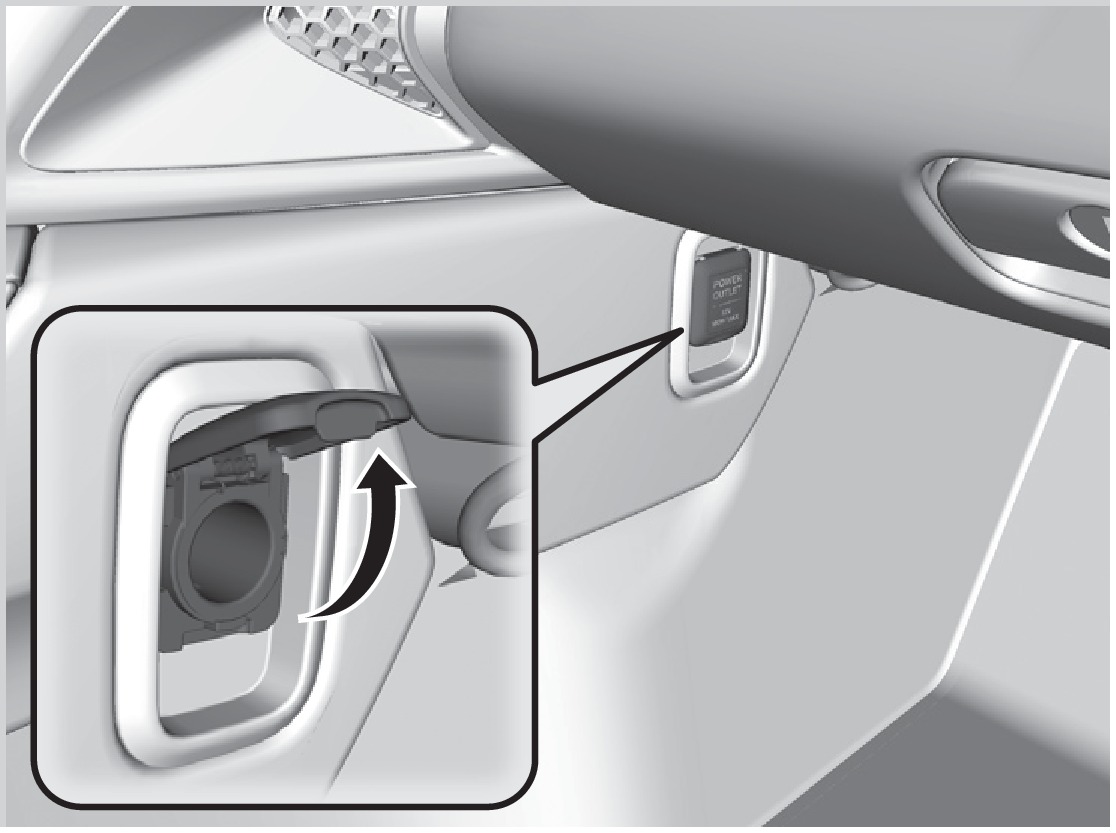
Located on the side of the center console. Open the socket cover to use power when the vehicle is on.
Steering Wheel Controls
Operate certain functions of the audio system using the steering wheel controls.
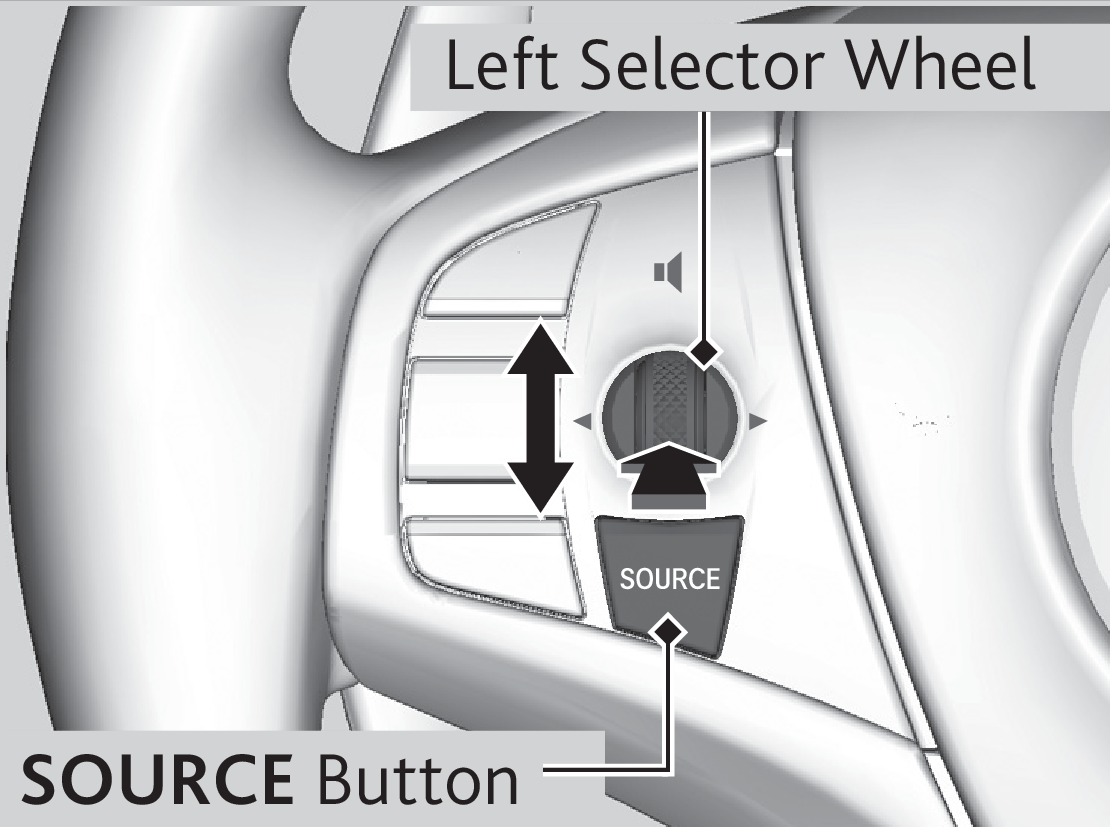
SOURCE button: Cycle through available audio modes.
Selector Wheel: Roll up and down to adjust volume, or press to mute. The selector wheel has different functions based on the audio source:
Radio
Left or right: Select previous or next radio preset
Left or right (and hold): Select previous or next strong station
USB flash drive, iPod, Bluetooth Audio
Left or right: Restart current song, or skip to next song.
Left or right (and hold): Select previous or next folder
Pandora®*
Right: Skip to next song.
Left or right (and hold): Select previous or next station.
*if equipped
Adjusting the Sound
Make selections using the touchscreen.
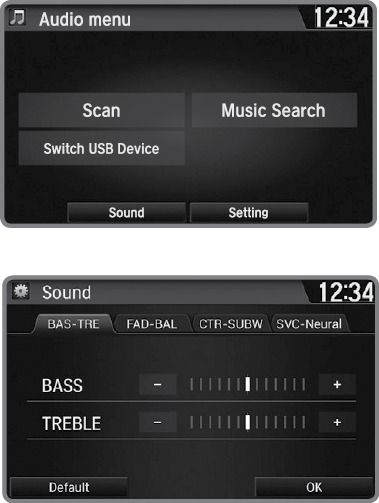
- From the HOME screen, select Settings.
- Select Audio.
- Select Sound.
- Select the tabs to change the sound mode and adjust the setting.
- Select OK when complete.
- Android Auto
- Pandora*
- USB Flash Drive
- Apple CarPlay
- Operating Display Audio
- Customized Features
- Setting the Clock
- Wi-Fi Connection
- Siri Eyes Free
- FM Radio
- SiriusXM Radio*
- iPod
- Bluetooth Audio
- Basic Navigation Operation
Download Manual