Bluetooth® Audio
Play streaming or stored audio from your compatible phone through your vehicle's audio system. Connect your phone to Bluetooth HandsFreeLink (see "Pairing a Phone").
Visit Open Web Page (U.S.) or call 888-528-7876 (U.S. and Canada) to check phone compatibility. Standard data rates apply.
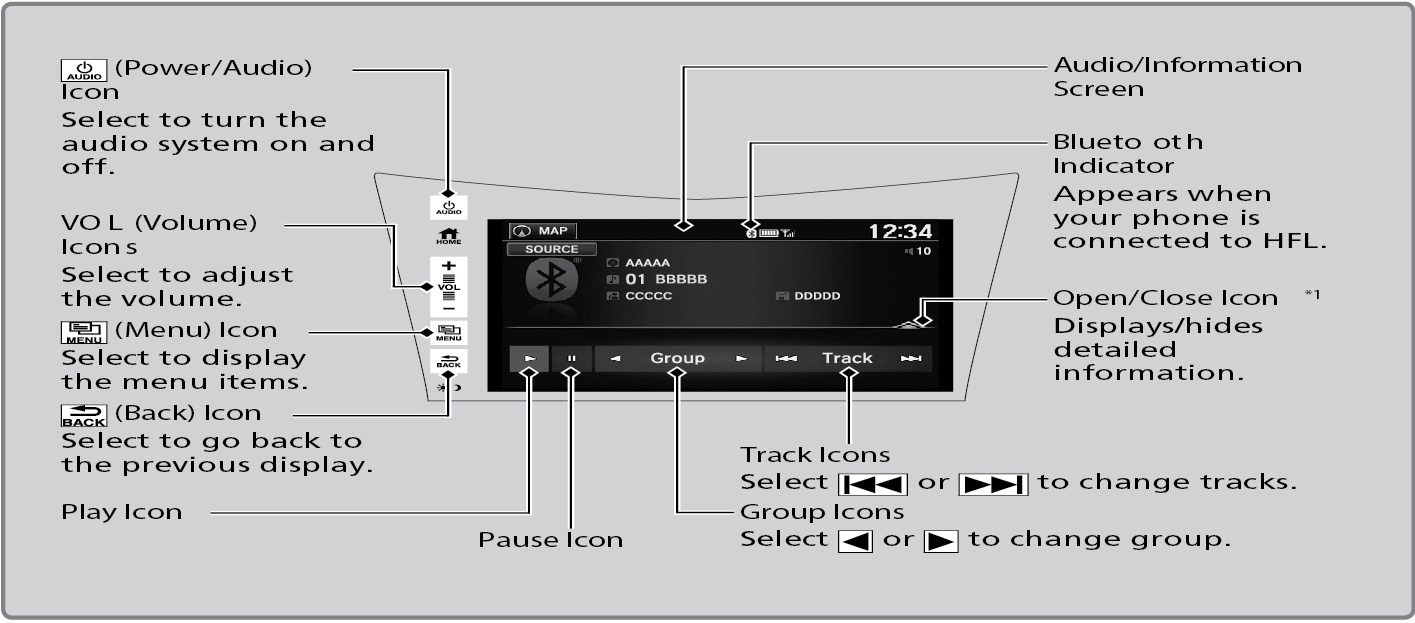
- Make sure the volume on your phone is properly adjusted.
- You may need to enable additional settings on your phone for playback.
- Certain audio controls are not supported on all phones.
Applicable laws may prohibit the operation of handheld electronic devices while operating a vehicle. Launch streaming audio on your phone only when it is safe to do so.
*1: Some or all lists may not be displayed depending on the device connected.
Searching for Music
Use the touchscreen to search for tracks stored on the device.
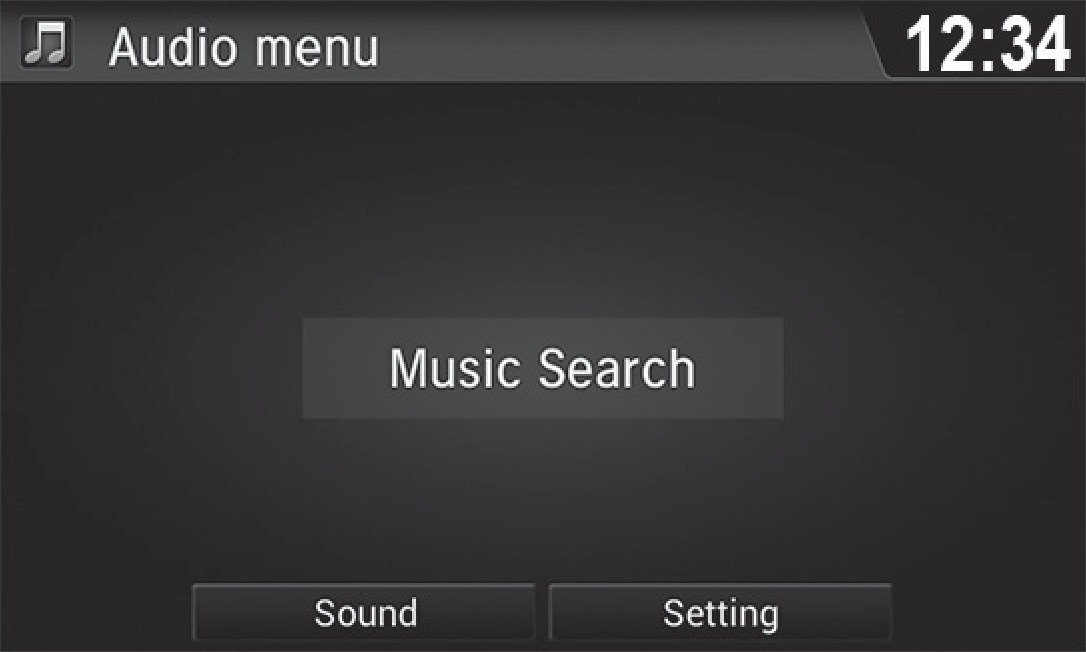
- From the audio screen, press MENU.
- Select Music Search.
- Select a search category.
- Select the track you want to play.
Music Search works with many but not all devices.
Related topics:
- Basic Audio Operation
- Pairing a Phone
- Basic HFL Operation
- Making a Call
- Subscription Features
- Operating Display Audio
- Siri Eyes Free
- Android Auto
Download Manual