Pairing a Phone
To use hands-free phone and streaming audio functions, you must first pair your phone to the system. This can only be done when the vehicle is stopped. Use the interface dial to make and enter selections.
- Press the PHONE button.
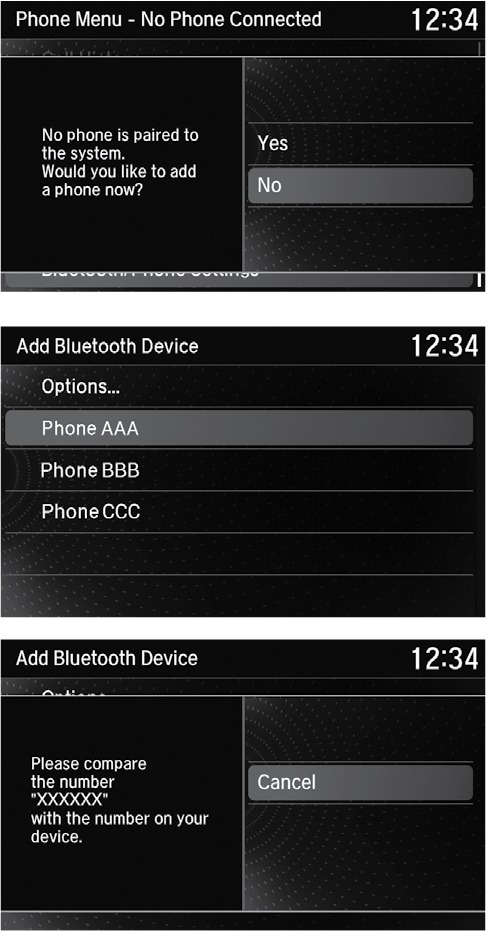
- Select YES.
- Confirm your phone is discoverable, then select Yes.
- HFL searches for your phone. Select your phone when it appears on the list. If your phone does not appear: Select Refresh to search again. If your phone still does not appear, select Options, then Device Not Found? and search for HandsFreeLink from your phone.
- HFL gives you a pairing code. Compare it to the code that appears on your phone. Connect to HFL from your phone.
- The system asks if you want to enable Automatic Phone Sync, which imports your phone's call history and phonebook. Select On if you want to enable sync.
- Press BACK to exit the menu.
Related topics:
- Basic HFL Operation
- SMS Text Messaging and E-Mail
- Subscription Features
- Android Auto
- Apple CarPlay
- Siri Eyes Free
Download Manual