AcuraLink Messages
Receive messages on vehicle features, safety and emissions recall campaigns, maintenance reminders, and diagnostic information.
Some message features require a phone connection. Visit Open Web Page (U.S.) or phone888-528-7876 (Canada) to check phone compatibility.
Viewing Messages
When you receive a new message, an envelope icon appears at the top of the upper display. Use the interface dial to make and enter selections.
- Press INFO.
- Select AcuraLink/Messages.
- Select AcuraLink messages.

- Select the message category (Feature Guide, Quick Tips, Scheduled Dealer Appointment, Diagnostic Info, Maintenance Minder, or Recalls/Campaigns).
- Select the message you want to hear read aloud.
Message Options
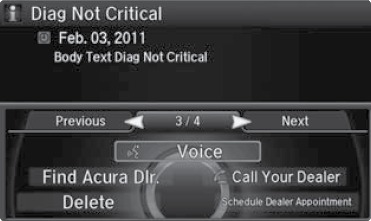
When you receive certain messages, you can call your dealer if your phone is paired to the system, find the nearest dealer, or schedule service appointments. A current AcuraLink subscription is required to set up this feature and modify your message preferences.
*if equipped
Related topics:
- Subscription Features
Download Manual