Basic Navigation
Operation
A real-time navigation system uses GPS and a map database to show your current location and help guide you to a desired destination. You can operate the system using voice commands or the system controls.
To reduce the potential for driver distraction, certain manual functions may be inoperable or grayed out while the vehicle is moving. Voice commands are always available.
Steering Wheel Controls
Use the steering wheel controls to give voice commands.
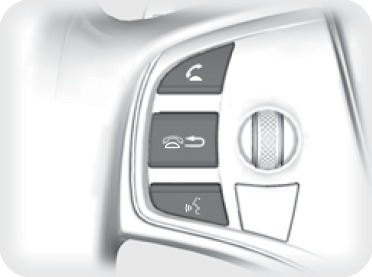
Back button
Talk button
Hang-Up/Back button: Press to cancel a command or operation.
Talk button: Press to say navigation commands from the Voice Portal screen.
Voice Command Tips
When using the Talk button, wait for the beep before saying a command. The system recognizes only the commands in the Voice Command Index (see "Voice Command Index").
- To bypass the system prompts, simply press the Talk button again to say your command.
- Speak in a clear, natural voice.
- Reduce all background noise
- Adjust the dashboard vents away from the microphone in the ceiling. Fan speed may be temporarily reduced during voice recognition operation.
- Close the windows and moonroof.
Using the navigation system while driving can take your attention away from the road, causing a crash in which you could be seriously injured or killed.
Only operate system controls when the conditions permit you to safely do so.
Navigation Display and Controls
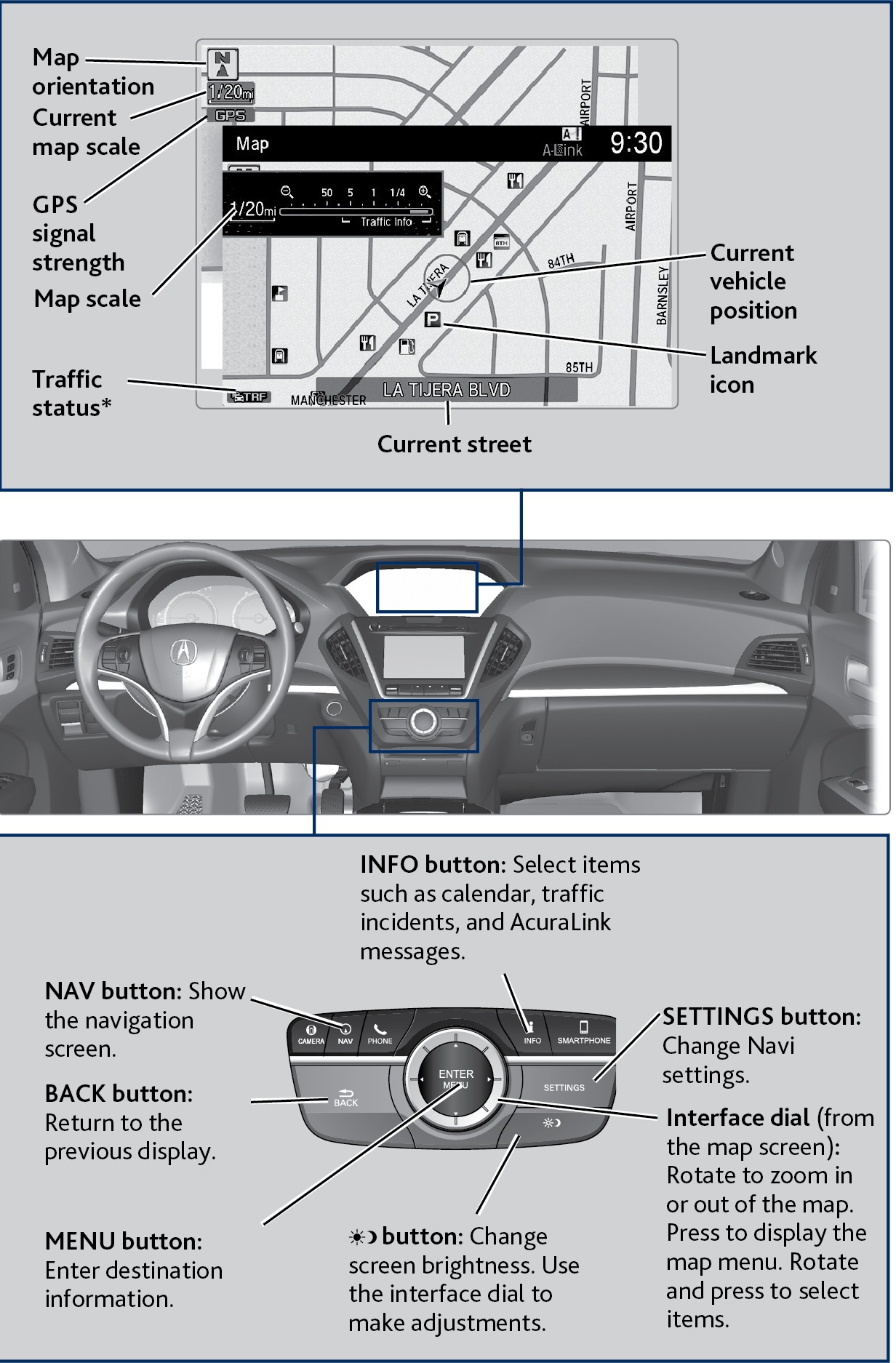
Use the controls to enter information and make selections. Some manual functions are inoperable while driving.
System Guidance Volume
Adjust the navigation system guidance volume. This does not affect audio or Bluetooth® HandsFreeLink® volume, which is controlled by the volume knob. Use the interface dial to make and enter selections.
- Press SETTINGS.
- Select System Settings.
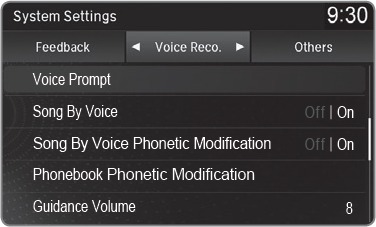
- Select Voice Reco.
- Adjust the volume to your preferred level.
- Press BACK to exit the menu.
Voice Prompt
Turn the voice prompt feature on or off. Use the interface dial to make and enter selections.
- Press SETTINGS.
- Select System Settings.
- Select Voice Prompt.
- Select Off or On.
ON: Provides voice prompts.
OFF: Voice prompts are disabled.
- Entering a Destination
- Routing
- Voice Command Index
- Steering Wheel and Nearby Controls
Download Manual