Climate Control
System
Set your preferred interior temperature by selecting the proper mix of heated or cooled air and fan speed.
Front Operation
Use the On-Demand Multi-Use Display (ODMD) touchscreen or the buttons below the screen to operate the system.
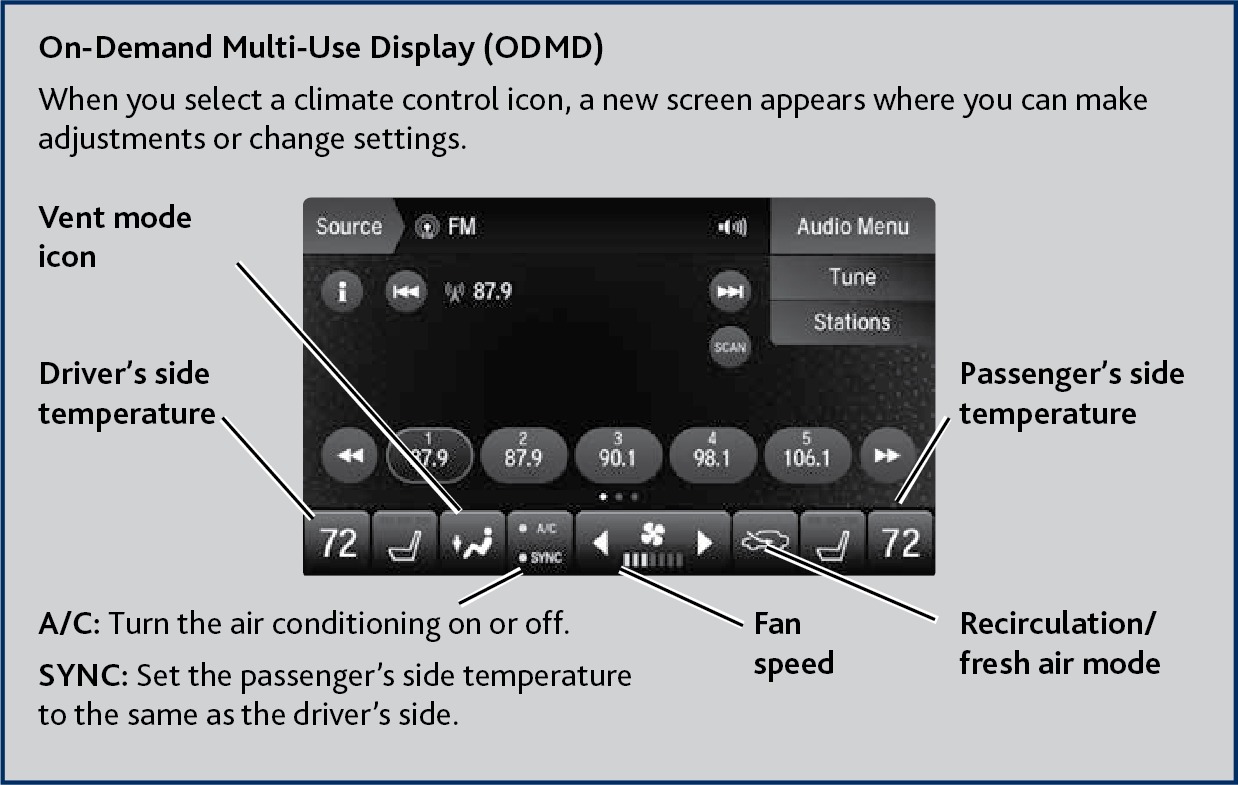


Climate control buttons
Driver's side temperature switch
AUTO button: Press, then adjust the temperature to your preferred setting.
Passenger's side temperature switch
ON/OFF button
Windshield defroster button
Rear window defogger/heated mirror button
Rear Operation
Use the On-Demand Multi-Use Display (ODMD) touchscreen to operate the system.
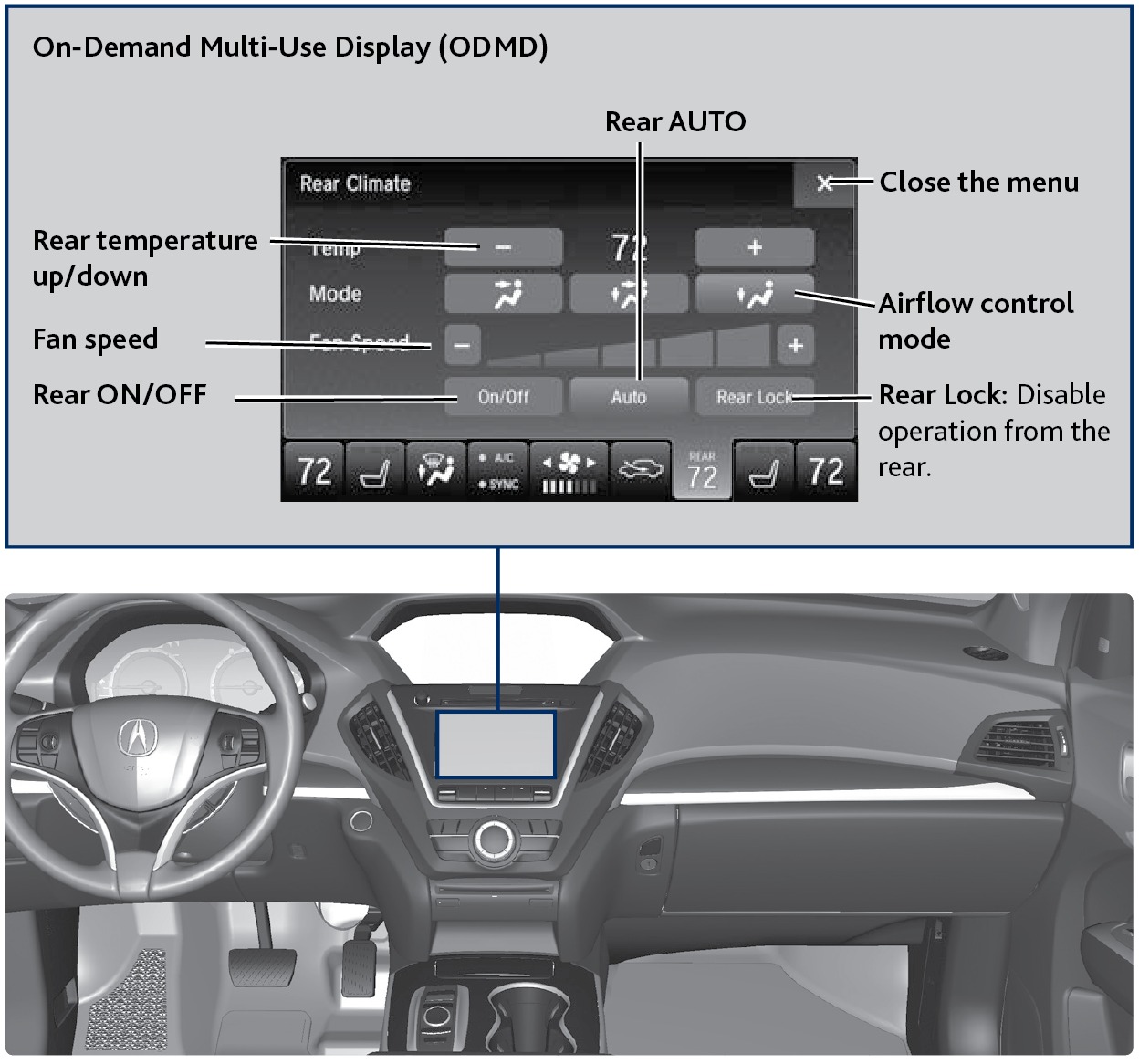
Rear Climate Control Buttons
Use the buttons on the back of the center console to operate the rear system.
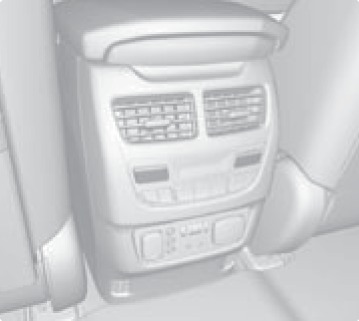
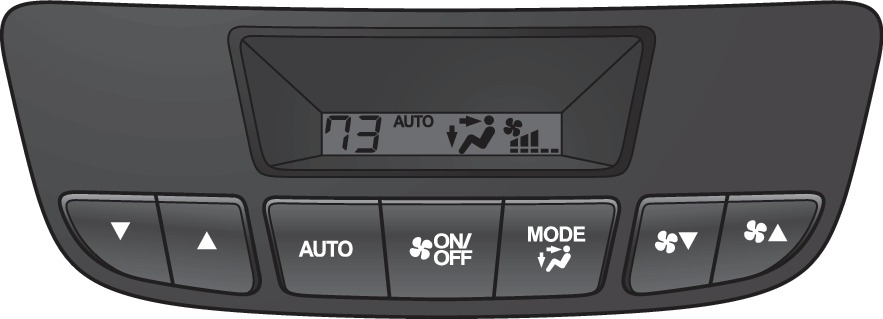
Temperature control
Rear AUTO
ON/OFF button
Airflow control mode
Fan speed buttons
If Rear Lock is turned on in the front, rear controls cannot be operated.
Heated Steering Wheel*
Heat the steering wheel to a comfortable temperature when the vehicle is on.
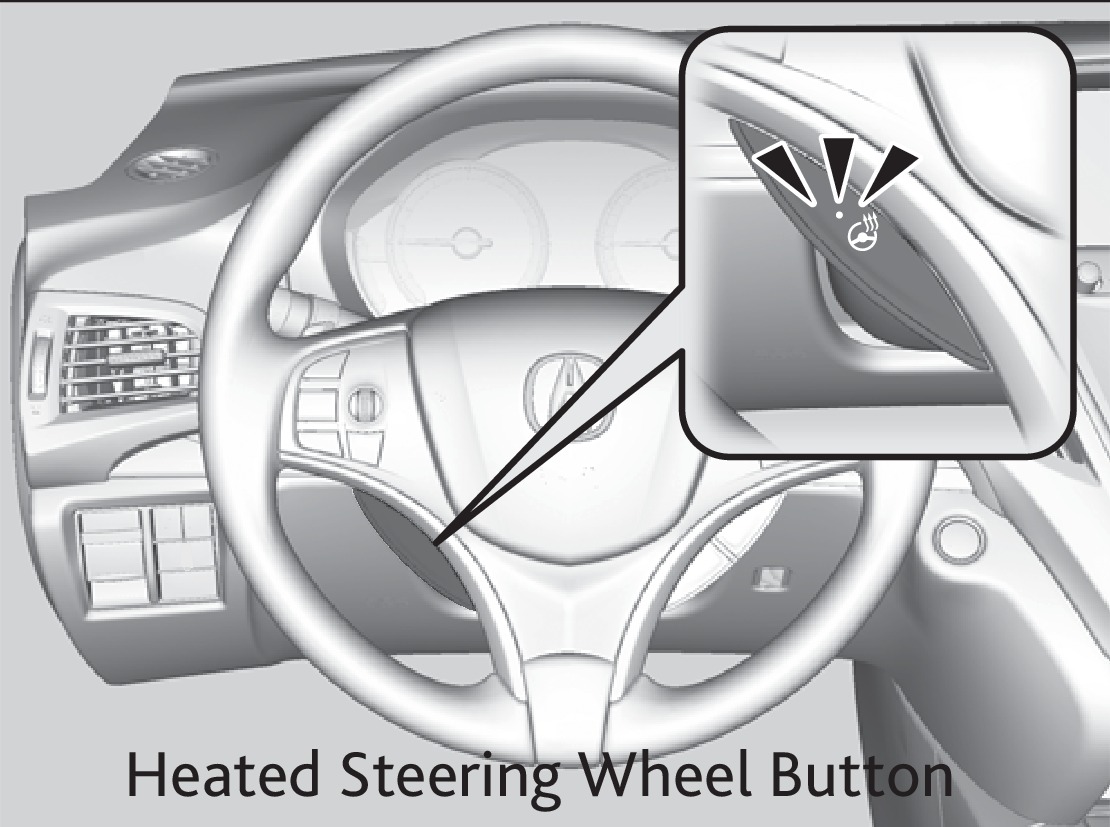
Press the heated steering wheel button. Press the button again to turn it off.
Heated Windshield Button*
Turn the vehicle on. Press the heated windshield button to de-ice the windshield.
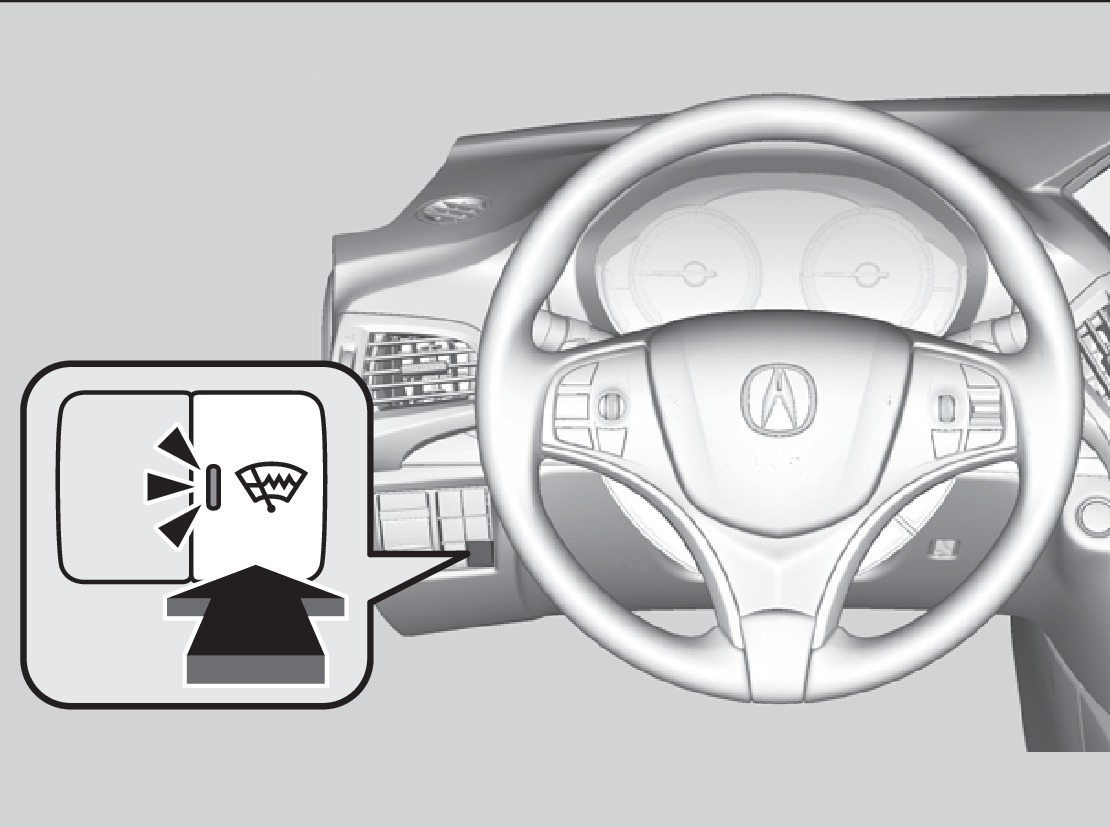
Heated windshield button
When the outside temperature is below 39°F (4°C), the heated windshield may automatically activate. The system deactivates itself once the outside temperature reaches 43°F (6°C).
Integrated Sunshades*
Pull the tab and roll up the sunshade all the way.
Use the hooks to hang it.
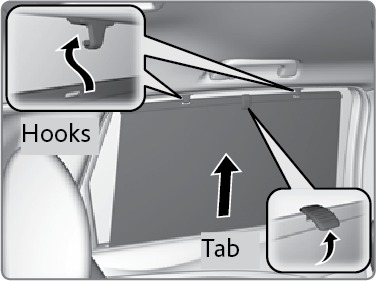
Use the sunshades only when the windows are fully closed. Using the shade while a window is open can unhook and blow the shade off, risking injuries to anyone sitting near the window.
*if equipped (Canadian models)
- Seat Heaters or Ventilation*
Download Manual