OFF-ROAD PAGES — IF EQUIPPED
Your vehicle is equipped with Off-Road Pages, which provides the vehicle status while operating on off-road conditions. It supplies information relating to the vehicle ride height, the status of the transfer case, the pitch and roll of the vehicle, and the active Selec-Terrain mode.
To access Off-Road Pages, press the Apps button on the touchscreen, and then select “Off-Road Pages”.
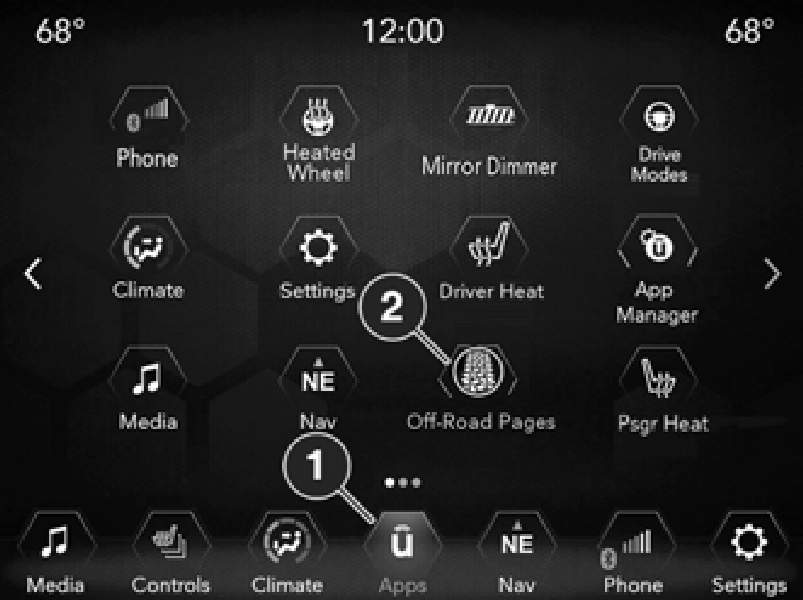
1 — Uconnect Apps Button 2 — Off-Road Pages App
Off-Road Pages has the following selectable pages:
OFF-ROAD PAGES STATUS BAR
The Off-Road Pages Status Bar is located along the bottom of Off-Road Pages and is present in each of the five selectable page options. It provides continually updating information for the following items:
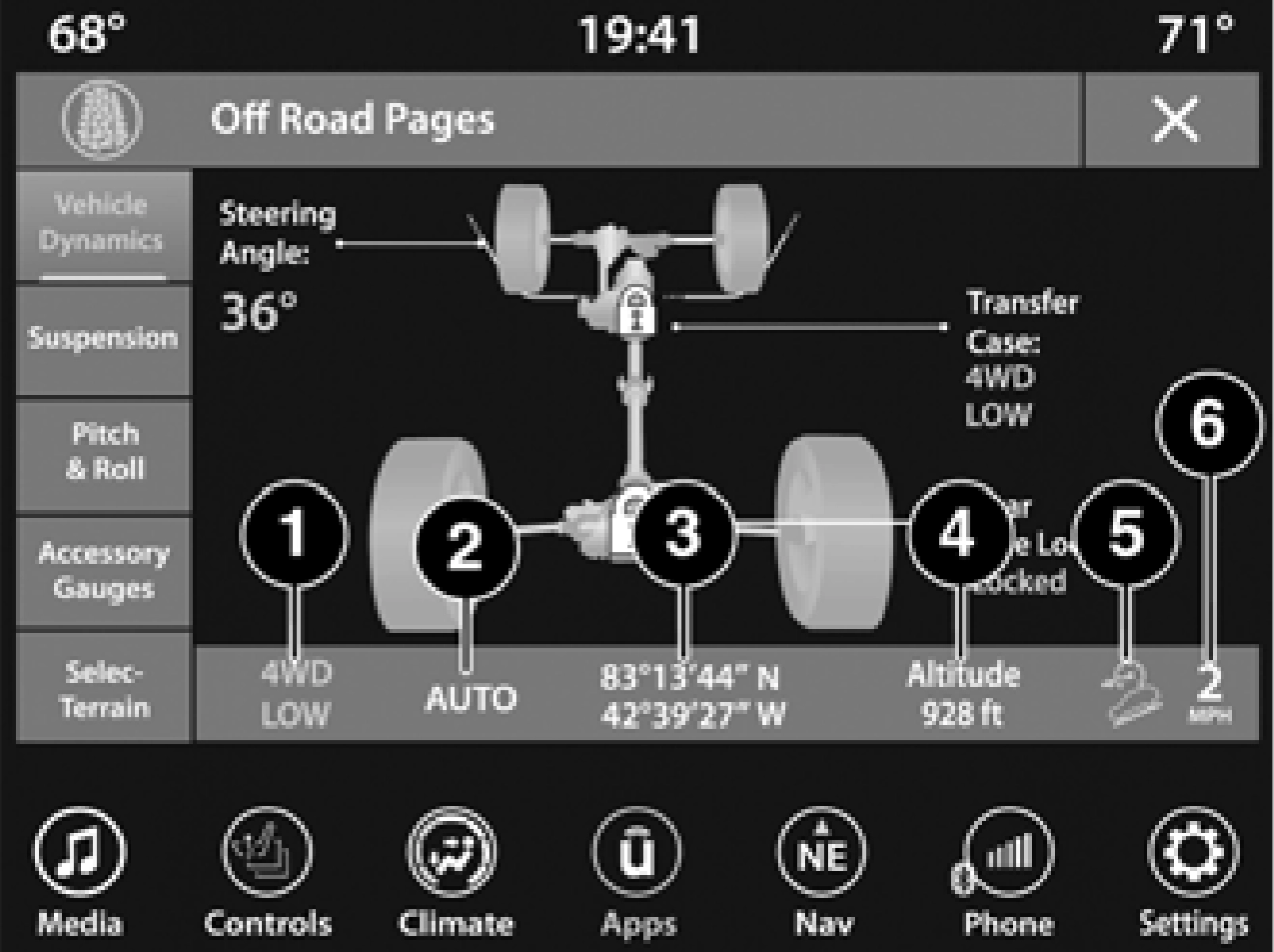
1 — Transfer Case Status (Only When In 4WD Low) 2 — Selec-Terrain Mode — If Equipped
3 — Current Latitude/Longitude 4 — Current Altitude
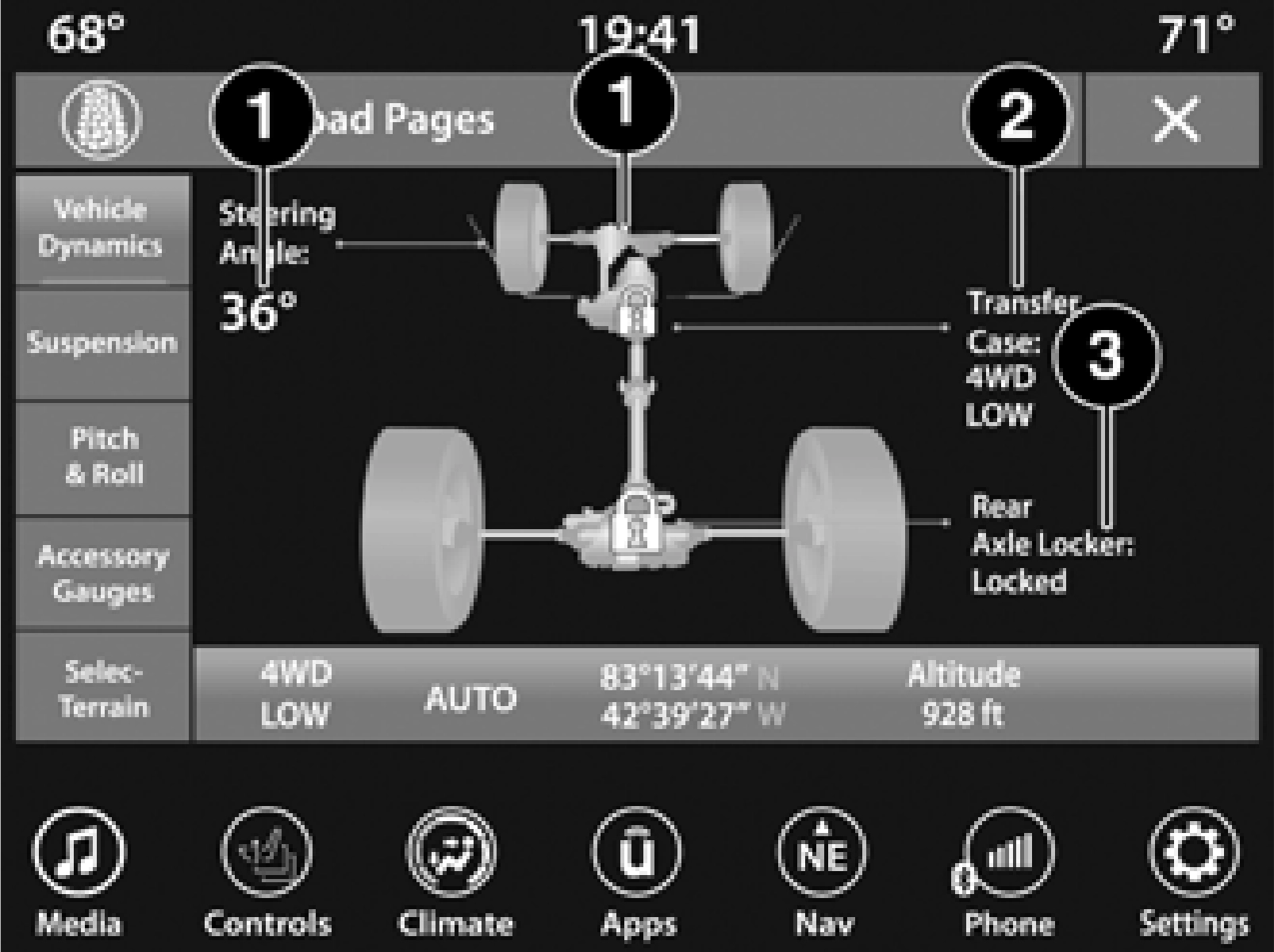
VEHICLE DYNAMICS
The Vehicle Dynamics page displays information concerning the vehicle’s drivetrain.
The following information is displayed:
SUSPENSION
The Suspension page displays information regarding the vehicle’s suspension.
The following information is displayed:
The wheel articulation will be represented by a yellow color in the Suspension Articulation Indi- cator. If Ride Height is adjusted, the Ride Height Indicator on the screen will switch to the appro- priate height and the Suspension Articulation Indicator will show the movement and change in height.
1 — Suspension Articulation Indicator 2 — Current Ride Height
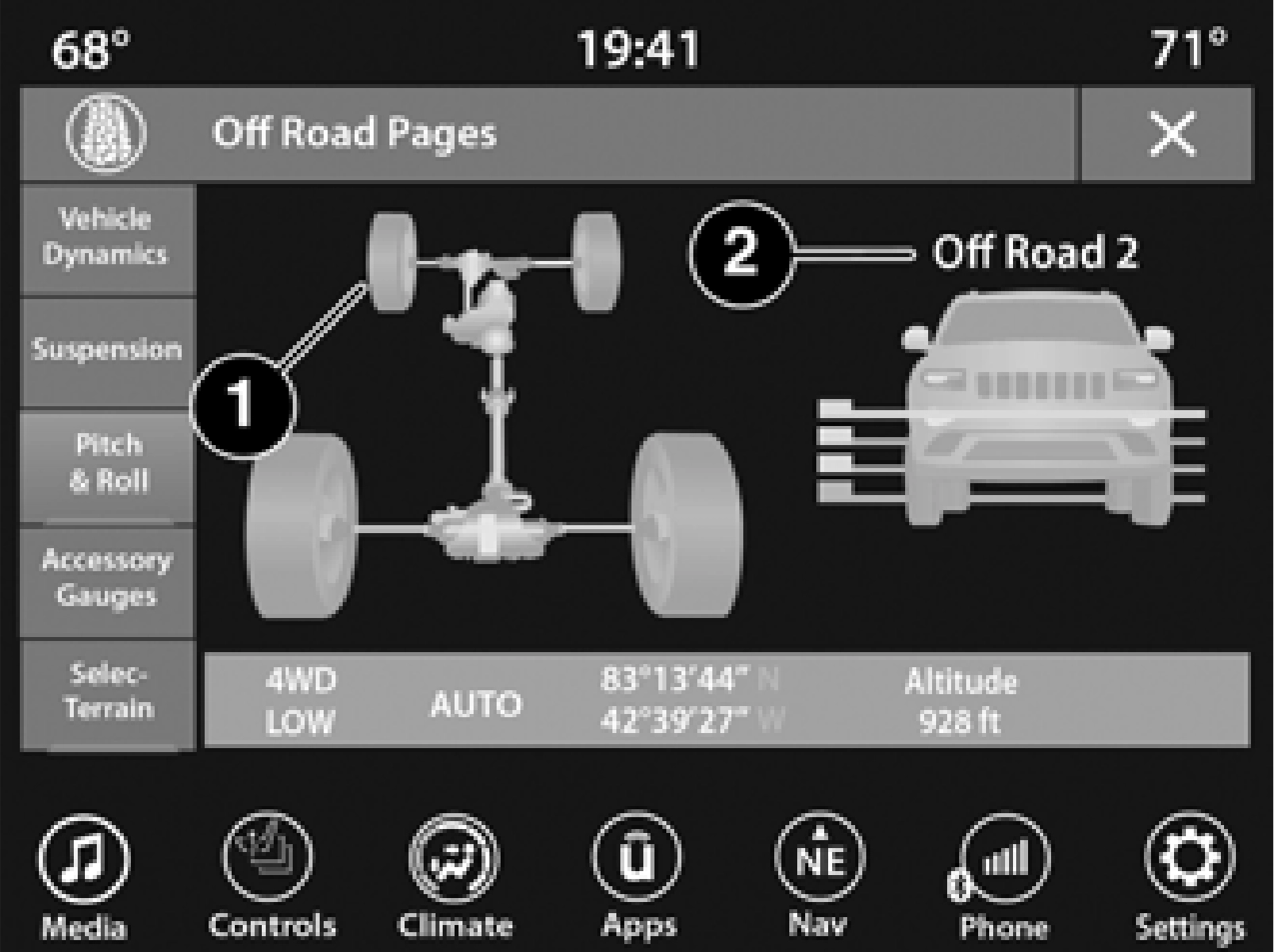
PITCH & ROLL
The Pitch & Roll page displays the vehicle’s current pitch (angle up and down) and roll (angle side to side) in degrees. The pitch and roll gauges provide a visualization of the current vehicle angle.
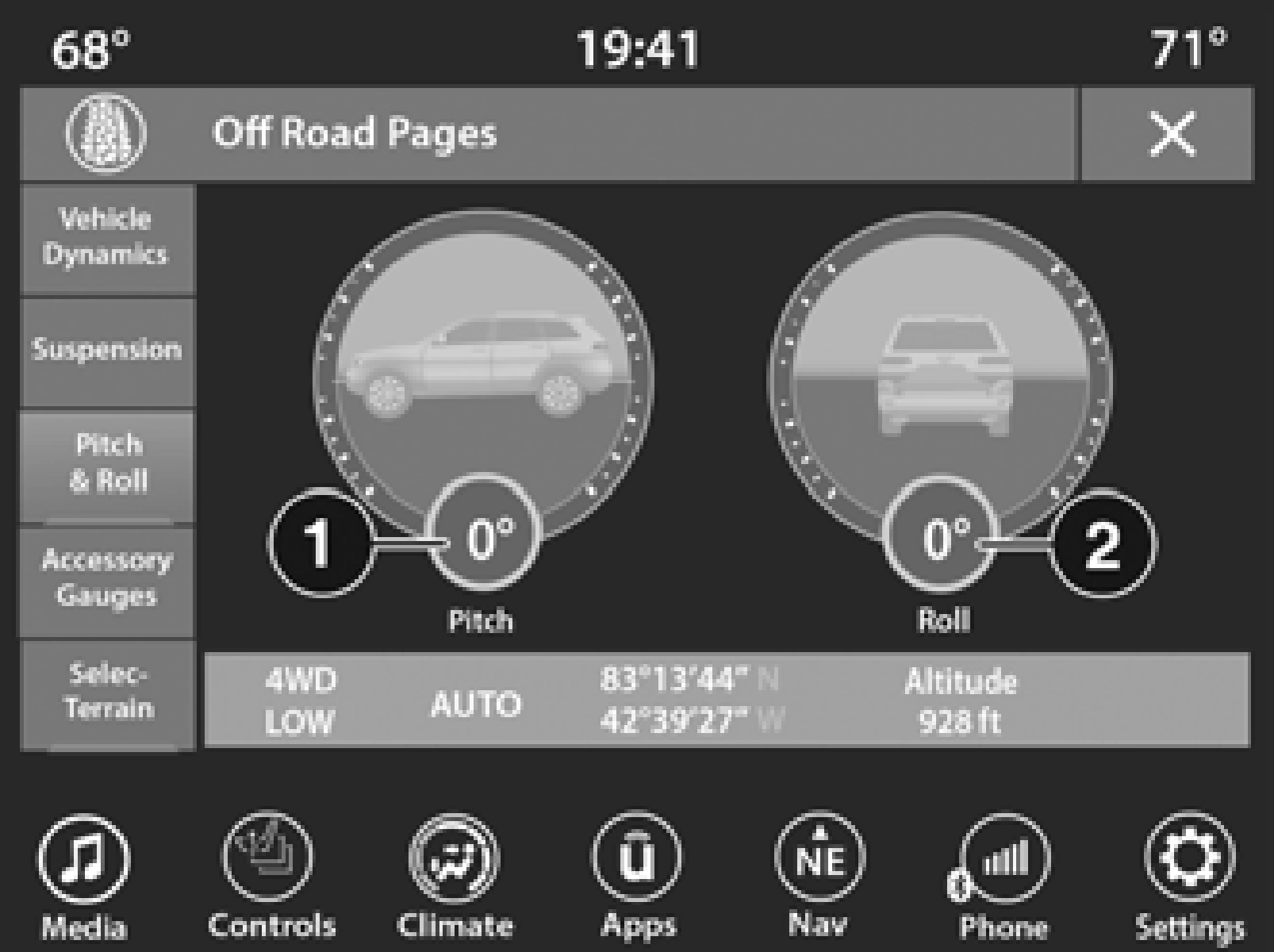
1 — Current Pitch 2 — Current Roll
ACCESSORY GAUGES
The Accessory Gauges page displays the current status of the vehicle’s Coolant Temperature, Oil Temperature, Oil Pressure (Gas Vehicles Only), Transmission Temperature, and Battery Voltage.
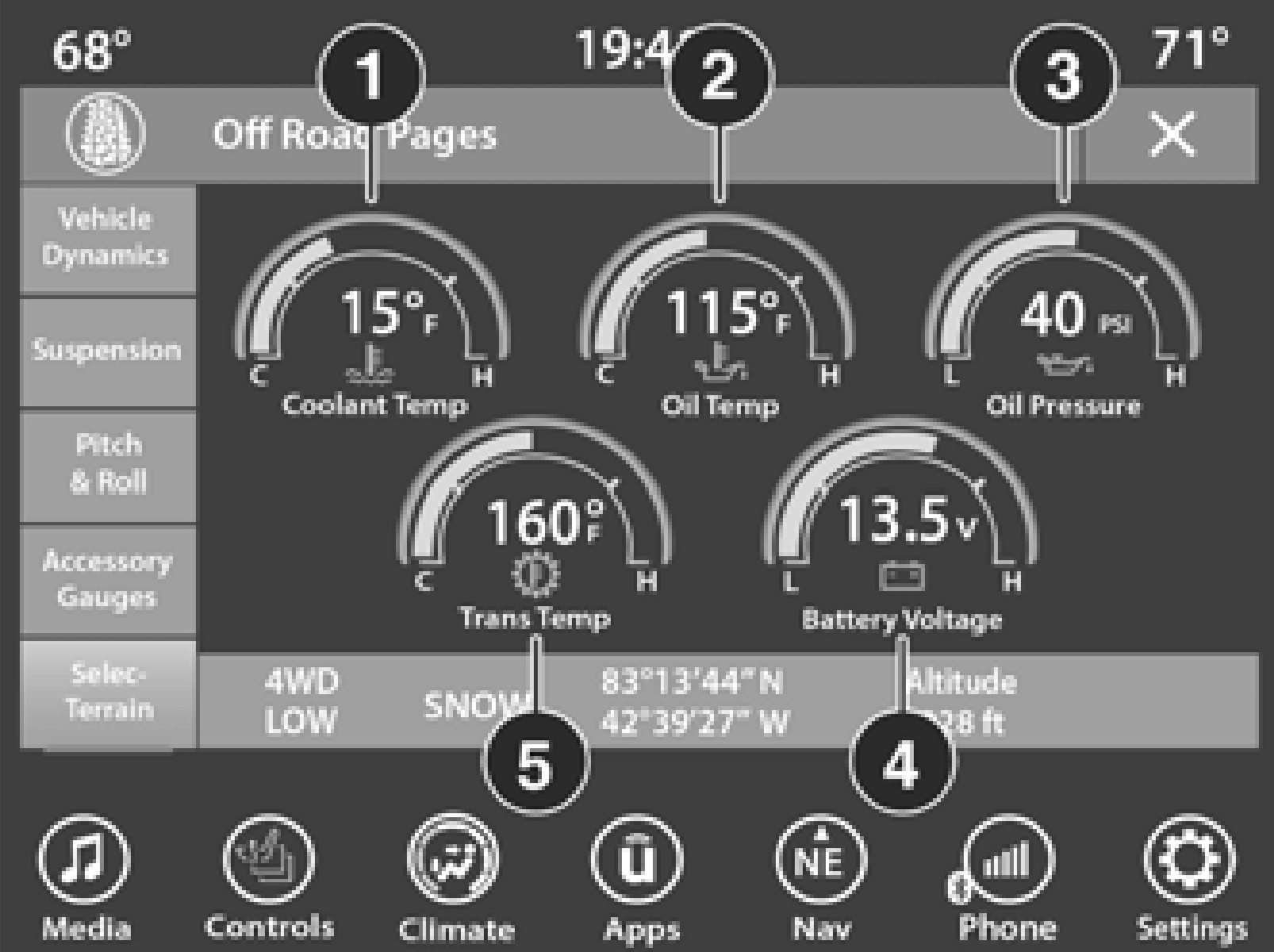
1 — Coolant Temperature 2 — Oil Temperature
3 — Oil Pressure (Gas Vehicles Only) 4 — Battery Voltage
5 — Transmission Temperature
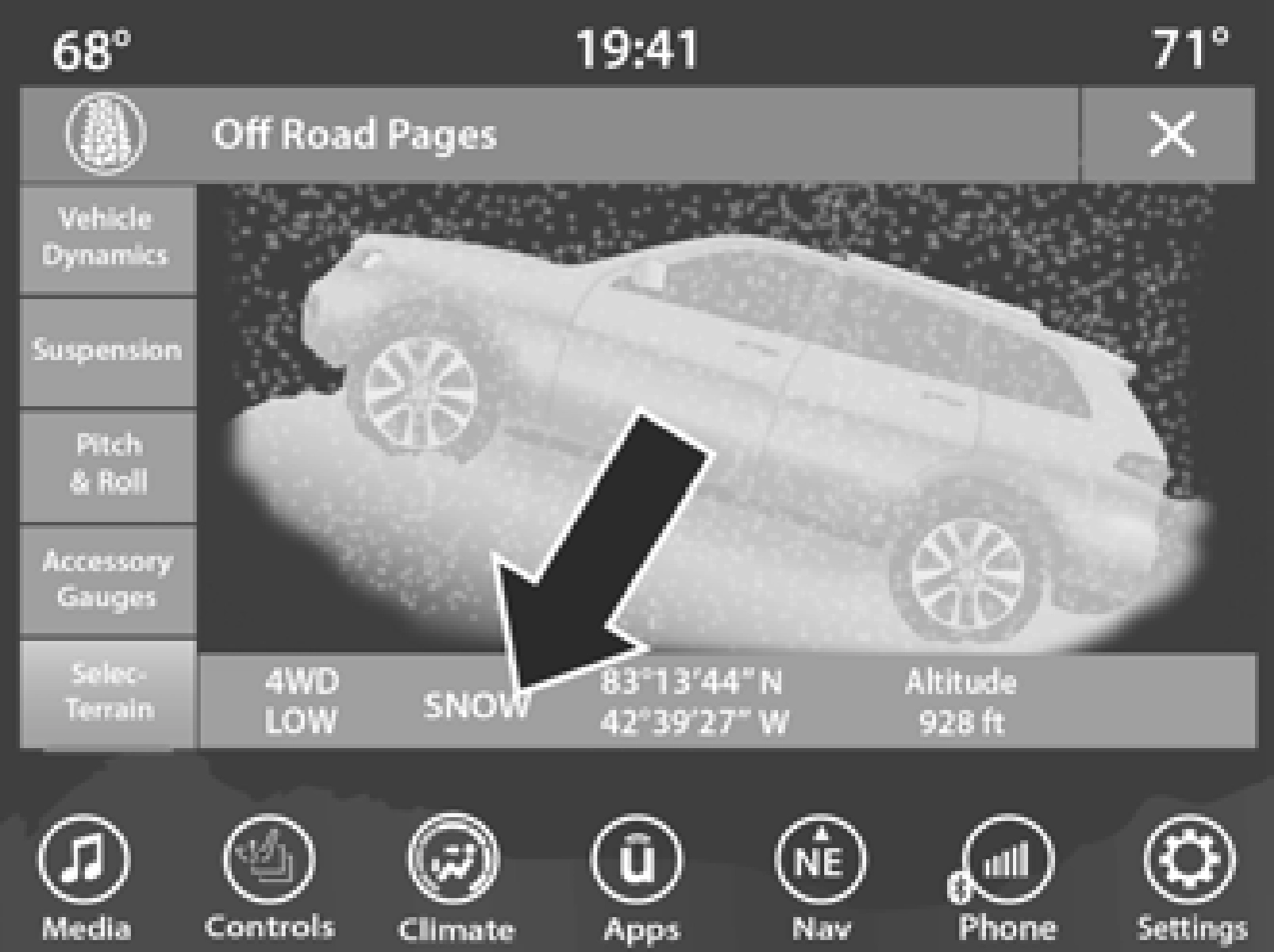
SELEC-TERRAIN — IF EQUIPPED
The Selec-Terrain page displays the current Selec-Terrain mode through a high resolution image. Adjusting the Selec-Terrain mode will alter the image on the screen. The vehicle must be in the ON/RUN position to display
Selec-Terrain information.
The selectable modes are as follows:
While in the Selec-Terrain pages, the Off-Road Pages Status Bar will also display the current Selec-Terrain mode.
Download Manual