LIFTGATE
TO UNLOCK/OPEN THE LIFTGATE
The liftgate may be released in several ways:
- Key fob
- Outside handle
- Button on overhead console
The liftgate passive entry unlock feature is built into the electronic liftgate release handle. With a valid Passive Entry key fob within 5 ft (1.5 m) of the liftgate, push the electronic liftgate release handle to open. Push the button on the key fob twice within five seconds to release the liftgate.
NOTE:
If “Unlock All Doors 1st Press” is programmed in Uconnect, all doors will unlock when you push the electronic liftgate release handle. If "Unlock Driver Door 1st Press" is programmed within Uconnect Settings page 171, only the liftgate will unlock when you push the electronic liftgate release handle.
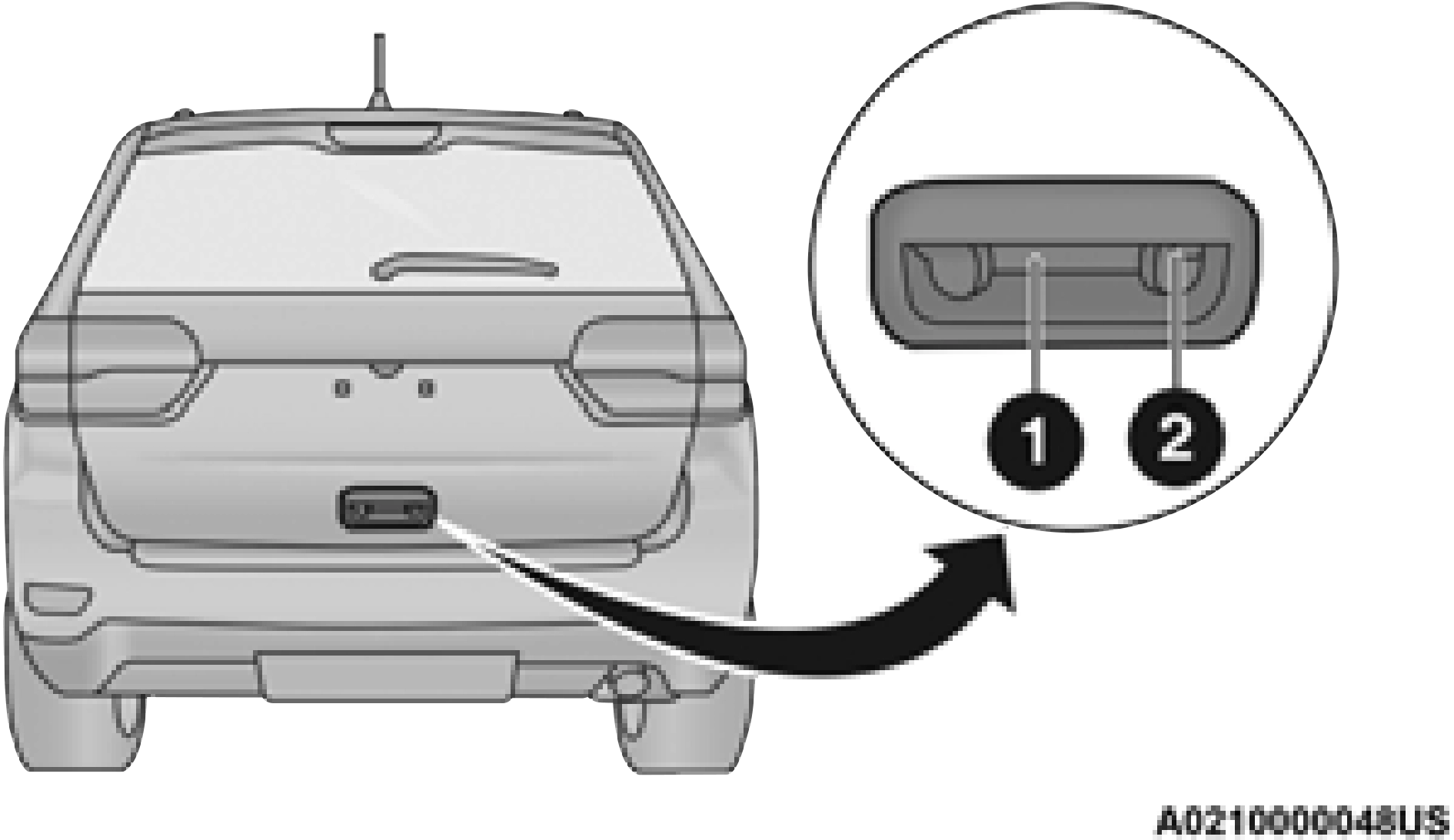
Passive Entry/Lock Button Location
- — Electronic Liftgate Release
- — Lock Button Location
NOTE:
Use the power door lock switch on either front door trim panel or the key fob to lock and unlock the liftgate. The manual door locks on the doors and the driver's door lock cylinder will not lock and unlock the liftgate.
TO LOCK/CLOSE THE LIFTGATE
To manually close the liftgate, grab the liftgate closing handle and pull in a downward motion to close the liftgate.
With a valid Passive Entry key fob within 5 ft (1.5 m) of the liftgate, pushing the Keyless Enter-N-Go — Passive Entry lock button located next to the outside handle release will lock the vehicle.
The power liftgate may be closed by pushing the button, located in the upper left trim in the liftgate opening. This button cannot be used to open the liftgate.
NOTE:
The liftgate unlock feature is built into the elec- tronic liftgate release handle.
POWER LIFTGATE — IF EQUIPPED
 The power liftgate may be opened by pushing the electronic liftgate release handle page 24, or by pushing the liftgate button on the key fob. Push the liftgate button on the key fob twice within five seconds to open or close the power liftgate.
NOTE:
- When using the liftgate button on the key fob to open the liftgate while the vehicle is locked, only the liftgate will unlock leaving the other doors to remain locked. Closing the liftgate will not re-lock the liftgate. The lock button on the key fob, or the Passive Entry lock button must be pushed to re-lock.
- When using the Passive Entry button to open the liftgate, and the vehicle doors unlock (if “Unlock All Doors 1st Press” is selected in the Passive Entry settings), the liftgate and vehicle doors must be locked using the lock button on the key fob, the Passive Entry lock button, or the lock buttons on the interior front door panels.
The power liftgate may also be opened or closed by pushing the liftgate button located on the front overhead console. If the liftgate is fully
open, the liftgate can be closed by pushing the liftgate button located on the left rear trim panel. If the liftgate is in motion, pushing the button again will reverse the liftgate.
When the liftgate button on the key fob is pushed two times, the turn signals will flash to signal that the liftgate is opening or closing (if Flash Lamps with Lock is enabled in the Uconnect Settings), and the liftgate chime will be audible. The chime can be turned on or off through the Uconnect Settings
NOTE:
- In the event of a power malfunction to the lift- gate, an emergency liftgate latch release can be used to open the liftgate. The emergency liftgate latch release can be accessed through a snap-in cover located on the lift- gate trim panel.
- If the liftgate is left open for an extended period of time, the liftgate may need to be closed manually to reset power liftgate func- tionality.
- The power liftgate will not operate in temperatures below −22°F (−30°C) or temperatures above 150°F (65°C). Be sure to remove any buildup of snow or ice from the liftgate before pushing any of the power lift- gate switches.
- If anything obstructs the power liftgate while it is closing or opening, the liftgate will auto- matically reverse to the closed or open posi- tion. After multiple obstructions in the same cycle, the liftgate will automatically stop and must be opened or closed manually.
- There are also pinch sensors attached to the side of the liftgate. Light pressure anywhere along these strips will cause the liftgate to return to the open position.
- If the liftgate is only partially open, push the liftgate button on the key fob twice to operate the liftgate.
- If the electronic liftgate release handle is pushed while the power liftgate is opening, the liftgate motor will disengage to allow manual operation.
CARGO AREA FEATURES
Cargo Storage Bins
There are up to four removable storage bins located in the rear cargo area. There are two storage bins located on either side of the cargo area.
NOTE:
If your vehicle is equipped with a rear subwoofer, the storage bin on that side will not be available.
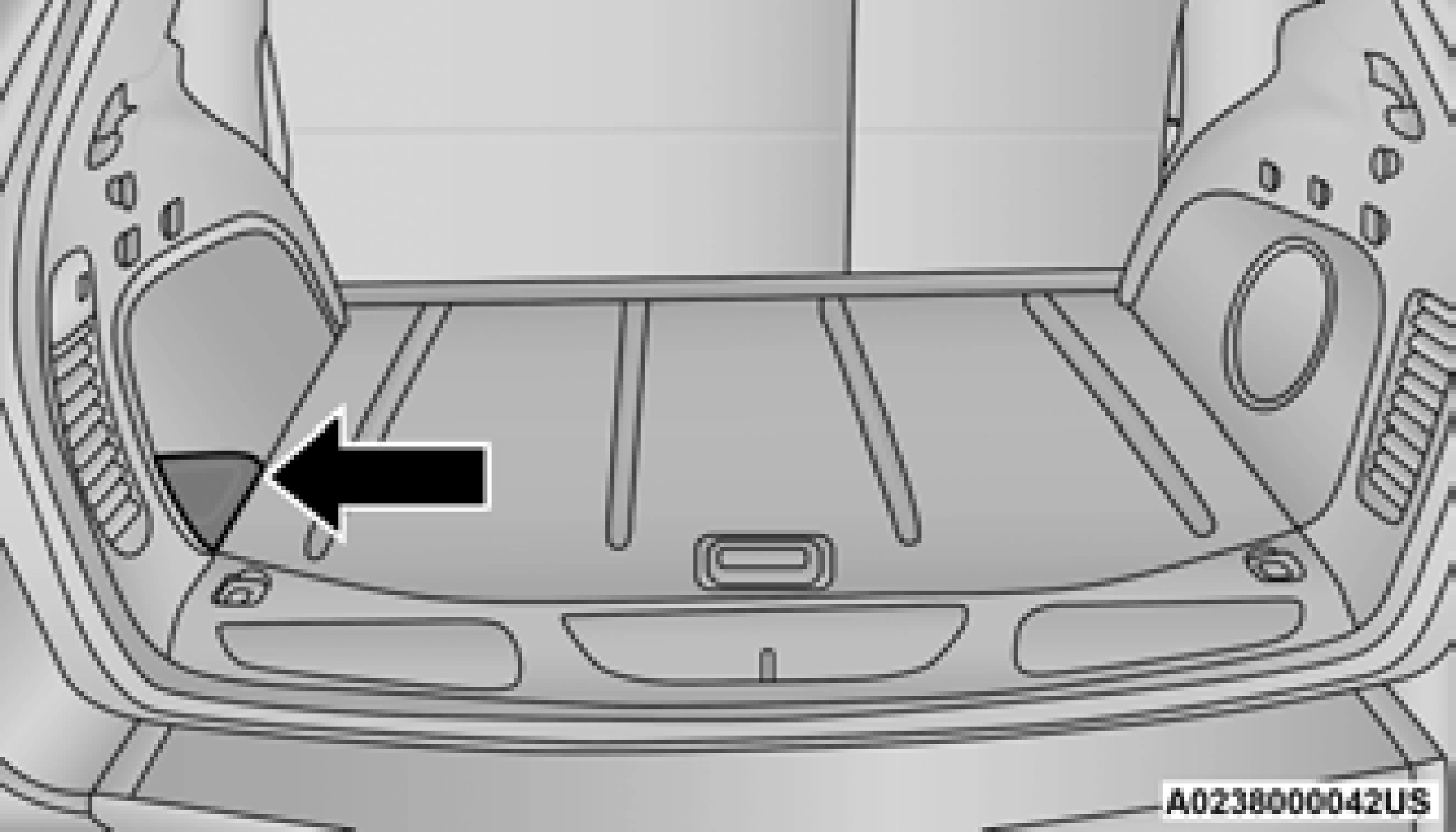
Two additional storage bins are located under the load floor. To access the lower storage bins, raise the load floor and attach the tether strap (attached to the bottom of the load floor) to the liftgate opening.
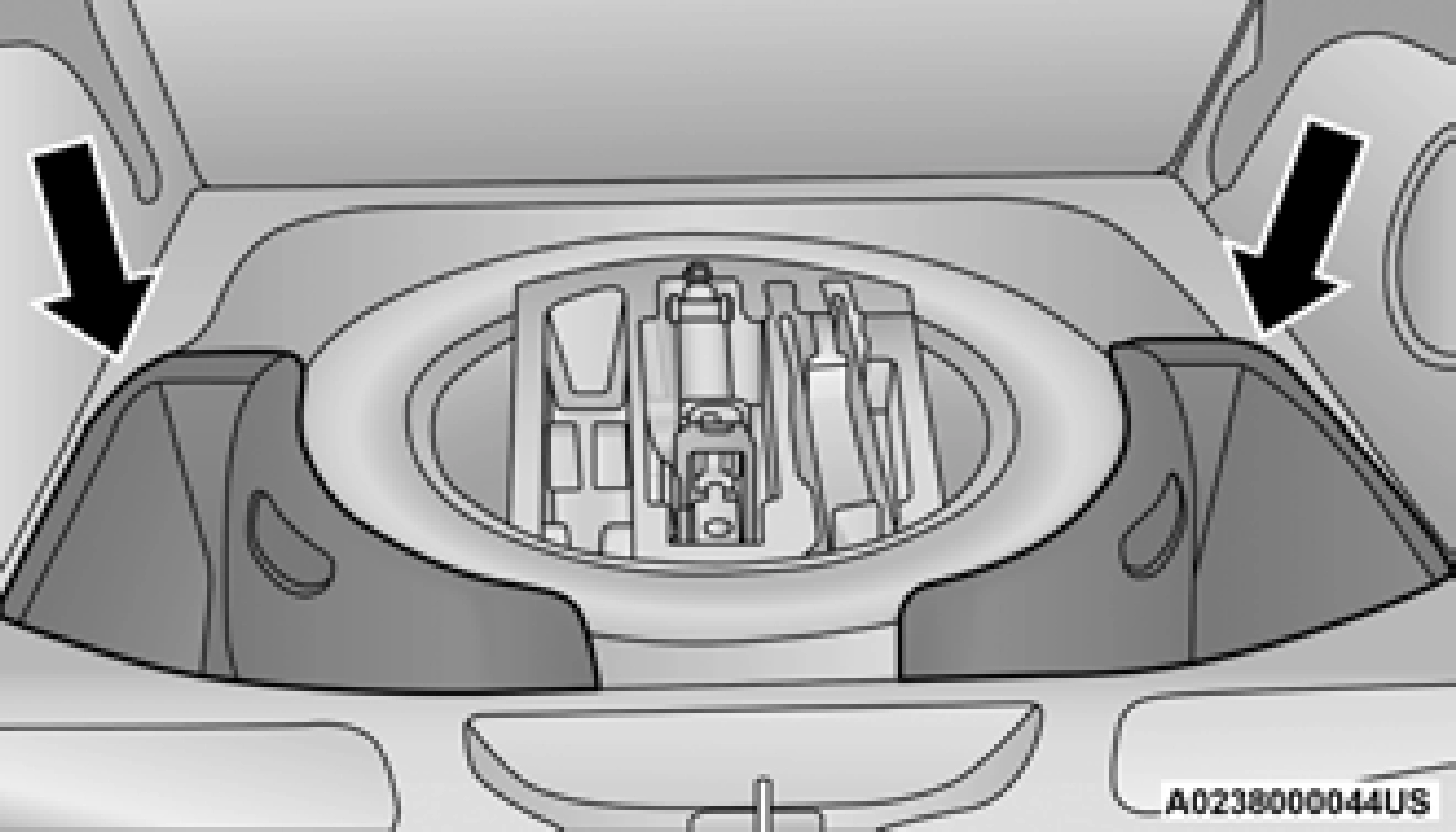
Rear Lower Storage Bins
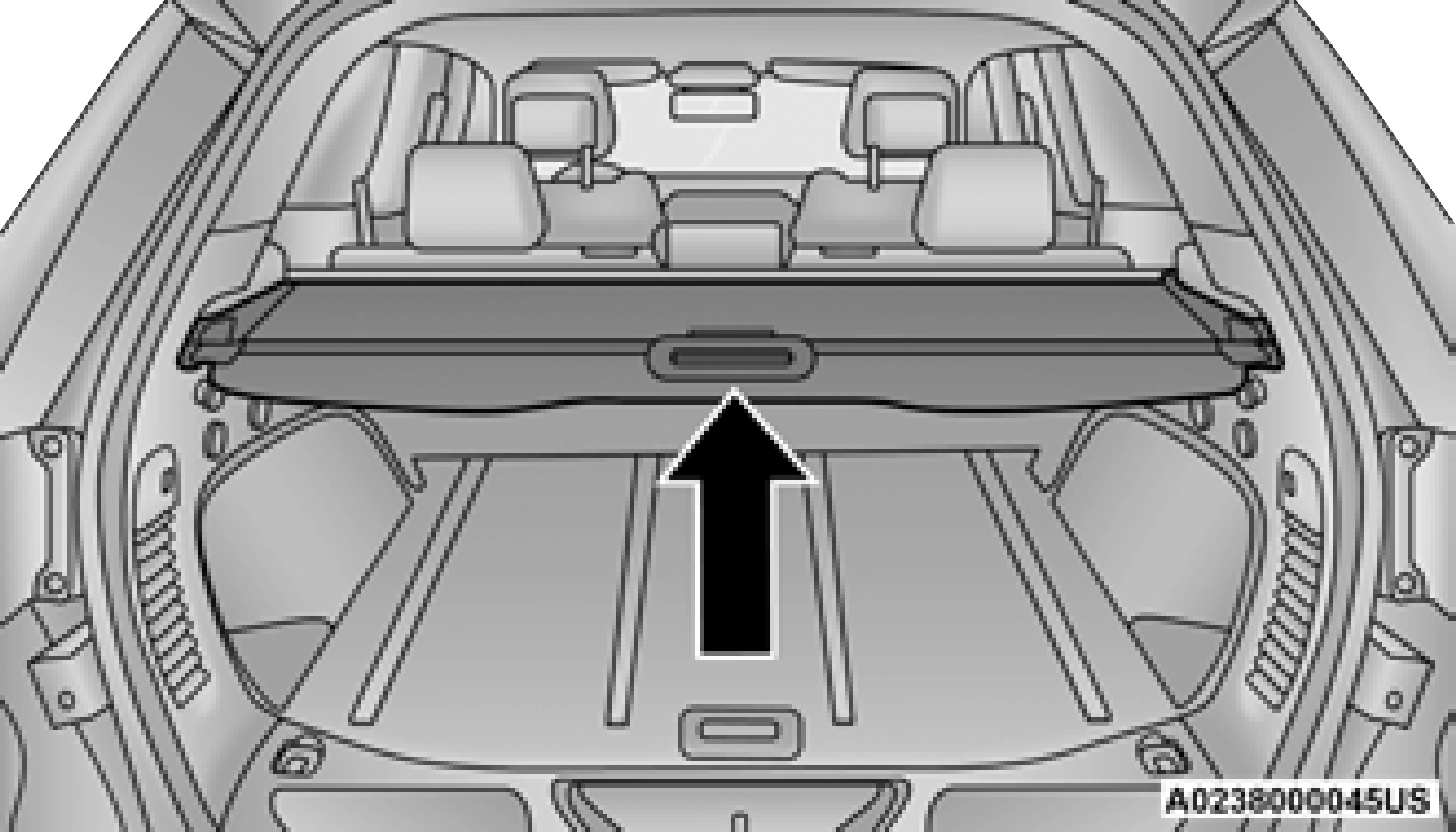
Retractable Cargo Area Cover — If Equipped
The purpose of this cover is for privacy, not to secure loads. It will not prevent cargo from shifting or protect passengers from loose cargo.
To cover the cargo area:
- Grab the cover at the center handle and pull over the cargo area.
- Insert the pins on the ends of the cover into the slots in the pillar trim cover.
- The liftgate may be opened with the cargo cover in place.
Rear Cargo Tie-Downs
The rear cargo tie-downs, located on the cargo area floor, should be used to safely secure loads when the vehicle is moving.
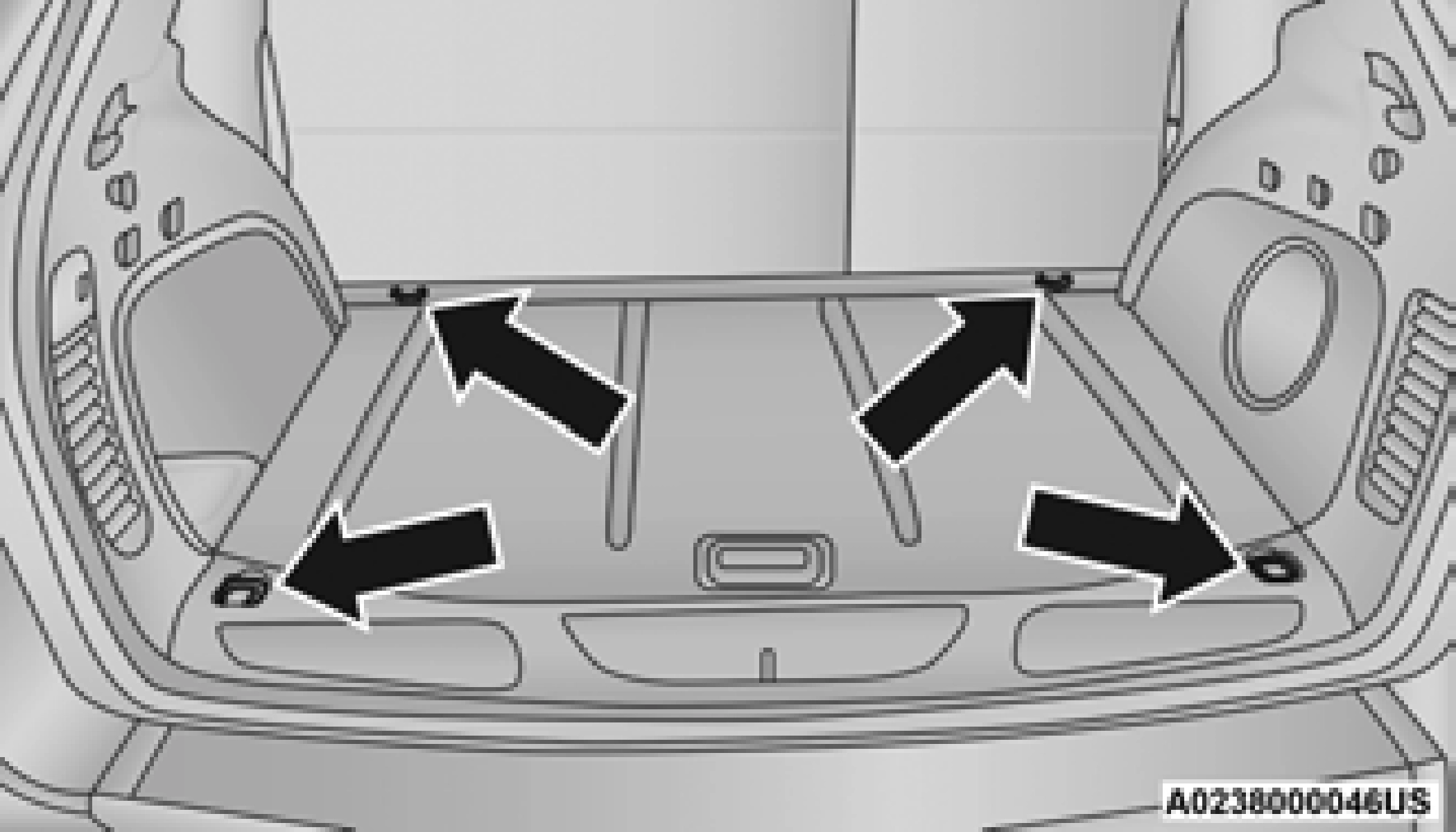
Rear Cargo Tie-Downs
Download Manual