Offroad display
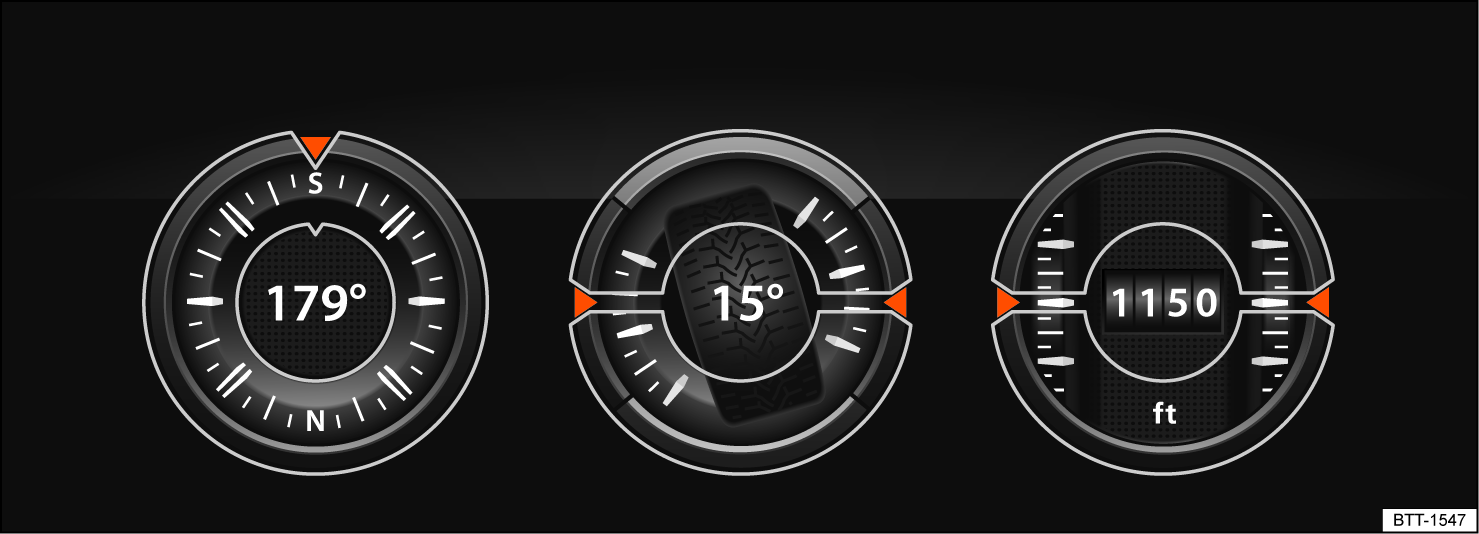
Fig. 117 In the Infotainment system: Offroad display.
The Offroad display provides digital instruments that display additional information about the vehicle and its environment. This enables you to make a more precise assessment of the current driving situation.
Open the Offroad display
-
Press the MENU button in the Infotainment system.
-
Tap the Vehicle function key.
-
Tap the Selection function key.
-
Tap the Offroad function key.
Selecting instruments and adjusting units
The infotainment system displays various instruments .
-
To switch between instruments, swipe up over the display.
The units on some instruments can be adjusted in the Infotainment system .
Instruments in the Offroad display
The selection of instruments depends on the vehicle equipment.
-
Compass: The compass shows your current direction of travel.
-
Steering angle display: Shows the steering angle of the vehicle. For a left lock, the value is positive. For a right lock, it is negative.
-
Altimeter: The altimeter shows your current height above sea level.
-
Coolant temperature display: The display corresponds to the temperature display in the instrument cluster.
-
Oil temperature display: The display corresponds to the oil temperature display in the instrument cluster.
Adjusting the display areas to the driving situation
The instruments displayed can be selected according to the driving situation and the environmental and terrain conditions:
-
Sandy terrain: Oil and coolant temperature display, steering angle display.
-
Inclines: Steering angle display, coolant temperature display, altimeter (depending on country).
-
Alpine terrain: Steering angle display, altimeter (depending on country), Compass.
Download Manual