Windows
! Power window switches
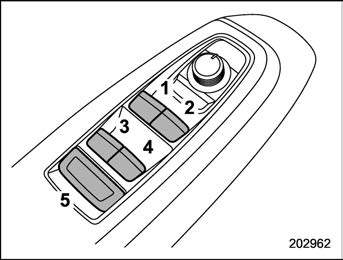
All door windows can be controlled by the power window switch cluster on the driver side door.
These switches illuminate when activated.
Windows 139
. Passenger’s side power window switches:
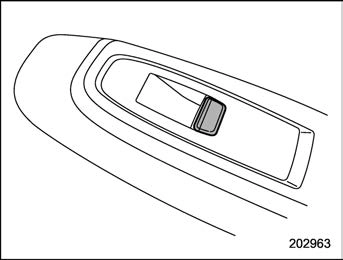
Each passenger’s window can be con- trolled by the power window switch located on the door.
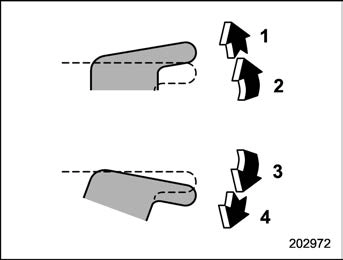
With one-touch auto up and down feature
*: To stop the window halfway, operate the switch to the opposite side.
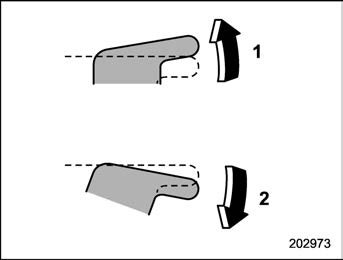
Without one-touch auto up and down feature
Either of the operations described above may cause the power window breaker to operate making it impossible to open or close the window. Be sure to initialize the power windows. Refer to
“Initialization of power window (win- dows with off delay function)” P140.
! Anti-entrapment function (windows with one-touch auto up and down function)
While closing the window automatically, if the window senses a substantial enough object trapped between the window and the window frame, it automatically moves down slightly and stops.
If a foreign object is caught while window is opening automatically, the window will stop.
few seconds after the anti-entrapment function operates.
! Off delay function (if equipped)
The windows can be operated for approxi- mately 40 seconds even after the ignition switch is turned to the “ACC” or “OFF” position. If a front door is opened within 40 seconds, the off delay function is can- celed.
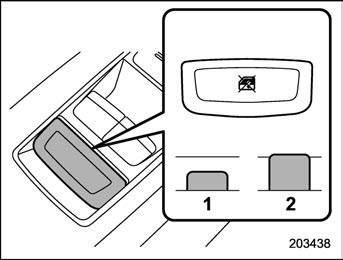
When the lock switch is in the lock position, the rear passenger’s window switches on the driver side door and the passengers’ window switches cannot be operated.
If the one-touch auto up and down function or off delay function does not operate properly, operate each window according to the following procedure in order to initialize the power window system.
Download Manual