Light control switch
NOTE
 Even if the key is removed from the ignition switch, the lights can be illumi- nated by operating the light control switch from the “
 ” (off) position to the “ ” or “
  ” position.
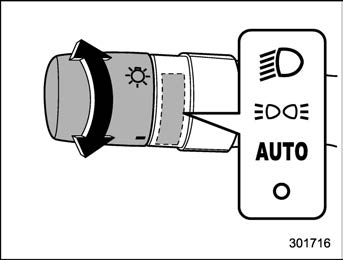
To turn on the headlights, turn the knob on the end of the turn signal lever.
“  ” position:
Instrument panel illumination, headlights, parking lights, front side marker lights, rear side marker lights, tail lights and license plate lights are on.
 “ ” position:
Instrument panel illumination, parking lights, front side marker lights, rear side marker lights, tail lights and license plate lights are on.
 “ ” position:
When the ignition switch is in the “ON” position, the instrument panel illumination, headlights, parking lights, front side mar-
ker lights, rear side marker lights, tail lights and license plate lights are automatically on or off depending on the level of the ambient light.
. Auto-on/off wiper-linked headlights While the light control switch is in the “AUTO” position, the headlights will auto-
matically turn on when the windshield wipers operate several times. The head- lights will automatically turn off when the wipers stop.
“  ” position:
The headlights are all off.
Only when the following conditions are fulfilled, instrument panel illumination,
headlights, parking lights, front side mar- ker lights, rear side marker lights, tail lights and license plate lights are automatically on or off depending on the level of the ambient light.
The welcome lighting function turns on the low beam headlight for smooth approach- ing to or exiting from the vehicle at night or in a dark place.
The function is activated while all of the following conditions are met.
While the welcome lighting function is activated, the low beam headlights, instru- ment panel illumination, parking lights, front side marker lights, rear side marker lights, tail lights and license plate lights will automatically illuminate when unlocking the doors and the rear gate by using the remote keyless entry system.
The low beam headlights will remain illuminated for 30 seconds*1 and then turn off. However, if any of the following operations is done, the low beam head- lights will turn off.
While the welcome lighting function is activated, the low beam headlights, instru- ment panel illumination, parking lights, front side marker lights, rear side marker lights, tail lights and license plate lights will remain illuminated even when either of the following operation is done.
The low beam headlights will turn off under any of the following conditions.
*1: The setting for the period of time in which the low beam headlights remain on by the welcome lighting function can be changed by a SUBARU dealer. Contact your SUBARU dealer for de- tails.
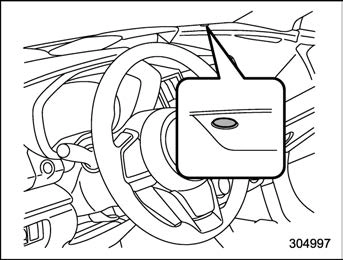
The sensor is as shown in the illustration.
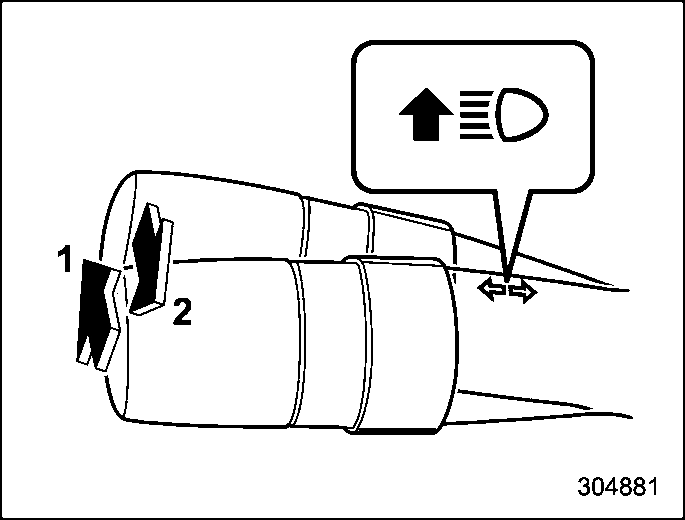
When the headlights are on high beam, the high beam indicator light “  ” on the combination meter is also on.
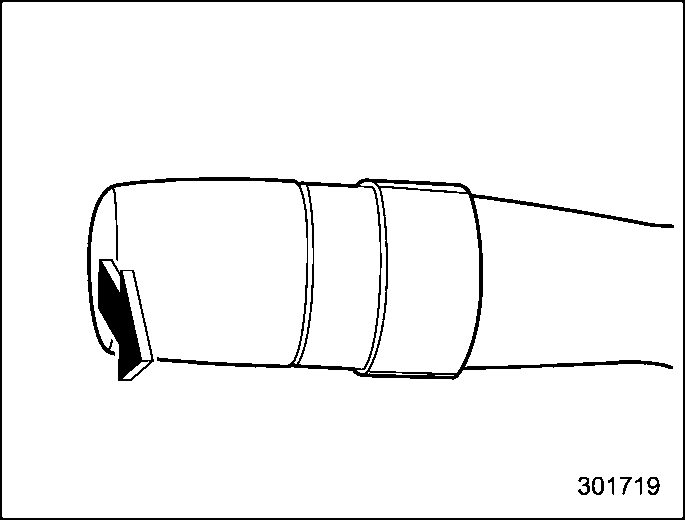
To flash the headlights, pull the lever toward you and then release it. The high beam will stay on for as long as you hold the lever.
When the headlights are on high beam, the high beam indicator light “  ” on the combination meter also illuminates.
NOTE
The high beam assist function automati- cally changes the headlight from high beam to low beam (or vice versa).
When all of the following conditions are met, the headlight will change to high beam.
When any of the following conditions are met, the headlight will change to low beam.
vehicle.
. When the EyeSight system is malfunc- tioning or is temporarily stopped.
! How to use the high beam assist function
The high beam assist function will be activated when all the following conditions are met.
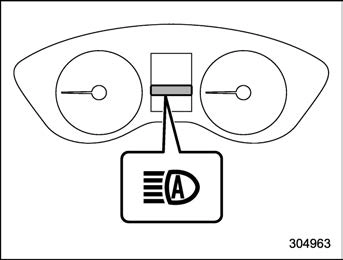
High beam assist indicator
When the high beam assist function is activated, the high beam assist indicator light on the combination meter will illumi- nate.
! How to temporarily lower the sensi- tivity of the high beam assist func- tion
The sensitivity of the high beam assist function can be lowered by performing the following operations.
“ON” position, set the light control switch to the “AUTO” position and push the signal lever forward (high beam position).
When the sensitivity of the high beam assist function is lowered, the high beam assist indicator light “ ” on the combina- tion meter will flash.
! How to change the headlight mode manually
Change to the low beam:
When you return the turn signal lever to the center position, the high beam assist function will turn off and the high beam assist indicator light (green) will turn off.
When you turn the light control switch to the “  ” position, the headlight mode will be changed to the high beam.
At this time, the high beam assist function will turn off, the high beam assist indicator (green) will turn off and the high beam indicator light will turn on.
 When manually changing the head- light mode to the high beam, if you turn the light control switch to the “ ” position, the instrument panel illumina- tion, parking lights, front side marker lights, rear side marker lights, tail lights and license plate lights will be on.
! Tips for the high beam assist sys- tem
ing vehicle or the tail lights of a vehicle ahead illuminate on only one side.
The daytime running lights will automati- cally illuminate when the following condi- tions are fulfilled.
 The light control switch is in the “AUTO”, “ ” or off position.
Download Manual