Disclaimer: Not affiliated with or endorsed by Subaru Motor Company. For informational purposes only. Full Disclaimer

2019 Subaru Forester Owners Manual - Ignition switch (models without “keyless access with push-button start system”)
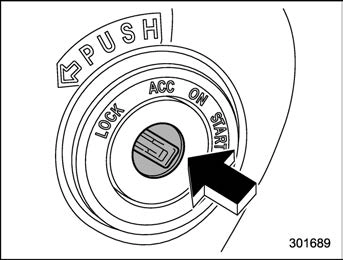


Ignition switch (models without “keyless access with push-button start system”)

The ignition switch has four positions: LOCK, ACC, ON and START.

    Keep the ignition switch in the “LOCK” position when the engine is not running.
    Using electrical accessories for a long time with the ignition switch in the “ON” or “ACC” position can cause the battery to go dead.
    If the ignition switch will not move from the “LOCK” position to the “ACC” position, turn the steering wheel slightly to the left and right as you turn the ignition switch.
    Key positions

Position

Description

LOCK

The key can only be inserted or removed in this position. The ignition switch will lock the steering wheel when you remove the key.

ACC

In this position the electrical accessories (audio, acces- sory power outlet, etc.) can be used.

ON

This is the normal operating position after starting the en- gine.

START

The engine is started in this position.

Ignition switch (models without “keyless access with push-button start system”) 157
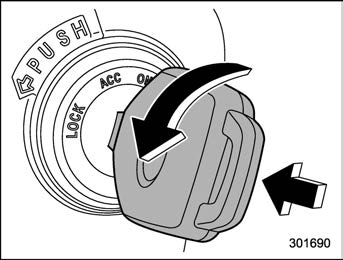
    To turn the key from the “ACC” to “LOCK” position, the select lever must be in the “P” position and the key must be pushed in and turned.
    If your registered key fails to start the engine, pull out the key once (the security indicator light will blink), and then insert the key again and turn it to the “START” position again to restart the engine.
    The engine may not start in the following cases:

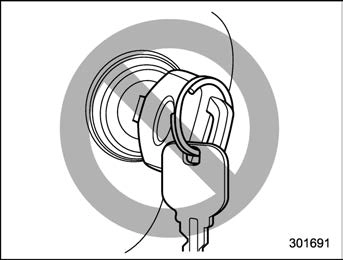
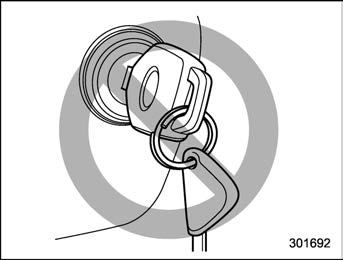
    The key grip is touching another key or a metallic key holder.

    The key is near another key that contains an immobilizer transpon-

der.

    The key is near or touching another transmitter.
    Key reminder chime

The reminder chime sounds when the driver’s door is opened and the ignition switch is in the “LOCK” or “ACC” position.

The chime stops under the following conditions.

    When the ignition switch is turned to the “ON” position.
    When the key is removed from the ignition switch.
    When the driver’s door is closed.
    Ignition switch light (if equipped)

For easy access to the ignition switch in the dark, the ignition switch light illumi- nates when the driver’s door is opened or when the driver’s door is unlocked using the remote keyless entry transmitter.

The light remains illuminated for several tens of seconds and then gradually turns off under the following conditions.

    When the driver’s door is closed.
    When the doors are unlocked using the remote keyless entry transmitter.

158 Push-button ignition switch (models with “keyless access with push-button start system”)

The light turns off immediately under the following conditions.

    When the ignition switch is turned to the “ON” position.
    When all doors and the rear gate are locked using the remote keyless entry transmitter.

Download Manual