Reverse Automatic Braking System (if equipped)
Reverse Automatic Braking is a system designed to help avoid collisions or reduce collision damage when reversing the vehicle. If a wall or an obstacle is detected in the reversing direction, the system will notify the driver with a warning sound and may activate the vehicle’s brakes auto- matically.
SUBARU and third parties contracted by SUBARU may acquire and use the recorded data for the purpose of vehi- cle research and development. SUBARU and third parties contracted by SUBARU will not disclose or provide
the acquired data to any other third party except under the following con- ditions.
The system detects objects using sonar sensors installed in the rear bumper.
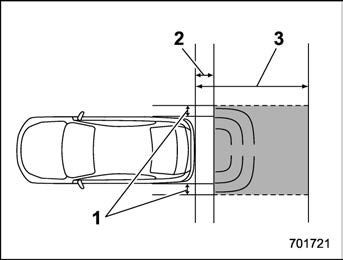
The Reverse Automatic Braking system will operate when all of the following conditions are met.
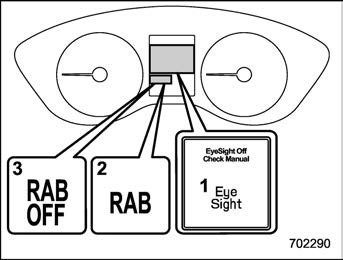
tem is set to on.
the rear bumper near the sonar sensor.
– The rear bumper is exposed to strong impact, or the rear bumper is deformed.
not reflect the sound wave emitted from the sonar sensor.
High frequency sound from other sources are nearby:
cles.
Weather conditions:
Parts attached to the rear bumper near the sonar sensor:
sound, such as a horn or speaker, are attached.
Vehicle conditions:
Surrounding environment:
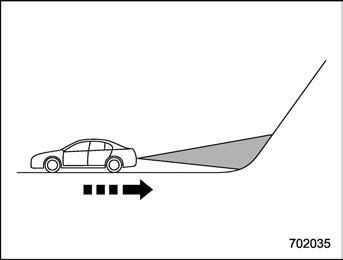
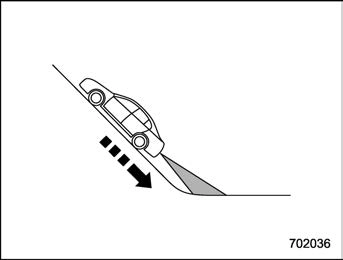
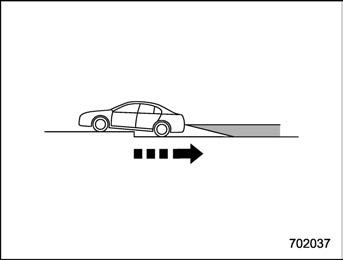
& Reverse Automatic Braking System operation
When the Reverse Automatic Braking System is in operation, the range between the vehicle and the detected object will be indicated on the audio/navigation monitor. Also, warning sounds will activate in 3 levels to warn the driver of a potential collision.
While the RAB is operating, a warning message is displayed on the audio/navi- gation monitor and the combination meter display (color LCD).
Guideline of detecting range
|
Alert level |
Range of detected object* |
Distance indicator |
Alarm pattern |
|
Long proximity (ob- ject detected) |
35 inches (90 cm) or more |
Green |
No warning sound |
|
Medium proximity alert (approaching the object) |
28 to 35 inches (70 to 90 cm) |
Yellow |
Short beeps |
|
Short proximity alert (approaching closer to the object) |
20 to 28 inches (50 to 70 cm) |
Orange |
Rapid short beeps |
|
Closest proximity alert (too close to the object) |
20 inches (50 cm) or less |
Red |
Continuous beep |
*: Range of detection may vary depending on the environmental condition.
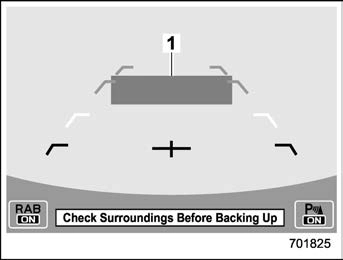
Long proximity alert (object detected)
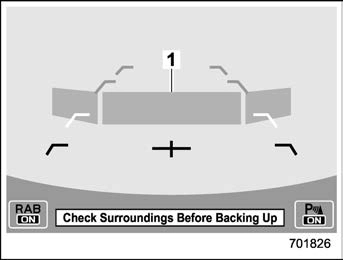
Medium proximity alert (approaching the object)
1) Yellow: 28 to 35 inches (70 to 90 cm)
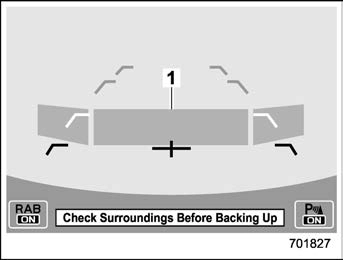
Short proximity alert (approaching the object closer)
1) Orange: 20 to 28 inches (50 to 70 cm)
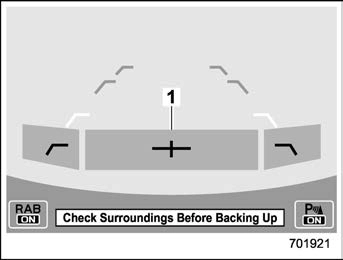
Closest proximity alert (too close to the object)
1) Red: 20 inches (50 cm) or less
When an object is detected in the rever- sing direction, the range of detected object will be shown on the audio/navigation monitor.
A warning alarm will sound and, depend- ing on the speed, either torque control to generate engine braking or automatic braking will be applied.
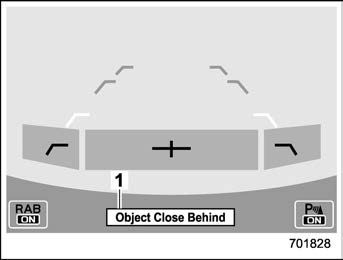
Automatic braking warning
If the vehicle continues to go in reverse, the system may determine the risk of collision with the object. In this case, short warning beeps or continuous warning beeps will sound and either strong auto- matic braking or torque control will be applied to prevent collision.
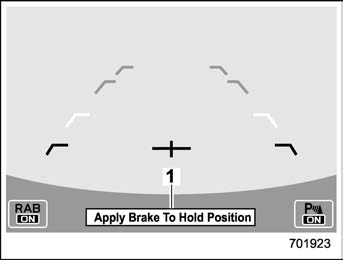
Depress brake pedal warning
Make sure to depress the brake pedal once the vehicle has been stopped by automatic braking. Until the brake pedal is depressed, a message will be displayed on the audio/navigation monitor and the continuous beep will remain sounding.
At this time, a warning message is also displayed on the combination meter dis- play (color LCD).
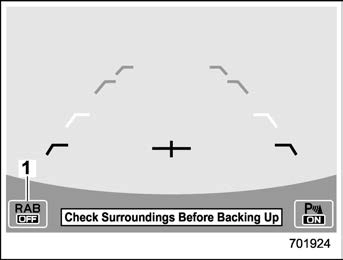
1) Reverse Automatic Braking system OFF indicator
After the brake pedal is depressed, the Reverse Automatic Braking system OFF indicator will illuminate and the system will temporarily stop operating. The Reverse Automatic Braking system OFF indicator will turn off when the select lever is shifted to a position other than the “R” position.
The system will operate again the next time the select lever is shifted to “R”
position.
In circumstances such as the following, the Reverse Automatic Braking system auto- matically stops operating and the Reverse Automatic Braking system OFF indicator illuminates.
onds after turning the ignition switch to the “ON” position.
& Canceling the Reverse Auto- matic Braking system opera- tion
The Reverse Automatic Braking system can be temporarily canceled by any of the following operations.
While the select lever is shifted to the “R” position, the below functions of the Re- verse Automatic Braking system can be set by operating the audio/navigation monitor.
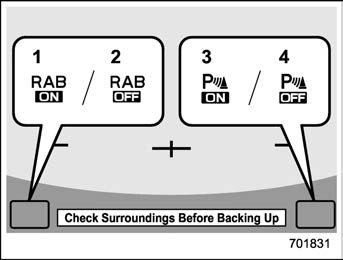
When the ON setting key is shown, the corresponding setting is ON.
Touch and hold the ON setting key to turn the setting OFF.
When the OFF setting is shown, the corresponding setting is OFF.
Touch and hold the OFF setting key to turn the setting ON.
When the Reverse Automatic Braking system is turned OFF, the following in- dicator will illuminate.
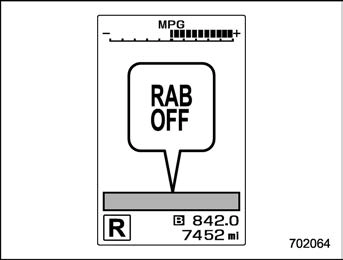
RAB OFF indicator: illuminates when the Reverse Automatic Braking system is turned OFF.
RAB OFF indicator will turn off when the Reverse Automatic Braking system is turned ON.
Also, the following settings can be chan- ged by operating the combination meter display (color LCD).
For details, refer to “Menu screens”
P195.
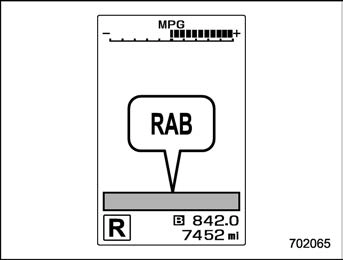
If the Reverse Automatic Braking System malfunctions, the above indicator illumi- nates on the combination meter. Contact the nearest SUBARU dealer for details.
The 4 sonar sensors are located in the rear bumper. To ensure the proper operation of the Reverse Automatic Braking system, observe the following precautions.
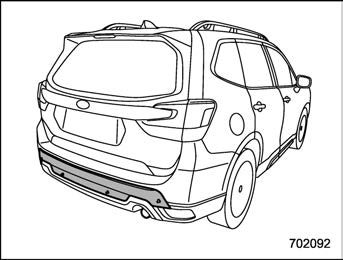
objects in the reversing direction. If any strong impact is applied to the rear bumper, contact a SUBARU dealer to have the system inspected.
. Do not disassemble the sonar sensors.
Download Manual