Rear gate
The rear gate can be locked and unlocked using any of the following systems.
P132.
P110.
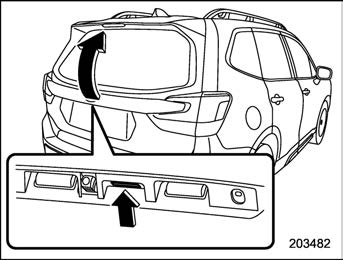
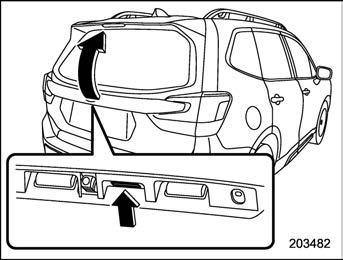
Rear gate opener button
To close:
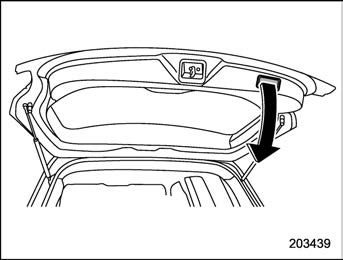
Lower the rear gate slowly and push down firmly until the latch engages.
The rear gate can be lowered easily if you pull it down holding the handle.
The power rear gate operates only when all of the following conditions are satisfied.
We recommend using the power rear gate function in most circumstances instead of manual operation.
P141.
! Operation
! By the power rear gate button (other than the buttons on the rear gate)
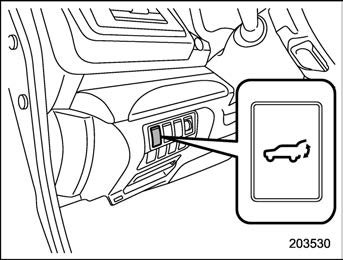
Power rear gate button on the instrument panel
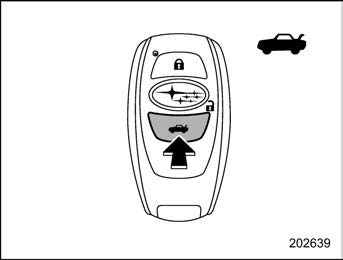
Power rear gate button on the access key fob
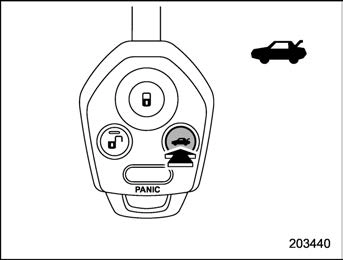
Power rear gate button on the transmitter
Press and hold the power rear gate button when the rear gate is closed. The rear gate
will open automatically. Then an electronic chirp and the hazard warning flashers will operate as follows:
To pause the opening rear gate:
Briefly press the power rear gate button while the rear gate is being opened. Then an electronic chirp will sound twice and the hazard warning flashers will flash twice.
If you press the power rear gate button again, the rear gate will close.
You can open the rear gate by pressing the power rear gate button briefly while the rear gate is being closed.
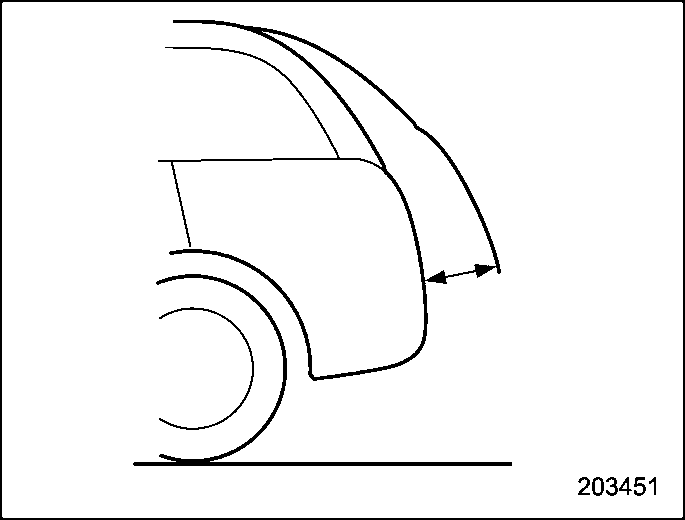
To close the rear gate:
Press and hold the power rear gate button. Then an electronic chirp will sound twice and the hazard warning flashers will flash twice. If you briefly press the power rear gate button again, the rear gate will open.
power rear gate button can be changed by your SUBARU dealer. Contact your SUBARU dealer for details.
! By the buttons on the rear gate
NOTE
After performing the following proce- dures, an electronic chirp will sound twice and the hazard warning flashers will flash twice.
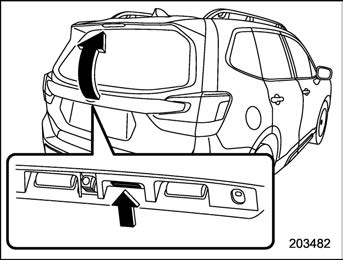
Rear gate opener button
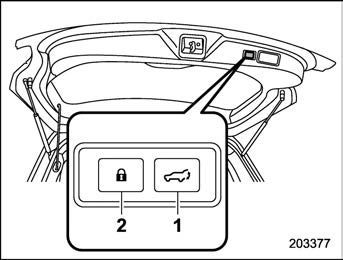
Power rear gate button on the inside edge of the rear gate
The rear gate will open automatically.
Briefly press either of the following buttons while the rear gate is being opened.
. Rear gate opener button
If you press the power rear gate button again, the rear gate will close. You can open the rear gate by pressing the power rear gate button briefly while the rear gate is being closed.
To close the rear gate:
Briefly press either of the following but-
tons.
If you press the power rear gate button again, the rear gate will open.
Carry the access key fob, and press the power rear gate lock button. All doors, the rear gate and the fuel lid are locked, and the rear gate will be closed. Also, the hazard warning flashers will flash once, and an electronic chirp will sound once.
! By manual operation To open the rear gate:
Lift up the rear gate, when the rear gate at
midway position. The rear gate will open automatically.
Pull down the rear gate when the rear gate is opened. The rear gate will close auto- matically.
! Manual operation
NOTE
Using the power rear gate operation is recommended. Manual operation will require physical effort.
The power rear gate can be closed manually. Refer to “Manual rear gate”
P141.
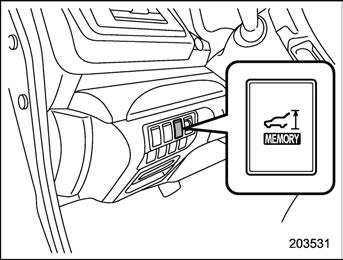
Memory switch
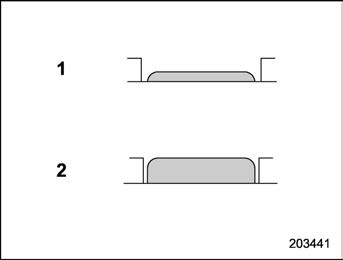
Memory switch status
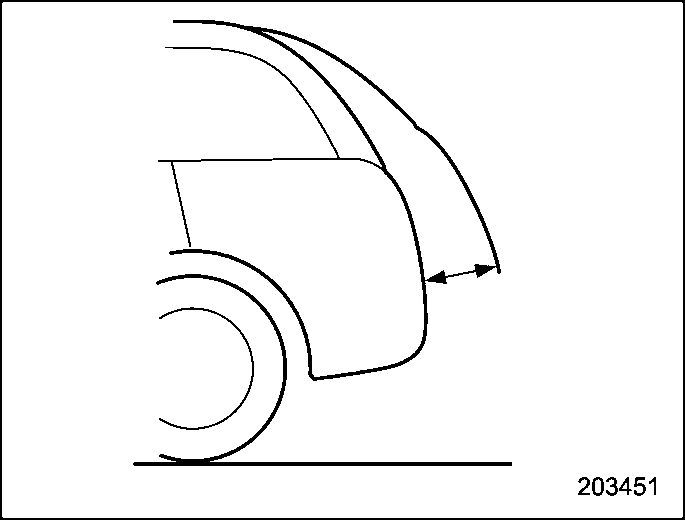
Your desired rear gate height can be
registered.
To register the rear gate height, perform the following procedures while the ignition switch is in the “LOCK”/“OFF” position.
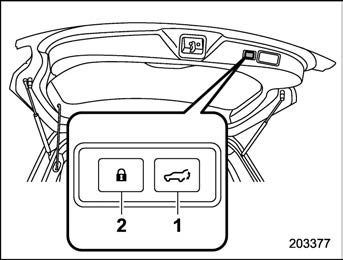
Power rear gate button on the inside edge of the rear gate
button on the inside edge of the rear gate until an electronic chirp is heard and the hazard warning flashers flash three times. The electronic chirp and the flashing hazard warning flashers confirm the se- lected rear gate height has been regis- tered.
Retrieval of the rear gate height:
To open the rear gate and stop it at the registered height, perform the following procedure.
Even if any of the power rear gate switches are pressed and held while the memory switch is in the OFF status, you can stop it at the registered height by pressing the memory switch to select the ON status before the rear gate reaches the registered
height.
! Reverse function
If, while opening or closing using power rear gate, the rear gate catches persons or baggage or hits an obstacle, an electronic chirp will sound 3 times and the rear gate will operate as follows.
When opening the rear gate: The rear gate will automatically close.
When closing the rear gate: The rear gate will automatically open.
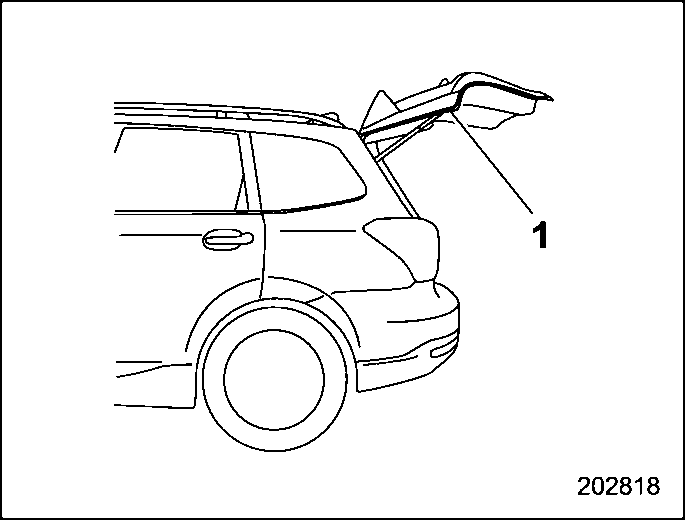
Touch sensors are attached on the left and right edges of the rear gate. If the touch sensors detect fingers, baggage, etc. while closing by the power rear gate function, an electronic chirp will sounds 3 times and the rear gate will open auto- matically.
! Rear gate drop prevention function
The rear gate is lowered by the weight of snow and such, an electronic chirp will sound and the rear gate drop prevention function will apply braking to the rear gate so that it prevents a rapid closure of the rear gate.
! Selecting audible signal operation
Using an electronic chirp, the power rear gate will give you an audible signal before starting its operation. If desired, the audi- ble signal can be turned off by a SUBARU dealer. Consult your SUBARU dealer for details.
For models with “keyless access with push-button start system”, you can turn the audible signal off by operating the combination meter display (color LCD). For details, refer to “Keyless Entry Sys- tem” P196.
The ON/OFF setting of the audible signal also works as the audible signal settings for the “remote keyless entry system” and the “keyless access with push-button start system”. However, for the warning chime
such as that caused by “Reverse function”
P147 or “Rear gate drop prevention function” P148, it cannot be set as non- operational.
If the power rear gate detects some abnormality while operating, an electronic chirp will sound and the power rear gate operation will be automatically stopped in either opening or closing position. In this case, the system needs to be initialized in the following order to restart the function properly.
Download Manual