OFF-ROAD PAGES — IF EQUIPPED
Your vehicle may be equipped with Off-Road Pages which display vehicle information related to the drivetrain, transfer case, and coolant/oil gauges.
To access Off-Road Pages, press the Apps button on the touchscreen, and then select Off-Road Pages.
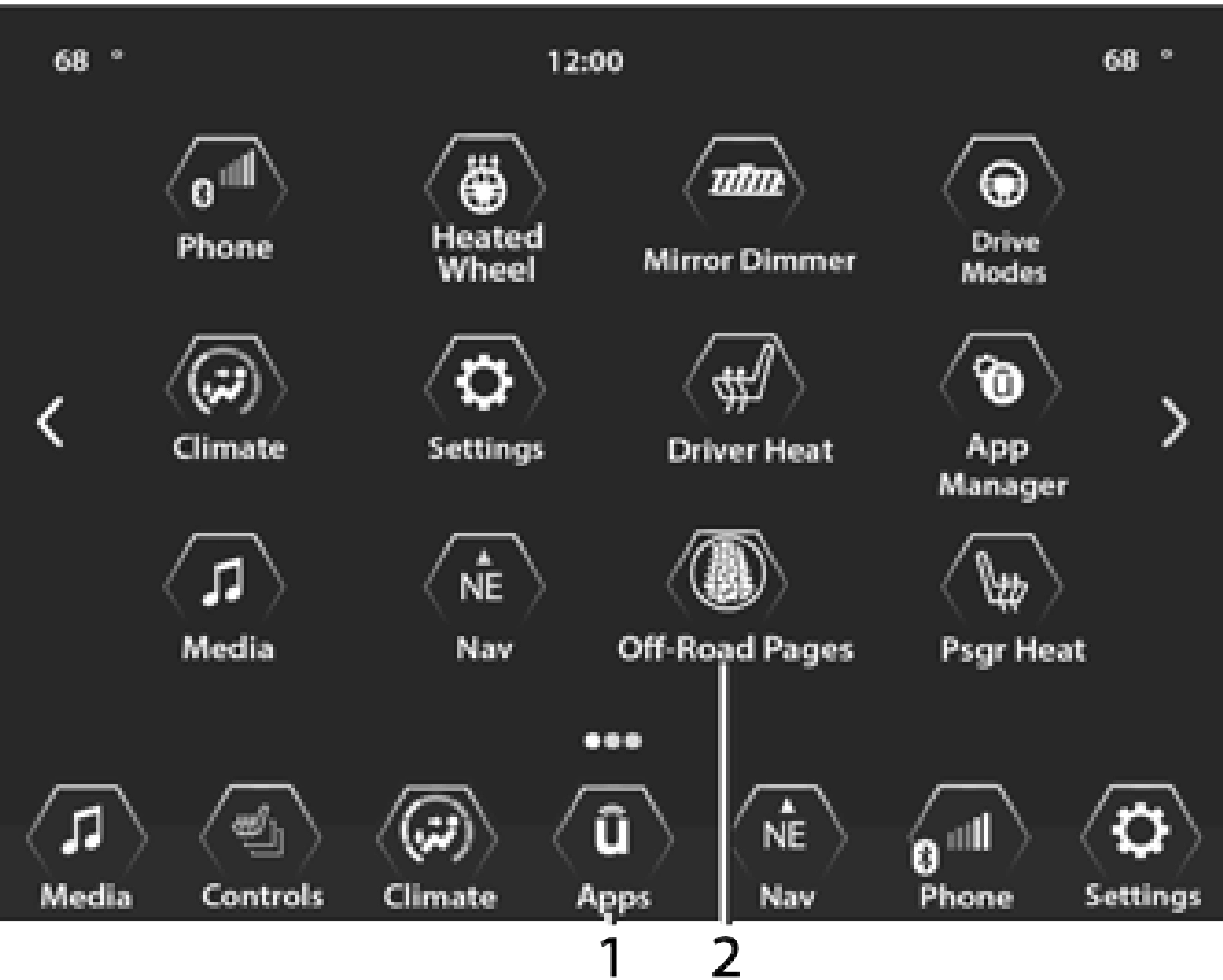
1 — Uconnect Apps Button 2 — Off-Road Pages App
OFF-ROAD PAGES STATUS BAR
The Off-Road Pages Status Bar is located along the bottom of Off-Road Pages and is present in each of the four selectable page options. It
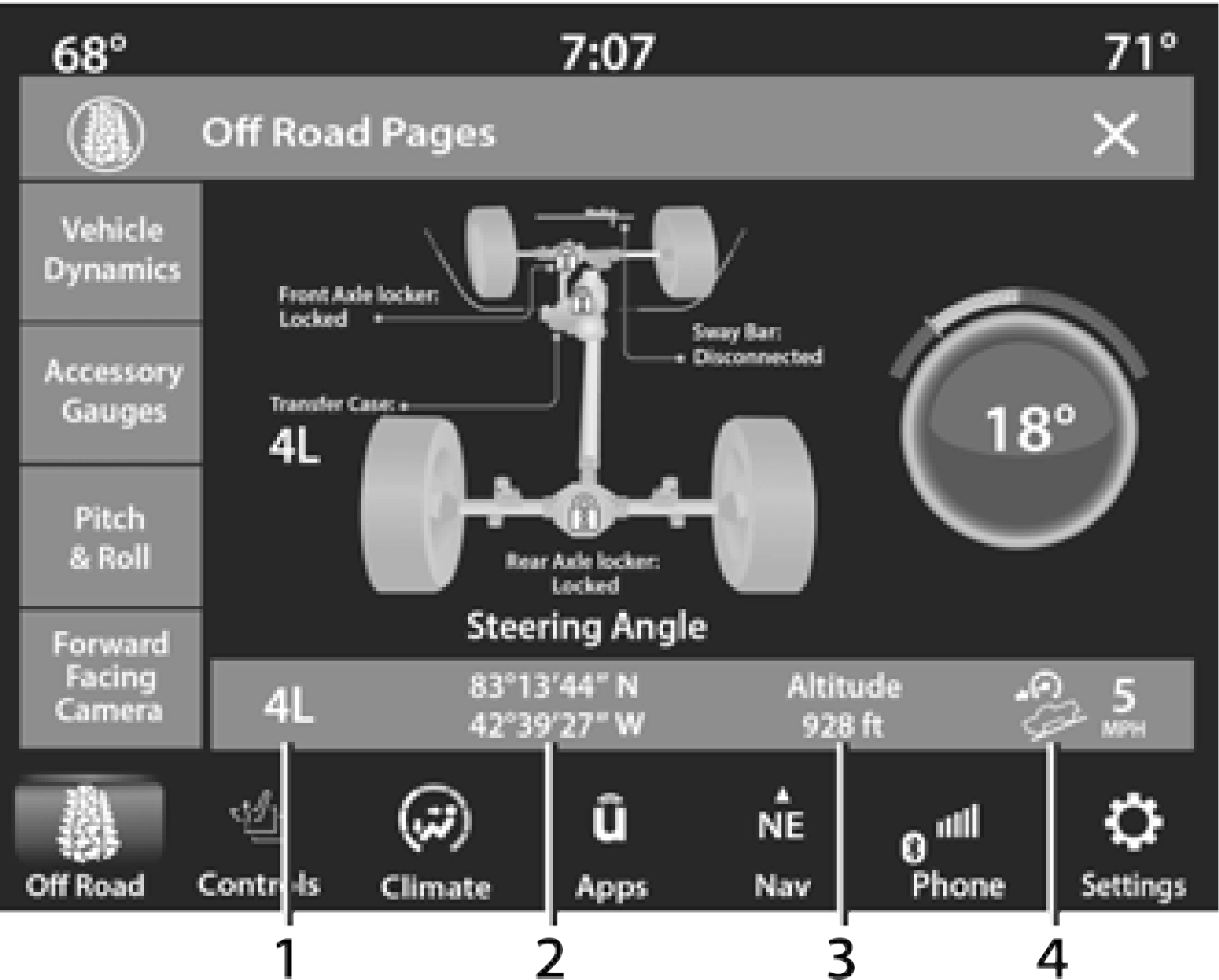
1 — Transfer Case Status 2 — Latitude/Longitude
provides information for the following items:
VEHICLE DYNAMICS
The Vehicle Dynamics page displays information concerning the vehicle’s transfer case and steering angle.
The following information is displayed:
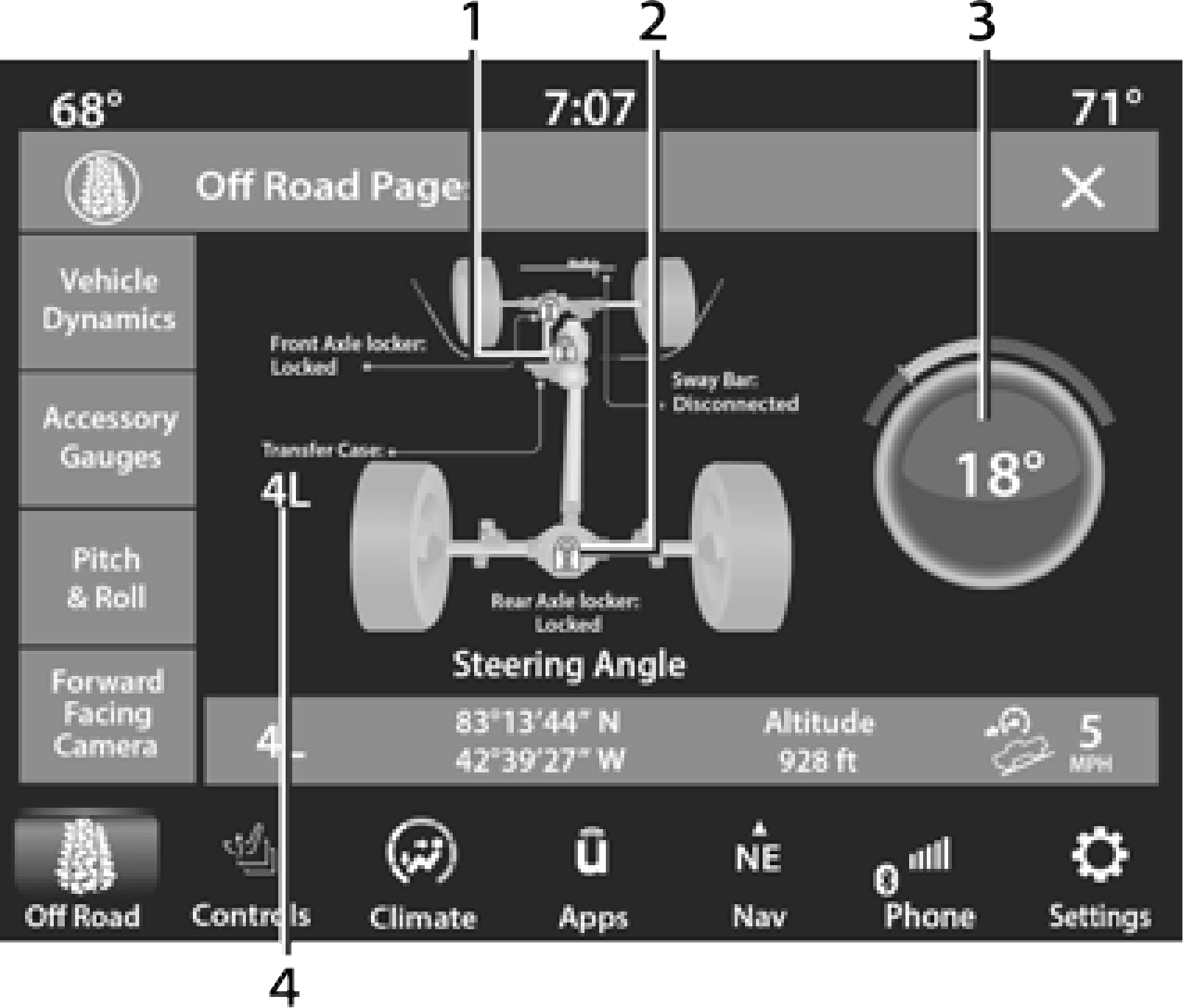
1 — Front Axle Locker Status 2 — Rear Axle Locker Status 3 — Steering Angle
4 — Transfer Case Status
ACCESSORY GAUGE
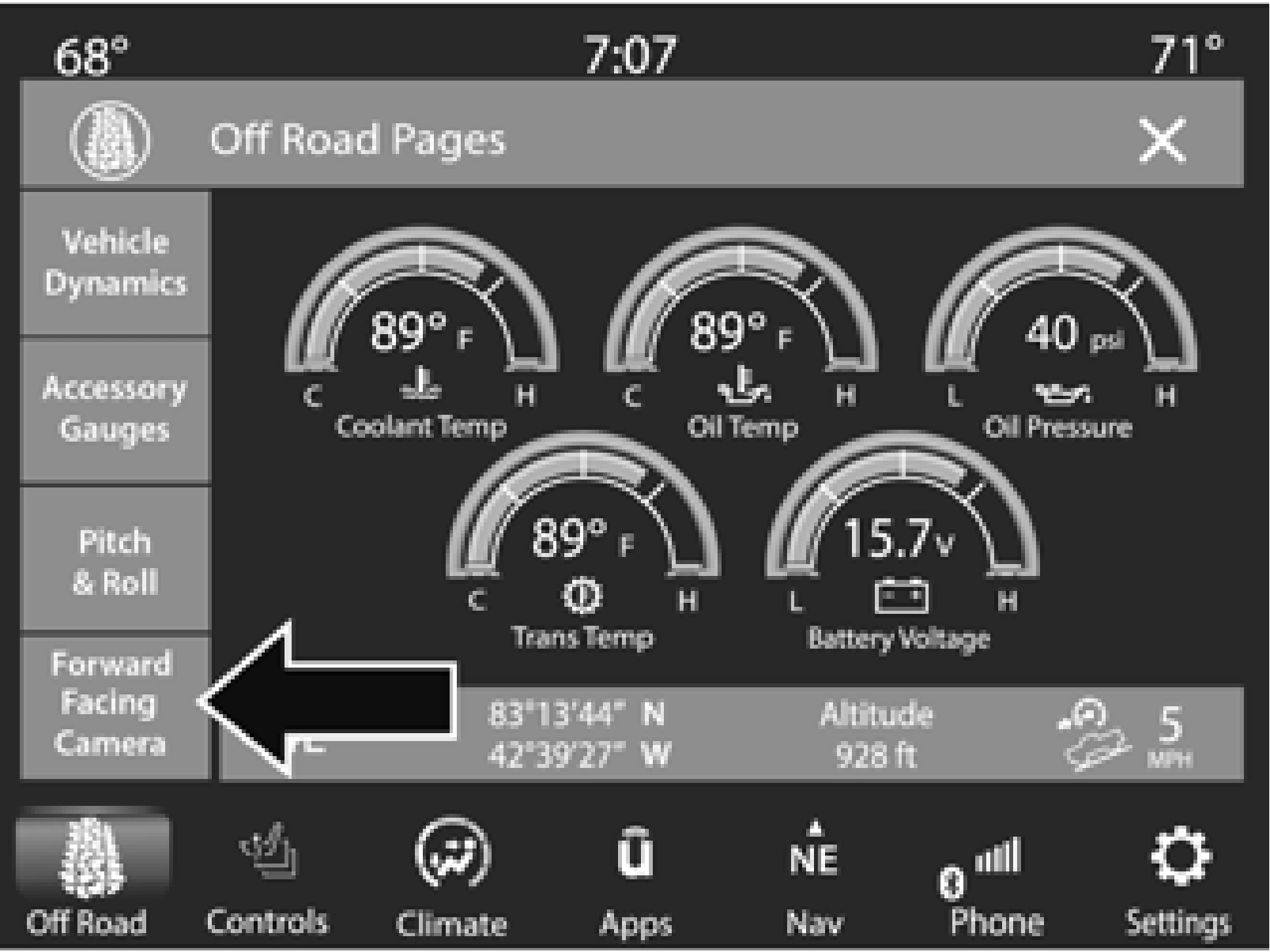
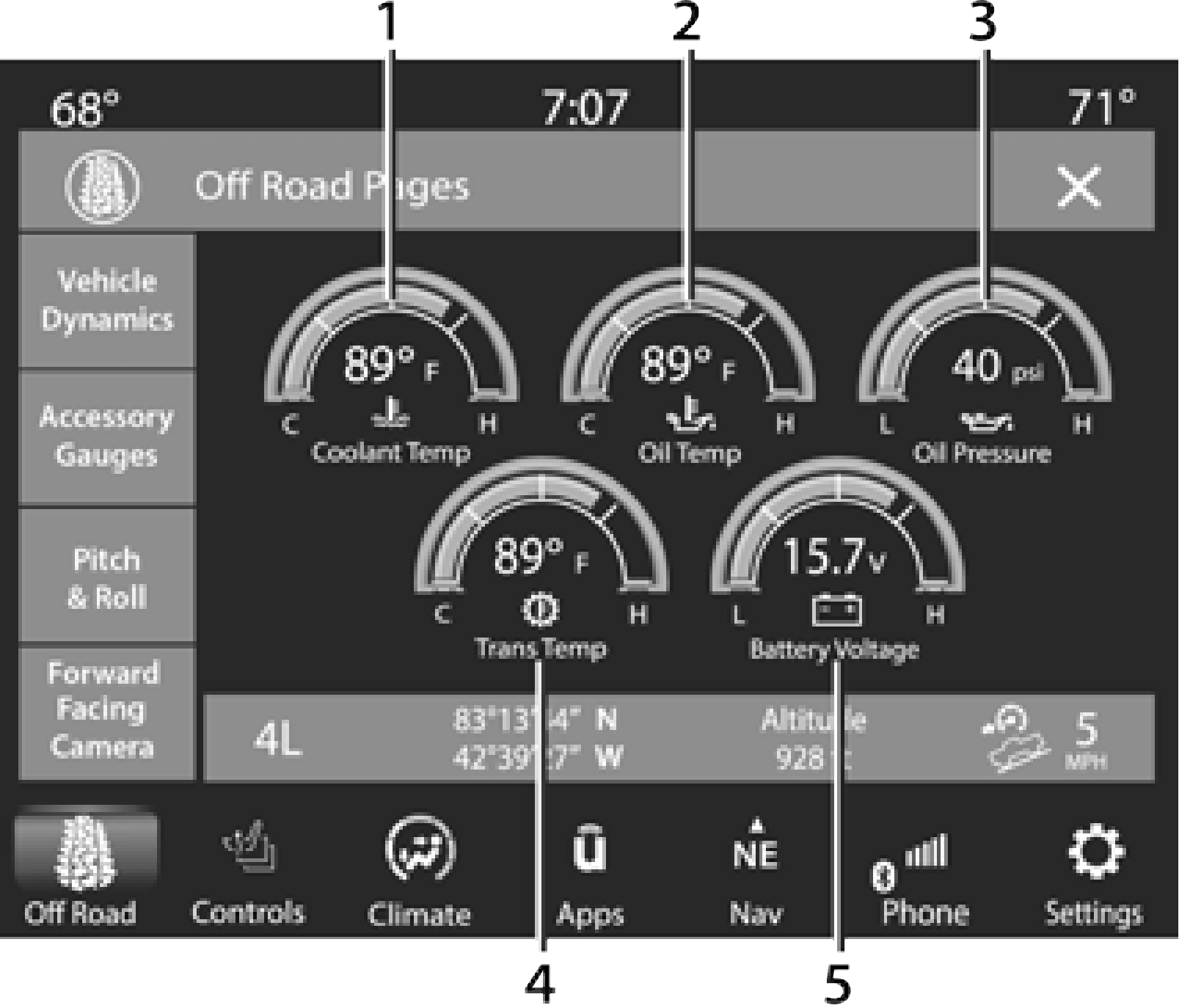 The Accessory Gauge page displays the current status of the vehicle’s Coolant Temperature, Oil Temperature, Oil Pressure, Transmission Temperature, and Battery Voltage.
5
1 — Coolant Temperature 2 — Oil Temperature
PITCH & ROLL
The Pitch & Roll page displays the vehicle’s current pitch (angle up and down) and roll (angle side to side) in degrees.The Pitch & Roll gauge provide a visualization of the current vehicle angle.
Pitch & Roll values may show upon startup. These numbers will update once the vehicle is driven.
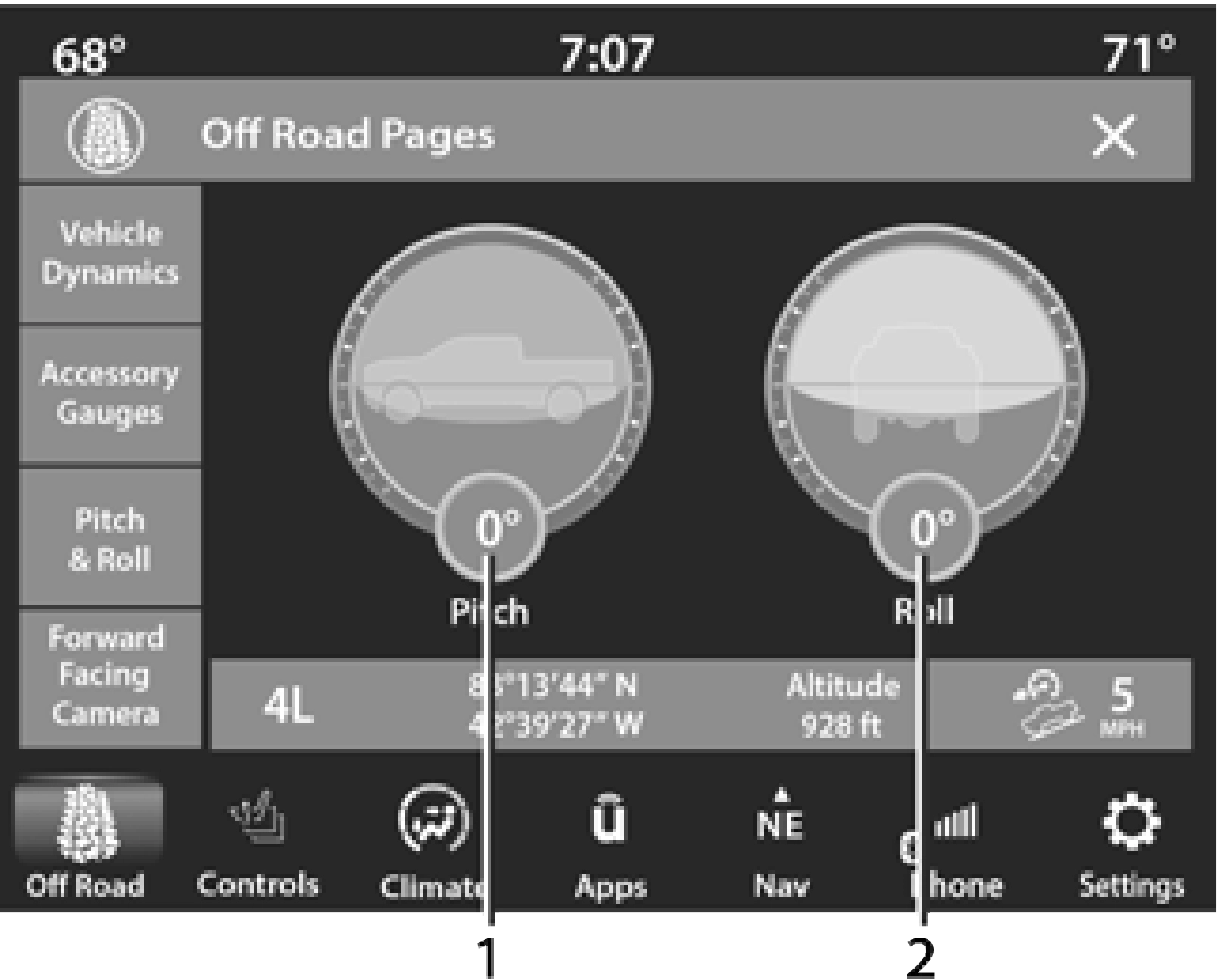
1 — Current Pitch 2 — Current Roll
FORWARD FACING CAMERA
Your vehicle may be equipped with a Forward Facing Camera that allows you to see an
on-screen image of the front view of your vehicle. The image will be displayed on the touchscreen along with a caution note “Check Entire Surroundings” across the top of the screen.
To activate, press the Forward Facing Camera button on the touchscreen.
Download Manual