INTERIOR STORAGE AND EQUIPMENT
STORAGE
The glove compartment is located on the passenger side of the instrument panel and features both an upper and lower storage area.
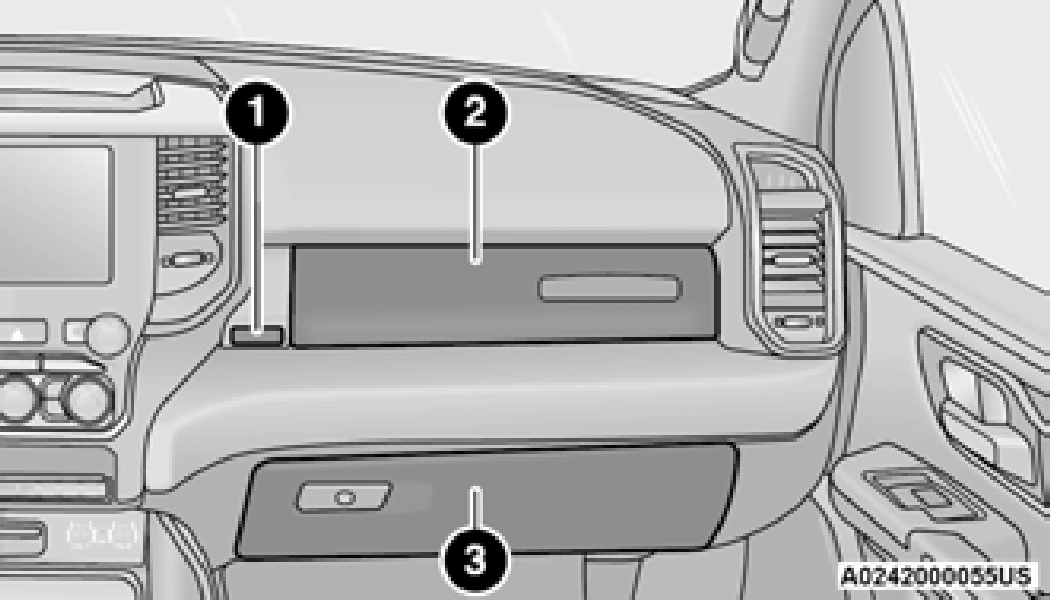
If equipped with a covered upper glove compartment, push the release button to open.
To open the lower glove compartment, pull the release handle.
Storage areas are located in the door trim panels.
Storage compartments are located in both the driver and passenger rear door trim panels.
The center storage compartment is located between the driver and passenger seats. The storage compartment provides an armrest and contains both an upper and lower storage area.
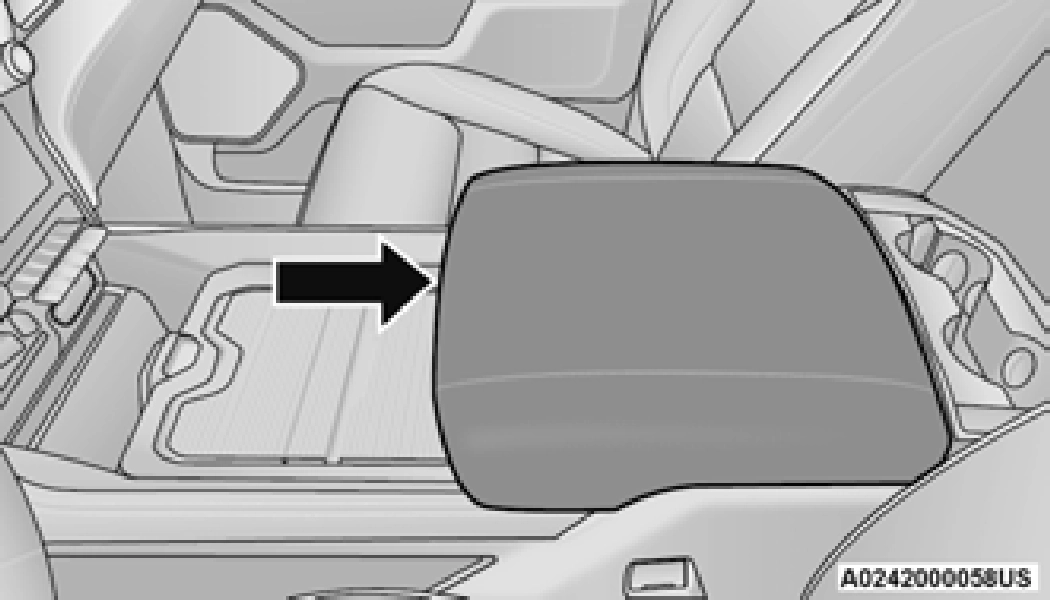
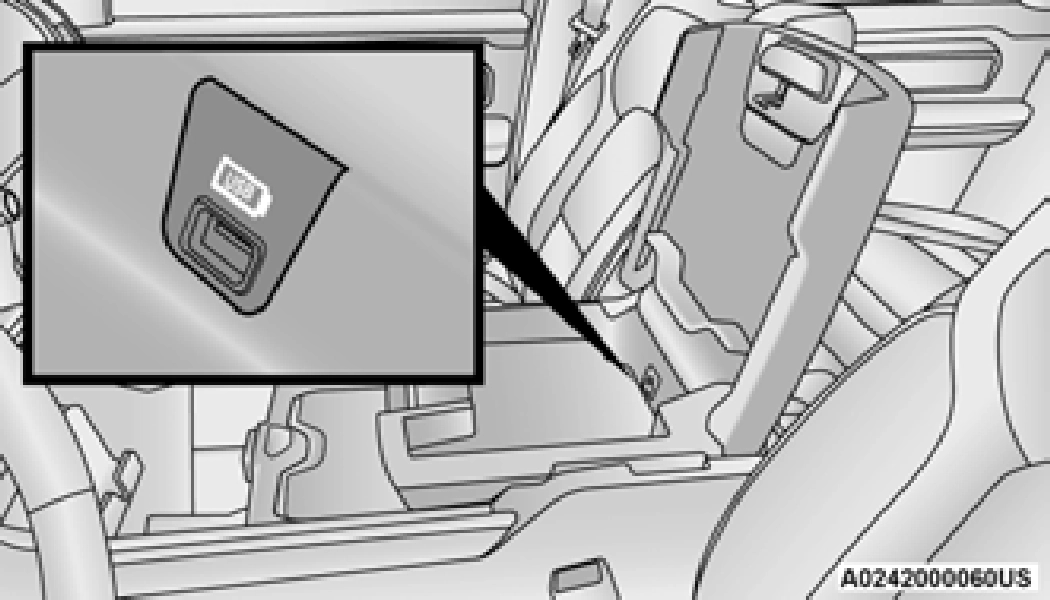
Pull the upper handle on the front of the armrest to raise the cover. The upper storage area contains a USB port located that can be used to power small electrical devices.
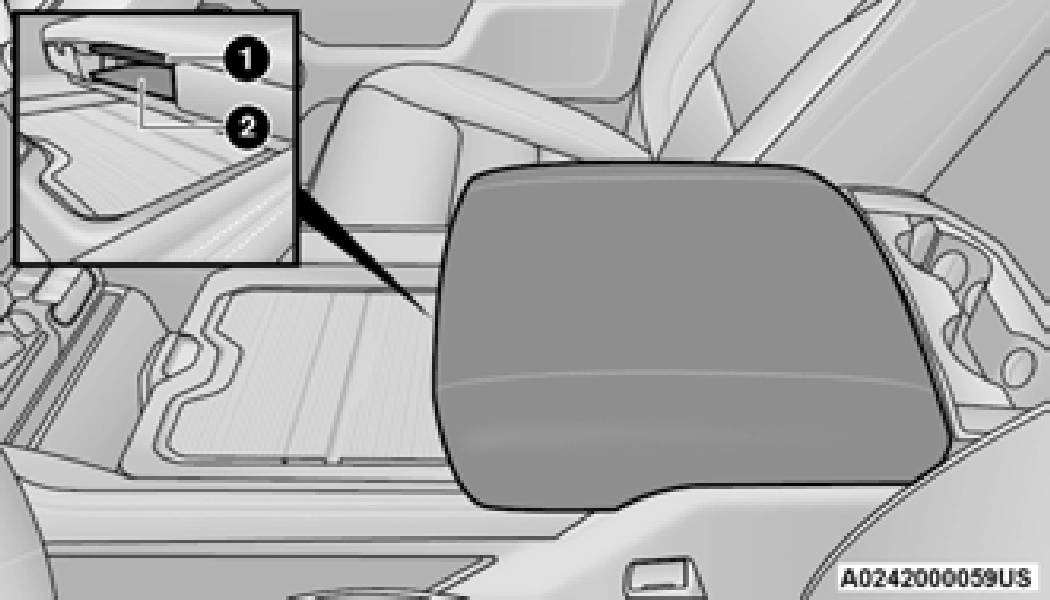
1 — Upper Console Handle 2 — Lower Console Handle
With the upper lid closed, pull the lower handle to open the lower storage bin. The lower bin contains a power inverter. There is also a “fill
line” located along the rear inside wall of the lower bin. Contents above the “fill line” may interfere with cupholder placement if equipped with a premium center console.
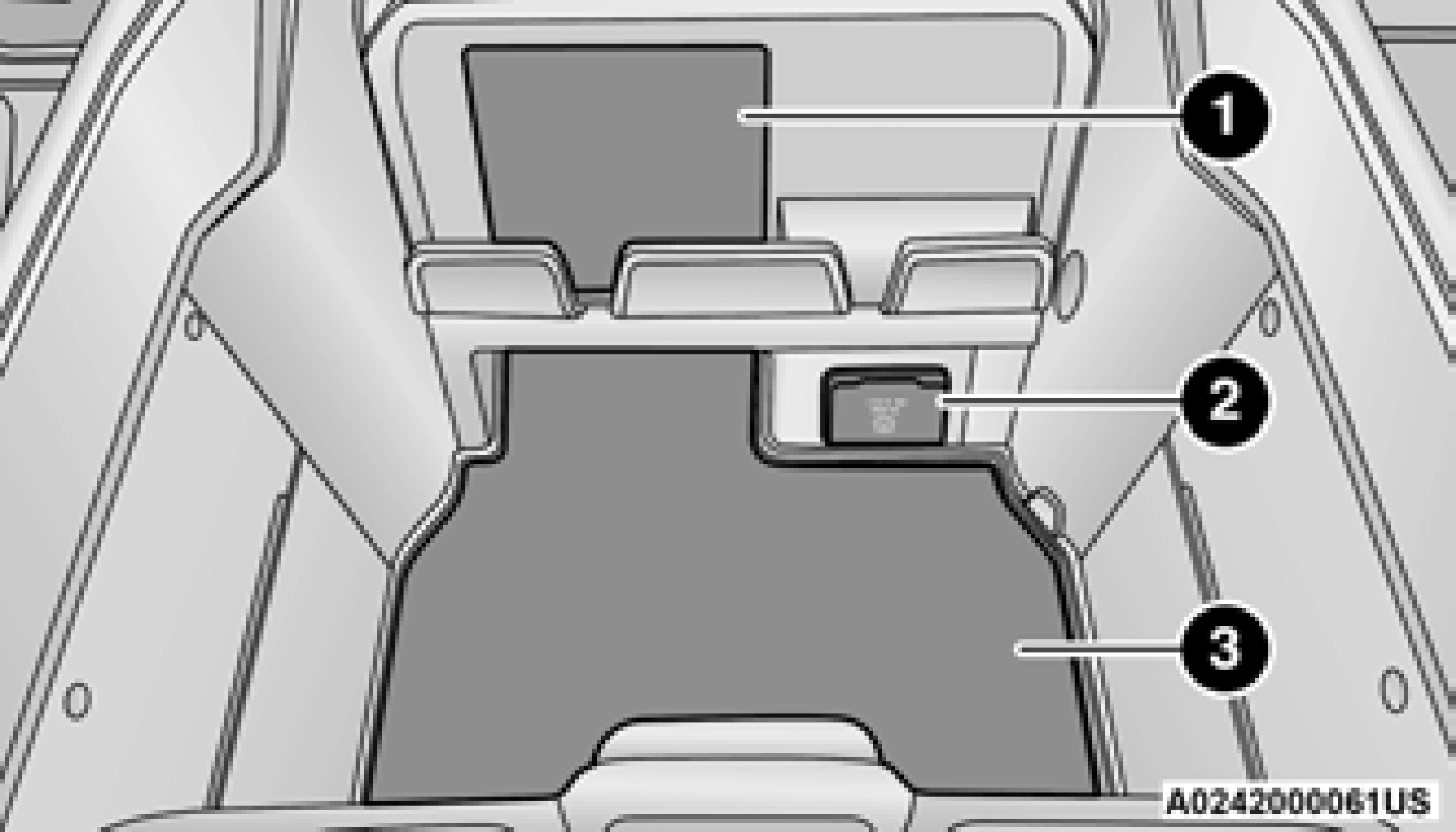
1 — Wireless Charging Pad 2 — Power Inverter
3 — Storage Area
The premium center console is equipped with two front storage bins located in front of the center storage compartment. These storage
bins may be equipped with tandem doors. Push 2
the front bin to access the cupholders, or push
the rear bin to access the coin holder/small storage bin.
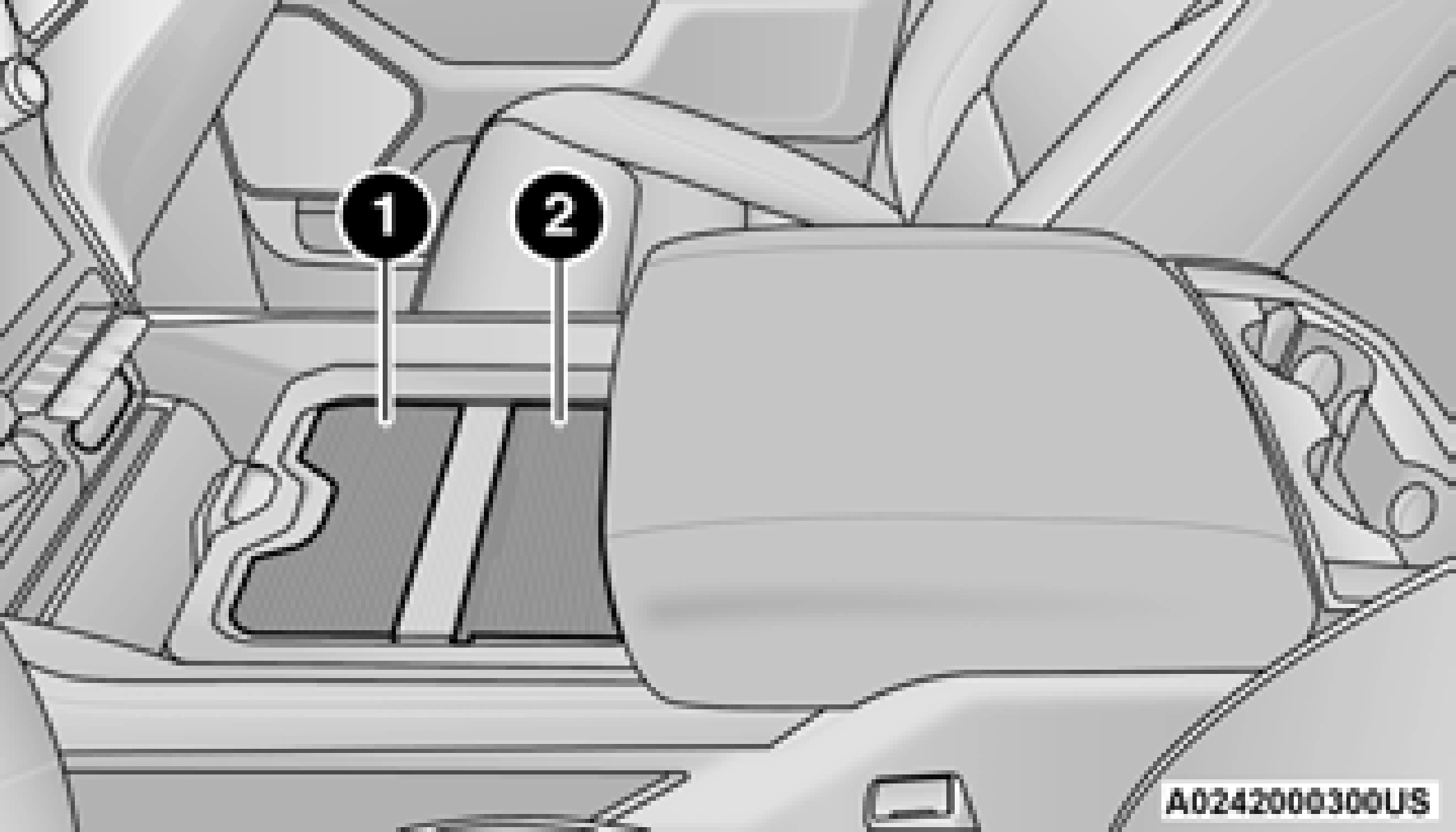
1 — Push Front Bin Access 2 — Push Rear Bin Access
1 — Front Bin Open 2 — Rear Bin Open
Push the release button at the front of the cupholder bin to slide tray rearward to access the front lower storage bin, or forward to access the rear lower storage bin.
Overhead Sunglass Storage
At the front of the overhead console, a compartment is provided for the storage of one pair of sunglasses.
From the closed position, push the door latch to open the compartment.
Front Bench Seat Storage — If Equipped
If your vehicle is equipped with a front bench seat, storage can be found by folding down the center seat back. A console storage area and cupholders are available.
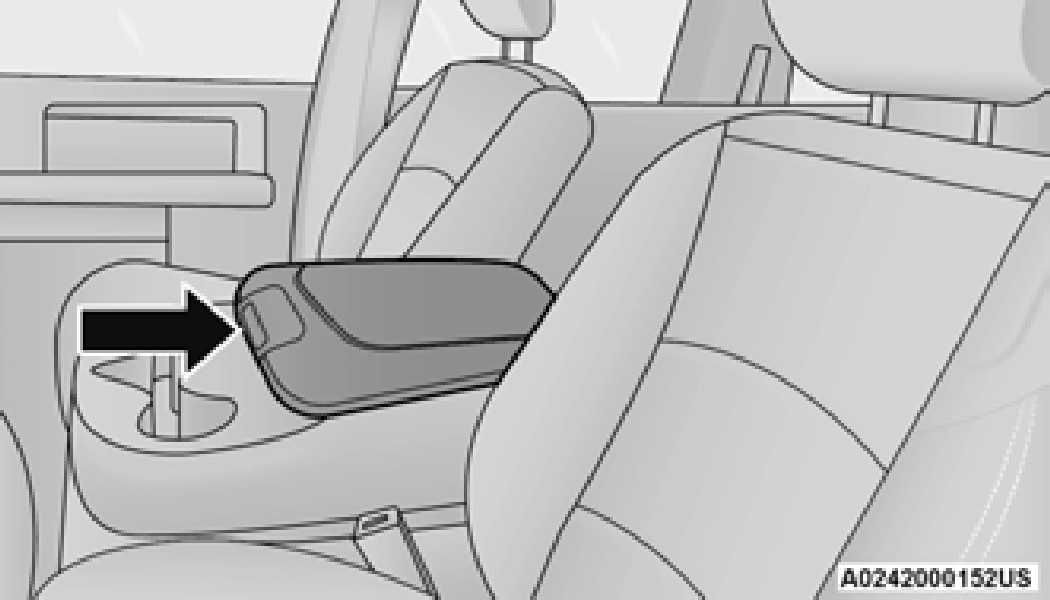
With the seatback in the upright position, lift the center seat bottom to access additional storage underneath the seat.
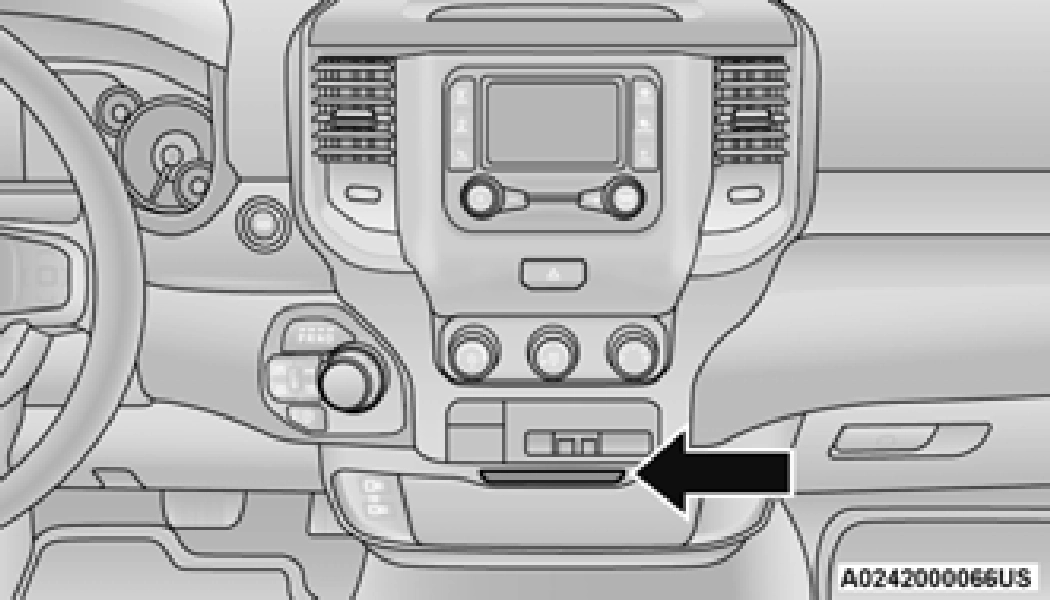
There is a storage drawer located in the lower center of the instrument panel. It can be released by pushing the access button above it. Pull drawer outward to the fully open position.
Seatback Storage — If Equipped
Located in the back of both the driver and passenger front seats are pockets that can be used for storage.
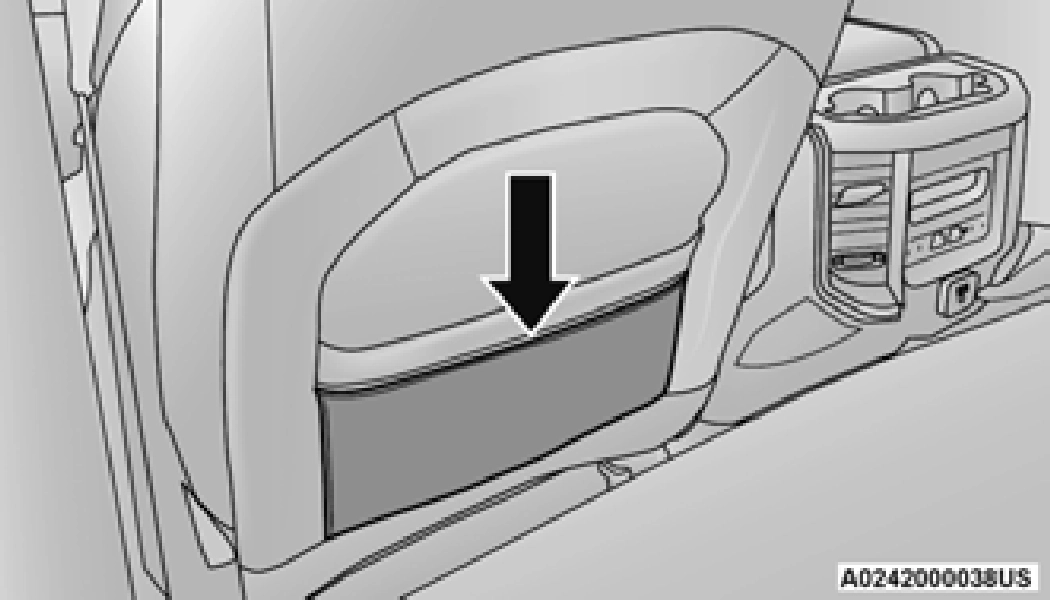
Second Row In-Floor Storage Bin — If Equipped
In-floor storage bins are located in front of the second row seats and can be used for extra
storage. The storage bins have removable liners 2
that can be easily removed for cleaning.
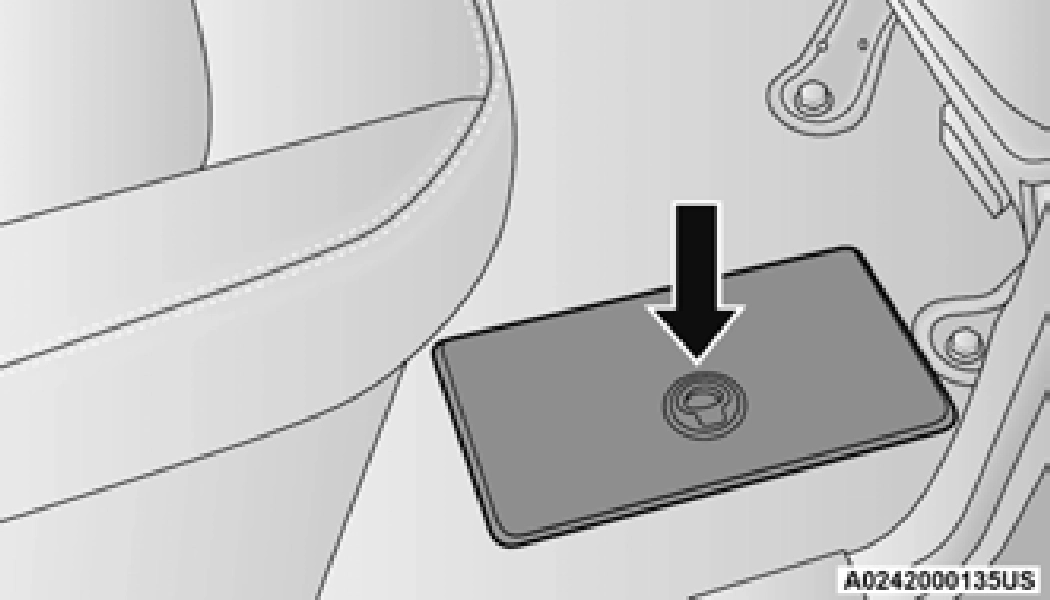
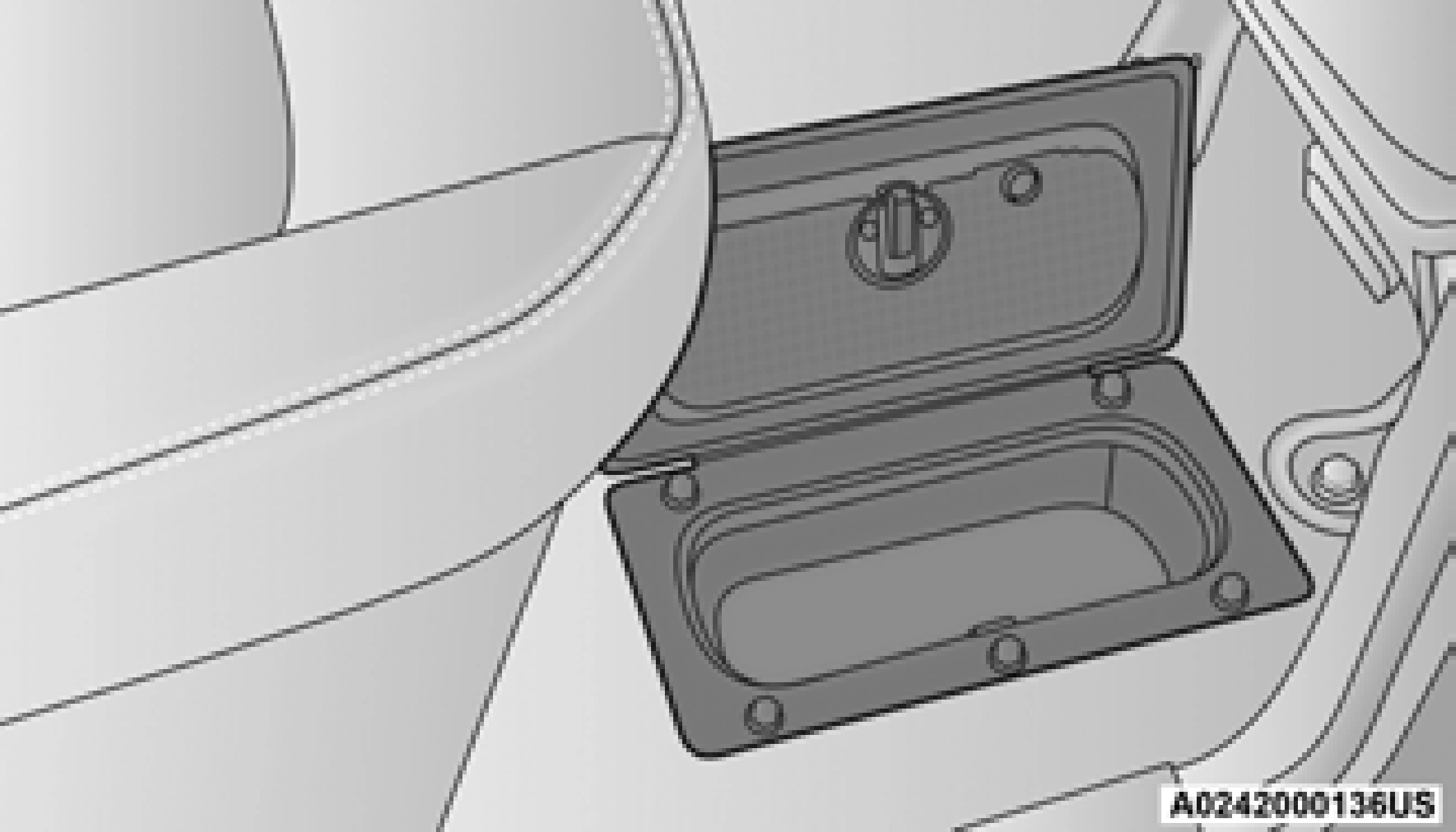
To open in-floor storage bin, remove the floor mat (if equipped), and lift upward on the handle of the latch and open the lid.
The front seat may have to be moved forward to fully open the lid.
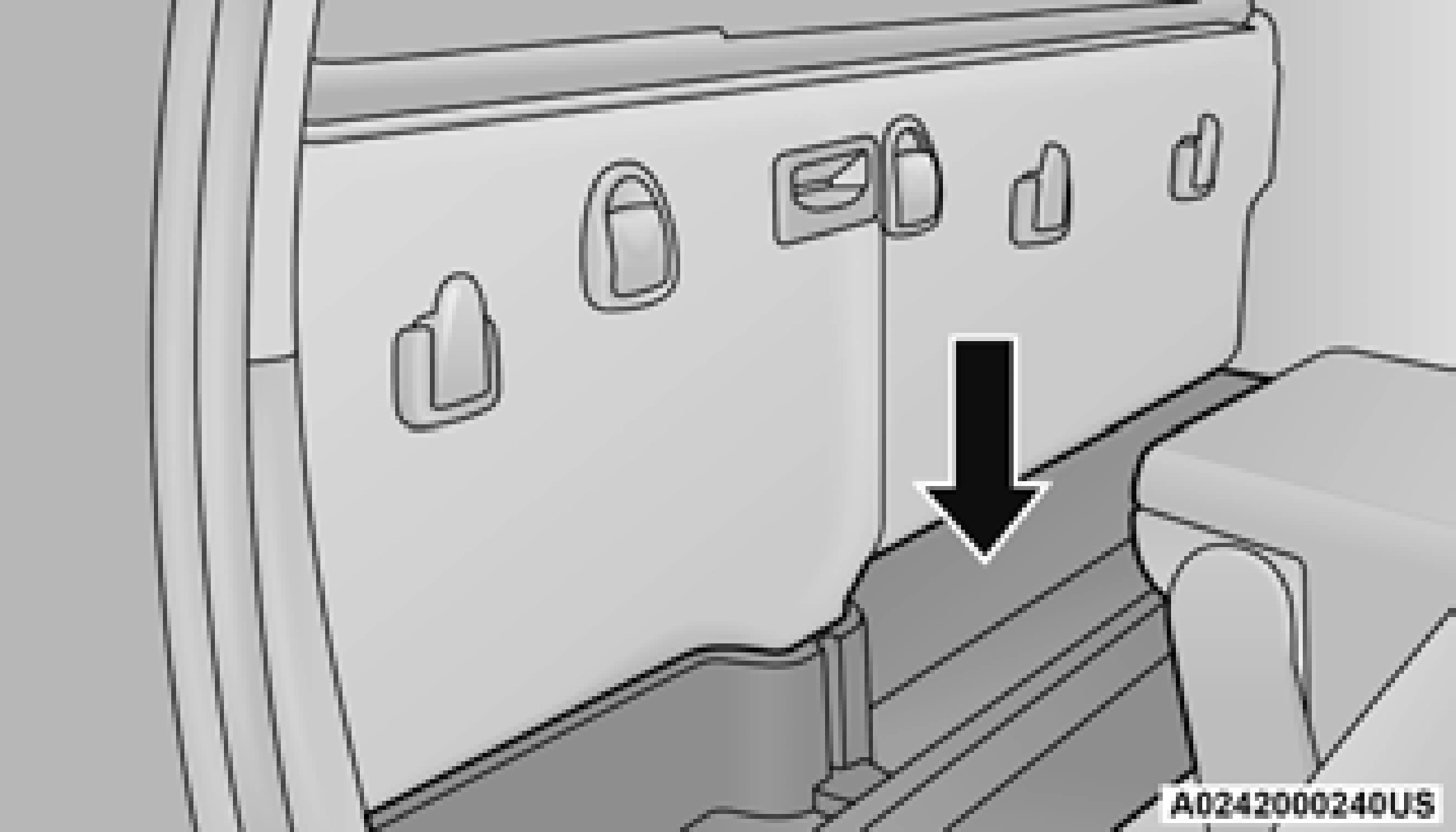
Storage Bin (Regular Cab)
The storage bin is located behind the front seats and runs the length of the cab.
Fold Flat Load Floor — If Equipped
Crew Cab models with a 60/40 rear seat may be equipped with a folding load floor.
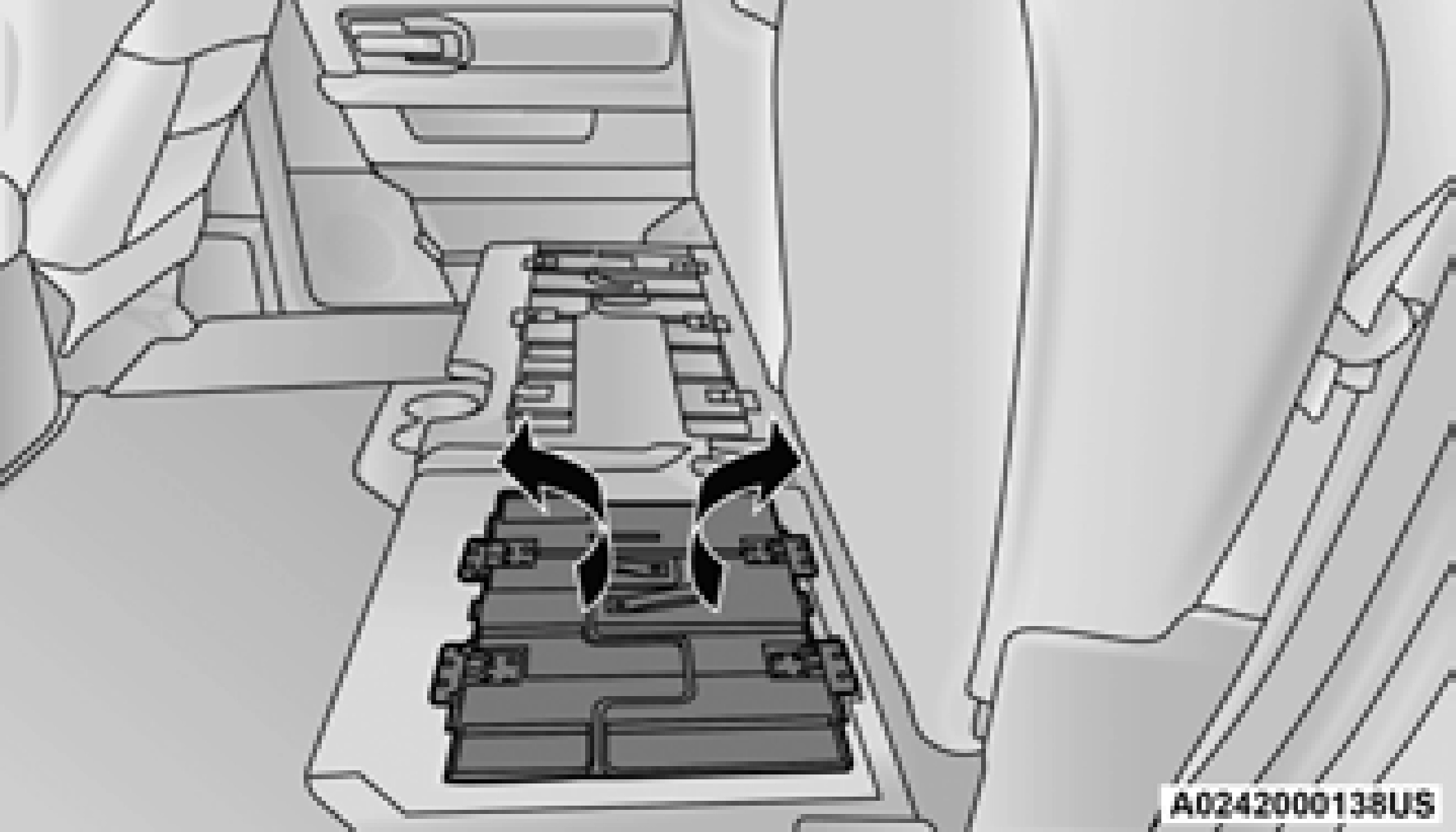
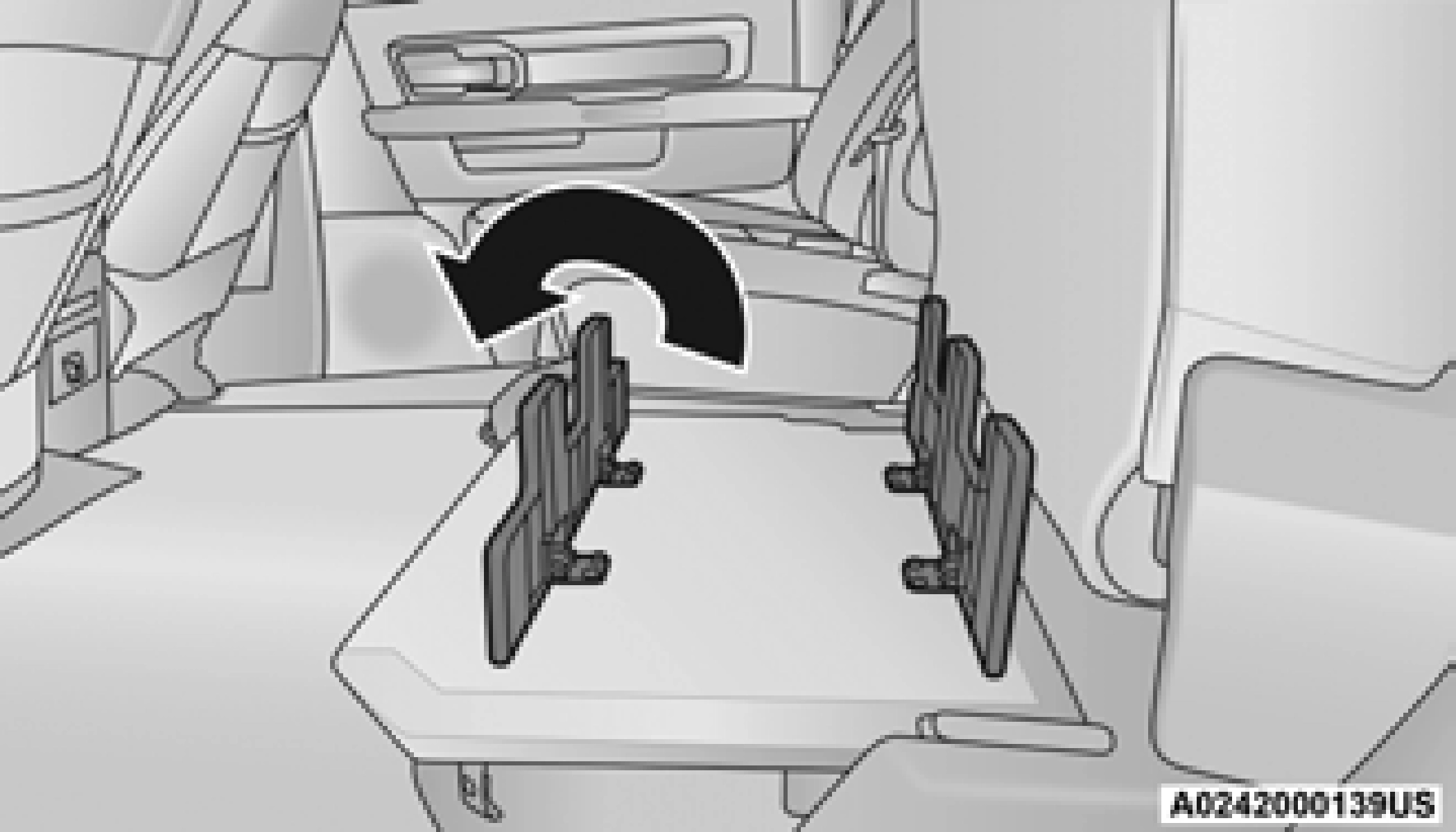
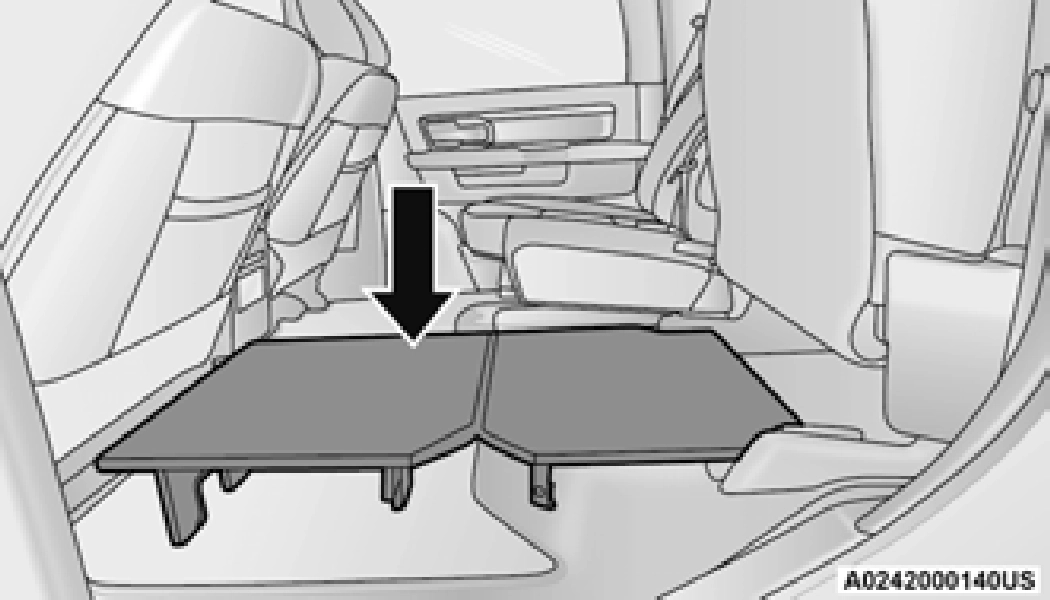
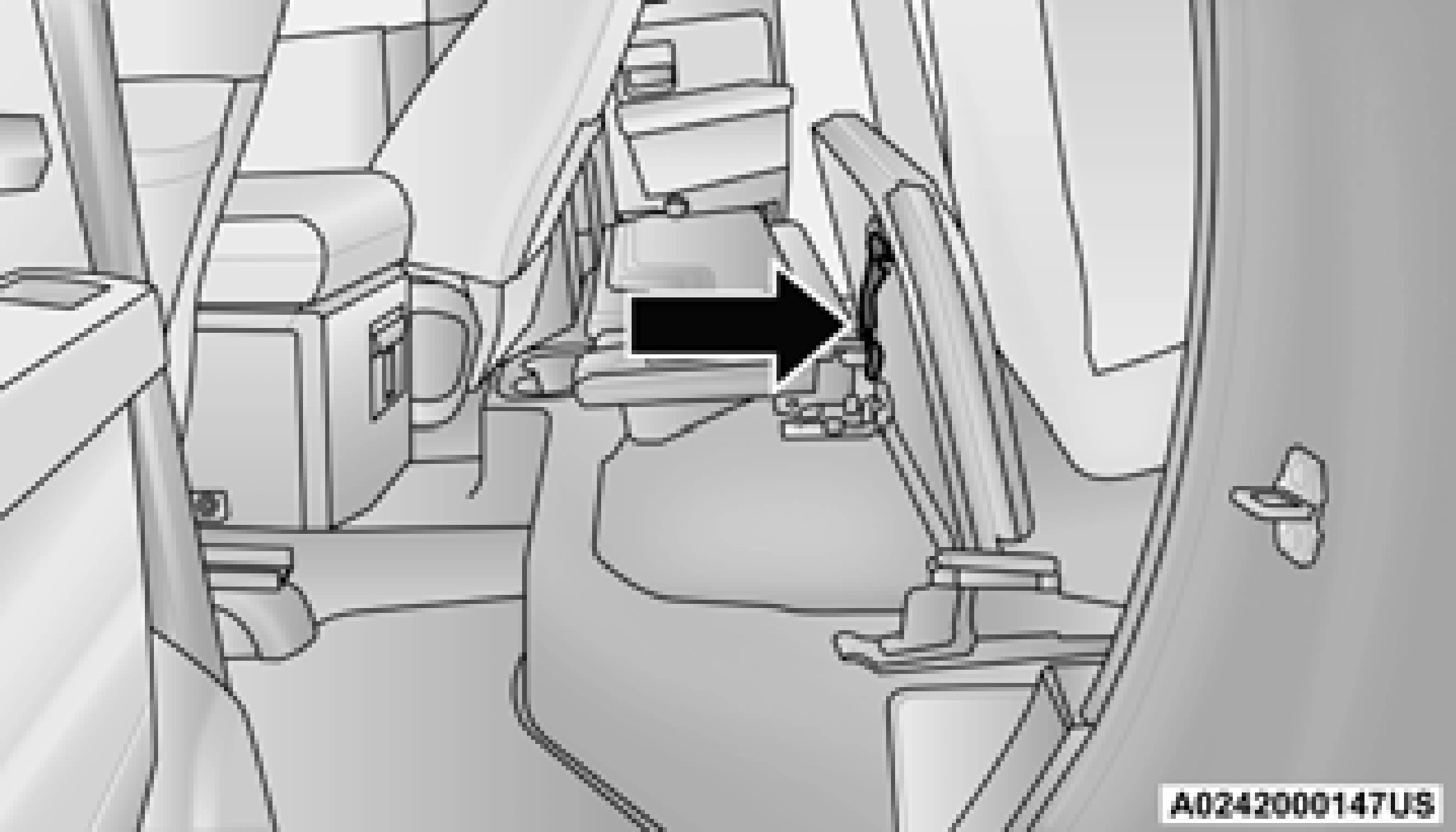
Below Rear Seat Storage (Crew Cab)
The Crew Cab models provide additional storage under the rear seats. Lift the seats to access the storage compartment.
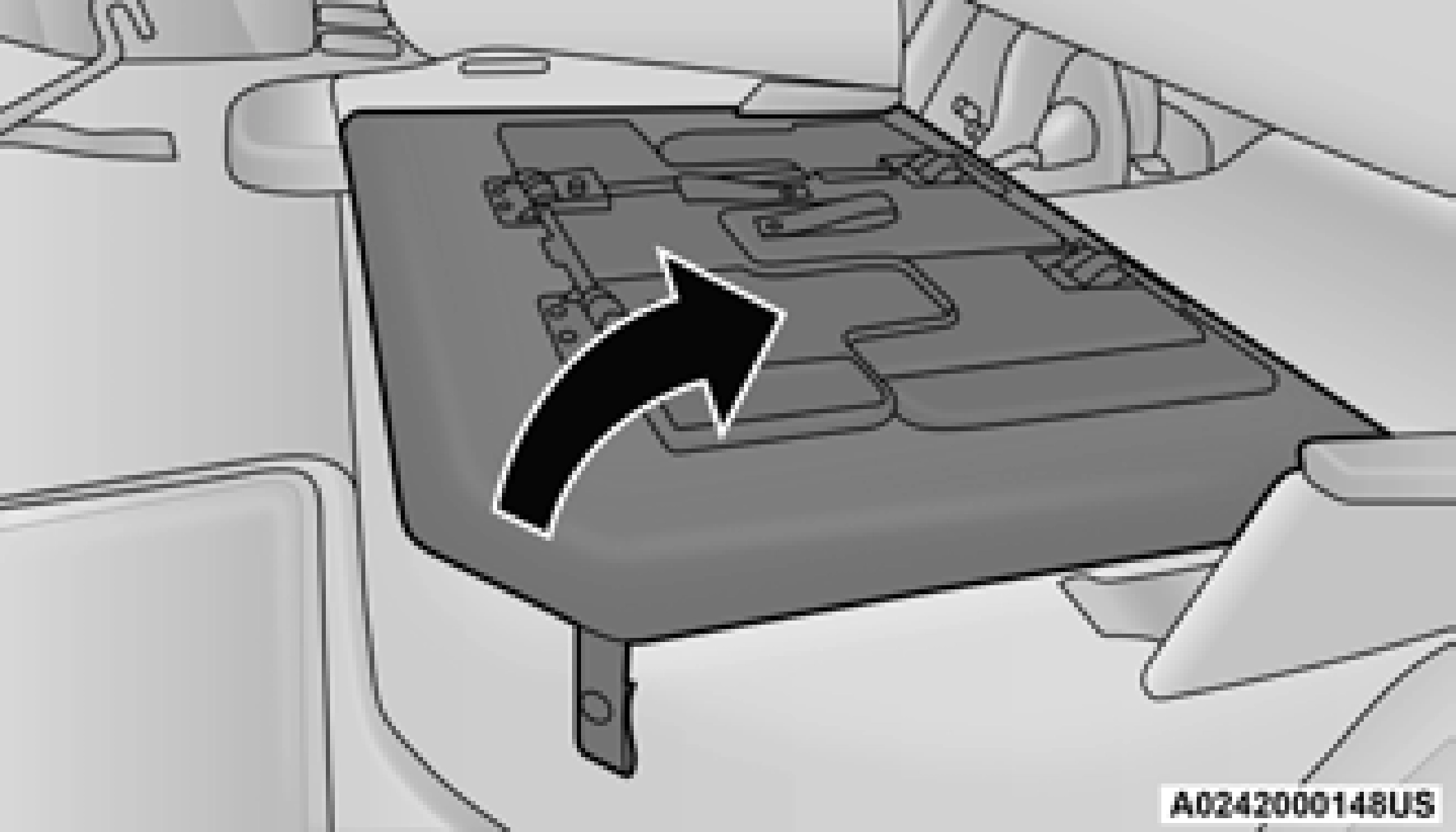
To open the storage compartments, unsnap the 2
securing snap located at either side of the load floor and lift upward on the fold flat lid
page 72.
USB/AUX CONTROL
Located on the center stack, just below the instrument panel, is the main media hub. There are four total USB ports: Two Mini-USBs (Type C) and two Standard USBs (Type A). There is also an AUX port located in the middle of the USB ports.
Plugging in a smartphone device to a USB port may activate Android Auto™ or Apple CarPlay® features, if equipped. For further information, refer to “Android Auto™” or “Apple CarPlay®” in the Owner’s Manual Supplement.
Two devices can be plugged in at the same time, and both ports will provide charging capa- bilities. Only one port can transfer data to the system at a time. A pop-up will appear and allow you to select the device transferring data.
For example, if a device is plugged into the Type A USB port and another device is plugged into the Type C USB port, a message will appear and allow you to select which device to use.
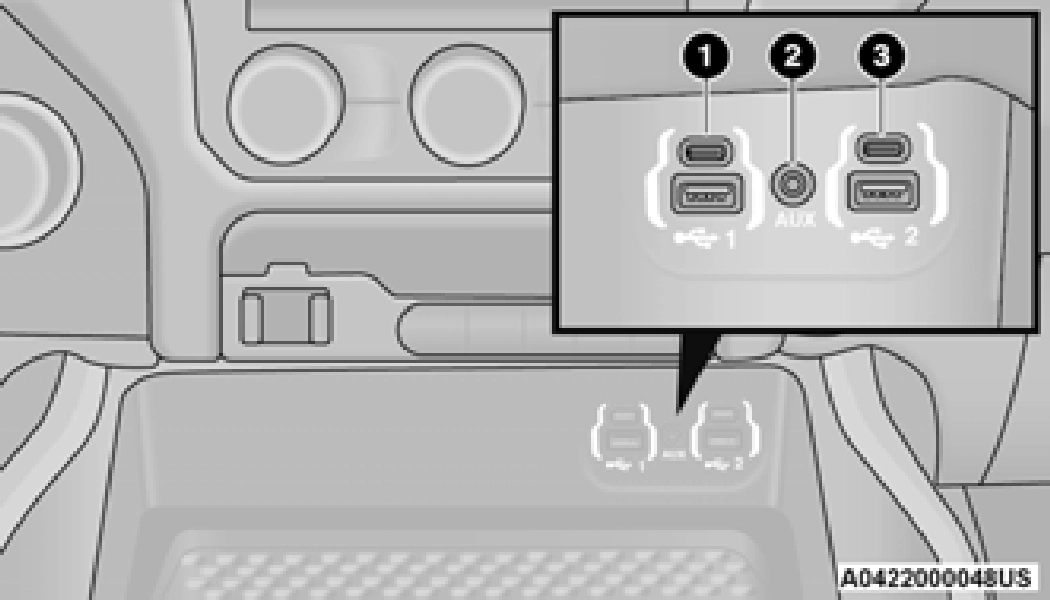
1 — Standard USB Type A Port #1 2 — AUX Port
3 — Standard USB Type A Port #2
The third and fourth USB ports are located behind the center console, above the power inverter. These USB ports are charge only.
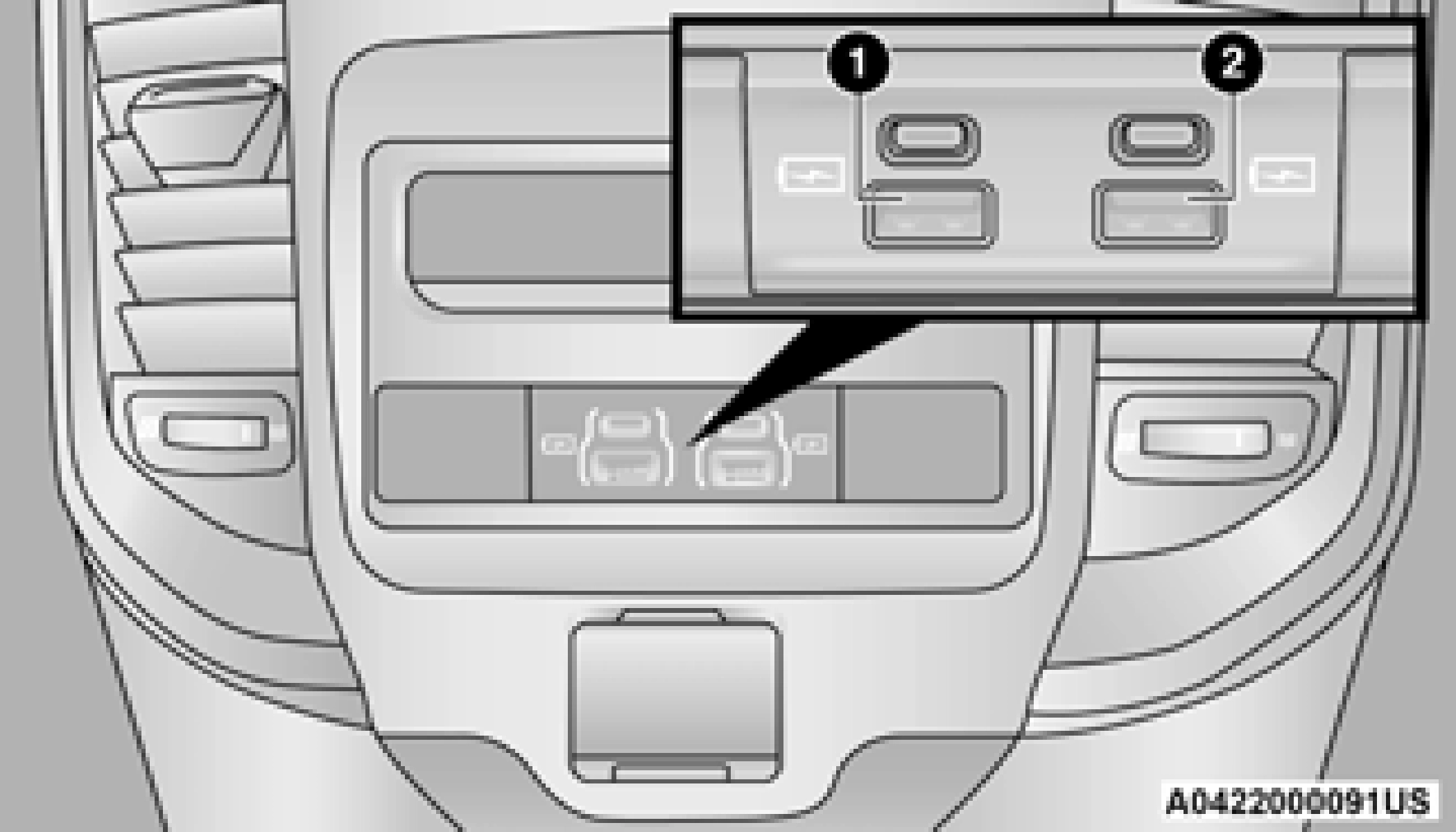
1 — Rear Charge Only USB Ports 1 2 — Rear Charge Only USB Ports 2
Applicable to only Uconnect 4C/4C NAV With 8.4-inch Display, and Uconnect 4C NAV With 12-inch Display radios, different scenarios are listed below when a non-phone device is plugged into the smaller and larger USB ports, and when a phone device is plugged into the smaller and larger USB ports:
Plugging in a phone or another USB device may cause the connection to a previous device to be lost.
If equipped, your vehicle may also contain a USB port located on the top tray of the vehicles center console.
If equipped, two Mini-USB ports (Type C), two Standard USB ports (Type A), and one AUX port may be located to the left of the center stack, just below the climate controls.
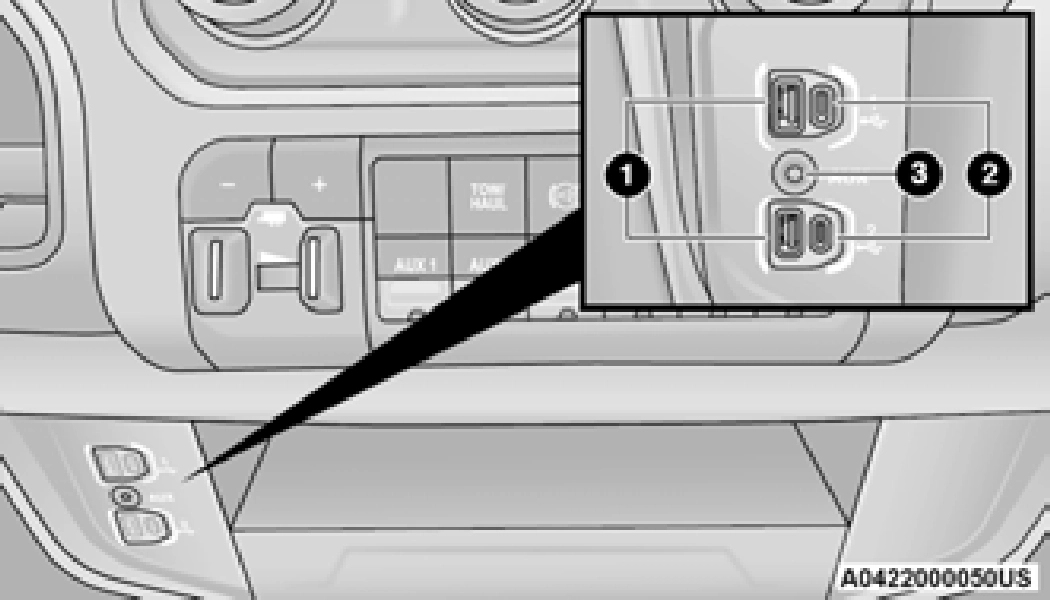
1 — Standard USB Type A Ports 2 — Mini-USB Type C Ports
3 — AUX Port
Some USB ports support media and charging. You can use features, such as Apple CarPlay®, Android Auto™, Pandora®, and others while charging your phone.
Plugging in a phone or another USB device may cause the connection to a previous device to be lost.
For further information, refer to the Uconnect Owner’s Manual Supplement or visit UconnectPhone.com.
ELECTRICAL POWER OUTLETS
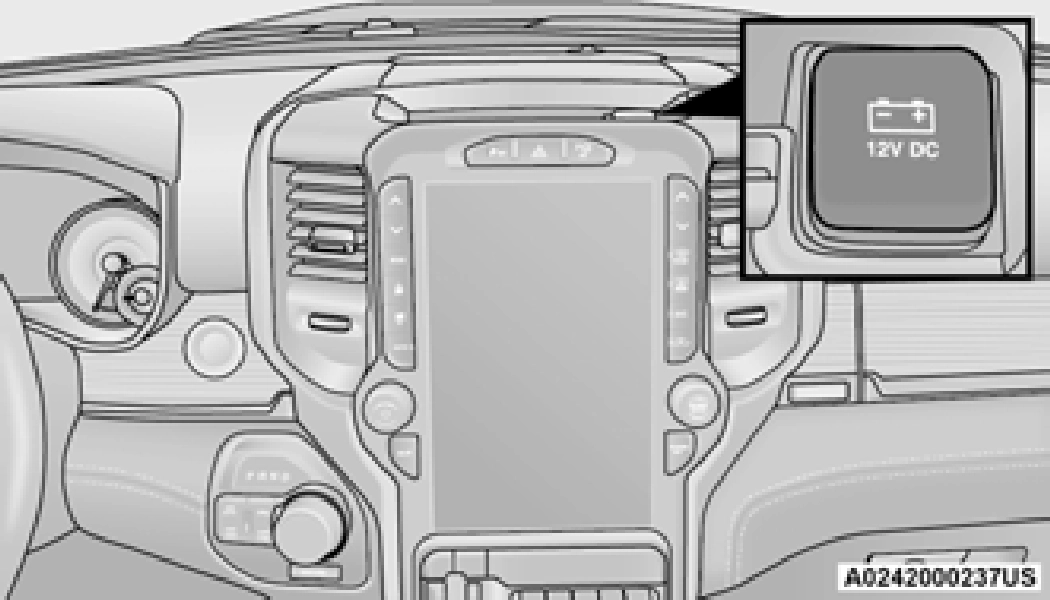
The auxiliary 12 Volt (13 Amp) power outlet can provide power for in-cab accessories designed for use with the standard “cigar lighter” style
plug. The 12 Volt power outlets and 5 Volt 2
(2.5 Amp) USB port (Charge Only) have a cap
attached to the outlet indicating “12 V DC”, together with either a key symbol, battery symbol, or USB symbol.
A key symbol indicates that the key must be in the ON/RUN or ACC position for the outlet to provide power. The battery symbol indicates that the outlet is connected to the battery, and can provide power at all times.
(Continued)
An auxiliary power outlet can be found in the tray on top of the center stack. This power outlet works when the ignition is in the ON/RUN, ACC, or OFF position.
Power Outlet Fuse Locations:
When the vehicle is turned off, be sure to unplug any equipment as to not drain the battery of the vehicle. All accessories connected to the outlet(s) should be removed or turned off when the vehicle is not in use to protect the battery against discharge.
(Continued)
POWER INVERTER — IF EQUIPPED
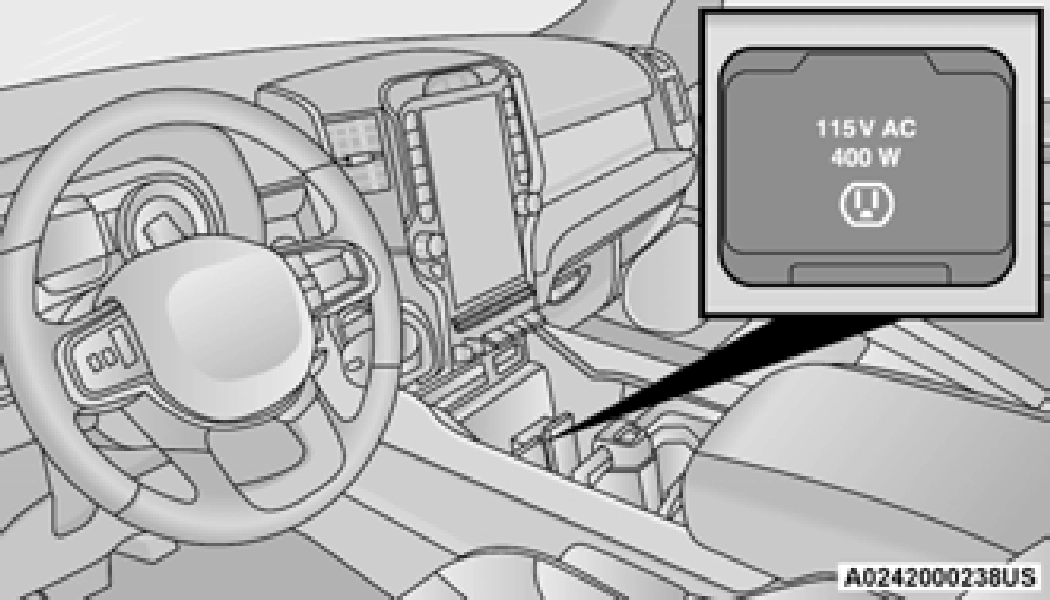
If equipped, 115 Volt (400 Watts maximum) power inverters may be located inside the vehicle. These inverters can power cellular phones, electronics and other low power devices requiring power up to 400 Watts.
Certain video game consoles exceed this power limit, as will most power tools.
All power inverters are designed with built-in overload protection. If the power rating of 400 Watts is exceeded, the power inverter shuts down. Once the electrical device has been removed from the outlet the inverter should reset.
The front power inverter is located in center console toward the right hand side, just under the Wireless Charging Pad (if equipped).
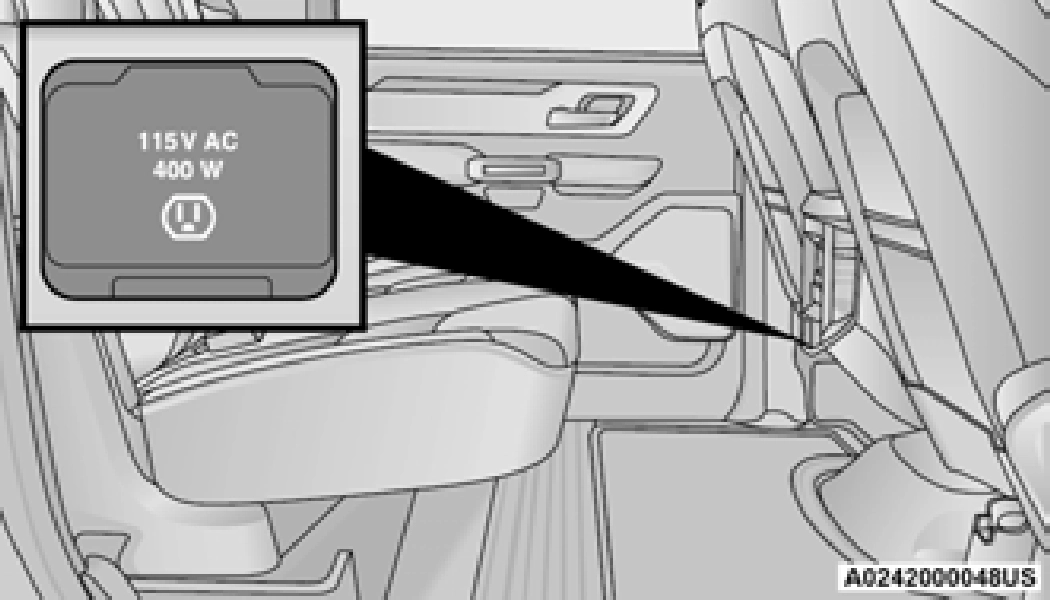
There is also a second 115 Volt (400 Watts maximum) power inverter located on the rear of the center console.
NOTE:
400 Watts is the maximum for the inverter, not each outlet. If three outlets are in use,
400 Watts is shared amongst the devices
plugged in.
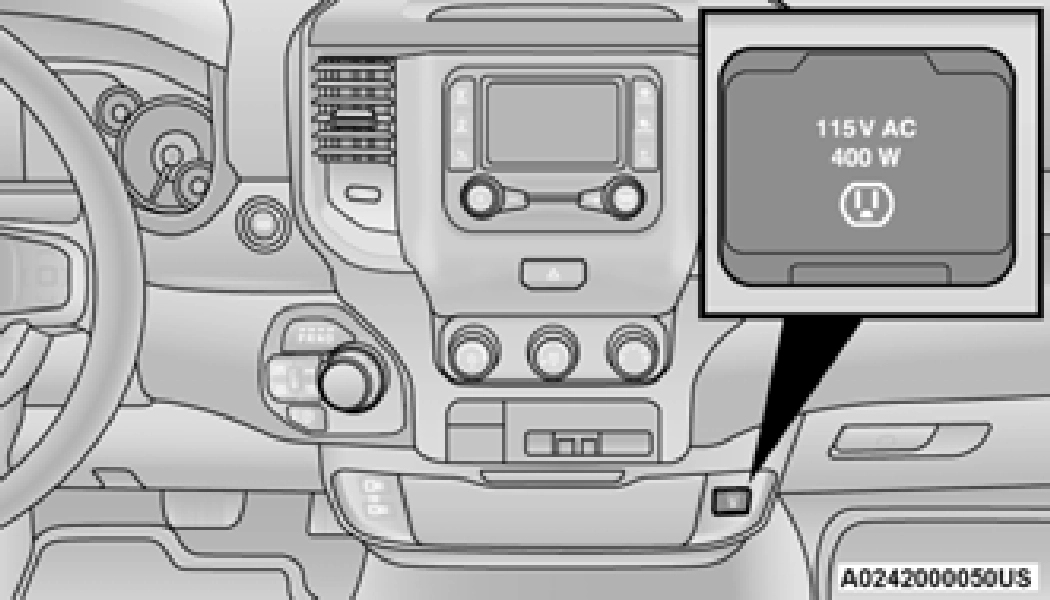
If equipped with a front bench seat, the inverter is located to the right of the center stack, just below the climate controls.
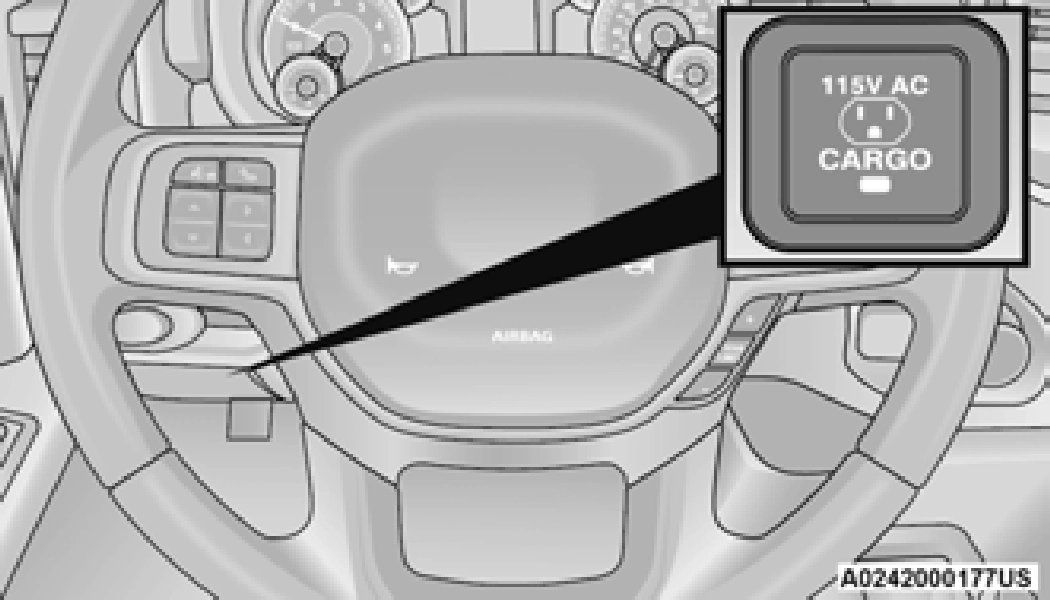 Exterior Power Inverter — If Equipped Vehicles not equipped with a RamBox may be
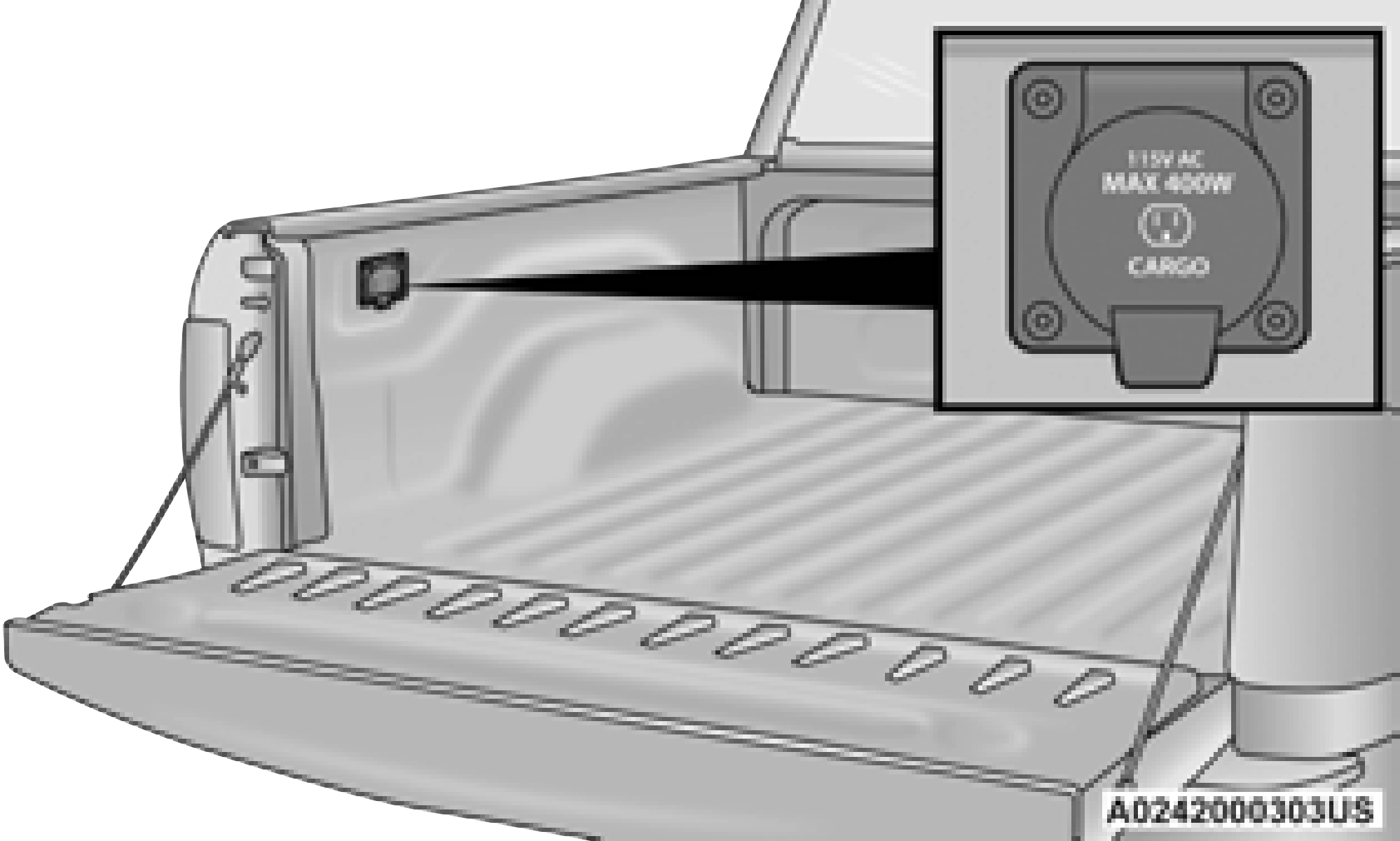 equipped with a 115 Volt (400 Watts maximum) power inverter located just inside the truck bed.
The Instrument Panel Power Inverter switch is only found on vehicles equipped with an exterior power inverter. The switch only controls on/off operation of the power outlet in the truck bed or, if equipped, the RamBox. It does not control on/off operation of the power outlets located inside the cabin of the vehicle.
For information on the outlet found inside the RamBox, see page 91.
To turn on the power outlet, simply plug in the device. The outlet turns off when the device is unplugged.
WIRELESS CHARGING PAD — IF EQUIPPED
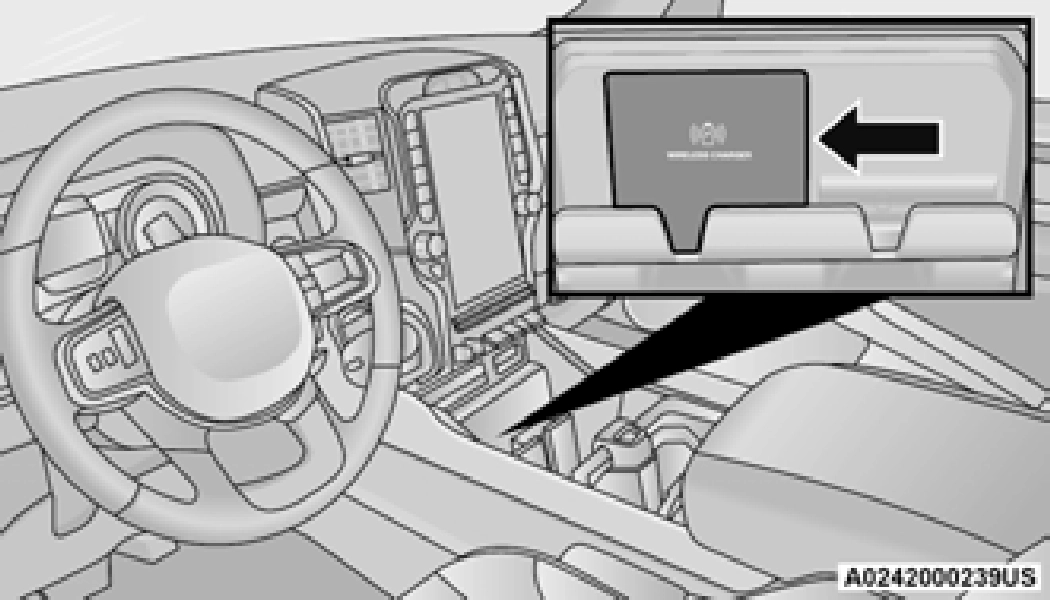
Your vehicle may be equipped with a 15W 3A Qi wireless charging pad located inside of the center console. This charging pad is designed to wirelessly charge your Qi enabled mobile phone. Qi is a standard that uses magnetic induction to transfer power to your mobile device.
Your mobile phone must be designed for Qi wireless charging. If the phone is not equipped with Qi wireless charging functionality, an aftermarket sleeve or a specialized back plate can be purchased from your mobile phone provider or a local electronics retailer. Please see your phone’s owner’s manual for further information.
The wireless charging pad is equipped with an anti-slip mat, an adjustable cradle to hold your mobile phone in place and an LED indicator light.
Using a phone case may interfere with wireless charging.
Download Manual