Windows
The power vent window switch located on the driver's door trim panel allows the driver to operate the two vent windows from the driver's seat.
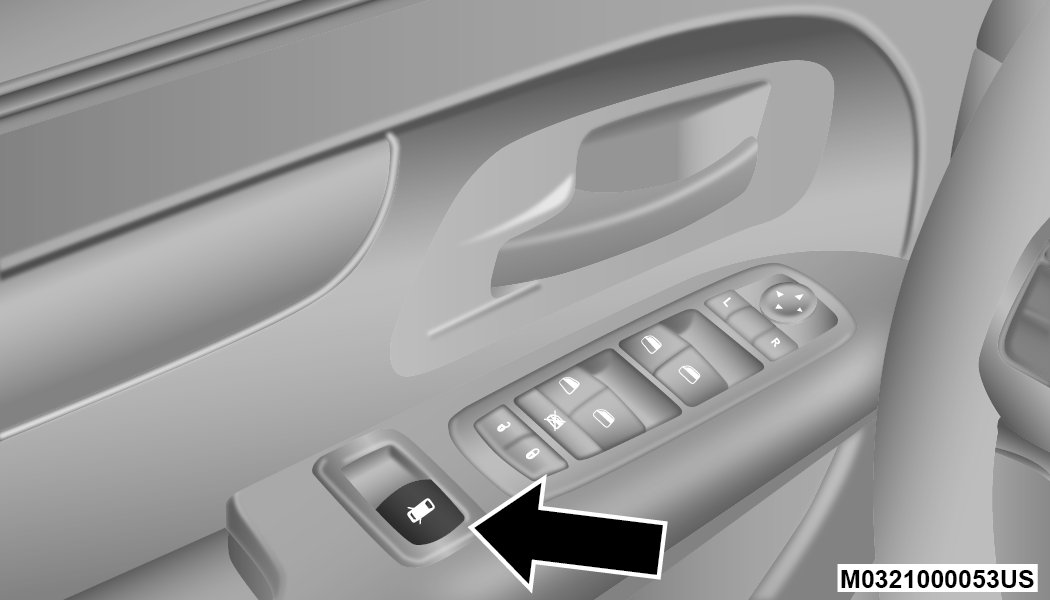
Power Vent Window Switch Open/Close
POWER WINDOWS
You can control either the front or rear windows using controls located on the driver's door trim panel.
The driver may lock out the rear power windows by pushing the bar control just below the power window controls.
The controls will operate only when the ignition switch is in the ON/RUN or ACC position and during power accessory delay.
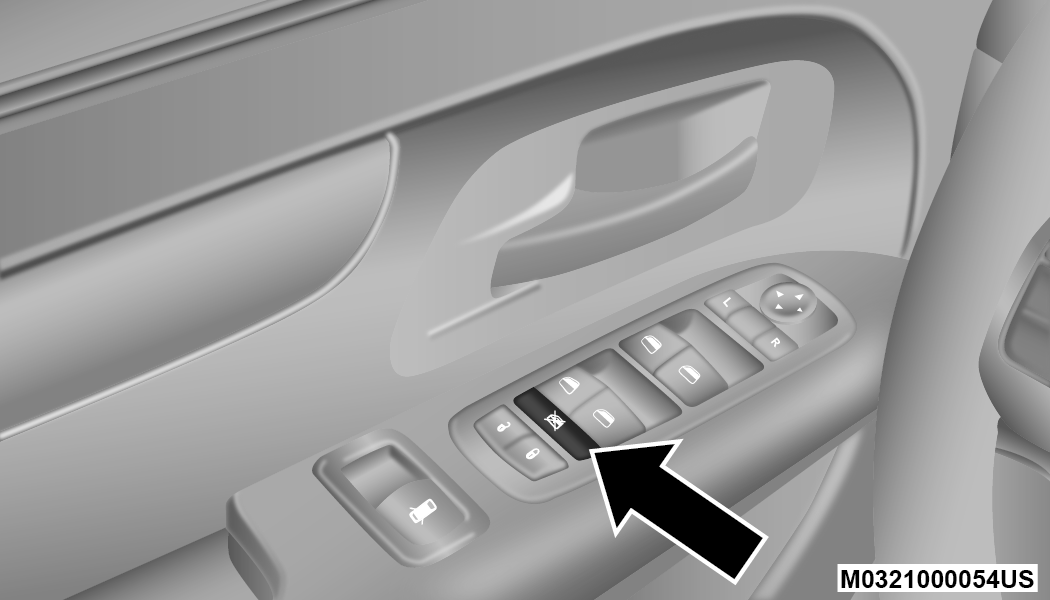
Power Window Lockout Switch
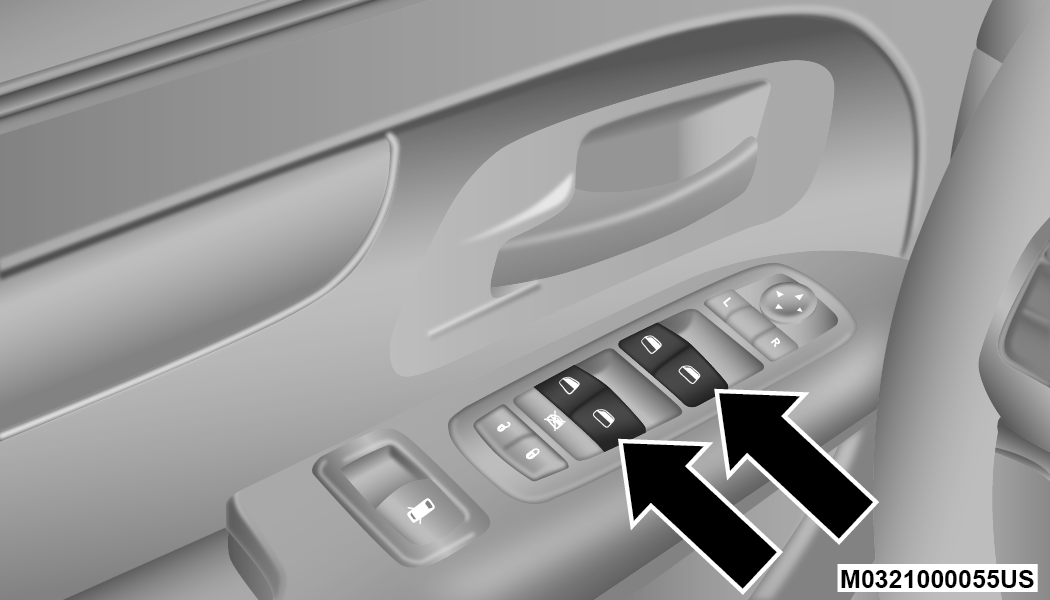
Driver Power Window Switches
Note:
Power window controls will also remain active for up to 10 minutes after the ignition switch has been placed in the OFF position, depending upon the accessory delay setting. Opening a front door will cancel this feature.
There is a single control on the front passenger’s door trim panel which operates the passenger door window and a set of controls that lock and unlock all doors. The controls will operate only when the ignition switch is in the ON/RUN or ACC position and during power accessory delay.
Auto Up Feature With Anti-Pinch Protection — If Equipped
The front driver and front passenger controls may be equipped with an Auto Up feature. Lift the window switch fully upward to the second detent, release, and the window will go up automatically.
To stop the window from going all the way up during the Auto Up operation, push down on the control briefly.
To close the window part way, lift the window control to the first detent and release when you want the window to stop.
Note:
-
If the window runs into any obstacle during auto-closure, it will reverse direction and then go back down. Remove the obstacle and use the window control again to close the window.
-
Any impact due to rough road conditions may trigger the auto reverse function unexpectedly during auto-closure. If this happens, pull the control lightly to the first detent and hold to close window manually.
WARNING:
There is no anti-pinch protection when the window is almost closed. To avoid personal injury be sure to clear your arms, hands, fingers and all objects from the window path before closing.
Auto Up Reset — If Equipped
To reactivate the Auto Up feature, perform the following steps after vehicle power is restored:
-
Pull the window control up to close the window completely and continue to hold the control up for an additional two seconds after the window is closed.
-
Push the window control down firmly to the second detent to open the window completely and continue to hold the control down for an additional two seconds after the window is fully open.
Sliding Side Door Power Window Control — If Equipped
Second row passengers may open and close the sliding door window by a single control on the door handle assembly.
The controls will operate only when the ignition switch is in the ON/RUN or ACC position and during power accessory delay.
Note:
-
The controls will not operate if the driver has activated the Power Window Lockout.
-
The sliding door windows do not open fully. They stop several inches above the window sill.
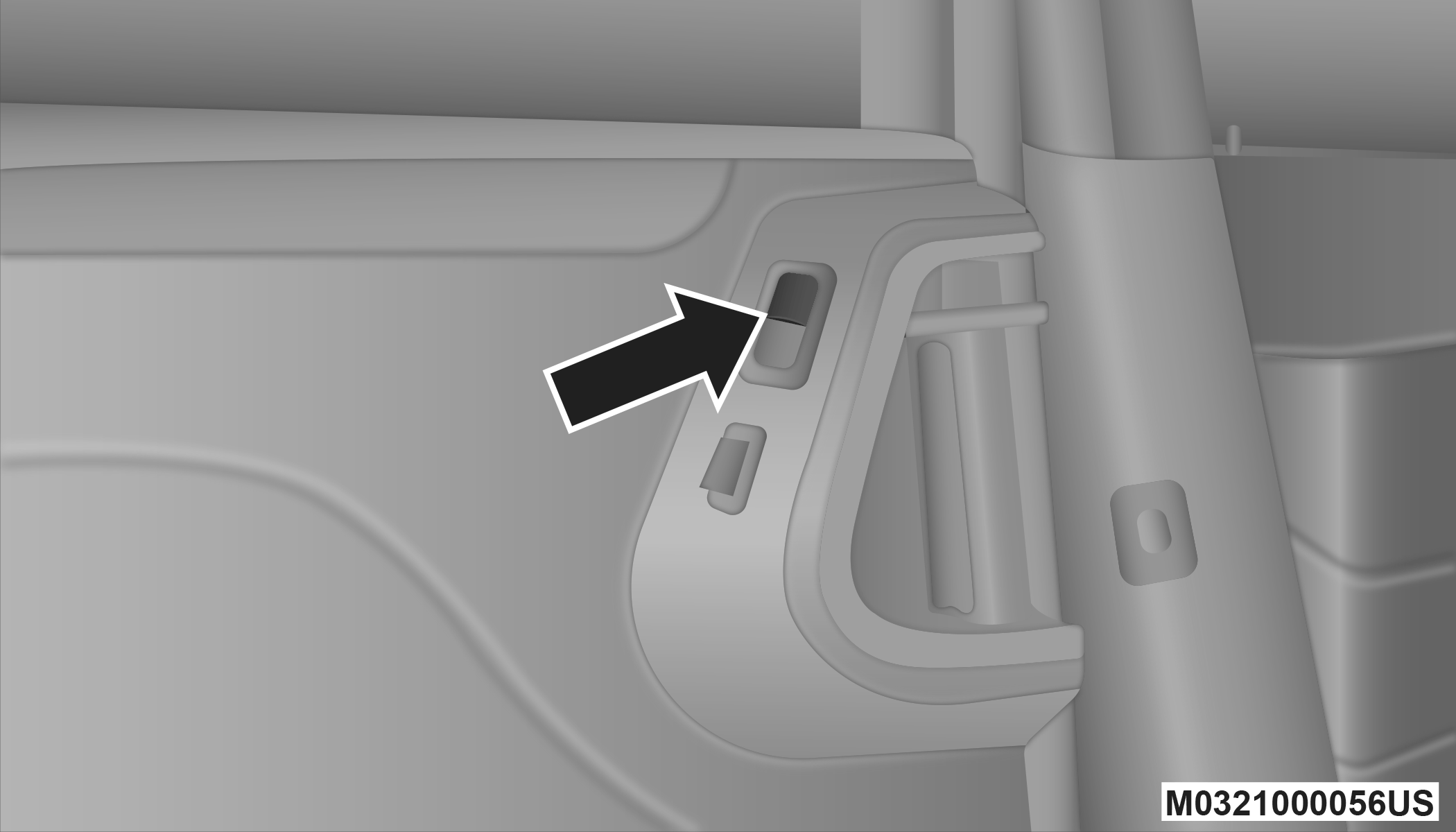
Sliding Door Power Window Control
Wind Buffeting
Wind buffeting can be described as the perception of pressure on the ears or a helicopter-type sound in the ears. Your vehicle may exhibit wind buffeting with the windows down, or the sunroof (if equipped) in certain open or partially open positions. This is a normal occurrence and can be minimized. If the rear windows are open and buffeting occurs, open the front and rear windows together to minimize the buffeting. If the buffeting occurs with the sunroof open, adjust the sunroof opening to minimize the buffeting.
Download Manual